I keep forgetting to write a post. Instead what happens is I leave myself little bread-crumb trails of notes (“chitaru shiota exhibit; can’t relate”, “birdhouse craft”), like a woman fleeing a crime scene that she will later have to investigate. They just sit there. A little graveyard of intentions.
This is the inconvenient curse of my flavour of ADHD: I cash in the entire dopamine hit on the idea, and then there’s nothing left in the tank for the part where you sit down and, you know, do the thing. All gas, no car. Anyway, here we go: here’s the last month or so.
Content Preview
I keep forgetting to write a post. Instead what happens is I leave myself little bread-crumb trails of notes (“chitaru shiota exhibit; can’t relate”, “birdhouse craft”), like a woman fleeing a crime scene that she will later have to investigate. They just sit there. A little graveyard of intentions.
This is the inconvenient curse of my flavour of ADHD: I cash in the entire dopamine hit on the
idea
, and then there’s nothing left in the tank for the part where you sit down and, you know, do the thing. All gas, no car. Anyway, here we go: here’s the last month or so.
---
Redesigned my homepage. It looks like a timey-wimey old school operating system, all nostalgia and no structural integrity — less pretty on mobile, obviously, the way these things always are. It’s got hidden bits and bobs and settings where you can make it look very unreadable. I shipped it a month ago, told nobody, and have since developed a persistent anxiety that it’s stupid and I should just have a clean, normal layout like a normal person on this normal internet.
---
Built a
Baba Yaga hut birdhouse
. It took me over 30 hours and I’ve formed an unhealthy attachment to it. Baba Yaga is an unpredictable Slavic forest witch: sometimes eats children, sometimes helps heroes, no consistency, no brand strategy. As a kid I clocked her as a monster: single, old, ugly, and (worst crime of all to young me) completely unbothered by what anyone thought of her. Obviously a feminist icon in retrospect, but it takes growing up to see the patriarchy for what it is. In Romanian folklore she just lives in a regular old hut; it’s specifically the Russian tales that put it on chicken legs, which is such a deranged, surrealist little flourish that I’m frankly obsessed with it.
---
I also made a face jar, like I said I would. It’s not cursed yet, but it’s early days. These things take commitment, same as everything else on this list. You don’t just wake up to a curse overnight.
---
Did a full 180 on the new Strokes album. First listen: jarring, cannot relate, where is the Strokes I love and trust? Two more listens in and I’ve decided the autotune is a deliberate choice; cubism, basically, which you have to respect in an era of AI slop where everyone sounds the same. Then I realised I have this exact reaction to every Strokes album, without fail.
The new abnormal
came out mid-pandemic, I gave it two listens, moved on. Fast forward to this year, where I hyperfixated on it for two months straight and consumed nothing else. So of course I was going to react badly to the new one; nothing could’ve met expectations that unreasonable. Classic dopamine economics, really. Spend it all obsessing, have nothing left over for a reasonable first opinion.
---
In French, to say you miss something is “tu me manques”: you are missing from me, not the other way around, which is an unbearably romantic way of putting it. I feel that way about Montreal when I visit: like it’s the thing missing from me. But going back this week, like I did, I got hit with a bit of existential dread that what’s actually missing isn’t the city at all, it’s my twenties. A decade I don’t even want back. There was a version of me that only existed in that specific place, at that specific time, and Montreal kept going without her. The city’s still there. She isn’t. And if I’m honest, I’m a little jealous of it; the audacity, thriving without me like that.
Nothing that 4 routine poutines didn’t fix.
---
Photo heavy. Is that good?
Tap tap
. Is this thing on?
An article from 2015 is making the rounds again because the internet has no new ideas and neither do we, that says Shakespeare (yes that Shakespeare) was quite possibly absolutely baked out of his mind the entire time. Pipes found in his garden. Cannabis residue. And honestly this explains so much. We are such stuff as dreams are made on, and our little life is rounded with a sleep; that is not a sober sentence. You write that at 2am after hotboxing a Tudor outhouse with the total stoned clarity that nothing has meaning and everything is beautiful.
Content Preview
An
article from 2015
is making the rounds again because the internet has no new ideas and neither do we, that says Shakespeare (yes that Shakespeare) was quite possibly absolutely baked out of his mind the entire time. Pipes found in his garden. Cannabis residue. And honestly this explains so much.
We are such stuff as dreams are made on, and our little life is rounded with a sleep
; that is not a sober sentence. You write that at 2am after hotboxing a Tudor outhouse with the total stoned clarity that nothing has meaning and everything is beautiful.
---
There’s a
small installation
by Leah Rosenberg at the SF Moma titled “The Things We Use to Make the Things We Must” – what a banger of a sentence. A sentence so good it makes you want to go home and lie down.
---
Another article coming back from the grave:
celery used to be expensive
. It was displayed in crystal vases at dinner tables like a bouquet of flowers, nibbled on by posh aristocrats who thought it had magical powers, which is to say: the Victorians were deeply unwell. Then industrial agriculture got ahold of it, made it boring and cheap, and now it comes free with your buffalo wings and you need to drown it in ranch to enjoy. Somewhere in a farmhouse outside of Philadelphia a man is trying to bring it back by developing something he calls the Elton John of celeries, and maybe that’s what my delicate anti-celery palate really needs.
---
A definitive ordering of Diet Coke products, which I should preface by saying I have a totally normal relationship with Diet Coke and do not use it as a replacement for alcohol, nicotine, therapy, human connection, or any of the other things it is definitely replacing.
McDonalds. Obviously, no notes, this is not a debate, and there is in fact an
FAQ
about why it’s so elite which I have read in full and which only raised further questions.
AMC fountain first, other fountains after. The distinction is real.
Cans.
Glass bottles.
The can I dropped on the floor of an elevator in Vegas this weekend which in the two feet between my hand and the floor achieved a flatness so total, so absolute, that it felt less like an accident of physics than a deliberate decision. The carbonation didn’t so much escape as it elected to leave. No fizz. None.
2 liter bottles, 30 minutes after opening.
---
I’ve developed a small, normal, completely healthy hyperfixation with the Strokes. I saw them in concert last month, then Julian Casablancas did some deeply Julian shit at Coachella, then I listened to The New Abnormal every day for two weeks like it was medication. I don’t like their two new songs. I am holding out a delusional, load-bearing hope that Julian is in fact trolling us; that “Reality Awaits,” and by the time the album comes out he’ll have peeled off the awful autotune, and the whole thing will turn out to be an elaborate bit he played on us, the sheeple, who deserved it.
---
I went to see the
Monet and Venice
show at the de Young. Two things. One: I had no idea that Monet had basically given up on the water lilies (the thing he’s now most famous for) and that Venice is what got them back together. He resented the lilies, he fled the lilies, he went to Venice to get some space from the lilies, and Venice was there, ready to fix that relationship. Personally, when I went to Venice I got bedbugs, which feels
a bit
unfair. Two: the patience. He painted the same Venice buildings over and over, on his only trip there, at 68. They hang several versions side by side so you can watch him do it. Couldn’t be me. I can barely look at a painting several times while I’m working on it without spiralling. I’ve abandoned paintings because I caught them at a bad angle on the way to the kitchen.
---
I’ve just experienced my first act of democracy in America, and boy, what a doozy. There are 53 people on the ballot for governor (fifty-three!), one of whom is named Barack Obama (not that one), and several men whose stated designation is just “Father”. I do not know what an insurance commissioner is. I do not know what the board of equalization is, or does, or wants from me. I do not know why there is more than one person per party running for these things. This is not how it’s done in either of the two other countries I’m a citizen of, which somehow seem to run regardless. This is an insane way to do a democracy and I am expected to think this is normal.
A Ritz-Carlton hotel in California closed an entrance after a hummingbird made a nest on a door handle and, amidst all the daily ambient horror of simply being a person with a phone in 2026, it is nice to be reminded of the kinds of small lives we still agree to make room for.
Content Preview
A Ritz-Carlton hotel in California closed an entrance after a hummingbird
made a nest
on a door handle and, amidst all the daily ambient horror of simply being a person with a phone in 2026, it is nice to be reminded of the kinds of small lives we still agree to make room for.
---
Have you noticed that we don’t get any art isms anymore? The 20th century minted them like currency: Expressionism. Impressionism. Cubism. Brutalism. All the big lads, all the heavy hitters of the ism game, all in a Parisian cafe in the 1900s going “what if a face but wrong” and changing the world forever.
And now? I went on the Wikipedia page for
21st century art movements
thinking I’d find the new Cubism, thinking I’d discover the movement that defines our age, and: it is short. It is 10 ways of saying “art, but with computers, but also online”. There is also something called post-postmodernism which gives me linguistic fatigue. That’s it. That’s the century so far.
---
Japan has, by some fairly significant margin, the best words. German has the hyperspecificity, but Japanese has the poetry. Komorebi (木漏れ日) is the word for “the dappled light and shadows created by sunlight filtering through tree leaves”. One tidy little word against the limping nine-word-plus English approximation for the thing you’ve definitely experienced and never had a name for and now will never stop noticing. I learned about it because Instagram has decided, in its infinite algorithmic wisdom, that what I need right now is
people painting komorebi
, and it was right. It’s beautiful. It’s soothing. The algorithm has me.
It’s a relief to be told, gently and without condescension, that a thing you have noticed your entire life has also been noticed, named, and found worthy of painting by other people.
---
I’ve been vibecoding (the term is bad, I know it’s bad, its badness is part of what it means) my way through a small backlog of projects that have lived on a mental to-do list for years, projects I’d specifically avoided because each had one extremely annoying bit in the middle that I didn’t want to write. But now, with the robots, the tedious plumbing writes itself (or close enough to itself that the distinction has stopped feeling load-bearing (load-bearing is a word I learned from the robots and started using ironically, and has now become a verbal tic. The existensial crisis that I might be a bad LLM remains)).
My favourite-but-least-useful is a page for all the
quotes I’ve been collecting
for the last decade, which now randomly generates little posters out of them, meaning I no longer have to scroll through a Google Keep note of biblical length to see what past Monica thought sounded good (past Monica had range). My least-favourite-but-most-useful is an
album roulette
, because I have hundreds of albums I have not listened to since college, and the only honest way to get through them is to surrender to chance.
---
My grandpa turns 98 today. Ninety-eight. The man is as old as antibiotics. That’s a quantity of consecutive years that feels less like a lifespan and more like a small geological feature. What a genuine fucking achievement. I am 40 and my achievement this week is that I managed to call and reschedule an appointment without crying.
There’s something good going on with music these days. Romance by Fontaines D.C. is a perfect album. I have listened to it almost every single day for weeks and have not gotten sick of it once, which is – and I mean this clinically – a medical miracle. Jack White is on SNL. The Strokes are touring. There is a band called Angine de poitrine who are the most aggressively anti-AI band I can imagine existing, out here doing absolutely Weird Shit™, and I don’t even normally listen to math rock like this but I am so glad someone is making it. My current theory (slash hopeful prayer) is that the best thing we are going to get out of all this AI slop era is the good bands dusting themselves off and getting back in the van. We have the robots writing our emails and apparently that is enough. That is exactly the kind of low-grade existential dread that makes people pick up a guitar again, and honestly good, great, more of this please.
Content Preview
There’s something good going on with music these days. Romance by
Fontaines D.C.
is a perfect album. I have listened to it almost every single day for weeks and have not gotten sick of it once, which is – and I mean this clinically – a medical miracle. Jack White is on SNL. The Strokes are touring. There is a band called
Angine de poitrine
who are the most aggressively anti-AI band I can imagine existing, out here doing absolutely Weird Shit™, and I don’t even normally listen to math rock like this but I am so glad someone is making it. My current theory (slash hopeful prayer) is that the best thing we are going to get out of all this AI slop era is the good bands dusting themselves off and getting back in the van. We have the robots writing our emails and apparently that is enough. That is exactly the kind of low-grade existential dread that makes people pick up a guitar again, and honestly good, great, more of this please.
---
For a laugh I ran some of my pre-2020 blog posts (safely written in the pre-ChatGPT era) through an AI detector and it came back telling me they were between 59% and 93% AI-generated. I am now in a full spiral that I just naturally write like a language model that has been asked to sound like a person. I’ve been a robot this whole time. The robots didn’t take my job. I was always the robot.
---
One of my absolute favourite pieces of trivia, which I keep locked and loaded in my back pocket, is that we only have good blueberries because of USAID (rip). The full thing is a
Planet Money episode
which you should listen to but the tl; dr is: blueberries used to be bad and seasonal and therefore pointless, Peru was growing coca leaves, America was doing its whole thing about that, and USAID showed up (with what I can only describe as the most optimistic foreign policy proposal in recorded history) and said what if instead of cocaine you grew asparagus. The farmers loved asparagus so much they immediately destroyed the asparagus market by growing too much asparagus, so this one Peruvian dude had a look at what else could grow in sandy Peruvian soil and the answer was blueberries and that’s it, that’s the whole thing. Bingo bango, you can now eat blueberries in January like a queen. The war on drugs gave us bloobs.
---
Saved from last week’s update in what I am choosing to call “planning”:
face jugs
at the Atlanta High museum. Face jugs are jugs (or jars, the taxonomy is loose) from the 1800s American South, and they have faces on them, and the reason they have faces on them is to scare children away from the moonshine inside. Or spices. Or genuinely anything else you care about; children get their grubby little hands in everything. I found this especially delightful because I took a portrait sculpture class last year and since then have been
putting faces
on pottery, and it turns out once again that nothing is new. Nothing has ever been new.
Thinking about resuscitating regular written updates. Reasons, in order of honesty:
Content Preview
Thinking about resuscitating regular written updates. Reasons, in order of honesty:
vanity
it might pressure me into actually doing something worth reporting on
writing is a part of my brain that has been gathering dust and I am becoming increasingly concerned this is turning me into a bore.
---
Found an interesting framework for evaluating art via Instagram Reels, which I realize is
not
the most dignified source for deep aesthetic theory but here we are. Three Ns:
Novelty
,
Nuance
(alternatively “craftsmanship,” but that starts with C),
Narrative
. Big find for me because I have long harbored the opinion that Ellsworth Kelly sucks and now I can tell you, with some structural backing, that imo he fails all three. Simultaneously. Kind of impressive if you think about it.
---
Went (high) to the High Museum in Atlanta. Great, genuinely. Showed up a month early for the Amy Sherald exhibition, which I’ve seen twice already in SF and was embarrassingly excited to see again. Not a stalker, just in awe!
Really liked the
Mimi Plumb retrospective
. I started off skeptical with her early life neighborhood photos, but then it got good. She’s from the Bay Area, she photographs things I recognize, and she does this thing with light and contrast that I respond to. I left wanting to paint things she’s
photographed
, which is probably the best possible outcome of seeing someone else’s art.
Annoying realization that contemporary art takes up so much space. Here’s a photo of the Impressionist room. Look how small (objectively good; nails the Ns) the paintings are:
Here’s two contemporary rooms. Why does everything have to be so big these days to be taken seriously? Bring back the Dalis. The Pesistence of Memory is 9x13 inches!!
Best discovery: the High labels uncredited old works (quilts, found art, etc) as “Maker once known.” Not anonymous. Once known. Someone remembered, then didn’t. You still existed.
---
Writing this I realized I have a fetish for the em dash. 69 of them in 27 files on this site. The robots ruined this for me, possibly forever, and I had to painstakingly comb through and remove a shocking four of them.
I have 4 (rounded up) beefs with language-y AI bots that have resulted in me sort of avoiding them altogether:
Content Preview
I have 4 (rounded up) beefs with language-y AI bots that have resulted in me sort of avoiding them altogether:
They have the personality of a middle manager who writes Google Docs all day that nobody wants to read
They’re reallllly good at guessing but not actually that smart, which leads to very convincing lies (see: the “how many Rs in strawberry?” saga). If I had the inclination to double check all the bot’s work, I would’ve just done it myself
Absolutely no thank you to the scam that is “prompt engineering”. I’m not wasting 17 demon invocations to convince Chat GPT to do a thing. That’s not the future I was promised.
(not their fault) I have unresolved trauma about generated code from the Microsoft FrontPage era
Testing the waters
Unrelated to bots, I’ve been recently faffing about on a Swift app, with exactly zero prior knowledge of Swift. I basically have to Google everything (what’s up with the mad
ForEach
syntax????) to get to a Stack Overflow page that isn’t the one I actually need because search results have gotten sloppy, and it takes a minute. None of the things I’m copy pasting are “hard”; they’re tedious code I can write in other languages but not in
this
one. And not to be a jerk, but 1-1 code translation isn’t what I want to spend my spare time on.
A friend told me to try
Claude.ai
, and it worked reasonably well for what I asked of it, which was mostly syntax (
how do I add internal padding to a TextField?
). I tried it for some harder questions with mixed results:
how do I make links inside a WebView not open a native app?
was a mess, but
why do you think a page of just inputs is really slow
gave me the right idea for where to start spelunking.
The problem with trying it on a language I’m not an expert in goes back to Beef #2 above – I can’t spot the very convincing lies as easily, and then I spend extra time trying to figure out if I copied it wrong or the answer is wrong (which is what happened with the WebView question), and it takes longer than if I went the tried-and-true slower Stack Overflow way.
Going for a swim
Here we go, 1700 words in and we’re finally getting to the punchline! Eventually we all become the middle managers we hate, eh? I finally had the opportunity to try Claude on JavaScript, and it went really well. Like, shockingly well.
Context: I was working on
this little website
and I could absolutely not be bothered to do any polar coordinate math. I thought this would be a perfect opportunity to see if there’s a future in this banana stand.
“In html and css and javascript, i want to position the letters A, B, C, D, E, F and G in a circlular [sic] wheel”
You assume correctly that I did not read any of that explanation because I’m a baddie and reading is for chumps, but looking at it now, it’s spot on for the code it produced. The code, by the way, was good. One container
div
(blisfully avoided Beef #4, check check), 2 CSS selectors (for the container and inner bubbles), and this bit of completely decent JavaScript.
I could’ve stopped here, but mad with this newly acquired power, and lazy beyond my years, I continued.
“That was almost perfect, but can you make sure that the F is horizontally centered at the top?”
That resulted in the exact code I copy pasted to my website, along with another 1179 word (no joke) essay about the ONE line of code it changed that I left unread.
Towelling off
I know this blog post has the vibe of an excessively proud mother whose dog just did its first poo away from the expensive rug, and tbh it isn’t far from that. The bar was very low. I expected this to be a shit show, and it wasn’t, and I got so excited about this fairly basic task a very large (and probably expensively trained) model completed. I’m not
really
worried it’s showing signs to replace me, but I
am
hoping it can help with some of the tedium programming requires.
Can’t wait to return to reality and regret this blog post in 2 months when the rest of the AI bots overthrow the US election and continue teaching the children to put Elmer’s glue on pizza.
Wow, long time, no posts! Anyway, about them text-to-art generative models going about, eh? Surprising nobody: I am extremely into them. I’ve been using DALL-E and MidJourney since they came out, and even though tons has been written about them, I wanted to give a slightly different overview: the perspective of someone who isn’t interested that much in their realism skills.
Content Preview
Wow, long time, no posts! Anyway, about them text-to-art generative models going about, eh? Surprising nobody: I am extremely into them. I’ve been using
DALL-E
and
MidJourney
since they came out, and even though tons has been written about them, I wanted to give a slightly different overview: the perspective of someone who isn’t interested that much in their realism skills.
I think that the most compelling place for ML models in an artist’s life is as a tool that specifically
enables
, and doesn’t
replace
, creativity. Machine Learning is amazing at doing something very specific, lots of times, really fast. It’s great at telling me if an image is a cat or a dog. It’s also great at generating one hundred half-dog-half-cats, in different positions, so that I can bypass the dozens of hours I would spend sketching out half-dog-half-cats for a painting that’s
actually
about the nuclear apocalypse.
I’ve seen a lot of examples of which model is best at painting “The otter with the pearl earring”, but I haven’t seen a lot of comparisons of these models in terms of their potential for creativity– likely because “creativity” is not really quantifiable. I wanted to do this for myself, if anything so that I can figure out how to use my money and credits better, but thought that I might as well put it out there in case anyone else was curious.
This post ended up being looooong, so here’s a Table of Contents:
I use these new models for a very specific thing, and that is as a brainstorming partner/collaborator. This shouldn’t surprise you: I’ve been going off on using ML for co-creation since the days of working on
Magenta
, which was the project that forged my views on the topic (shoutout to the smarter-than-me people on the team that let me absorb their well articulated opinions).
I tend to find DALL-E generations like “dogs playing poker” or “Donald Trump but as a cheeseburger” impressive, but kind of boring: yes, the output is funny, but no, I don’t fall asleep thinking about the deep meaning of an orange cheeseburger with a balding head and very small hands. As an artist who is trying to carve a place for myself in the art world (and for these models in my art), I want them to be my co-creators, my partners in crime, but not take over and compromise my style. I want us to brainstorm together, come up with ideas, and then (in most cases), mold this draft into something that I can look at and say “yeah, that looks like something I made”.
This is consistent with how I look at the use of music models like the
Music Transformer
: absolutely impressive compositions, best suited for an elevator. This isn’t the fault of the model, nor its users, and I am truly not shitting on these outputs (unless they’re for NFTs; always here to shit on NFTs 🙃): I think both background music and memes have a value in society, as do procedural TV shows (they’re filming new Criminal Minds!!!), computer generated or not. But personally, as an artist, I feel fairly emotionally detached from them, as I’m pretty sure their authors do.
The exact same models, when used in a thoughtful and creative way lead to absolutely brilliant things; the ones that make you say “fuck, I wish
I
had thought of that”. Yacht’s
album
made with hard creative rules and machine learning is a wonderful example, as is Karen X. Cheng’s use of DALL-E to imagine the scene
beyond Girl with a Pearl Earring
. This is the bit that I care about.
I’ve been trying to post updates about how I personally use these models on my
artstagram
(often with a commentary about the process), but as a recent craft fair that just rejected me had to say: I’m quite shit at the socials. Have this blog post instead?
I tried to get a Googler to help me run the prompts on
Imagen
, but I got no bites, so I have no idea how it fits into this story.
Cherry-picking outputs
I cherry-picked 4 images for each model as follows:
DALL-E: Because using it costs real moneydollars these days, I decided to backfit this experiment to prompts I’ve already saved several images for (crucially: this means that I thought the prompt gave interesting enough results for me to care; this is 100% not true of every prompt I try). I also ran each prompt one more time to generate 4 more outputs, and then picked the best 3 out of those. The top left result is always the one I liked the most.
Stable Diffusion: cherry picked 4 results out of about 9.
MidJourney: I ran each prompt twice (getting 8 outputs in total), and then I picked the best 4. I didn’t try any parameters or tricks other than just using the prompt itself.
I tried to be as honest as possible with the results I’m showing, because I don’t have a dog in this race. I just want something useful
for me
, wherever it comes from. You can zoom over the results to see them slightly bigger.
What I look for
The prompts I used are for stuff I am actively working on, so they’re a bit weird, slightly personal, and in some cases, oddly disturbing. Please don’t steal the prompts or the outputs from me; I can’t stop you (such is life on the internet), but it will break my heart.
I’ll have some more details for each prompt, and how I picked “the most interesting to me”, but the two big rubrics I looked for were:
Did this model interpret the prompt?
Would I use one of the model’s generations “in an art” (this is very wishy-washy and not scientific; trust me, I get that)
Keep in mind that:
I understand that in some cases if I spent more time working on the prompt, I might get better results. The way I work is that I don’t try to force things into existing – if they don’t work out, I shelve them for a better time.
Some results are really weird and unsettling, and they’ve made me dislike my prompt. This isn’t the models’ faults, or their authors, nor do I have “bad feels” towards the models; it just means I’ve
accidentally created an uncanny valley and I need to back away from it until I have a better idea of what I actually want from a model. Or maybe not use bees ever again.
Results
I picked 4 prompts, each of which covering a different area I am interested in:
An easy to imagine concept that exists in real life (can it execute?)
An easy to imagine concept that
doesn’t
exist in real life (can it imagine?)
A hard to imagine concept that
doesn’t
exist in real life but makes sense linguistically (can it hallucinate a surrealism?)
Multiple concepts that exist in real life, glued together in a way that doesn’t make sense linguistically nor does it exist it real life (can it be weird?)
I apologize in advance for #3 – it’s a bad place – and for the alt text on these images. Summarizing robot art is harder than I thought.
1. “Linocut print of a girl bundled up in bed with a stack of books and a cat”
What I am looking for: Something that I can actually carve into linoleum and make prints out of, so sharp lines that I don’t have to spend too much time cleaning up is ideal. The suprise winner in this category was Stable Diffusion who despite not interpreting the prompt correctly, came up with the most interesting results (in my opinion, etc)
---
DALL-E
. Composition is great (100% gets the prompt), but completely misses the mark on "linocut". I tried to work this into a useable drawing to carve, but because it uses fairly sketchy lines and fills, it ended up being way more work than I wanted.
---
Stable diffusion
. Composition is pretty good but doesn't actually interpret the prompt well. The "linocut" part is really well done -- I find it amazing that the top left image actually has a signature and a title outside of the print! Despite not getting the point, the top right result is my dream come true and what I'll end up using.
---
MidJourney
. Also kind of misses the prompt, and doesn't have as many details as the Stable Diffusion results. I really like the bottom left the most, but I don't think it screams "cat with books" enough for me to use.
---
DALL-E mini
. The results are kind of okay if you squint really hard, but not at all what I'm looking for. I just got laser eyes; I'm not about to go back to squinting.
2. “Lithograph of an orchid where each flower has a small skull inside”
What I am looking for: any semblance of an orchid not looking like an orchid. The “lithograph” part was a very loose requirement – I just wanted it to feel “pencilly” without looking like a child drew it, which is what DALL-E often does for “pencil drawing”. I spent a
lot
of time on this prompt with DALL-E (including looking up the technical biology terms for “the bit inside an orchid flower”), and I never got anything at all correct. It wasn’t until this blog post when I went to other models that I regained hope! MidJourney, man!
---
DALL-E
. I remember I tried many combinations of writing "a skull inside each flower", and
all I could ever get out of DALL-E was an orchid next to, or coming out of, a skull. I get bored after about half an hour of failing at a prompt; I'm sure there is a way to write this to get what I'm looking for, but I didn't figure it out, and I lost interest.
---
Stable diffusion
. This one struggled with the prompt too. The bottom two results are really
pretty, and in particular prettier than the equivalent (and misunderstood) DALL-E results, but still not even in the ballpark of what I was looking for
---
MidJourney
. I mean, 10/10. These are the spooky orchid boys of my dreams! This prompt came up because I went to an orchid exhibition, and I thought so many of the little flowers looked like skulls or aliens. This was
exactly
what I had in mind.
---
DALL-E mini
. Suffers from the same prompt problems as the other models, which makes me think
that whatever special tweaks MidJourney does to get "creativity" out of a prompt are absolutely
working.
3. “Erik Johansson photograph of a woman[sic] hair that is a literal bee hive”
I love surrealism. I was watching this 60s movie where a bunch of women had beehive hairdos, and this is how my brain operates: “wouldn’t it be interesting if”? I don’t know what I was expecting to get, but it wasn’t any of this (though as someone who understands how these models work, in retrospect I understand
exactly
how we got here). I chose
Erik Johansson
because surreal photography is his jam, and it helped stir DALL-E towards more of the right vibes at the time. Unfortunately, I got
really
creeped out by most of the results (from all models tbh), and it’s really soured up this prompt for me.
---
DALL-E
. The uncanny valley of literal bee hives turns out to be deep. The top left image one is the nicest, possibly because a) it doesn't have a face and b) it only has casual bees. It is maybe the closest to what I wanted (out of all the outputs), but it doesn't make me feel great looking at it.
---
Stable diffusion
. The people. They look like people. I don't like it. I think the top right one is the least disturbing?
---
MidJourney
. I find it incredibly fascinating that out of 8 images, they all have the same very specific style. Erik Johannson rarely uses people in his photography -- why is this very specific
woman coming up? Also, I think the cutesy, not really photographic style really helps these outputs, tbh.
---
DALL-E mini
. Poor model, this is the worst of the bunch, and I expected it. DALL-E mini
isn't very good at realism; it gives very noisy people, or faces, and then shoves them through a potato. That, combined with (my bad) sheer
creepiness of the prompt leads to a literal nightmare.
---
I cannot apologize enough to these models for making them go through this. You at least could’ve scrolled past this section; they, the poor darlings, couldn’t.
4. “A toucan wearing a 60s apron, sitting on a mid century modern armchair, talking on a rotary phone, retrofuturism”
And now, a palette cleanser. I had been doing some reading and learnt that DALL-E really likes commas and stacking up contexts, so that’s why this prompt is so detailed.
---
DALL-E
. I expected DALL-E to do well, and it did. The toucan on the phone is there, the 60s vibe is there, the apron is dubiously missing but we'll give it a pass. It's got the fuzziness of old,
spacey, retrofuturism posters (though the prompt has absolutely no actual futurism in it)
---
Stable diffusion
. This isn't bad either. The art style is a little flatter (what is retrofuturism even?), but it's toucans doing their thing, some better than others.
---
MidJourney
. If you've ever played with MidJourney, this will strike you as having "very MidJourney vibes". This grainy, round style I see often, and I quite like. However, while it captures the style really nicely, the prompt is sort of a wash past the toucan.
---
DALL-E mini
. This is the first time I a) love this model the most and b) wish that it produced higher resolution images. Look at the aprons! Look at the furniture! In terms of concept, it's absolute perfection. In terms of execution, an absolute potato.
What have I learned?
I think the most important thing I’ve learnt from this experiment is that in terms of what I’m looking for (interesting hallucinations and not realism), DALL-E isn’t the end-all, be-all of models, and nor is MidJourney. The two freely available models are quite alright in some cases, especially if you’re looking for fast and free brainstorming. I think the workflow that I will try out next is to workshop the prompt using StableDiffusion/DALL-E mini, and then take that to the big boi DALL-E herself, and see what I can go from there.
In terms of model-specific lessons (knowing that it’s based on my weird experience with them, they’re not scientific and not necessarily applicable to what
you
are working on, etc. Don’t come for me, basically):
MidJourney can be super creative, but can also fall into stylistic pits (see: the bees, the toucan)
It’s hard to get DALL-E out of a realism pit without a ton of effort (see: the skull orchids)
Stable Diffusion works surprisingly well for something I can run off a collab
I don’t have a gut feeling as to why, but pretty much everyone except for Stable Diffusion is confused by what a linocut is (this is only interesting to me, someone who works on linocuts)
DALL-E mini really understands what toucans want (JK)
I should maybe steer clear of bees.
---
Thanks to
Adam
for helping me rework the intro, and giving me a subtitle; I can’t believe I missed a Strangelove opp.
(This is a post mostly about art but I swear there’s a moral in here for all you tech readers, or at least
a discounted therapy lesson.)
Content Preview
(This is a post mostly about art but I swear there’s a moral in here for all you tech readers, or at least
a discounted therapy lesson.)
As you may have noticed from these latest posts, at the beginning of this year I decided to “do more art”. This went really well for a couple of months: I was making new shit; I was pumped; I felt competent. Around September I stopped feeling competent and got hit with a smol existential crisis which, in retrospect, I’ve seen a million times in my engineering career. I was looking at all the artists I follow and respect and where they were in their art career and I freaked out because I was
nowhere
near their level. They all seemed to have an art voice and a big following and know exactly the kind of art they wanted to do. I 100% did, and still do not. So naturally what I took from this was that I sucked and I should just quit making art.
The problem with this kind of crisis is that it’s very much a “can’t see the forest from the trees” situation. The obvious response from someone on the outside would have been “Monica, stop. You’ve been literally doing this for 6 months and these people have been doing it for years. If you want to get to their level you have to just keep doing the work they did for all that time and you too will get there”. And thankfully, that’s
exactly
what my friend
Adam
said when I asked him to hold my feelings over zoom wine.
Productivity is a fake idea
Hilariously, this is also the advice I always give to the junior developers I’ve mentored in the past, but didn’t think of giving to myself. When you start in your career, or even when you start on a new team, you need to adjust your expectations of what being “productive” or “good” means, or else you’re going to have an emotionally bad time. Your team lead that has been working on that team for 3+ years will obviously know more about it than you. Your friend who’s been writing JavaScript for 10 years will most likely write JavaScript faster than you, if you’re new to it. Someone who runs marathons will run longer without dying than me, a person who runs out of breath going up a hill.
These are only value judgements if they meet your priorities and expectations. Not being able to run a marathon does not make me a lesser artist (but it does make a lesser athlete, a metric I am blessedly not interested in pursuing). Not being able to write JavaScript makes me a worse engineer only if my expectation is to be a senior JavaScript engineer, but not if my expectation is to be a junior SQL engineer. This is why “being junior” isn’t a value judgement – you can be a fantastic and overachieving junior engineer, but still a junior because you’ve been only doing it for 3 weeks.
So what I was feeling wasn’t actually “I am shit and I should quit this” but “for my current priorities, I feel like a lesser artist because my expectations are much higher than my current technical abilities”.
The way you get out of this rut is either by adjusting your expectations (“I don’t want to be a good at SQL so it’s fine I only know how to do a select *”, a thing I have said out loud before), or adjusting your experience (“in order to be a better runner I should start small with a couch to 5k program, and stick to it to get used to it”, a thing I have absolutely never said but immensely respect anyone who has).
Quality vs. quantity
Adam also told me
an anecdote
about a ceramics professor who told half of their class they’d be graded on the amount of work they produced, and the other half that they’d be graded on one thing they picked as “the best thing” they’ve made. Spoilers: at the end of the year, the people who were graded on quantity also produced ceramics that were of higher quality than the other group’s. Churning out work leads you to learn from mistakes, get better at things mechanically, so that you can focus more on the rest of the bits. Once you have the basic JavaScript syntax down and you don’t panic at writing a for-loop, you’re more confident that you are a programmer. Feels obvious right?
Amazingly, it didn’t feel obvious to me last month, even though in 2018 I went through a
very
similar existential crisis and “solved” it by churning out
a whole inktober project
.
Now do the work
This is your sign that if you’re feeling equally down about a skill you expect, or want, to be better at, you should probably sit down and make a plan about how to level up. For me, it looked like this:
Step 1
. Improve the basics: get better at writing JavaScript that I can then use when I do make art; have a better set of basic utilities and examples. Look at all the ways I can now fill boxes, when before I could only fill them with solid colours or gradients!
---
Step 2
. Keep churning things. I started with a fixed grid, and filled every cell with every new shading style I wrote, to see which look cool together.
---
What if the grid isn't even? Shout out to the grid og, Mondrian.
---
What if the grid isn't of squares?
---
What if each cell is a grid?
---
None of these are amazing, and I wouldn’t call any of them “art”, but it does mean that with minimal effort I went from this generative landscape on the left that I wasn’t particularly inspired by, to this one on the right that is looking like it might go somewhere. More on these landscapes when I finish
step 3
: stick with a project until it is done, not until you get bored of it (because doing the work is never as exciting as starting something new).
A couple of months ago my friend Jana helped organize HashiConf Europe, and asked me to work on generating custom artwork for each of their speakers. This was my first experience with creating art for someone else, and especially art that had to match someone else’s artistic guidelines. I’ve said this before, but I live and nap by the idea that rules (and editing) are at the core of the artistic process and not having to do that myself was brilliant. I wanted to write a bit about it because a) I did a bunch of work that I’m really proud of and I never got to talk about it and b) I am vain and I want to talk about it.
Content Preview
A couple of months ago my friend
Jana
helped organize
HashiConf Europe
, and asked me to work on generating custom artwork for each of their speakers. This was my first experience with creating art for someone else, and especially art that had to match someone else’s artistic guidelines. I’ve said this before, but I live and nap by the idea that rules (and editing) are at the core of the artistic process and not having to do that myself was
brilliant
. I wanted to write a bit about it because a) I did a bunch of work that I’m really proud of and I never got to talk about it and b) I am vain and I want to talk about it.
This was the final poster:
And this is what we wrote about it on the card that accompanied it:
Enclosed you will find an art print made for you by generative artist and engineer Monica Dinculescu.
This individual print is unique to you and you alone, as Monica has incorporated your name, the title of your talk, and the color of the HashiCorp product that you are talking about at this year’s conference.
Each cell in the grid has been randomly generated to contain either a letter from your name, or a pattern in the product color.
Cells located towards the middle of the grid are more likely to contain a letter rather than a pattern, and this likelihood decreases in the cells towards the edges.
This print is the only iteration of its kind. Were it to be generated again, it would look slightly different each time.
I print everything in my
art store
myself, because I sell very limited editions and third-party printing companies only make sense financially when you’re printing in the several dozen. This does mean that sometimes I’ll fight with my printer thinking that its colour profile is whack, only to discover that it was Doing Just Fine™️ and my MacBook oversaturates things like it’s an Instagram filter in 2011. Every day is a school day.
Here are all the prints drying on their totes profesh drying rack that is definitely not just a string I hung around in my office.
So, how did we get here?
v1: I have no idea what you want
The design team’s requirements were clear and wonderful:
follow the conference guidelines: there is a set of product colours that can be used in very specific ways (either as a solid colour, a gradient, a grid of dots, hashed lines, and nothing else) and should be used to have a geometric grid feeling.
the art should be unique and somewhat meaningful to the speaker. Like, random shapes might look beautiful, but they have no immediate connection to the speaker or what they were talking about, and needing to explain it too hard takes away from the magic of someone making you your very own art.
When I think of geometric posters, I (and everyone who’s ever looked at a design book) think of
Bauhaus
, and that’s exactly where I started. Here’s some iterations from this round:
Too Partridge-Family: I started with a basic Bauhausy sort of grid, but we felt that it looked too much like a grid of birds. Not all was lost, though; you can see this in a different style on the home page now!
---
Extremely Mondrian-y, divided grid of squares. Really boring.
---
Random paths on a grid. These are called
Truchet tiles
, and they're a pretty classic generative art approach. I thought this looked really cool by itself, but it didn’t have a ton of connection with the speaker so we scraped them early on.
---
Random shapes in random places. Too generic, kinda boring.
---
Random shapes in random places but channeling
Suprematism
. I LOVE this style and I would LOVE to use it again, and I very well might.
---
Grid of squares with some overlapped letters. This was one we liked because it had both a grid and the speaker's name, but it felt a bit too chaotic in this iteration. It honestly looks to me like I sneazed a bunch of letters on a grid.
---
At this point I also considered some data-based art, but I didn’t have enough interesting data that I could aggregate based on a name and an abstract alone. Anyway, did you notice how a lot of the iterations in this bunch are fairly standard generative-art approaches? Like, nothing here was novel, and I intended it that way: I wanted to figure out what the team had in mind, and the only way I knew how to do that was to use some common language we all knew, which is “things we’ve seen before”.
v2: Grids of letters
What came out from the previous explorations was that they liked the letter grid the most, but not as it was. At this point I also learnt that a specific colour (like, blue) is associated with a particular product (in blue’s case that product is
Vagrant
) that a speaker is giving a talk about. Each of these products have a primary and a slightly lighter secondary colour, which is why below you’ll see I stopped mixing different product colours together.
---
Can we do something with that Mondrian-y grid, but make it less boring with textures? Answer: yes but not in a good way.
---
Can we do something with those random shapes in random places, but by also remembering the user has a name? Answer: no and let's never mention this horror again.
---
Enough of that; let's go back to our friend, the grid. Truchet tile blobs with letters. I vetoed this before even sending it over because it was serving very solid 70s lava lamp vibes. At this point I also went a bit mad looking at just Jana's name, so I branched out to another team member.
---
Grids of squares with letters. A bit boring, a bit "not a fan of cutting off letters on principle". This image is really good at showing the letter distribution algorithm that all the grids are using: it's mostly centered around the center horizontal line, and then spreads out randomly outwards and downwards from there.
---
Grids of Bauhaus-style quarter circles or letters. I kind of like this, but overall it still felt a bit too basic and too “classic Bauhaus”.
---
Grids of triangles or letters. This one looks kind of nice, doesn't it? We thought so too.
---
You’ll notice that all of these images are very similar looking. This was an extremely good sign for me because I knew we were on the right track, and in the cleaning up stage.
v3: Bring it home
We all loved the triangles the most, and in order to make them a bit 🌶 spicy, I decided to vary the texture of the triangle. Remember, I was allowed dots and hatches too! So in the final version, each triangle can be one of the 2 colours belonging to the product, either hashed or filled. Bish, bash, bosh.
From here it was just a matter of designing the poster layout around it, and making sure I had a plan for when my random number pixel math wasn’t quuuuuuuite good enough. Thankfully,
dat.gui
exists, and this is what I looked at while generating 50-ish posters:
Would I do this again?
Absolutely
. I honestly loved every step of this. I worked with 3 amazing women from start to finish that had good instincts and were kind and supportive af. I got to think outside of a box I wouldn’t have normally found myself in. I tend to obsessively listen to a new album for 100 hours and I exclusively listened to Jessie Ware for this project (and then, ironically, never again).
Most importantly, I made something that is in 46 humans’ hands. I hope they liked it!!!
I would love to do this again, so if you’re a conference or a company that thinks this was a
cool idea and want to do this for
your
speakers or employees,
send me an email
! I’ve got way more ideas where this came from and nothing to do with them.
It’s been one week since you looked at me 8 months since I’ve been writing these weekly notes, and
I think I’m going to take a small break from it. It’s been a good experiment, but I’ve been getting sloppy with remembering they’re due, and it’s starting to feel a bit self-indulgent. Because I don’t actually advertise that they exist, I don’t think anyone reads them, so I’m not entirely sure why I’m writing them if nobody on either side of the fence is particularly amused by the experience. I do have a blog post in the barrel which is a rare and momentuous occasion y’all can look forward to.
xoxo,
monica
Content Preview
It’s been
one week since you looked at me
8 months since I’ve been writing these weekly notes, and
I think I’m going to take a small break from it. It’s been a good experiment, but I’ve been getting sloppy with remembering they’re due, and it’s starting to feel a bit self-indulgent. Because I don’t actually advertise that they exist, I don’t think anyone reads them, so I’m not entirely sure why I’m writing them if nobody on either side of the fence is particularly amused by the experience. I do have a blog post in the barrel which is a rare and momentuous occasion y’all can look forward to.
On Monday Frances took me to the teamLab exhibition at the Asian Art museum
Content Preview
On Monday Frances took me to the teamLab exhibition at the Asian Art museum. It was really wonderful! I hadn’t seen the one in Japan so I was new to it, but the interactive art nerd in me was all over the concept and trying to figure out what was static and what was interactive, and where the sensors were. Tons of fun!
On the weekend we went to the Gold Cup ⚽️ final in Vegas. This is important only because: the powers that be let me bring my own drum and I
drummed for the whole 120 minutes
. As I might have mentioned this has been a dream of mine, and I’m 100% that dream-believe-achieve bitch. I still need to improve a lot, and bless Ryan (who played the big boi drum next to me) who had to put up with me coming in sliiiightly too early a lot. Only up from here!
Looking at my calendar, a lot of my funemployment is spent levelling up. This will not shock anyone but: I kind of loved school. My first 2 years in uni I audited like 2 or 3 extra classes a semester, because I’d get all the bits I loved (going to class, learning things, taking notes), and none of the existential dread and panic attacks of being evaluated. So now that I’m an adult who gets to control how I learn things, I’m all over it. Here’s what’s currently on the docket:
Practicing drum rudiments on my snare drum. I should probably find a human to pay to help me with this, since I’m figuring it all out from YouTube and tbh, I have some questions.
Singing classes. I really enjoy singing in the car but I a) don’t like the sound of my voice and b) don’t actually like to produce loud sounds that draw attention to me, both of which make me not
want to sing along in front of people. A lot of singing is relearning how to breathe, and that is Extremely Weird.
Spanish on Duolingo. I used to speak it as a kid (I used to watch a lot of telenovelas, and I’m a bit of a language sponge), but I lost it since I never actually used it. I want to be able to speak to my friend’s Colombian family when we go to their wedding, so here I am.
Conversational French hangouts on italki. French and I have a super uncomfortable relationship where after 11 years in Montreal I understand and can read most of it, but I’m unable to speak it. It’s not that I don’t know what to say, it’s that I literally panic and refuse to say the words. I’ve had a lot of kind of traumatic experiences with a bunch of french (and quebecois) native speakers who were really hostile to people who speak French poorly, and it left me a bit terrified of even trying. I figured the best I can do to work on it is pay a complete stranger to talk to me – even if they think I’m shit, I won’t ever see them in person. I will be able to sleep at night just fine.
Books: I am struggling with Homegoing by Yaa Gyasi, because it’s a devastating book. It’s well written and I desperately want to finish, but I find myself dreading reading it; all the stories are about horrible things that people did to slaves and my heart just breaks on every page.
First off: I think I’ve done a bad numbering in some of these recent weeks, because I wanted to write about what I actually did on July 13/14, but apparently I’ve already counted that week? Counting, man, a hell of a thing
Content Preview
First off: I think I’ve done a bad numbering in some of these recent weeks, because I wanted to write about what I actually did on July 13/14, but apparently I’ve already counted that week? Counting, man, a hell of a thing.
My good friend
Maeghan
who aside from being a top drawer human being and tswift fan is an amazing professional contact (and I don’t deserve her one bit), connected me
with the European Innovation Academy (
EIA
) to do some technical mentoring for them. They run a pretty neat incubator-like program, where they teach university students how to get from startup idea to feature work, to sort-of implementing and finally pitching to VCs
I was a bit terrified of doing this because I think of myself as having no startup experience, but it turns out a lot of the things I learnt running small projects inside of Google really apply and I was kind of really good at it? I know, self confidence, who saw this coming.
Related: I’m trying to be a little less self-deprecating professionally. I deal with social anxiety by telling jokes and being wildly self-deprecating, but I’ve noticed when people just meet me and don’t know me at all, they don’t know I’m joking and I come off like an incompetent weirdo. This is a big change for me because I hate confrontation and being assertive, but I need people to know I am actually a badass. C’est la vie.
Observed anecdote: the teams that were predominantly women were on top of their shit and kicked ass. The teams that were predominantly men, OR had a very loud and uninformed men in charge were super behind and not doing super well. This makes sense because we know women are particularly good at organization and doing homework, but tragic because we also don’t have a ton of women leading startups.
We were in Tahoe for the week and my local friend Jessica somehow tricked me to go to 3 (THREE) days of yoga classes. Two of them were hot and disgusting, and one of them was aerial! What’s even more disgusting than the amount of sweating that I did is that I enjoyed them? Who am i.
So here’s what happened: I went on vacation and because I’m leaning so hard into this funemployment life I didn’t open my laptop once
Content Preview
So here’s what happened: I went on vacation and because I’m leaning so hard into this funemployment life I didn’t open my laptop once.
Every year Zach and I go to his parents’ (now my in-laws! hah!) lake in Minnesota for the 4th of July. Normally we fly there, but last year we drove (because of the panderoni) and this year we also drove because you can’t fly with a big dog anymore. It’s kind of a bummer, and I hope airlines revisit this decision and find a middle ground that works both for the rest of the plane and people with nice but big dogs that don’t fit under seats (like …buying your dog their own seat. I’d be fine with that).
Anyway, this all to say: we drove for 3 days again from SF to Minnesota (and then 3 days back). This year was a bit easier because I (finally) got my US driver’s license so Zach didn’t have to drive 9 hour days by himself. Also we didn’t camp or stop for sightseeing because we’ve exhausted everything of note in the middle of America.
Related: Montana is enormous. I feel we drove an entire day through Montana and there was still some Montana left.
Having now driven SEVERAL hours on the highway: truck drivers are wild. Some started signalling and pulling in my passing lane as I was trying to pass
them
; some do dick moves like drive parallel with another truck so nobody can pass them; almost none of them respect the 55 speed limit in construction zones. Rules? Who is she.
Something I should’ve predicted is that I emotionally implode with anxiety while driving thinking that the people behind me are judging me. Do they think I’m weak because I’m only driving the posted limit in this construction zone? Don’t they know fines double?? Should I be speeding? I know I’m driving a Tesla but I’m an old woman at heart who would love it if we could all just follow the rules, ok?
Both the dog and I had a great time at the lake. She spent all day in the lake swimming and playing with my 5 year old nephew; she also tried to play with the A, 3 year old, but their motor skills didn’t match well. A would try to throw a buoy for her, but she couldn’t throw it well, so Hopper thought this was actually an invitation to play tug and would accidentally hip check A, who would then trip, drop the buoy, get excited, pick up the buoy again and repeat this until bored. Hopper was exhausted every night and slept like a rock. I also slept like a rock because kids babysat my dog and unlike previous years I had zero work stress on my soul.
I read nonstop while sat in the sun with industrial amounts of sun screen on. I did my yearly penance of watching nightly baseball because it was on, saw the Habs make it and then lose the Stanley cup (it’s fine, I’m not heartbroken), watched (on purpose) the Euros and Wimbledon, ate a lot of cheese curds.
Books: Parable of the Sower (loved it, strangely apropos for 2020s fire and drought California), The invisible life of Addie Larue (TikTok made me read it, great beach read), Klara and the Sun (allegedly a sci-fi but not in like a Dune or aliens kind of way), Little Weirds (did not finish it; didn’t enjoy the writing style AND my book was badly bound making it a frustrating discovery). I’m now reading Homegoing which is shaping up to be great.
A weird thing that happened on the drive back is that I had a medium-bad allergy to (I think) peanut butter. I broke out in hives and now I need to either get that shit checked out or do another test at home with an epi-pen nearby because in general only bad things follow hives. Ugh.
Did y’all have a summer break? Was it good? Maybe tell me about it on Twitter?
The last time I changed something big on my site was 3+ years ago. I was really into gradient rainbow text and IBM Plex Mono. It was a mild increment over whatever I had before, which was just a cleaned up and colourful version of Left from like 6 years prior. Anyway, what I’m saying is: this website had hella split ends. Here’s the before and after:
Content Preview
The last time I changed something big on my site was 3+ years ago. I was really into gradient rainbow text and IBM Plex Mono. It was a mild increment over whatever I had before, which was just a cleaned up and colourful version of
Left
from like 6 years prior. Anyway, what I’m saying is: this website had hella split ends. Here’s the before and after:
↓
But also, why?
I used to write a lot of blog posts, so my website was very blog focused. Originally the home page was just a listing of posts with some copy sprinkled in. As the pandemic hit, I started writing fewer and fewer posts, so having the one post of 2020 show up as a listing was ridiculous.
On top of that, this year I started focusing a lot more on making generative art and I thought it was sad I wasn’t showing that anywhere on the site! The beauty of generative art is that you can just keep generating it over and over again, and my site was a long white column of text. No more!
git diff
Ok so hear me out, this looks bad and that’s because: it is bad. One cute thing my old site had was a
<emoji-rain>
custom element. You pressed it and got a rain of emoji. Brilliant. The problem is that
I wrote that in like 2017, and used the well deceased v0 version of the web components spec. As a result, it had a gazillion dependencies (rip
bower_components
) and polyfills and ancient trash. 23906 lines of trash to be exact. Gooood riddance.
The added 1580 lines are a bit of a bore:
100 of these are this post.
another 300 is the
HTML Ipsum
from CSS tricks because I’m always scared I’m going to break a style on some ancient post.
300 lines of JavaScript for the header art that I don’t minify because I’d like to be able to read this in the future to fix whatever mistakes past Monica made, and I don’t have a build step set up. I’m still using the Jekyll that comes out of the box with GitHub pages and I am never looking back.
the rest is actual code that I touched! There was some really horrifying markup on the project/talks/template pages and now it’s uhhhh slightly less so.
Lighthouse?
Seems fine. The 93 is because I’m running this on localhost, where I don’t have
https
. I’ll double check
it once after I deploy, but that 96 on performance is sitting fine with me given that I (again) don’t minify anything on this site.
I still don’t have a service worker installed because last time I did it cached things into oblivion, and I make hella typos on my posts and it was a bad time. Who even reads this site? Why would you want it offline? You don’t.
Colours
I tried
really hard
to add some dreamy pastel blobs randomly in the page. As you can tell from the replies on that tweet, it went to the Bad Place. The thing that worked the most was “blurred spans positioned absolutely” which makes browsers and my soul cry. I also didn’t want to use images, because … I didn’t. Downloading bytes of background images? In this economy??
With pastels out of the way, I went for the exact opposite:
bright
and
patterned
. I recently worked on a Bauhaus inspired project for HashiConf (which ended up in the end not looking very Bauhaus at all), so I had a bunch of unused code lying around.
Bauhaus
aesthetics are all about grids and bold, simple colours – I don’t know if I did it justice, but I certainly tried.
The blog and weaknotes pages are listings of links which I always struggle with and 2021 didn’t fix
that. If all the text is a link, and links are meant to be bright, then most of the page is a bright, unreadable scream of colours. So on these pages, the default href styles are gone, and I added some hatching on hover only. That way there’s splotches of colour, but they’re mostly out of the way.
The generative art bits
I experimented with a bunch of basic generative art algorithms for the pages, like animated
Perlin noise
and grid-based randomness. In the end, I did a variation on a pretty standard
Truchet tile
grid that you see a lot in beginner generative art tutorials: you have a grid of cells, and each cell can be one of the 4 orientations of a quarter-circle. After staring a bunch at these quarter circles, some started looking like objects: a tulip, a boat, a bird. I kept one of each and painted them in black, so that they pop out.
An accidental p5.js mini-polyfill
I do all of my generative art in
p5.js
and
canvas-sketch
because I want to write the least amount of canvas code I can, and most of the time I do that offline and for printing on paper. In this case though this code would live on every single page, and p5.js comes in at a couple hundred kb, most of which I am not actually using. I am a lazy woman with a lot of napping to do; I don’t want to rewrite any of my already written p5.js code! So I ended up writing a
little small object
that implements only the bits of the p5.js API I was using. Cute eh?
letcontext;window.p={PI:Math.PI,HALF_PI:Math.PI/2,random:(a,b)=>{if(a!==undefined&&b!==undefined){returnMath.floor(Math.random()*b)+a;}else{// Assume a is an array.consti=Math.floor(Math.random()*a.length);returna[i];}},fill:(c)=>context.fillStyle=c,stroke:(c)=>context.strokeStyle=c,noFill:()=>context.fillStyle='transparent',noStroke:()=>context.strokeStyle='transparent',push:()=>context.save(),pop:()=>context.restore(),translate:(x,y)=>context.translate(x,y),scale:(x,y)=>context.scale(x,y),rect:(x,y,w,h)=>{context.fillRect(x,y,w,h);context.strokeRect(x,y,w,h);},circle:(x,y,d)=>{context.beginPath();context.arc(x,y,d/2,0,Math.PI*2,false);context.fill();context.stroke();},arc:(x,y,w,h,start,stop,slice=false)=>{context.beginPath();if(!slice){context.moveTo(x,y);}context.arc(x,y,w/2,start,stop);context.closePath();context.fill();context.stroke();}}
Then you get to write your
setup
and
draw
functions in almost the same way you would in p5.js.
It’s true, I did. I also wrote
a blog post
about it because
tbh I did a good job on it, and it’s a good read.
As two ladies of leisure, Frances and I went to the MOMA on a weekday to see the new Nam June Paik exhibition. I didn’t love all of it, but the bits I really enjoyed were all about putting TVs in unexpected situations. Which makes sense, since I really enjoy when surrealism is executed well. I loved
the TV garden
which was a dark room of real life plants with a bunch of old school CRTs showing … weird ass videos;
the TV cello
and
TV bra
which are exactly what they say they are, and a bunch of TV sculptures, like this
TV robot
.
The museum still requires indoor masks, which I have nothing against but thought it was an interesting choice since most of SF has given up on indoor masks for the vaccinated and the whole point of museums is to like… not touch anything, people or art. Anyway, I bought a dope book from the gift shop about architectural form that (as I am writing this entry 3 weeks later) I have yet to open.
Speaking of architectural form, the MOMA has a bonkers layout and I can never find the stairway that goes in the direction I need. I always end up wandering aimlessly around like a chicken. I have nothing against wandering aimlessly through a museum, I just don’t like it to be in a quest for stairs.
I bought a Diana Instant camera!!! Suz was the one who bought one first and tweeted about it, and it reminded me about how when I was poor in uni and “into photography” I was all about plastic leaky cameras (like Holgas and Dianas) but they were mad expensive and I needed to spend my money on predominantly food and wine. But now they’re an afforable price for adult Monica AND they’ve made an instant version that works with the Instax film so you don’t have to wait for 3 weeks to see you took a tragically exposed photo. Suz and I are now having this paired adventure where we text each other bad photos and compare notes. It’s fun.
Weird flex: been making cheese fondue for lunch because I make the rules here
Content Preview
Weird flex: been making cheese fondue for lunch because I make the rules here.
One of the (many) amazing things about being a Canadian living in California is that
this
state (unlike, say, no-rules-nevada) doesn’t recognize non-US driving licenses. This means that after almost 20 years of
getting my first driver’s license I had to do the whole circus show (written test, road test,
being treated like a teenager, etc) to be able to drive here. This week I finally bit the bullet
and a) drove daily which is wild and b) did my road test (passed with flying colours, I know you’re
wondering). Side effect: I don’t have to use my Quebec license when I get IDed in bars and go through through the whole apology that my birthday is in fact in french. Bouncers love that.
Speaking of, I’ve misplaced my Quebec licence and that’s very irritating.
Euro 2020 is on! As per, my heart team is the Netherlands and they’re
doing surprisingly well! They’ve been #blessed with a pretty easy group (rip group F) and I am not
looking that gift horse in the mouth.
It’s a month that ends in y so I’m trying to redo my site. Inspos: I really like how clean
Karolina’s
is; I’m low key of obsessed with this
absurd cursor
from CDL.
There’s a bear in Tahoe that I’m 100% convinced is just trolling our dog. He spent a whole day casually
pacing up and down next to our house, which sends Hopper into a fit of barking hysteria.
Books: I finished Midnight Library and really didn’t like it, and Convenience Store Woman and it reminded me a lot of absurd theatre plays. I’m starting Klara and the Sun now.
Trying out titles because I have enough weeks that even I can’t tell them apart and I lived through them
Content Preview
Trying out titles because I have enough weeks that even I can’t tell them apart and I lived through them.
Sports!!! We went to the Nations League ⚽️ semis and finals in Denver. If you don’t know this about me, I am a bit of a football (soccer) hooligan. Zach and I go to games, we sit in suporter sections, we chant. We went to France for the Women’s World Cup, because sports is a great excuse to travel, and the US women’s team is rad af. On top of that, a weird goal of mine is to be one of the drummers doing the chant drum beats, so I was super happy I got to
drum a couple of chants
at both games! I even got a gnarly workplace injury blister this time! I think the next big international game is in Vegas, and this might be the one where I try to bring my very own snare drum? Stay tuned.
Colorado in general has given up on masks for the fully vaccinated, which is still so very strange to me. I ate indoors. I walked into a store without a mask on. I hugged friends I haven’t seen in a year. I hugged new friends I met in a bar.
We had 2 free days in between the semis and the final, so we went to Boulder! I hadn’t been before and I LOVED it. It’s so cute and chill. I would definitely be happy living there for a couple of years.
Books: I finished The Lies of Locke Lamora. It was an enjoyable story of thievery and shenanigans. I’m reading Midnight Library now and I am a bit worried because Laura (with who I usually agree on books) said she thought it was badly written, and I am a bit of a writing snob (eg I genuinely loved the writing style of The Starless Sea and a lot of people find that book unbearable).
I have updated my LinkedIn for the first time in over a decade. What a weird place that site is.
Chopped off 10 inches of my hair and I feel unstoppable
Content Preview
Chopped off 10 inches of my hair and I feel unstoppable. I always
think
I can deal with mermaid hair when the reality is I cba to brush it and it keeps getting longer and drier until I’m ready to take the kitchen scissors to it. I resisted that impulse and got a professional to cut it. Am I finally an adult?
I am writing this update FROM A PLANE. Yes, a real plane. My brother-in-law’s family is moving into a new house and we’re going to celebrate. Also I haven’t seen their kids in a year and a half, which is 50% of one of them’s lives. She talks now! What!
Update: the inner life of 3 year olds is outstanding. We are just guests in their world.
Books: I finished the Vanishing Half and it was Very Good. I mostly avoided reading it because it has the most 2020 book style cover I’ve ever seen, but it was quite good despite that. Some weeks back I also finished On earth We’re Briefly Gorgeous and it was a bit of a miss for me. I like everything it was about (love a good immigrant memoir) but I didn’t enjoy the writing, which made the actual reading time a bit of a slog. I’m now reading The Lies of Locke Lamora because TikTok told me about it.
Jake did
a lot of walking
for cancer (he’s against). He walked 100km in a row, in something like over 24h. As part of it he also did an hourly ama (or at least until he became a delirious shell of a man), and Frances and I (henceforth known as the
chuckle sisters
) covered 6 shifts. It was good fun and I’m enormously proud of him.
One of the best things about having a FitBit smart watch instead of an Apple one is that I can make my own faces really easily (in JavaScript!!!). I wanted something that looked very clean on the main screen but also had the option for a stats heavy second screen, and I could never find quite the right one so I made my own. Putting this work experience to good use!
normalcy resumes chez nous. I know this isn’t true everywhere, so if you’re in a place of lockdown: I am sorry for how annoying these updates will be. I was a good girl and bunkered down for over a year, and now I’ve got antibodies in spades and taking advantage of it.
first trip of the after times: Monterey! I’d never been, because prior to last year we didn’t have a car, and renting a car for a 2 hour trip always felt daunting. However, now we have a car, and San Francisco is full of lovely things just a drive away.
aquarium is still on pandemic rules so I didn’t get to see any 🦦🦦🦦. Next time!
left Hopper at a dog boarding place for half a day so that we could have brunch in Carmel “without the kids”. First, paying for eggs I didn’t cook was an incredible experience and I almost cried (this is a theme this month, every time I do something that was pedestrian and normal in the before times I get overwhelmed with emotion). Second, Hopper a) fooled the humans into somehow trusting she’s not a vacuum cleaner and promptly ate another dog’s lunch and b) was a squirelly weirdo and mostly wanted to hang out around humans and not the other dogs, which is 60% her personality and 40% something she picked up in the apocalypse.
had an
indoor
fancy dinner with fellow vaccinated friends, to celebrate our new superpowers, and the place had white Russian ice cream floats for desert and can I just say: yes.
EUROVISION. Incredible showings from Iceland and Ukraine, and an absolute shit bouquet when it came to voting. Collusion has been a Eurovision classic since the dawn of time, but this year it was enraging. France, really? Discount Edith Piaf? What a travesty. Special mention however to the international conspiracy of letting the UK go to the final only to award them 0 points across the board. A masterpiece; well done everyone.
Ya look at that? It’s May already. My dog’s is turning 2 on the 14th, does anyone have any
good dog cake recipes or should I just give her an almost-empty jar of peanut butter with the same
success rate?
Content Preview
Ya look at that? It’s May already. My dog’s is turning 2 on the 14th, does anyone have any
good dog cake recipes or should I just give her an almost-empty jar of peanut butter with the same
success rate?
I got my second fouchie outchie! (#teampfizer). I wouldn’t say it bodied me the next day,
but I felt uncomfortable enough to sit in bed and read not one but TWO Bridgerton novels. I’ve
now read 1-4 and I think I’m done for a while.
Speaking of books, I’m finishing up On Earth We’re Briefly Gorgeous (Ocean Vuong; reads like poetry
but isn’t. Review next time), and I’m about to start up The Vanishing Half (Brit Bennett; very 2021 book cover). I also finished a book in Romanian, translated from Russian: Zuleiha opens her eyes (Guzel Yakhina. Really beautiful, much more hopeful and uplifting than the Russian literature I’m used to.)
After 15+ years of living in North America, I think I am “into” oatmeal. Oatmeal isn’t a Romanian thing
at all – oats are for horses, cream of wheat is for babies, adults don’t eat either. Current
approach: 1. overnight oats (in water, cashew milk makes them too…intense and I don’t give money
to the meat industry for cow milk) + either apple sauce (that I make because I keep forgetting to eat apples), or frozen fruit.
Other food shit I’m obsessed with right now: ingesting industrial quantities of watermelon, these
keto peanut butter cookies
(I don’t eat keto,
but pb cookies with no-guilt-sugar are delicius), cashew milk.
Arts: I am deeply struggling with a 3 layer linocut. I’ve carved it like 3+ times, and no matter how I do it I can’t line up all the 3 layers well. I think it’s time to give up on it and make it into a digital print. Also, I’ve been working on L-systems, which make pretty trees. Should I write a blog post about that when it’s done?
One of my favourite kinds of art to make involves taking nature and seeing it as simple shapes. Buildings are cubes, flowers are circles, hills are curves. Shells are spirals. Tree rings are weird circle bois, and they are some of the best. I’ve wanted to make a generative art of a tree ring for a long time, but everything I made kept sucking (scroll to the bottom if you don’t believe me. Shit was bad bad). I finally made something I like, I thought it might be neat to write a little bit about The Process™️, since it involves both JavaScript and murderous little knives.
Content Preview
One of my favourite kinds of art to make involves taking nature and seeing it as simple shapes. Buildings are cubes, flowers are circles, hills are curves. Shells are spirals. Tree rings are weird circle bois, and they are some of the best. I’ve wanted to make a generative art of a tree ring for a long time, but everything I made kept sucking (scroll to the bottom if you don’t believe me. Shit was bad bad). I finally made something I like, I thought it might be neat to write a little bit about The Process™️, since it involves both JavaScript and murderous little knives.
Let’s talk trees
My friend
Kyle
has a ranch, and in the summer he lets his friends fulfill the burned out millenial dream of having no cell signal and sleeping in a tent. He has infinitely many trees, and sometimes he lets me do a craft with some of the trees he chops down. I’m “currently” (read: I started last year and I’ll probably finish in 2026) making a side table. I also made these coasters:
Trees are rad, yo. Young trees have very regular and evenly spaced rings because much like human children, they haven’t had a lot of life to live. However, as trees get older, they get jobs they don’t like, have to start making dinner every night, start having back pains from literally just being trees and their rings get wonkier. Here is what I’m making my table from:
Trees can grow unevenly because of droughts or insects or capitalism building shit where it shouldn’t. They get visible scars from forest fires. You can map the entire life of a tree (and tbh, of everything that was happening around the tree) by looking at its cross section. There’s something called a
ghost forest
that indicates at some point, something happened (like an earthquake), which caused salt water to rise, killing all the trees that lived there. Here’s a photo (
ref
) of a knotty tree (heh heh) that has fire scars:
So you know, if you want a tree ring, you can’t just draw some concentric circles and call it a day.
Generate some tree rings
Montage time: the Rocky-runs-up-the-stairs song is playing in the background. I am
hunched over a laptop because I have the posture of a pretzel and the willpower to change that of a golden retriever left alone with a burrito. I am furiously typing for-loops in an editor; my cat is trying to drink from my water glass even though there’s a perfectly nice pet bowl of water next to it. I save these files to my computer to document what I think is going to be a cool progression of generated art. It is, in fact, not.
I drew some concentric circles and tried to call it a day. They looked stupid. The circles are kind
of jaggedy because I didn't even try to use Perlin noise, that's how lazy I was. If you don't know about Perlin noise,
Varun's article
is 😘🤌 and fun.
---
I tried to throw away the circles and just paint their shapes with strokes. This certainly looks interesting, but it doesn't do tree rings justice. Don't worry: I'll end up using these painty-strokes in a different project.
---
"What if you keep the rings AND the strokes but you randomize them more".
No.
---
"Maybe go back to the first circles and add some cracks. Maybe that's what's missing".
Narrator: it was not. So this definitely looks like a tree ring! But it also 100% looks like a for-loop generated it and that is not a thing I'm sticking my name on.
---
"Perlin noise. Didn't I say Perlin noise fixes everything? This will fix everything".
Better, but it still looks like someone in CS-101 drew it, let's be honest.
---
Play with the noise parameter, making the outer rings noisier than the inner ones. Don't
play with it too much though or it will steer rapidly into drippy Dali clock territory.
This was okay. The shape looked like a believable tree ring; it was just kind of...boring.
---
This, dear reader, is where I realised this wasn’t going to end well, and here’s why: after all these
explorations I had a fairly good idea of what I wanted the tree ring to look like, but I didn’t
know how to say it in JavaScript. All of this is drawing pixels and curves in the html canvas, and that shit is hard. I have no idea how to start adding textures and stuff to it, and the point is:
I don’t want to learn. For me, that isn’t what generative art is about, that’s what traditional mediums are about.
Carve ‘em up
In parallel, I also started making
linocuts
. Linocuts are a lot like stamps – you carve the mirror image of what you want to see, usually into a piece of linoleum using a sharp v-shaped knife. With stamps you press the stamp into an ink pad; with linocuts you roll the ink onto the block, and press the paper onto the inked block to make the impression.
For context, the scene is: March 2021, in the middle of the pandemic. I am bored senseless, and stabbing squishy rubber with a sharp knife sounds like a great way to spend a Saturday. Also, there’s something poetic about literally bleeding for your art because as
a very clumsy person you best believe I accidentally (and sadly more than once) jammed a knife in my thumb.
I started with this generated tree ring. I don't have the digital file anymore because this part went so poorly and made me so mad I probably threw it out after a tantrum. I drew some random lines to "represent texture" on the printout and went in with the misplaced attitude of "I'll figure the rest when I carve it", because despite this never working for the last 35 years of my life, it's still something I insist on trying.
---
The linocuts and the prints were a mess, and here are some samples. I can't stress this enough, linocutting is not a medium for improvisation. I tried this chaos approach THREE more times,
as if time was going to help (it didn't). It was truly bad. I'm only showing you this to make you feel better about whatever projects you have in progress and don't feel great about.
---
I finally took a step back and made a plan, like I should've done in the first place. I imported
the generated tree ring in Procreate, drew a bunch of other lines and cracks on it until it looked right.
At this point it looks *very* different than what we started with, but the foundations are all there: the edges and rings have the same shapes, the cracks are mostly in the same places.
---
What a ride, eh? I’m happy that I did all the generative explorations, because now I have a PILE of JavaScript
I can just pull up whenever I need to: noisy circles, paint strokes, blobby stroke lines. I am also happy that
I ended up finishing this as a linocut: it now feels like the human-for-loop collaboration of my dreams.
I’ve put up these prints for sale in
my store
– they are all hand printed by me, either using black ink on white deckle paper, or with gold ink on a black paper.
I’ve been skipping weeks because a) literally nothing happens and b) I don’t have a good
system to update these notes. They’re a markdown file on a GitHub repo, and I kind of
need a computer to edit it, but I also kind of don’t open my computer that much these days?
I also keep forgetting which day is Monday. Room for improvement.
Content Preview
I’ve been skipping weeks because a) literally nothing happens and b) I don’t have a good
system to update these notes. They’re a markdown file on a GitHub repo, and I kind of
need a computer to edit it, but I also kind of don’t open my computer that much these days?
I also keep forgetting which day is Monday. Room for improvement.
I wrote a
blog post
about how I generated some
tree rings in JavaScript and then carved them as a linocut. It doesn’t actually contain any
JavaScript, but it does have a lot of pretty images.
The last normal thing I did before the panini started was go to Japantown and stock
up on apocalypse supplies (snackos, mucho ramen, milk tea powder, korean face things).
The first normal thing I did with my 1 vaccine shot was go to Japantown and restock
all the things. This wasn’t on purpose, but I am pleased with the serendipity. It is cherry blossom season, so it was very pretty, HOWEVER, some racist asshole vandalized two of the oldest cherry trees there in January. Literally chopped down all of the branches, one at a time. What the actual fuck.
If you’re against plastic (why aren’t you?) and use deodorants, Dove has started selling
refillable
ones. I got mine from Target. The refill itself
still comes in plastic, but overall it’s far less plastic than the obnoxious amount the normal ones have. I’m excited about this not because this deodorant is particularly amazing, but because Dove is a HUGE brand, and
having mainstream brands start looking into more reusable, less-plastic products is a small but exciting progress.
Speaking of waste, Zach bought
us
me the most amazing thing: a
foodcycler
!!! We’ve been composting for years, but I’ve recently started getting lazier about putting the compost back in the freezer when I’m done with it, so our idiot dog has been stealing a lot of compost (which is full of bad things for her like coffee grounds, onion peels, literally half a spaghetti squash rind she ate and threw up for 8 hours). This foodcycler thing takes the compost and dehydrates it and grinds it and in 4 hours is done and gives you back fertilizer at like a tenth of the original volume. We’ve had it for a week and it’s honestly THE MOST innovation I’ve seen in my kitchen.
First week of being funemployed! It was very weird. By Wednesday I had lost track of what
day it was, and I kept thinking it was a Saturday. By Friday I was overwhelmed with capitalism
guilt and thinking that I HAD to do something to “stay productive”. What a fake idea y’all; it hadn’t
even been a full week of vacation!
Content Preview
First week of being funemployed! It was very weird. By Wednesday I had lost track of what
day it was, and I kept thinking it was a Saturday. By Friday I was overwhelmed with capitalism
guilt and thinking that I HAD to do something to “stay productive”. What a fake idea y’all; it hadn’t
even been a full week of vacation!
I got vaccinated!!! I had no side effects other than a very sore arm, which is strange because
my immune system is the golden retriever of immune systems and doesn’t miss a free opportunity
to throw a fever on something.
Games update: Played “Cozy Grove” (comes on many platforms. I played it on my phone but
it’s also on the switch. It’a cute Animal Crossing like island game with daily tasks), and “Dear Reader”
(I played it on my iPhone. It’s a very cute literary game where you “read” a book by unscrambling
text puzzles in sentences. I’m super curious about how they summarize the book, because it feels very well done. I “read” Flatland like that, and you totally get the gist of the whole story while obviously
not reading the whole book. Pretty neat)
I was on a
podcast
, and it was proper
fun. Dan is a really nice and thoughtful interviewer. I was joking with him that I’ve been a bit
traumatized by podcasts since this weird show I was on a while back about Web Components, where the
hosts wanted to just produce drama and stir shit; I think they even opened up with something like “this
could be the Jerry Springer of JavaScript” and I was like……am I the pregnant 16 year old without
a baby daddy in this story because I think I should be offended. Anyway. This podcast wasn’t anything
like that, and I thoroughly loved being on it.
Also my hair looked great.
I got to the Big Reveal on the Mentalist and I gotta say: it was very good. Unsual for a procedural show
to have like a very strong arc, but this was a thing that was 5 seasons in the making and it was great. Unfortunately this means I am reaching the end of this show and I don’t have a next procedural lined up!!!
Dog has an ear infection and it’s incredibly gross. Golden Retrievers have a lot of ear.
I think the trick to “exercising” is just living in yoga pants and sports bras. I am 100% more likely to
exercise if I’m already dressed for it, because the thought of changing into yoga pants from whatever potato sack outfit I’m wearing just to go exercise seems daunting. Is this a life hack? Also, what is wrong with my brain that changing into different clothes seems like an unmeasurable amount of effort?
Let’s not bury the lede: I quit my job. After 8 years of working there, Google feels like a very different
company than the one I joined, one that aligns less and less with my values, and it was time to move on.
It sucks, because my immediate team was a group of wonderful people who do great work; I will miss them,
and the work I did, greatly. I haven’t had a vacation longer than 2 weeks since I was 18-ish, because I worked every summer and was too much of a naive workaholic to think I should take more than 1 week between jobs, so I am giving myself 6 months before I start something new this time around. It’s stressful to not have a plan, and I am bad at relaxing, but I have full confidence I can learn to overachieve at this as well.
Content Preview
Let’s not bury the lede: I quit my job. After 8 years of working there, Google feels like a very different
company than the one I joined, one that aligns less and less with my values, and it was time to move on.
It sucks, because my immediate team was a group of wonderful people who do great work; I will miss them,
and the work I did, greatly. I haven’t had a vacation longer than 2 weeks since I was 18-ish, because I worked every summer and was too much of a naive workaholic to think I should take more than 1 week between jobs, so I am giving myself 6 months before I start something new this time around. It’s stressful to not have a plan, and I am bad at relaxing, but I have full confidence I can learn to overachieve at this as well.
Didn’t I tell y’all I was worried SOMETHING was going to happen and I wasn’t going to get my vaccine? Here I am, 3 hours before my J+J stabbie stabby, reading about how my appointment is cancelled because it has an incredibly rare clotting side effect. One that is 10000 more rare than the usual clots women get threatened with for taking birth control and that absolutely nobody blinks an eye at anymore. This feels a lot like fabricated concern; we already don’t care about women getting blood clots. 1 in over 6 million? Fam, that’s better odds than getting in a car or not getting e-coli from Chipotle. Stop this.
I’ve become very bad at telling stories, which is 100% a result of the panini and not being forced to socialize with people. I’ve noticed several times in recent weeks where I’m telling a story and can see the life leaving from people’s eyes. I am bored of what I am saying as I am saying it. I am not ready to move to the midwest yet; I must fix this.
This
is a very good tweet. Abolish the police already. Stop giving guns to insecure people who think a uniform gives them the right to kill others because of the colour of their skin. Stop giving guns to incompetent people who apparently aren’t trained enough to tell the difference between a gun and a taser, but are confident they have a right to use either. Stop giving guns to people.
I am working on 2 linocuts. I should probably start working on more generative stuff, since JavaScript is my bread and butter and should somehow prove to my future employers I still got it. Or something. I am a deflated balloon after finding out my vaccine was cancelled and writing about yet another dead black man above so I don’t really know how to end this update on a good note.
Calico came out and I finished it in 2 days! It’s an adorably cute game about running a pet cafe in a fantastical little world. It’s honestly the kind of game I would make. It has an incredible cooking activity interaction, which I can only describe as “shit, this game engine has physics and collision detection, let’s use it for something!”. It’s great. (spoilers if you don’t want to play it: the interaction is “you turn into a smol person and throw the cooking ingredients that are now bigger than you at a giant bowl”. it’s wonderful.)
Content Preview
Calico
came out and I finished it in 2 days! It’s an adorably cute game about running a pet cafe in a fantastical little world. It’s honestly the kind of game I would make. It has an incredible cooking activity interaction, which I can only describe as “shit, this game engine has physics and collision detection, let’s use it for something!”. It’s great. (spoilers if you don’t want to play it: the interaction is “you turn into a smol person and throw the cooking ingredients that are now bigger than you at a giant bowl”. it’s wonderful.)
I am now playing Fenyx Rising on the Switch because it looked like a Zelda Breath of the Wild clone and can confirm: it’s basically BOTW minus cooking plus quality of life improvements (swords don’t break! more looting and outfits!) and sassy greek gods. Don’t know how the Ubisoft lawyers managed to sweep that under the rug, but I for one welcome the 50+ hours of gameplay ahead of me.
I tried to make a Queen of Puddings desert because I saw it on celebrity bakeoff and like Dizzee Rascal (self proclaimed literal first time baker) managed to follow the recipe and do it so I felt overconfident. My custard didn’t set; I would’ve come last in the technical challenge. Also, it was WAY too sweet in my opinion, but at least that part wasn’t my fault.
I also made my own homemade kaya! I discovered kaya when I was in Singapore 2 years ago, and it was life changing. A kaya toast set is probably my favourite breakfast concept, and I missed having it since I ran out of the Ya Kun kaya I bought on that trip. Worry no more: I am back on that bullshit.
I am doing a 2 week
Chloe Ting program
, which means I have exercised every day this week. This is a huge record that I am very proud of, because I think exercising is the most boring and awful activity in the universe. I hated every minute of it, but by Sunday the minutes SEEM to at least pass faster? I dunno fam, it’s not great.
I’ve started cross stitching while watching the Mentalist. It feels…oddly relaxing? I have no idea what I’m going to do with the result of cross stitching though, hang it in a bathroom somewhere? Is it too early to go down the pensioner aesthetic route?
The linocut print of generated-with-javascript tree ring is almost done! I’ve been making some test prints, and they’re cute! I think I’m going to write a blog post about the process because I am very happy with it!
I think summer is coming. Better get that SPF out.
Trying something really revolutionary this week which is “doing nothing”. Bear with me here. I mean: listening to an audio book and NOT also cleaning the house. Just sitting, listening to that book and doing nothing. WASTING THAT TIME. In this economy??? Yes. Do I dislike the idea? Also yes.
Content Preview
Trying something really revolutionary this week which is “doing nothing”. Bear with me here. I mean: listening to an audio book and NOT also cleaning the house. Just sitting, listening to that book and doing nothing. WASTING THAT TIME. In this economy??? Yes. Do I dislike the idea? Also yes.
Related: I switched to the Samantha Irby (Wow, no thank you) audiobook because a) she narrates it and her voice is great and b) after 365+ days in the panini, a voice that isn’t my husband’s is a welcomed blessing.
I shipped out 10 linocut prints and (hyperbole) it was the most stressful thing I’ve done. Hand prints
are beautiful because they’re so textured and imperfect and really truly awful because they’re so textured and imperfect. I basically printed 10 extras so I’d have something to pick from, and ended up hating all of them. I hope that’s just my brain, and the people who they went to end up liking them.
California is opening up vaccines to all humans after April 15, and I have a vaccine appointment for April 22. It’s been so long since this started that I’ve lost all hope. I assume something horrible will happen like they’ll change their minds or I’ll show up and they’ll be like ha ha no vaccines for legal aliens or people whose names start with the letter M or they’ll run out or I’ll sleep through the appointment or or or. Welcome to my brain, it is a literal prison.
All week I did many linocuts and no JavaScripts, so next week I’m making a rule to either only carve
generated things, or only generate things. In the carving pipeline: a generated bookcase, a generated tree ring. In the coding pipeline: a techno landscape (maybe???) for my friend Daniel, some posters for a conference my friend Jana is organizing. Neither of them read this and that’s for the best.
I
bought an art
from an artist on Instagram! I don’t usually like very abstract art, but this one is so bright and happy and I think will look great in our very white-walls apartment. It’s coming from Malta, a country about which I know very little about (capital: Valetta, location: off the tip of the Italian boot, anything else: no)
It’s been another week of people being shit, innit? I know I should be
used to this by now, but it never ceases to amaze me the capability people have for violence
and evil, and the capability the patriarchy has to excuse it. “Dude had a bad day”? For real real?
If that excuse has legs then you’d expect every uterus-holding person to do at LEAST a murder
per year. And yet it’s always white dudes who haven’t ever thrown up from cramps or had to deal with birth control hormones that feel they’re
entitled to attention or sex or whatever and go on these racist murder sprees. And they’re
going to continue to as long as the media excuses them as “bad days”, or gives them a platform by
encouraging racism and xenophobia. If you’re a Fox news anchor who’s ever said the
words “china virus” in the last year…these murders are on you pal. I see you, and I deeply hope you don’t have a good night of sleep for the rest of your life.
Content Preview
It’s been another week of people being shit, innit? I know I should be
used to this by now, but it never ceases to amaze me the capability people have for violence
and evil, and the capability the patriarchy has to excuse it. “Dude had a bad day”? For real real?
If that excuse has legs then you’d expect every uterus-holding person to do at LEAST a murder
per year. And yet it’s always white dudes who haven’t ever thrown up from cramps or had to deal with birth control hormones that feel they’re
entitled to attention or sex or whatever and go on these racist murder sprees. And they’re
going to continue to as long as the media excuses them as “bad days”, or gives them a platform by
encouraging racism and xenophobia. If you’re a Fox news anchor who’s ever said the
words “china virus” in the last year…these murders are on you pal. I see you, and I deeply hope you don’t have a good night of sleep for the rest of your life.
I took all this anger and donated to Red Canary Song and also pointlessly stabbed linoleum with it. The goal is to carve things a computer generates,
but at the moment that’s a bit too hard for me (I make the computer generate a lot of lines and uhhh that’s a lot of cutting), so I’ve been carving some non-generative stuff. They’re all a bit surrealist, because that is extremely my shit, but I don’t really know what to do with them.
I also don’t understand my audience. For example, I made this
computer plant
. I thought it was meh, so I wasn’t gonna put it up in the store, but after tweeting about it, it ended up selling out in a nanosecond. I made this March Madness
basketball beet
that’s
like…actually well carved and in two colours and cute and nobody cared. The same happened with the generative stuff – the
chaos attractors
I thought were deeply boring sold out instantly, the
wings in flight
that
I absolutely adore are a no-op. I don’t get it, y’all.
I am back on my procedural bullshit.
Adam
has been telling me about
the Mentalist for months now, and holy shit: he was right. A++ procedural murders, be back in 7 seasons.
Every year I say I’m going to do a March Madness bracket where I ignore the chalk and just pick it on names and mascots, and every year I think the chalk knows best so I don’t and get busted on like day 1. I see you Oral Roberts toothpastes and Loyola wolf boys, I should’ve kept you going to the final 4 like I wanted to, eh?
Related: defensive fouls in basketball are absolutely bullshit.
Zach and I are rewatching all of the Marvel movies in story chronological order. This means that I went on
several really productive 4 am YouTube holes of watching Avengers bloopers, every recorded interview with Robert Downey Jr, and that whole Ally McBeal season he was on. Imagine if I could put that kind of energy in watching videos about quantum mechanics or something. Instead, I can tell you that he met his wife when filming Gothika, that Tom Hiddleston couldn’t stop laughing during that one scene in Avengers 1 when Hulk smashes him into the Stark tower apartment floor, and that Mark Ruffalo is scared of needles so he doesn’t have the Avengers tattoo everyone else got. WHY AM I THIS WAY.
I took the whole week off because I was very tired of life. It’s the year anniversary of the last
time the world was normal and it’s bringing me down. Between covid and immigration
delays it’s looking very 50/50 on whether I can attend my closest cousin’s wedding this fall in Romania,
and I’m beyond gutted at the thought of missing it. All I can do about it is wait, and that’s making the pandemic fatigue worse by a thousand.
Content Preview
I took the whole week off because I was very tired of life. It’s the year anniversary of the last
time the world was normal and it’s bringing me down. Between covid and immigration
delays it’s looking very 50/50 on whether I can attend my closest cousin’s wedding this fall in Romania,
and I’m beyond gutted at the thought of missing it. All I can do about it is wait, and that’s making the pandemic fatigue worse by a thousand.
I made two
prints
of Barnsley ferns. They looked cool
in the end, but they were a bit of a struggle. Barsnley ferns are these super popular fractals
that (spoilers) look like ferns, but honestly, fractals in general are not my favourite. These
ones come out of 4 equations and 6 parameters which sounds like would open a whole world of
possibilities, but it turns out most combinations of values produce absolute trash. Which is fine,
but that’s not my style of generative art. Instead, I spent all my random numbers in trying to
paint the ferns like
furry brush strokes
and
letters
I don’t think anyone other than me appreciates that 😅.
I got deep into linocuts. I’ve been trying to figure out how to make the things that come out of a computer also come out of my hands, and hand prints can definitely be that thing. Doing the linocut itself is my favourite kind of relaxing; it keeps my hands busy with stabbing squishy things (also see: that time
i picked up felting in meetings). I can’t believe I haven’t tried it before. Also, Frances says that the linocuts I’ve been doing look a lot like the kind of carving I used to do with my pottery, which is great news because that means I have a *~style~*.
As usual, I am undeservedly lucky: one of my cousins,
Raluca Iancu
is an enormously
talented printmaker and professor of printmaking, so I got to text her with questions. I don’t think
everyone who starts up with a hobby can text a professional in that area and be like “hello I bought 10$
tools and some linoleum, please hold my feelings with your 10+ years of domain expertise”.
Zach and I have been babysitting our friends’ smol puppy. Her name is Penny and she is SO CUTE. The cat
feels infinitely betrayed.
I am reading “Wow, no thank you” by Samantha Irby because she is hilarious and hates people almost
as much as I do. I just finished season 4 of Below Deck and I think I need to take a break because
I got way too invested in the romantic life of Ben the chef.
I am looking for a chill, weekly “draw this” prompt from instagram. If you’re reading this and you
know one that you’ve used or you like, please let me know!
This week was entirely consumed by the fact that I opened an online store to sell generative “art” prints. Art is in quotations here because I have a deeply unhealthy relationship with calling anything I do art, or myself an artist, but we don’t have time to for a therapy session right now.
Content Preview
This week was entirely consumed by the fact that I opened an
online store
to sell generative “art” prints. Art is in quotations here because I have a deeply unhealthy relationship with calling anything I do art, or myself an artist, but we don’t have time to for a therapy session right now.
It went really great. I sold out of 2 kinds of prints! People who weren’t just my friends put it orders! My first customer ever was Mariko, which is absurd because she should’ve gotten a free print without even asking based on the kilograms of gacha she’s brought me from Japan, but of course she was also the first one to see the tweet about the store because that’s just the
kind of friend she is.
(this paragraph is really niche and boring, skip it). Every once in a while I use a software that blows my fucking mind. E-commerce is generally NOT this experience btw, because it’s all integrations that are 90% magic and 10% wonky af. Like, my store is a BigCartel store (big fan!), but the site itself is a bit flaky so sometimes Things Will Happen™ (like pages won’t redirect, the theme editor will just panic, javascript is a prison). Stripe was like 95% magic and 5% “the oauth flow didn’t redirect well For Reasons™ so I had to do it twice”. I don’t even know who was at fault there. Anyway, PirateShip is a thing that prints USPS labels and it was 120% magic. People wrote their addresses in their orders in my store; I clicked a single button on the PirateShip site, which imported those addresses, made shipping labels, made customs forms for the international orders, formatted all the labels for my label printer to print AND emailed all the customers their tracking numbers. And charged me 0 extra dollars. PirateShip, I don’t know how you make your money but you are an absolute gem and I love you. The post office gentleman even commented on how together my shit was.
Frances and I had a FitBit active minutes challenge and I WON by like 32 minutes (aka extremely close). Zach was also
in some Apple Fitness challenge with a friend, so we had several “can we walk to the dog park, I need the points” moments.
The dog had the best week.
I am trying to get as good at painting on my iPad as I am in real life (which honestly, is not bad. I am a good technical
artist, I’m just basic and derivative, ya know?). I took some skillshare classes, and I installed a paperfeel screen protector
thing that really helped. The shinyness is so offputting for drawing.
I finished “Dept. of Speculation” by Jenny Offill. I really enjoyed it. I write book reviews on
my goodreads
if you’re looking for a book to read.
I’m watching a lot of Below Deck (like, all the past seasons). I don’t know what this will do to my personality, but given that
it’s been almost a year of hanging out with pretty much just my pets and Zach, it probably won’t be an improvement.
Spotted: a very fuzzy bee smelling the flowers (mostly Nasturtiums it turns out) from the bee-friendly seeds I planted
last year. You know you love me, xoxo garden girl.
I got deep into geocaching, friends. I found 3 caches in Arizona! I didn’t sign any of them
because I kept forgetting to bring a pen, so now nobody will know I was there.
Content Preview
I got deep into geocaching, friends. I found 3 caches in Arizona! I didn’t sign any of them
because I kept forgetting to bring a pen, so now nobody will know I was there.
Geocaching is mad in the US. We drove back from Arizona (flying? in this economy??), and there were
HUNDREDS along the highway. First, who are these people that stop on the side of the highway to hide a cache?
Second, who are these people who stop on the side of the highway to go look for a cache? Were you raised by
wolves? Highways are dangerous yo, don’t just stop on the shoulder unless your car is on fire.
I am filled with fury about cryptoart. FILLED. I follow someone on Instagram who has raised money for the
national park service, and loves Joshua Tree, and a lot of her art is of nature, and she’s been minting like
3 NFTs a week.
Joanie Lemercier
wrote how 10 seconds of
cryptoart used more energy than their studio in 2 years. TWO YEARS. Imagine being an artist that is
minting cryptoart in the same week that Texas residents are bankrupt because they couldn’t pay their
$17,000 heating bill in the winter because the Texas utilities companies are messed up and unregulated and
can fuck with prices when supply is low. FILLED WITH FURY.
Related: I think part of the problem is that we’re not making people build those absurd rigs to mine crypto
anymore.In uni one of my friends built one of those babies to mine doge at home, and he could heat up his
house in the winter from it! Now you just sign up for a service that mines in a data center and heats up the
desert somewhere.
Also related: I 100% empathize with artists that selling art is hard and it’s impossible to make a living,
but as with everything, crypto isn’t gonna solve anything. Unless you have a weird perpetuity clause in your
NFT (is that a thing? I don’t know. I make it a point to know as little as possible about crypto because I already
have heartburn from regular life things and don’t need more), the only people making money from cryptoart are the people who
could already sell regular art for a shit ton of money. Otherwise nobody is going to pay any real money
for your anonymous neon animated block, crypto or not.
I tweeted about this AND I now wrote about it and I am still filled with fury. Sorry to the 2 people
who read these notes and also read this on Twitter. Nobody better email me about this; I cannot be convinced to not hate crypto, and I will just mute you with high prejudice and no guilt.
Honestly now that I am typing out these notes I’m also filled with fury about everything that’s
going on with Google and Research, so I don’t think I’ve done anything other than be angry all week. lol what
a time to be alive.
In the spare rage free seconds I’ve had left, I have been hard at work at getting meownica studio up and running. I have a special
instagram
account. I took the
actual store
out of maintenance mode. I enlisted my photographer friend
Ashley
(she is enormously talented, please hire her) to take photos so that I can update the store with real life product photos. This week is the week, I feel it.
Also
canvas-sketch
is dope and it does dope things (like use units that make sense)
I skipped week 5 because all I did in the panna cotta was watch 3 seasons of
“how to get away with murder”. It’s a terrible show and I’m not ashamed of it.
Content Preview
I skipped week 5 because all I did in the panna cotta was watch 3 seasons of
“how to get away with murder”. It’s a terrible show and I’m not ashamed of it.
What is up with that star codex thing? I can’t believe there was a cult of
assholes in tech I didn’t know about. I’m obviously not surprised they existed,
there’s an asshole under every rock in tech; I’m just surprised I didn’t know
about it. I’m a person in the know! I have an invite to Dispo!
I watched the #freebritney documentary and I think that a) the concept of a conservatorship for a grown ass 40 year old woman is fucked and b) her dad being
a mysoginistic asshole is 80% of the reason she’s on one. Nobody
put Kanye in a corner when he was going bonkers; we let him run for
president and bought his shitty 20 minute long album to make fun of it and talked about how he prolly needs to take his meds but oh well,
famous people amirite. But if a woman goes a bit bonkers and in the process
shaves her head (we all know women aren’t allowed to shave their heads), then suddenly she needs to be in a legal monetary prison for life? Rich people waste their
money ALL the time, why is she the different one? Makes you think.
I also think it’s the cherry on the cake that because her dad is “managing” her
estate she is essentially paying both for her lawyers to try to help her,
and for the opposing lawyers to try to screw her.
I’ve been working on a lot of generative art. This is good, because I’m making
things and I want to open a store so people can put my things on their walls,
but bad because when I make art and keep looking at it I end up violently hating it, and that spirals out of control into a “everything I do is basic and derivative” mood which tbh makes me feel like shit. I had a nice chat with @mrmrs who is 100x more talented than me but feels similarly about his art sometimes, so I felt very seen.
We drove to Arizona this weekend. We are still doing nothing but now it’s
nothing around cactuses and the desert. I’ve been trying to find ways to get myself
to move more, and I read in Alice’s notes that she tried out geocaching, so I installed an app last night! I thought there would be like a geocache per state, but there’s millions. There are 2 geocaches within a 2 mile walk! If there’s no week 7 notes it’s
either because nothing happened or because I died trying to get to this cache. The halting
problem is a hell of a thing.
Tahoe (where we currently live during this pannie-d) got a ton of snow this week, so I’ve been in winter mode. Went skiing on Friday, went snowshoeing on Sunday. My calves are on fire. Skiing is pretty safe; everyone is wearing masks, they’ve closed all the
lodges, and tbh nobody should be within 6 feet of me skiing on a good day.
Content Preview
Tahoe (where we currently live during this pannie-d) got a ton of snow this week, so I’ve been in winter mode. Went skiing on Friday, went snowshoeing on Sunday. My calves are on fire. Skiing is pretty safe; everyone is wearing masks, they’ve closed all the
lodges, and tbh nobody should be within 6 feet of me skiing on a good day.
I can tell when I accidentally overdo it with the hobbies (which is every time I get excited about a new hobby) because I rapidly swing in the other
direction. I painted nothing this week, and I spent all weekend watching the entire season of Bling Empire in one day instead.
I knitted most of a
hat
and then unravelled it all because it had accumulated too many mistakes. It’s a really fun
knit so I’m not too bothered.
I spent a lot of evenings frantically working on a visualization about plastic waste (new hobby alert) that nobody asked for. It started as “lemme do a quick thing to get better at d3 and
at asking questions about the data” and it’s now a good 8+ hours of work in. Sure wish I would’ve half assed it, because now it’s not done and I don’t really want to finish it.
I am really
irritated and confused
by this Hangouts/Chat situation. I am on an iPhone, and
want to send
Frances
stupid links, hot takes and photos. We can’t use our respective
phone’s Messages app (because hers is over SMS which shits the bed on photos, and mine is Apple proprietary). We
were using Hangouts, but it’s deprecated, and wanted to use Chat, but it’s …
enterprise only and peons can’t start new conversations? Also Whatsapp is evil and
Signal spams all my contacts when I install it. What the fuck, I just want to talk
to non-Apple friends in 2021.
February is a perfect calendar
rectangle
and that is satisfying.
Are week notes the new LiveJournal but without comments? Discuss.
Monday was off which ruined any routine I had formed. I barely got used
to waking up on Mondays to go to work and then bam, 2 weeks in, a Monday off. I had
dreams all week about working part time, probably because my brain is clinging
desperately to this hope of not having to ever wake up on Mondays.
Content Preview
Monday was off which ruined any routine I had formed. I barely got used
to waking up on Mondays to go to work and then bam, 2 weeks in, a Monday off. I had
dreams all week about working part time, probably because my brain is clinging
desperately to this hope of not having to ever wake up on Mondays.
I got 3
aquatic snails
in a small little aquarium. They live next to my laptop so I can look at
them during the boring meetings, and they don’t seem to have any worries. Tentative names: Shelly, Shelmet, Tickle me Shelmo. They’re super active around noon, and I’m learning that whatever number of
tentacles I thought a snail had, it’s incorrect. I am obsessed with them.
We had an absolutely awful ER adventure with our dog. On Saturday night she was
really ill all of a sudden: she couldn’t stand without falling over,
couldn’t stop throwing up, and her nose was super hot (this is how you can
check if a dog has a fever!). Since she’s golden retriever and therefore a
trash vacuum, we were almost positive she ate a poisonous mushroom, or
some coffee beans or chocolate or something bad like that. Imagine our shock when
the ER did a tox screen and it came back positive for….MDMA. Best guess right now is
that someone at the airbnb next door (who hosts a lot of dubious frat boys)
threw something in our fenced-in yard. In any case,
dogs shouldn’t be on hard drugs, and she had a pretty rough rave of IV fluids and ice packs all night. Now I’m too freaked out to let her outside in the yard and have some empathy
towards the mothers who want to lock their childrens in the bedrooms and
never leave them out of their sight. What a shitty thing to do to a dog, man.
I am reading
“Because Internet”
by my second favourite linguist, Gretchen McCulloch.
My favourite linguist is Jane Solomon; she also wrote a book,
“The Dictionary of Difficult Words”
, and 7 year old me would’ve thought it was the absolutely best ever.
If you have a smart ass 7 year old, buy it for them.
I see some progress in my watercolours. Do’s: layer blobs of colours, but only
after the previous one has completely dried. Dont’s: No aggressive blending or
gradients that aren’t just “this colour bled into this other one”.
Still into soups: I made a bomb cream of broccoli. I also bought a new
vegan broth base to fuck with because buying the
cartons of broth is like buying bottled water aka: bad and wasteful.
Content Preview
Still into soups: I made a bomb cream of broccoli. I also bought a new
vegan broth base
to fuck with because buying the
cartons of broth is like buying bottled water aka: bad and wasteful.
My dog’s skin is turning grey. I know this sounds funny but it’s like, a thing. There could be a number of reasons for this, but the most likely one is that she’s an inbred dumbass and allergic to something in her food, like chicken. Or she could be dying. In any case, she’s now on Fancy Food™️ which makes her insufferable. Related: pet nutrition is absolutely bonkers.
If you’re trying to gauge what level of pandemic mental breakdown I’m at, I dyed
my hair pastel pink in the bathroom last week (Manic Panic blessing my life since 2001),
and this week I “rescued” a very sad looking croton from the grocery shop. I got
emotional that it was ugly and unloved and nobody else was going to care for it
because people only buy pretty plants, so I HAD to adopt it. I paid 3$ for this
privilege of bringing a plant with broken leaves into my house.
New season of drag race! I know this will be very polarizing, but I kind of love
how insane Utica is. I also love Gottmik (and that Ru has finally pivoted to saying
“and may the best drag queen win”) and Tamisha. Still don’t understand the pork chop
gimmick, and I haven’t eaten a pork chop in like a year and a half so it makes me hungry.
I had some really good meetings at work with super creative and inspiring
people, and it’s spilling into my personal life: I have 2 (TWO) ideas
for generative art projects, and 0 (ZERO) motivation to actually do them. I also
haven’t finished the Bach Menuet I started last week. What do I do instead with my
evenings you ask? Watch every single Trixie Mattel video on YouTube because that’s the journey I’m on.
I’ve been thinking for a while about setting this up, and this week seems
as good as any. Both Alice and Frances
have weekly updates that are a joy to read. Jenn has a live laugh blog. Maybe this is the year of long form tweets?
Content Preview
I’ve been thinking for a while about setting this up, and this week seems
as good as any. Both
Alice
and
Frances
have weekly updates that are a joy to read.
Jenn
has a live laugh blog. Maybe this is the year of long form tweets?
I haven’t touched my site in like 6+ months so when I tried to run jekyll locally
it obviously didn’t work, so what you’re reading took like 40 commits on GitHub.
In work news, I’m coming back to Magenta after 6 months of being a fellow with the Trevor project. I lead a team that worked on classifying suicidal ideation for
one of their projects. The work was super interesting (though often sad), and in
a shocking development i really enjoyed being a team lead. I think that even though I’m
really good at writing actual code, I’m also good at herding cats and holding
a lot of statuses and details in my head. I was worried at the beginning of the
fellowship that TLs don’t write any code and I would suddenly become a meeting chair,
and even though I
did
have a ton of meetings, I also wrote a ton of code.
I know it’s weird to hear a woman assert things she’s good at it. This is also
a new thing I’m trying out. My notes, my rules!
In personal news, I’ve gotten really into broth-as-a-savoury-afternoon tea. I used to make a lot of miso (and drink it out of a cup; this part is key), but to add some
variety in my life, this week I started boiling a bunch of vegetables during meetings
and making my own broth. Anything for variety in the apocalypse, amirite.
Goldie moved in to my Animal Crossing island.
I am exclusively watching serial killer shows right now (Des, I’ll be gone in the dark, Ripper)
which isn’t exactly off brand but might be a little TOO on brand, you know? That’s what
I get for finishing Bridgerton in 2 days.
For my birthday in November my mum got me some new books of piano sheet music, so
I’ve started playing some piano again. Before I moved to America, I used to play every day and be actually good at it, but much like with everything else I got really burnt
out by the stress of “being good at a hobby” and started hating it. I think enough
time has passed that I can give it a try again, and maybe I won’t be so intense this time.
I’m currently trying to nail Bach’s Menuet in G.
Here
is my coworker playing around with it.
A lot of you JINXED this year like the jinxers you are because shit was looking
good on Tuesday, and lo and behold by Wednesday the world was on fire again and I
was sad and just watched the news in horror.
Fixing typedoc's generated TOC if your code is using ES6 modules
My one policy about blogging is “write the blog post you wanted to find in the search results”.
I spent an inordinate amount of time yesterday trying to get typedoc to only show the docs
for the files I’m actually exporting in my library, and didn’t find anything
on the internet to help me, so here is the blog post I wanted to read.
Content Preview
My one policy about blogging is “write the blog post you wanted to find in the search results”.
I spent an inordinate amount of time yesterday trying to get
typedoc
to only show the docs
for the files I’m actually exporting in my library, and didn’t find anything
on the internet to help me, so here is the blog post I wanted to read.
The problem
You are working on a JS library. You author your source in TypeScript. You have
an
index.ts
file that exports only some of your source files. You would like
your generated docs from
typedoc
to only have docs for
those
files (Why? So
that people don’t open issues along the lines of “I see the docs for function
foo
,
but I can’t see how to call it, pls export it”. Sweet child, if that
function was meant to be public it probably would’ve been. That function is
actually 3 spiders in a trench coat).
That is, you would like your Table of Contents to show this:
and not this:
Things that aren’t solutions
In the order that I’ve tried them:
the
--mode modules
flag: the word “modules” is a lie here and really just means
“under a namespace” not like… ES6 modules (
tracking issue
)
the
--excludeNotExported
flag: it helps to generate docs for only the
exported
functions
, but not files
the
-excludePrivate
flag: same as above
the
--exclude
flag: this is nice in theory, but I have like 30+ private
files that shouldn’t be documented and only like 5 top level exports, so that regex
will suck. Also, my experience is that next time someone adds a file they want or
don’t want documented they won’t know to add it to this list and we’re back to having a problem
the
--toc
flag. I honestly don’t know what it does, but for me, it did nothing 100% of the time
thinking this should presently work in
typedoc
. Here is the
tracking issue
and the
open PR
that might fix it.
My “solution”
I’m less bothered that the docs for the private files get generated at all,
and more bothered that they’re linked in the main page TOC and thus discoverable.
So my “solution” that “fixes” it is: inject some JavaScript that hides all the files that aren’t
exported in the top level
index.ts
. It’s gross, but it’s good enough (Also: the
title of my autobiography).
Disclaimer
: This works for for my library (here’s the
PR
I’m blessing our code
with this horror), but for your particular setup it might need some changes. I
speak very broken bash, so I probably can’t help you with those changes.
# Variables I have:# Where your source is. We call the script from a different# place than the index.ts but maybe you don't.srcDir="..."# Where you generate the docs. This could be a /docs folder, or a temp one# because you're going to push to the GitHub gh-pages branch.# I don't know what you do, I only know what we do (the latter).docsDir="..."# The root index.ts file has a bunch of "export * from './foo';" lines.# Parse those lines into a space separated list of names. It's ok that# they're space separated, we'll split them in JS,# this is all a horror anyway. You might have to touch these regexes, sry.exports=`sed-n"s/export \* from '.\/\(.*\)';/\1/p"$srcDir/src/index.ts`# If your theme uses a different td class name than the one below,# inspecting it and update it in the selector. Also my names had# a bunch of extra quotes, hence the replacing, yours might not.# This is why I don't want to maintain this.scriptToFixTheToc="<script> \
const toc = \"$exports\".split(' '); \
const links = document.querySelectorAll('.tsd-kind-external-module'); \
for (let i = 0; i < links.length; i++) { \
const name = links[i].textContent.trim().replace(/\"/g, ''); \
if (toc.indexOf(name) === -1) { \
links[i].parentNode.removeChild(links[i]); \
} \
} \
</script>"# Inject that script in the index.html.echo$scriptToFixTheToc>>$docsDir/index.html
# Pray.
Like sands through the hourglass so are the hacks of our lives.
Back in the day when I worked on Polymer I got used to relying on a bunch of useful CSS classes
that at the time we called iron-flex-layout.
They were there partly because flexbox was a sadness on IE and you needed to say everything 3 times to maybe
get it right twice, and add some
very special flex-basis: 0.000000001px
“bug fixes” that tbh nobody should ever have to write by hand. But they were also there because it’s kind of nice to say <div class="horizontal">
and for it to just work.
Content Preview
Back in the day when I worked on Polymer I got used to relying on a bunch of useful CSS classes
that at the time we called
iron-flex-layout
.
They were there partly because flexbox was a sadness on IE and you needed to say everything 3 times to maybe
get it right twice, and add some
very special
flex-basis: 0.000000001px
“bug fixes” that tbh nobody should ever have to write by hand. But they were also there because it’s kind of nice to say
<div class="horizontal">
and for it to just work.
Some years later, it’s now 2020, and flexbox is really good everywhere! We don’t need
iron-flex-layout
anymore, but tbh I still
want to say
<div class="horizontal">
and for it to just work.
I know there are tons of CSS frameworks out there like
tachyons
that can do this for me, but most of these frameworks
do
too much
for me. I don’t work on large projects that need design systems, and I don’t want every possible padding and margin and colour and flexbox configuration in the world. I just
want the ones that I know I end up using in every project. So here is
monica.css
: my very own CSS framework, which I copy paste at the beginning of every CSS file and take it from there. It’s already minified and bundled (because you copy pasted it) so dare I say: fast loading and efficient? 🙃
My job nowadays involves a lot of music and JavaScript. You know what musicians really
care about? Paychecks (support your local musicians, go to concerts, don’t steal music
from indie musicians). But also: keeping time.
Content Preview
My job nowadays involves a lot of music and JavaScript. You know what musicians really
care about? Paychecks (support your local musicians, go to concerts, don’t steal music
from indie musicians). But also: keeping time.
Keeping time in JavaScript is kind of a joke, not just because time is a
social construct (this is the Jenn Schiffer social engineering at work), but because it’s really easy to write
code that blocks the timekeeper. Remember: JavaScript
inherently only has one thread, which it uses for everything: painting your buttons,
looping through arrays, mining bitcoin, scrolling. Everything.
This means that most of the time, you
write blocking code, but it only blocks for a little bit – 1ms here and there. And that’s ok!
Visually you don’t notice that kind of latency, and let’s be honest: it takes like 400ms to download the scripts, what’s 1ms?
1ms starts getting in the way when it’s actually 5ms, or 40 ms, or when you’re
trying to have a metronome run correctly. I made a
typing delay experiment
to see how much delay people could tolerate, and just
for typing alone some people got really antsy around 200ms (shout out
to the section of the population who thought they were heroes because they could
tolerate infinity delay because of how bad ssh latency is. That’s not heroic,
that’s Stockholm syndrome. Complain to your sys admins).
When I changed that to an
audio delay experiment
,
musicians started complaining around 40ms. And that was just audio delay, not
an actual metronome. Imagine that fucking with your audio too! So, keeping time is really important – but how do we actually do that in JavaScript?
In general, when we want to not block in JavaScript (and do better than
setInterval
, who is the friend you invite to a party but
shows up like +/- 4h to it), we do one of two things:
start writing
async
functions, or move code to a
Worker
(
Surma
has a great
article
about workers everyone
should read). In
particular, for audio things, there’s a third option: using the Web Audio clock – Chris Wilson has a
great blog post
about how to do your own audio scheduling which is an oldie but a goodie! (turns out
not much changes in 4 years in the Web Audio spec world). Anyway, I wanted to
compare these three approaches, and see how bad the latency was.
Play with the experiment
Me being me, I
made a whole demo
to
test and compare these approaches. I built
3 kinds of metronomes:
a really bad one using
setInterval
on the main thread,
a less bad one using
setInterval
in a Worker,
the best one, that uses the Web Audio API to preschedule audio events, at
the times you want (labelled “prescheduled” in the graphs). The audio events
will happen precisely at the time they are scheduled, but if you want a
callback to do some visual work on, that callback needs to be in a
setTimeout
,
and will happen when it happens. This is why there are two lines for this metronome.
You can run them on your own in that Glitch, but if you only want
the results, here they are.
Results
Setup
There are 3 metronomes, that each tick 20 times, and after each tick, a callback
function is called. For the first 2 metronomes, in this callback you
also
make the audio tick (except for the Web Audio scheduler metronome, which makes the audio
tick on its own time). The graphs below log the difference between the
audioContext.currentTime
of successive ticks.
🤔 The unrealistic case
This is when you’re literally doing 0 work in between the clock ticks. This is
probably never going to happen in a real app unless it’s … just
an actual metronome i guess. In this case, the difference between successive ticks looks
ok for all metronomes – I mean, why wouldn’t it be? You’re not scrolling, you’re
not doing any work, what’s there to block the ticks? There’s still a bit of variance between
each ticks, but that’s because we know we can’t schedule anything (except for the Web Audio
clock) to be
exactly
0.5s away.
🤢 The awful case
Here we are doing 0.5 seconds of fake work on the main thread, after each tick. This
is where things get really dodgy. Because that fake work is blocking, that means that
all
the metronome callbacks are kind of screwed, and their ticks are delayed by at least 0.5s.
In the second metronome, even though we’re calling
setInterval()
in a Worker, it makes no difference because the work from the previous tick is blocking, so it automatically delays the next tick.
In the Web Audio case, we can hear the ticks correctly (the green line), but the callback (which you would use to display things to the screen), is delayed for the same reason
as the other metronomes. Friends don’t let friends do work on the main thread.
😰 The better, but still not great case
When we have a big chunk of blocking work, a good approach is to chunk it up in
smaller work. There are several ways to do this. I split each 0.5s of work into smaller
5ms chunks, and then do each of them in a
requestAnimationFrame
. This is ok,
but a bit wasteful (it makes your work take longer than necessary). A better
approach is to use tasks (see this
sample code
from the proxx game),
but the results weren’t going to be that different in this case, so I didn’t bother.
Anyway, this experiment looks better!
Now our ticks are only delayed by about 5ms, which might be ok for your use case. The bad main
thread
setInterval
metronome is still doing poorly because there’s still
work on the main thread and it keeps time on the main thread, so time is still
wibbly wobbly in this case.
🤩 The optimal case
All workers all the time! If you can, do all this expensive work in a Worker!
If we move the work we have to do in the callback completely off the main thread,
then this setup basically looks the same as the unrealistic “there’s no work being done ever”
case – the key distinction is that it’s really “there’s no work being done
on the main thread
ever. Hurray!
What have I learned from this
time is hard
I knew
setInterval()
is bad for time keeping, but now I know it’s like … really bad
if you need audio scheduling, use the Web Audio clock
if you need accurate scheduling without the Web Audio clock, use
setInterval
in a Worker
and if you can, move any expensive work that you have to do from the main thread
to a Worker.
Hope this helps at least one of you!
---
Thanks to
Surma
for proof reading this and letting
me steal his horrific “block for a fixed time” sample code (it’s
this
. I know you want to look).
One of the first things you stumble on when you start using TensorFlow.js is
that sometimes you need your data as a Tensor, and sometimes you need it
as a JavaScript number. Maybe it’s for logging it, maybe it’s for displaying
it somewhere during training, maybe it’s because you don’t trust the robots
to be better than you at math.
Content Preview
One of the first things you stumble on when you start using TensorFlow.js is
that sometimes you need your data as a Tensor, and sometimes you need it
as a JavaScript number. Maybe it’s for logging it, maybe it’s for displaying
it somewhere during training, maybe it’s because you don’t trust the robots
to be better than you at math.
This is a quick post that tries to clarify why doing this
synchronously
is probably bad and will leave your UI really janky.
Nikhil
(who like, birthed TensorFlow.js, bless) was kind enough to explain this to me recently, so I figured
I’d return the favour, with fewer meeps and more mistakes.
Downloading and Uploading
When you create a Tensor, it lives on the CPU. The mere fact that it’s a Tensor
doesn’t automatically move that data into its GPU mansion – it needs to be used in a WebGL
program. (I’m playing fast and loose here with the words GPU and CPU btw, so
hold back the pedantics: when I say “it lives on the CPU” I mean “in main memory,
where the CPU processes stuff”; the GPU has it‘s own memory, that’s where it
processes stuff, and that’s where that data has to get transferred to.
It’s fine. You know I know.)
You
upload
the tensor to the GPU when you call one of the
tf.
operations on it.
Tensor operations are matrix math, and matrix math is really fast on the GPU,
so every time you call something like
sum
or
sqrt
on a Tensor, TensorFlow.js
creates a little
WebGL operation
,
and sends it to the backend. Whatever data lived on the CPU is now
“uploaded” to the GPU (to a WebGL texture).
You
download
a Tensor when you want to get that data from the GPU back onto
the CPU. The data now lives in a WebGL texture, so TensorFlow.js needs to call
readPixels
to … read… those pixels… from the texture and convert them back into something you can use.
Here’s the problem: calling
readPixels
is fundamentally a blocking operation: when you
ask the GPU to give you data, you
have
to wait for it to respond; this means
you can’t really do anything else on the screen while this is happening, like
paint any animations.
TL;DR:
const a = tf.tensor();  // a is on the CPU.
const b = a.sqrt();     // Upload a's data to the GPU.
const c = a.dataSync(); // Download a's data from the GPU to the CPU.
So the problems here are:
calling
readPixels
will make your UI janky.
downloading and uploading from the GPU isn’t free, so doing this over and over
is bad news bears.
downloading from the GPU synchronously over and over is a 2-in-1 and
will probably murder your favourite pet.
How it works
If you read the latest
0.15.1
docs,
you’ll discover that there are at least 4 ways of “downloading” your tensor:
aTensor.array()
– asynchronous, and keeps the shape of the tensor (so it returns a nested array)
aTensor.arraySync()
– same as above but
synchronous
aTensor.data()
– asynchronous and doesn’t keep the shape of the tensor (and returns a fancy
Float32Array
like type)
aTensor.dataSync()
– same as above but
synchronous
Out of these, I personally prefer the new
array
flavours, since I think about my
tensors based on their dimensions, so when they get flattened I get confused.
The difference between the sync and async versions is that:
for the sync methods, TensorFlow.js just goes ahead and calls
readPixels
,
which instantly blocks and causes sadness.
for the async methods, it creates a
“fence”
(think of it like a fancy WebGL
setTimeout
),
and then calls a different method,
getBufferSubData
when that fence is hit. Unlike
readPixels
, this doesn’t block the UI thread
and it won’t cause sadness.
If you, like me, have strange hobbies and want to find this in the actual
TensorFlow.js source code, check out the
read
and
readSync
methods in
this file
.
What to do
My advice is:
if you have to download your data, try to do it once, asynchronously. Do this
at the end, after all your GPU computations are done.
reach towards the
async
versions first – that way, even though the
operation is expensive, it won’t block the UI and you can do other non-janky
things like letting the user scroll on the page.
if you really really pinky swear have to use the sync version, just take
another look at the code and see if you can’t move that call somewhere else
where it can by async.
Inktober is a project where artists make an ink drawing every day for the
whole month of October. This year I did an inktober but ignored all the rules, and
made Internet Stuff™️ instead. That experiment lives here, but
I want to tell you why I did it before you go ahead and judge it. I
think that it’s also important to tell you it was a huge pain in the ass just
in case you watched it unfold and thought I magically stuck every landing.
Content Preview
Inktober is a project where artists make an ink drawing every day for the
whole month of October. This year I did an inktober but ignored all the rules, and
made Internet Stuff™️ instead. That experiment lives
here
, but
I want to tell you why I did it before you go ahead and judge it. I
think that it’s also important to tell you it was a huge pain in the ass just
in case you watched it unfold and thought I magically stuck every landing.
The why
“Art” is a word I struggle with a lot. I don’t think of myself as an artist, because
none of the things I make feel like art yet. At the same time, I obsess about these
things if I don’t feel they represent
me
, which is one of the
nigthmares of being an artist – hence the struggle. For example, I made pottery for well over a year
before I thought any of the mugs looked like what I wanted them to look like.
They looked fine, and they looked like mugs, but they weren’t the kind of mugs
I
wanted
to make.
In my opinion, one of the qualities you need to be an artist is to be
extremely creative. I am not extremely creative, but I believe that everything
in life can be learnt by grinding that level. So with inktober I wanted to
force myself to think creatively every day, for a whole month, and see if that
would level up my creativity.
The how
I don’t like open ended projects because I think they lead to
intellectual wankery instead of like,
actually doing the thing
, so I made up these rules
for my weird art experiment:
it had to be somehow about the sheriff of circle punch [1]
it shouldn’t take more than like, an hour
it’s fine if I skipped weekends [2]
[1] Honestly the first day of inktober was a joke to make fun of the hashtag
and my friend
Fabian
, who I troll
with a
circle punch
any time I can. This of course ended up trolling me, because I did the whole fucking month
afterwards, so ain’t that the troller becoming the trollee. My friend
Bushra
came up with the name (“it’s always howdy,
never howthee”).
Her inktober
was way better.
[2] I don’t work weekends, and if anyone tells you that “being creative”,
or “making art” doesn’t feel like work, don’t believe them. Nothing is a free lunch.
The aftermath
I learnt a lot of CSS. A lot of the days ended up with me looking at Codepen
and trying to figure out what animation I could use that day. I learnt about
svg filters, and became really comfortable writing keyframes. I finally
managed to write
align-items: center; justify-content: space-between;
without having to look it up. I only crashed my browser once.
Overall it was really, really hard, and I hated a lot of it.
A bunch of the days
were
political
. Some of the days were
freebies
.
Day 18
was my favourite.
Day 10
almost
made me throw my laptop at the cat.
And you know what? I think it worked. I noticed that I was walking around all day
looking
at everything, like artists look at everything, trying to see
what I could use for that day’s inktober. Once, when I was in
highschool, an art teacher set me up on a mentoring date with an art school major.
I told her half of the time I didn’t know what to paint, and she told me to
just look at things and make them weird. “It’s like the Eiffel tower, but like
melting over a bridge, you know?”. I didn’t know, but then on day 18
I took a drum beat and made it into a Franken-morphed sheriff. I wrote down
every idea that I had, and after the month was over, I still had ideas left over.
They’re not all good, but you can afford being picky when you’re out of the drought.
Magenta.js is a JavaScript library that helps you generate art and music
on the web. It’s also the team that I work on now! One of the things that I do
whenever I join a new team is learn a bunch of things, and then make a bunch of
tutorials that past Monica would’ve loved to stumble over. This is one of them!
In this tutorial, we’ll talk about the music generation bits in
@magenta/music (one of the several libraries in Magenta.js) –
how to make your browser sing, and in particular, how to make your browser
sing like you!. The tutorial is interactive, and introductory
and on Glitch. Go play with
all the examples, and have fun! 💕
Content Preview
Magenta.js
is a JavaScript library that helps you generate art and music
on the web. It’s also the team that I work on now! One of the things that I do
whenever I join a new team is learn a bunch of things, and then make a bunch of
tutorials that past Monica would’ve loved to stumble over. This is one of them!
In this tutorial, we’ll talk about the music generation bits in
@magenta/music
(one of the several libraries in Magenta.js) –
how to make your browser sing, and in particular, how to make your browser
sing
like you
!. The tutorial is interactive, and introductory
and
on Glitch
. Go play with
all the examples, and have fun! 💕
Machine Learning (ML) is the dope new thing that everyone’s talking about, because it’s really good
at learning from data so that it can predict similar things in the future. Doing ML by hand is pretty annoying
since it usually involves matrix math which is zero fun in JavaScript (or if you ask me: anywhere 😅).
Thankfully, TensorFlow.js is here to help! It’s
an open source library that has a lot of built-in Machine Learning-y things like models and algorithms so that
you don’t have to write them from scratch.
Content Preview
Machine Learning (ML)
is the dope new thing that everyone’s talking about, because it’s really good
at learning from data so that it can predict similar things in the future. Doing ML by hand is pretty annoying
since it usually involves matrix math which is zero fun in JavaScript (or if you ask me: anywhere 😅).
Thankfully,
TensorFlow.js
is here to help! It’s
an open source library that has a lot of built-in Machine Learning-y things like models and algorithms so that
you don’t have to write them from scratch.
Is your problem a Machine Learning problem?
Machine learning is good at classifying and labelling data. The premise of every machine learning problem is:
Someone gives us some data that was generated according to a
secret
formula. This data could be a bunch of points (that are generated based on some math equation), but could also be fun, like images (the secret formula could be “some of these images are chihuahuas and some are
blueberry muffins
) or bus schedules.
By looking at this data we were given, we approximate the secret formula so that we can correctly predict a future data point. For example, if we’re given a photo, we will eventually be able to confidently say whether it’s a dog or a muffin.
A fun demo!
If you want to get started, predicting numbers tends to be easier than
predicting images, so in this example we’re trying to fit a curve to a bunch of
data (this is the same example from the
TensorFlow
site but with waaaaay more code comments and a prettier graph).
We are given a bunch of points (for
x
between -1 and 1, calculate a
y
according to
y = a * x^3 + b * x^2 + c * x + d
– we know this is the secret formula but we don’t know the
values of those
a,b,c,d
coefficients.)
Our goal is to learn these coefficients, so that if we’re given a new
x
value, we can say what the
y
value should be.
The
blue
dots are the training points we were given. The
red
dots would be our guesses,
based on our initial, default coefficients (hella incorrect!). Once you click the
train
button, the
green
dots show how our coefficients are getting better. After you see the default
example, check what happens if you change the shape of the data, or we are given fewer data points or fewer iterations!
How it works
Most machine learning algorithms follow this pattern:
We have to figure out the
“features”
of the secret formula that generated the data we were given, so that we
can learn them. In my opinion, this is like 80% of the complexity of solving an ML problem. In this example, we were told the shape of the secret formula (it’s a cubic!), so the features we have to learn are the coefficients in the polynomial. For something more
complex like the “is this a dog or a blueberry muffin” problem, we’d have to look at pixels and colours and formations and what
makes a dog a dog and not a muffin.
Once we figure out these features (in our case, those
a,b,c,d
coefficients), we initialize them to some random values. We could now use them to make
predictions, but they would be teeeeeerrible because they’re just random.
(I’m just going to use our actual example from now on and
not dogs)
We start looking at every piece
(x,y)
of training data we were given. We take the
x
value, and based on these coefficients we have estimated, we predict what the
y
value would be.
We then look at the correct
y
value from the original training data, calculate the
difference between the two, and then adjust our coefficients so that our predicted value gets closer to the correct one.
(this, with more math sprinkled in is called “stochastic gradient descent”. “Stochastic” means probabilistic, and
“gradient descent” should make you think of walking down a hill, towards a sink hole – the higher the hill, the bigger the prediction error, which is why you want to descend towards the error-free hole.)
This part of code is actually pretty messy (because matrices and derivatives), and TensorFlow does this for us!
We keep doing this until we use up all the data, and then repeat the entire process so that we iterate over the same data over
and over again until at the end we’ve pretty much learnt the coefficients!
The code
You can look at the code for the demo
on Glitch
. I tried to comment
most lines of the code with either what the algorithm or TensorFlow are doing (especially when
TensorFlow is actually doing a looooot of heavy lifting behind the scenes). I hope it helps!
When you have a float CSS property on a box (with a value different than none), this box
must be laid out according to the float positioning algorithm. Loosely, it says:
if the box has float:left, the box is positioned at the beginning of the line box
if the box has float:right, the box is positioned at the end of the line box
text (and more generally anything within the normal, non-floaty flow) is laid out along the edges of the floating boxes
the clear property changes the floating behaviour.
Anyway, in general you’ll have a better time if you use a flexbox or CSS grid instead of floats, because floats are quirky and have strange edge cases, but if you were ever curious
about how the algorithm would choose where to position different floats, here’s a demo
(which you can also play with directly on glitch):
Content Preview
When you have a
float
CSS property on a box (with a value different than
none
), this box
must be laid out according to the
float positioning algorithm
. Loosely, it says:
if the box has
float:left
, the box is positioned at the beginning of the line box
if the box has
float:right
, the box is positioned at the end of the line box
text (and more generally anything within the normal, non-floaty flow) is laid out along the edges of the floating boxes
the
clear
property changes the floating behaviour.
Anyway, in general you’ll have a better time if you use a flexbox or CSS grid instead of floats, because floats are quirky and have strange edge cases, but if you were ever curious
about how the algorithm would choose where to position different floats, here’s a demo
(which you can also play with directly on
glitch
):
Before I wrote the JavaScripts, I got a master’s in AI (almost a decade ago 🙀),
and wrote a thesis
on a weird and new area in Reinforcement Learning. Or at least it was new then.
It’s definitely still weird now. Anyway, I loved it. With all the hype around Machine Learning
and Deep Learning, I thought it would be neat if I wrote a little primer
on what Reinforcement Learning really means, and why it’s different than
just another neural net.
Content Preview
Before I wrote the JavaScripts, I got a master’s in AI (almost a decade ago 🙀),
and wrote a
thesis
on a weird and new area in Reinforcement Learning. Or at least it was new then.
It’s definitely still weird now. Anyway, I loved it. With all the hype around Machine Learning
and Deep Learning, I thought it would be neat if I wrote a little primer
on what Reinforcement Learning really means, and why it’s different than
just another neural net.
Richard Sutton and Andrew Barto wrote an
amazing
book called
“Reinforcement Learning: an introduction”; it’s
my favourite non-fiction book I have ever read in my life, and it’s why I fell
in love with RL. The complete draft is available
for free
here
, and if you’re into math,
and want to explore this topic further, I can’t recommend it enough.
If you’re not into math, I have otters.
What is it?
Reinforcement learning (or RL) solves a very specific problem: figuring out
how to act over time, so that you get the most long term reward.
Both these sequences of actions and the reward bit are important components
that make RL a “good” approach to solve a problem.
For example, this is perfect if you’re a Roomba who is trying to get home
(the only reward you get is if you
actually get home, so while you’re roaming around aimlessly and get no 💰,
you have a feeeeeeeling you’re not doing it right).
On the other hand, this is terrible if you’re
trying to figure out if a photo has an otter in it; there are no
sequences of actions that matter here, other than doing the decision of saying
“yes iz otter”. You’re just trapped in a room where people slip Polaroids of
animals under the door and you have to tell them what it is. Nightmares aren’t
really a good area for RL.
What isn’t it?
There are many things with the word “learning” in them that
aren’t
Reinforcement Learning.
supervised learning
. This is a kind of Machine Learning where someone
gave you a training set that has everything labelled correctly, you learn from
it, and hope that at exam time what you’ve learnt is correct. This is the “I have
1000 images of cats, now I can tell you if this new image is a cat” problem.
unsupervised learning
. This is another kind of Machine Learning where
someone gave you a bunch of data with no labels, and just by staring at it you
try to find structure in it and make up labels. This is the “I have 1000 images of
cats and dogs, but nobody told me what a cat or a dog looks like; now I can tell you
if this new image is like what I call a cat or a dog”.
Classification
is a very common problem that can be solved with both of these
Machine Learning approaches (but can’t be solved very well with RL, which isn’t
really suited for one-off actions).
Neural nets
are very good at solving these 2 kinds of Machine Learning problems. For example, the secrets straight out of your
nightmares
are created by a “deep” neural net, a neural net that has several layers in between
its input and output layers.
If you add neural nets on top of some Reinforcement Learning algorithms, you get something
called
Deep Reinforcement Learning
, which is a brand new area of research that
brought you supercomputers that
win at Go
.
The world
RL problems are usually set up in an environment that is built out of
states
,
and you can move between them by taking
actions
. Once you take an action,
you’re given a
reward
, and you keep doing this until someone
tells you to stop.
In the Roomba example, the states could be the
(x,y)
positions on the map, and you move between two states (i.e. locations) by moving the
motors in a particular direction. The reward might be set up in such a way that
you only get
1
point if you reach the home base, and
0
otherwise. If there’s
particularly dangerous spots in the world you want to make sure the Roomba
learns to avoid (like cliffs or a cat), you can make sure any actions that end
up in those states get a reward of
-1
.
Some environments are less like real worlds and more
like abstract worlds: when you’re playing Texas Hold’em poker, the state that you’re in
could be the hand that you have, and what cards are on the table, and the actions
could be
folding
,
raising
,
checking
. If you only give a reward at the end of the game (eg.
“I won this hand or I didn’t”), it’s very hard to know how you’re actually
doing. These problems have much more complicated reward signals (and tbh, states): how players
are doing, which are staying, how they’re playing, need to be considered.
Nerd alert
: If you’re interested in the math behind this, the environments are usually
represented by a
Markov Decision Process
(MDP), or a
Partially Observable
Markov Decision Process
(POMDP). The difference between the two is that in the latter case you’re not told
exactly what your state in the world is (you’re a GPS-less Roomba). You still
know what actions you took, and what reward you’re accumulating, but since you
don’t know what they
actually
mean in the world, you have to make up your own
representation of it. These are typically harder and weirder problems, and these
were the ones I was focusing my research on, btw!
Learning how to act
Ok, so: we’re a Roomba, we’ve been placed somewhere in a world, and we have a
goal: to get home (I think this technically makes us ET, but hey). The thing that
tells us which action to take in a state is our
policy
. If we can figure out
the best action to take in every state in the world, then we have an
optimal
policy
.
In order to figure out if a policy is better than another, we need to figure out how “good”
it is to be in a certain state according to that policy (because then you get to compare them:
from this state, one policy leads me to a pot of gold, and one to
sudden death. One is clearly superior). We call this the
value of a state
,
and it’s basically the reward we
expect we’re going to get
from that state if
we follow what the policy tells us to do.
The
expected reward
bit is subtle
but hella important: if you just care about immediate reward, a state that doesn’t lead you
to instant death sounds pretty good! However, if you keep taking these seemingly-ok-because-they-didn’t-kill-us actions,
you might still end up at the edge of the cliff, one step away from instant death. By
considering reward a number of steps away, you don’t get trapped in shitty trajectories like this.
Most basic RL algorithms try to learn one of these functions:
the
state-value function
, which is the value of every state in the world. This
is usually called
V
(for value)
the
action-value function
, which is the value of taking an action from a state,
for all actions and states in the world. This is usually called
Q
(for qaction? lolmath.)
The difference between the two is potentially religious. The
state-value
function basically says “where you are in the world is important, so figure out
the sequence of good states and follow that”. The
action-value
function says “we’re in a state, and
some of the actions we can take are awesome, and some are terribad, figure out the awesome ones”.
The point of an RL algorithm is to basically learn these functions, and then
pick the one with the highest value: that’s your optimal policy!
How do we learn?
We learn things about the world by exploring the world. You can think about it
as roaming the world in “practice mode”, which gives you experience, which helps
you learn what your policy is (what to do in a particular state).
When it’s “exam time mode”, you use the policy you’ve learnt and act according
to that. The more data you have, the better you learn.
If we think about our
practice policy
as the way we decided to act
while in practice mode, and our
optimal policy
as the way we will act during
“exam time” (always be the very best you at exams), then there are
two fundamentally different ways in which you can learn:
on-policy learning
: in practice mode, you are following the
practice policy
to
explore the environment, and learning
how well it works. the more you learn, the better it gets. in “exam time mode”, you still use this
practice policy
you’ve perfected.
off-policy learning
: in practice mode, you are following the
practice policy
to
explore the environment, and learning what the
optimal
policy should look like,
based on what you’re discovering. in “exam time mode”, you would use the
optimal policy
you’ve been learning.
And now, a code!
My favourite favourite FAVOURITE thing about AI is that if you
do a simple thing, you can get a very satisfying demo. There are tons of Reinforcement
Learning algorithms out there: some are very complicated and take a lot of math. But
some are very simple, and that’s the one I
implemented
for you.
It’s called
Q-Learning
, because it learns the
Q
function (if you forgot:
this is the action-value function, i.e. the value of all of the actions,
from all of the states). It works like this:
Initialize your
Q
function randomly (so the value of any action from
any state is a random number). This bit is important so that you don’t accidentally
bias your policy with lies
Start in a random state (call it
S
).
From this state, we need to figure out
how to move in the world. We’re gonna
do something slightly fancy called
epsilon-greedy
: most of the time, we’re going to move
according to what the policy says (“greedily”). However,
epsilon
percent of the time, we’re going to move randomly. This means that we still get to do some random exploration, which
is important to make sure we see new states we might not otherwise.
epsilon-greedy
is loooooved by RL people because it balances “exploration” (doing
things randomly) with “exploitation” (doing things correctly) and you’ll
find it in like literally every RL paper out there.
And…take that action! Once you take it, you’ll end up in a state
S_2
,
and the world tells you what reward you
got. Call it
R
. We’re going to use this reward to update our
Q
function for
the state we were in, and the action we took; more precisely: we’re going to update our
Q(S,A)
value. Note how you basically always update the
previous
state-action pair, by seeing the
results of that action in the world.
The update step is a bit mathy, so I’ll spare you it (here’s the
relevant code
if you want
to check it out), but the TL;DR is: if this action was a good action,
then the state that we ended up in should be a better state than the one we
were currently in (closer to the goal). If we got a bad reward, then we reduce
the value of
Q(S,A)
; if we didn’t, then we increase it.
boring note incoming: this is an
off-policy
algorithm. How we calculate the
Q(S,A)
values isn’t affected by how we actually moved in the world; we assume
we followed the
greedy
(aka best) policy, even if we didn’t.
Anyway, now, we’re in a new state, so back at Step 2. Repeat Steps 2-6 until you
end up in a goal state. Once you do (yay!), you can go back to Step 1 and start
in a new random state (this is important so that you see new parts of the world!).
If you do this enough times, you eventually experience enough of the world that
your
Q
function will tell you what to do!
Demo
This is a gridworld! It has a goal state, and a blob can move in any direction from
any state. If you press play before doing any learning, the blob will just
walk around randomly. If you press the learn button, the blob will take
10000 steps
around the world and learn the optimal policy. I also plotted a heatmap of the Q function (the
greener the square, the higher its value is). States close to the goal are more important,
and this makes sense!
You can check out that glitch, clone it, and play with that
value. If you take far fewer steps (like 5000), you’ll see that your policy isn’t perfect
everywhere around the world (you might see the blob get stuck in circles a lot, far away from the goal,
because it hasn’t explored that area well enough yet).
---
Hope this was useful! I wanted to write this post because I read this awesome
article
by Alex Irpan about
the problems with Deep Learning, but I didn’t know who to share it with, because
I don’t really hang out with RL researchers anymore. So instead, I decided to
teach you (YES, YOU!) some Reinforcement Learning, so that you can now read
that article and not be lost in it. Yay? Yay!
Thanks to
Dan Lizotte
for reading this, even
though he really didn’t have to.
So testing, right? We should do it. The thing is, testing is hard, and good testing
is reaaaaaaally hard, and tbh I’m pretty bad at testing. So I end up not
testing my apps, and then I feel guilty about it, but I’ll stop you now:
you can’t run guilt on Travis. If this sounds familiar, then this blog post is for you.
Content Preview
So testing, right? We should do it. The thing is, testing is hard, and good testing
is
reaaaaaaally
hard, and tbh I’m pretty bad at testing. So I end up not
testing my apps, and then I feel guilty about it, but I’ll stop you now:
you can’t run guilt on Travis. If this sounds familiar, then this blog post is for you.
I did a little song-and-dance that sets up
Puppeteer
*
, takes screenshots of your app (like, all the routes you care about), and
then compares them to the “golden” ones. If they match, your test passes!
Yes, it only works on Chrome. No, it’s not
actually unit testing. Yes, it’s literally just counting pixels but you know what?
It counts them in both a wide and a narrow viewport size and any testing is better
than no testing at all; fight me.
* Puppeteer is an
npm
library that lets you control Chrome. You know, like a puppet.
In particular, Puppeteer makes
it super easy to take screenshots (and click on things in your page). It’s
like a waaaaaaay less infuriating Selenium, but infinitely harder to spell.
This post looks long because I’ve put all the code I have so
that you can copy paste it. Skip to the
good
part
if you already know how to test.
Do the npm
If you want to test things with Puppeteer, you have to setup a thing for the
tests, a server that launches your site, and then Puppeteer to look
at that site. I have this in my
package.json
to wrangle these things:
I chose Mocha/Chai for testing because that’s what I’m used to. You can
literally use any other testing framework you’re comfortable with; I don’t think it matters.
Pixelmatch
is the thing that diffs
two images and tells you how many pixels they differ by. It’s super awesome 🏆.
Polyserve
is what I use as a local
server. You can use Python or Express or whatever you cool kids use. I’ll
point out in the code where it’s Polyserve specific (literally 2 lines), and you
can sub in your favourite server there.
Set up your test
In order to tell Puppeteer to investigate your site, you need to:
start a test suite
that sets up a local server
and in each test tells Puppeteer to do something.
My setup looks like this:
constpuppeteer=require('puppeteer');constexpect=require('chai').expect;const{startServer}=require('polyserve');describe('👀 screenshots are correct',function(){letpolyserve,browser,page;// This is ran when the suite starts up.before(asyncfunction(){// This is where you would substitute your python or Express server or whatever.polyserve=awaitstartServer({port:4000});// Create the test directory if needed. This and the goldenDir// variables are global somewhere.if(!fs.existsSync(testDir))fs.mkdirSync(testDir);// And its wide screen/small screen subdirectories.if(!fs.existsSync(`${testDir}/wide`))fs.mkdirSync(`${testDir}/wide`);if(!fs.existsSync(`${testDir}/narrow`))fs.mkdirSync(`${testDir}/narrow`);});// This is ran when the suite is done. Stop your server here.after((done)=>polyserve.close(done));// This is ran before every test. It's where you start a clean browser.beforeEach(asyncfunction(){browser=awaitpuppeteer.launch();page=awaitbrowser.newPage();});// This is ran after every test; clean up after your browser.afterEach(()=>browser.close());// Wide screen tests!describe('wide screen',function(){beforeEach(asyncfunction(){returnpage.setViewport({width:800,height:600});});it('/view1',asyncfunction(){returntakeAndCompareScreenshot(page,'view1','wide');});// And your other routes, 404, etc.});// Narrow screen tests are the same, but with a different viewport.describe('narrow screen',function(){beforeEach(asyncfunction(){returnpage.setViewport({width:375,height:667});});it('/view1',asyncfunction(){returntakeAndCompareScreenshot(page,'view1','narrow');});// And your other routes, 404, etc.});});
You can test all sort of things here, by the way. Puppeteer lets you interact
with the page (click on buttons, links, etc), so maybe you want to trigger
different UI states before you screenshot them (like narrow view
but also
with
the navigation drawer opened).
Filling in the blanks
All the heavy lifting (which isn’t very heavy tbh) is done in
takeAndCompareScreenshot
:
// - page is a reference to the Puppeteer page.// - route is the path you're loading, which I'm using to name the file.// - filePrefix is either "wide" or "narrow", since I'm automatically testing both.asyncfunctiontakeAndCompareScreenshot(page,route,filePrefix){// If you didn't specify a file, use the name of the route.letfileName=filePrefix+'/'+(route?route:'index');// Start the browser, go to that page, and take a screenshot.awaitpage.goto(`http://127.0.0.1:4000/${route}`);awaitpage.screenshot({path:`${testDir}/${fileName}.png`});// Test to see if it's right.returncompareScreenshots(fileName);}
Getting the golden screenshots
This bit is easy. Make a different test suite (just make sure you don’t run it every time you
run your tests), and run the
page.goto
and
page.screenshot
lines for all
the routes you’re testing. I recommend doing the viewport dance too, to get both the
wide and narrow screen ones
for freeeeee
(I am using just the viewport
size here, because that’s how my app works. Puppeteer lets yo do
device emulation
and all sorts of other goodness, so just read the docs). Put all these screenshots in a place; I put mine in
a folder called
test/screenshots-golden/
.
The thing that does the diffing
This is the logic in
compareScreenshots
, and it’s basically straight
out of the
Pixelmatch
docs
:
functioncompareScreenshots(fileName){returnnewPromise((resolve,reject)=>{constimg1=fs.createReadStream(`${testDir}/${fileName}.png`).pipe(newPNG()).on('parsed',doneReading);constimg2=fs.createReadStream(`${goldenDir}/${fileName}.png`).pipe(newPNG()).on('parsed',doneReading);letfilesRead=0;functiondoneReading(){// Wait until both files are read.if(++filesRead<2)return;// The files should be the same size.expect(img1.width,'image widths are the same').equal(img2.width);expect(img1.height,'image heights are the same').equal(img2.height);// Do the visual diff.constdiff=newPNG({width:img1.width,height:img2.height});constnumDiffPixels=pixelmatch(img1.data,img2.data,diff.data,img1.width,img1.height,{threshold:0.1});// The files should look the same.expect(numDiffPixels,'number of different pixels').equal(0);resolve();}});}
💯 It’s all worth it
Now, when you run your tests (
mocha test/ --timeout 5000
in my case), you get
something like this:
And if it fails, you get an error and the number of pixels you’re off by.
⭐️
Now go on, navigate to all your routes and test your stuff, and thank me
with a photo of your dog.
You can tell I hate writing year in reviews because this one is really, really
late. I tend to hate bragging, and I definitely hate introspective and, in
particular, I always think I am underperforming (and that’s fine). However, that’s usually not true,
and writing a year in review forces me to see the awesome things I did, so even if I did end up
underperforming, at least I can learn from that. That’s the whole point of post-mortems,
right?
Content Preview
You can tell I hate writing year in reviews because this one is really, really
late. I tend to hate bragging, and I definitely hate introspective and, in
particular, I always think I am underperforming (and that’s fine). However, that’s usually not true,
and writing a year in review forces me to see the awesome things I did, so even if I did end up
underperforming, at least I can learn from that. That’s the whole point of post-mortems,
right?
As usual, here’s life as GitHub saw it. Red text is projects I’ve shipped, black text is
conferences I’ve spoken at. Technically I didn’t speak at Blinkon, but I spoke
to
people at it so hey, counting it.
The reason why this post mortem is important to me is that before writing it,
I literally thought this year was bad and I just “did fewer things”. But that’s
not actually true!
I wrote less code than in 2016 (2713 vs 3153 contributions), but that’s totally
irrelevant? GitHub contributions are a fake idea, and I’m the first one
to tell you this, so I don’t know why I get worked up about them every year. I contributed
to weird branches (which don’t get counted), and did a lot of weird explorations that
obviously never got merged. I planned things. I wrote design documents. I reviewed
design documents. I formed strong opinions. I learnt Redux. Eat it, contributions graph.
I gave fewer talks than in 2016 (7 vs 8), but I enjoyed conferences more. I went
to a conference where I only hung out with badass women. I went to Railscamp, where
I had no wifi and canoed and wore a headlamp like a giant dork. I MC-ed Chrome Dev Summit
with Mariko, which was scary, and intimidating and incredibly fun.
I built more side projects (10 vs 9). One of them got
featured in
The Verge
!
I worked fewer weekends (16 vs 28 days. Goal: 0). And I don’t mean on
work-work
,
I mean,
at all
. On the weekends I play Stardew Valley, or make pottery,
or knit, or watch an entire season of Riverdale
because I can
. Maybe this means
I’ll work on fewer side-things, and maybe this will hurt my career, but it will keep me happier, not burnt out, and less likely to murder my partner. And that’s p important.
I joined the Unicode Emoji committee. YES. Really. It took me a year of emails,
and even now I’m pretty sure I’m the least useful member out of the whole bunch,
but that’s ok, because I can get better!
I became broadly aware of a lot of technical things, but not necessarily
deeply
aware of them. I am really confident I understand Web Components, emoji and web fonts
really well
, but I still don’t really know how any of our polyfills work, or
how to fix a sizeable bug in Polymer, or what to do
about async/await and stuff. In the last couple of months of the year
I started learning more about
http/2 push
and
link rel=preload
, but I feel
it’s a broad sort of understanding. I don’t know yet what kind of person I want to
be: “I understand something
really
well in all its intimate aspects which makes me an expert”, or
“I understand many things well enough to have opinions and advice, but not well
enough to be an expert in any of them”. This is the thing I want to figure out this year.
I learnt how to skateboard. I saw one of my favourite bands in concert.
I ordered a coffee entirely in Japanese. I learnt how to
make mugs and bowls and bottles, with my hands. I made new friends, and I didn’t piss off any
of my current ones (that I know of). I nuzzled dogs, and cats, and an otter.
I still didn’t spoil Star Wars. I turned 32.
I don’t do resolutions because they don’t really work for me, but I heard a
good one from a coworker: do 12
new
things next year.
So, I will.
❤️
// also available:
2016
and
2015
years in review,
that were actually on time.
Shadow DOM
is a spec that gives you DOM and style encapsulation. This is great for reusable
web components
, as it reduces the ability of these components’ styles getting accidentally stomped over (the old
“I have a class called “button” and you have a class called “button”, now we both look busted”
problem), but it adds a barrier for styling and theming these components deliberately.
Since a lot has changed since the
last time
I talked about styling the Shadow DOM, I wanted to give you a quick update about what new specs were in the works! Please note that this spec
isn’t
quite final, which means that a) the syntax and capabilities will likely change and b) there isn’t a polyfill you can use for realsies.
---
Ok, so. When talking about styling a component, there are usually two different problems you might want to solve:
💇 Styling:
I am using a third-party
<fancy-button>
element on my site and I want this one to be blue
🎨 Theming:
I am using many third-party elements on my site, and some of them have a
<fancy-button>
; I want all the
<fancy-button>
s to be blue.
Here’s almost everything I know on this topic.
A trip through time
There have been several previous attempts at solving this, some more successful than others. If you’ve read my
last
post about this, you’re already caught up. If you haven’t, here’s the deets:
First came
:shadow
and
/deep/
(which have since been deprecated, and removed as of Chrome 60). These were shadow-piercing selectors that allowed you to target any node in an element’s Shadow DOM. Apart from being terribad for performance, they also required the user of an element to be intimately familiar with some random element’s implementation, which was unlikely and lead to them just breaking the whole element by accident
Custom properties
allow you to create custom CSS properties that can be used throughout an app. In particular, they pierce the shadow boundary, which means they can be used for styling elements with a Shadow DOM:
If
<fancy-button>
uses a
--fancy-button-background
property to control its background, then:
fancy-button#one{--fancy-button-background:blue;}/* solves the 💇 problem and */fancy-button{--fancy-button-background:blue;}/* solves the 🎨 problem */
The problem with using just custom properties for styling/theming is that it places the onus on the element author to basically declare every possible styleable property as a custom property. As a result,
@apply
was proposed, which basically allowed a custom property to hold an entire ruleset (a bag of other properties!).
Tab Atkins
has a very good
post
as to why this approach was abandoned, but the tl;dr; is that it interacted pretty poorly with pseudo classes and elements (like
:focus
,
:hover
,
::placeholder
for input), which still meant the element author would have to define a looooot of these bags of properties to be used in the right places.
And now: something different but the same
The current new proposal is
::part
(and possibly later,
::theme
), a set of pseudo-elements that allow you to style inside a shadow tree, from outside of that shadow tree. Unlike
:shadow
and
/deep/
, they don’t allow you to style arbitrary elements inside a shadow tree: they only allow you to style elements that an author has tagged as being eligible for styling. They’ve already gone through the CSS working group and were blessed, and were brought up at TPAC at a Web Components session, so we’re confident they’re both the right approach, and highly likely to be implemented as a spec by all browsers, though there is some discussion of the exact selector syntax still going on.
How ::part works
You can specify a “styleable” part on any element in your shadow tree:
<x-foo>
#shadow-root
<divpart="some-box"><span>...</span></div><inputpart="some-input"><div>...</div><!-- not styleable --></x-foo>
If you’re in a document that has an
<x-foo>
in it, then you can style those parts with:
x-foo::part(some-box){...}
You
can
use other pseudo elements or selectors (that were not explicitly exposed as shadow parts), so both of these work:
You
cannot
style this part more than one level up if you don’t forward it. So without any extra work, if you have an element that contains an
x-foo
like this:
<x-bar>
#shadow-root
<x-foo></x-foo></x-bar>
You
cannot
select and style the
x-foo
’s part like this:
x-bar::part(some-box){...}
Forwarding parts
You
can
explicitly forward a child’s part to be styleable outside of the parent’s shadow tree with the
exportparts
attribute. So in the previous example, to allow the
some-box
part to be styleable by
x-bar
’s parent, it would have to be exposed:
The
exportparts
forwarding syntax has options a-plenty. 🙏 Feel free to skip these if
you’re not interested in the minutiae of the syntax!
exportparts="some-box some-input"
: explicitly forward
x-foo
’s parts that you know about (i.e.
some-box
and
some-input
) as they are. These selectors
would
match:
You
can
combine these, as well as add a part to
x-foo
itself (
some-foo
below. This means “style this particular
x-foo
, but not the other one, if you had more):
The “all buttons in this app should be blue” 🎨 theming problem
Given the above prefixing rules, to style all inputs in a document at once, you need to
Ensure that all elements correctly forward their parts and
Select all their parts.
👉 This is a lot of effort on the element author, but easy on the theme user.
If you hadn’t forwarded them with the same name and
some-input
was used at every level of the app (the non contrived example is just an
<a>
tag that’s used in many shadow roots), then you’d have to write:
👉 This is a lot of effort on the theme user, but easy on the element author.
Both of these examples show that if an element author forgot to forward a part, then the app can’t be themed correctly.
How ::theme might work
::theme
is another pseudoelement originally proposed to pair with
::part
. It matches any parts with that name, anywhere in the document. This means that if you hadn’t forwarded any parts, i.e.:
This can go arbitrarily deep in the shadow tree. So, no matter how deeply nested they are, you could style all the inputs with
part="some-input"
in the app with:
:root::theme(some-input){...}
Demo
As mentioned before, this spec is still in the works and we don’t have a shim that you can use in production. Hell, this shim isn’t even guaranteed to work for all the cases that should work according to the spec, so you should take this code with an enormous iceberg of salt. This is a
demo
that illustrates styling and theming a bunch of vanilla custom elements in a form.
Some notes:
this shim is meant for a demo prototype of the (still in the works) API. it is a very very very very rough shim, which means its performance is badly in the weeds (don’t use it in production. don’t use it for anything you care about)
it probably has bugs and doesn’t implement the spec 100%, and nobody will fix these bugs. Again, this shim wasn’t ever meant to be used for realsies
the shim is implemented as a mixin, which means you can only use
::part
or
::theme
inside of a custom element using that mixin (see
another-form.js
)
There’s this thing I hate about the modern web which is that sites are rarely
one giant html file filled with goodies. You can’t just “run a site” locally.
You need an npm or a gulp step or a docker if you’re lucky. And probably
a local server, but not the one you have installed. Which, I mean,
makes sense, because modern web sites are big and powerful and have complicated
front-ends and do more things than a giant html file would. But
it also kind of sucks because the build ceremonial sacrifices can be a bit overwhelming.
Maybe you just want to see what the links would look like if they didn’t have
underlines. Maybe you want to change the fonts. Maybe you’re never even
going to ship these changes, you just want to get a feel for them.
Content Preview
There’s this thing I hate about the modern web which is that sites are rarely
one giant html file filled with goodies. You can’t just “run a site” locally.
You need an
npm
or a
gulp
step or a
docker
if you’re lucky. And probably
a local server, but not the one you have installed. Which, I mean,
makes sense, because modern web sites are big and powerful and have complicated
front-ends and
do
more things than a giant html file would. But
it also kind of sucks because the build ceremonial sacrifices can be a bit overwhelming.
Maybe you just want to see what the links would look like if they didn’t have
underlines. Maybe you want to change the fonts. Maybe you’re never even
going to ship these changes, you just want to get a feel for them.
Boy, have I got an idea for you: Chrome extensions. Hear me out. A Chrome extension
is a bit of code that runs on a specific page (or set of pages). It can be anything
you want. In particular, it can be a CSS stylesheet.
Then, re-theming a site is just a matter of installing this Chrome extension. If
you want to share it with people, you can just zip it up and send it around.
It’s obviously not production ready, but it’s amaaaaazing for prototyping.
I made a
glitch
project
that gets you started with writing a Chrome extension that injects a CSS stylesheet.
There’s only one thing you need to know: this stylesheet is a
User Agent
stylesheet, which means it has the lowest specificity. So some of its styles
won’t get applied unless you slap some
!important
s on it (or have extra
specific selectors). Or, if you have an ID, you can do my favourite CSS hack ever
that I learnt from
Surma
and will take to the grave:
#foo#foo{/* this is a really winner #foo selector */color:red;}
---
That’s it! If you want to see an example of such an extension in the wild, I made
picasso
,
which is just a pretty Google Calendar theme. Originally it was just a local
extension I kept on my machine, but eventually I published it because I
realized other people may want to give their calendar a bubble bath. Anyway, happy retheming!
Shadow DOM is a fairly recent-ish spec that gives you DOM tree encapsulation – it’s one of the superhero lions in the Voltron of specs called “Web Components”. Web Components let you create reusable, self-contained components in JavaScript; the Shadow DOM bit makes sure that the CSS and markup you bundle with your implementation is encapsulated, hiding the implementation details of your element.
Content Preview
Shadow DOM
is a fairly recent-ish spec that gives you DOM tree encapsulation – it’s one of the superhero lions in the Voltron of specs called “Web Components”.
Web Components
let you create reusable, self-contained components in JavaScript; the Shadow DOM bit makes sure that the CSS and markup you bundle with your implementation is encapsulated, hiding the implementation details of your element.
The idea of encapsulation isn’t new – most programming languages have a way to define “private” bits of code – variables or methods that are irrelevant to the user of that object and make the element work. Messing with them usually voids the contract and breaks the guarantee that the element will continue to work. In these languages you could, instead, use a global variable or method for everything. It’s not a question of whether it will work (it will), but whether it will work over time, in a large code base (it won’t). You know it won’t.
On the web, there’s two kinds of encapsulation we might want: style encapsulation (an element’s styles don’t leak outside) and DOM encapsulation (an element’s internal implementation isn’t visible). This post talks about style encapsulation; tune in soon for the second half of the story – the DOM encapsulation!
Whew, ok then. So then why is CSS encapsulation so hard? And what’s the fastest way to get it?
---
Tools to the rescue!
🙏 Before you set me on fire on Twitter, hear this: the next paragraph isn’t a criticism of CSS (which I think is the greatest tool for authoring styles) nor a criticism of the tools we use (which I think fill real gaps we have), but a criticism of the standards process itself.
I have a theory that developers will put up with too much when it comes to writing CSS. For a while there, CSS wasn’t moving forward, so people started using tools to get around that. We didn’t have variables or mixins, so we started using preprocessors. We didn’t have style encapsulation, so we started naming things “the right way” with BEM, so that we didn’t accidentally stomp over each other’s styles. We wanted to be able to author CSS from inside a JavaScript component, so we started using CSS-in-JS. We needed all these tools, because “the platform” (read: the browsers that be) wasn’t there, and building these tools showed that there was a need to move forward. For style encapsulation, Shadow DOM
is
the platform moving forward.
The unsatisfying part of the web is that you don’t have these problems when you build a one page site or app – you have control over your 17 shades of slightly different blue and your custom build pipeline. But when you have big projects, with weird architectures, targeting different platforms and written across different teams, you end up spending a lot of time just setting up infrastructure and build configurations, which kind of sucks.
Existing scoping approaches
So now that you (maybe) believe me that style encapsulation is a good thing, let’s talk about the bunch of ways in which you can get various degrees of it. They basically come in two flavours: encapsulation by convention or encapsulation with buy-in. Here they are (in my opinion), from least to most effective:
1. Better naming strategies
“
Name your stuff better
” works if you have control over the things you are naming. But if you already do, then you probably don’t need style encapsulation in the first place. You can just…not…do the bad things and the stomping. The problem is that if you’re building a third party widget (say, a fancy date picker that everyone in the universe will have to use), or if you’re building something as part of a large team, you have to be very, very careful not to name it anything that anyone out there might ever call it. Not very scientific.
👍 It’s really easy and doesn’t need tools.
👎 It’s really hard if you don’t have tools to enforce it. And doesn’t really work.
2. <iframe>
Ugh, you know it works. Iframes are this special magical portal that teleports any piece of HTML into your piece of HTML, while keeping it wrapped in a safety bubble. But you can’t resize them easily. Or scroll nicely. Or pretend they’re not a teleported piece of code wrapped in a safety bubble. I didn’t even have to doctor this screenshot, it’s real life:
👍 It’s the most encapsulation and abstraction you will ever get on the web.
👎 It’s an iframe.
3. CSS modules
CSS Modules
are another approach to faking style encapsulation. It’s basically a smart way of automating BEM, so that you don’t have to worry about choosing the unique class names – there’s a tool that does it for you! It works pretty well, since it prevents any potential name collisions you’ve had with BEM, but at the end of the day, it’s not
actually
style encapsulation. There’s nothing stopping you from styling any bit of the DOM tree, which means it’s not a very satisfactory answer if you’re in the business of vending, or using, robust third party components.
4. CSS-in-JS
CSS-in-JS
is a new approach that lets you author CSS literally in JavaScript. Then, this JavaScript is basically transmogrified into a style, which means that that style is sort of encapsulated – it’s local to that element, and hard to stomp over. There’s several ways to do this, some better than others:
Directly setting the style as an attribute
someElement.style.marginLeft = ‘20px’
This is the worst of all the worlds because the CSS parser can do way fewer optimizations and caching than if you used class names, for example (see
a benchmark
).
Embedding CSS style strings in your JS output
Something like
<div style=”...”>
is still pretty terrible for performance. Browsers (or at least Chrome), do a looooooot of string conversions in this case, which means it at least doubles your memory footprint, because the same string has to live both in V8 and Blink. Here’s what happens behind the scenes:
Take the JS off the wire, in whatever encoding your page is in
Turn it into whatever encoding V8 prefers, for super optimal memory compactness
Scan the JavaScript string
Parse the JavaScript string
Turn it into an internal string for the DOM when you want to apply the styles
Potentially re-encode it if you’re unlucky
Take the internal string, pass it to Blink (string copies ahoy!)
Blink passes it to the CSS parser, which turns it into styles
Compiling out your CSS
Like, into a separate resource, and then applying styles via classes. This works really well, since you’ve used the browser as it wanted to be used. In comparison to the previous case, for a regular
<style>
in a CSS stylesheet, the browser has the same string and just passes it around:
Take the CSS off the wire into Blink
Tokenize it
Build a DOM tree with the string as a text node
Parse the text node
Pass it to the CSS parser, which turns it into styles
👍 Managing a giant amount of styles is nice. Style encapsulation is nice. It works extremely well if you’re using a framework that works well with this.
👎 There’s
a million
ways to do this, and it’s really overwhelming if you are new to it. This approach tends to also be married to a framework, which makes sharing components hard -- both the user and the author of a component need to agree on
both
the framework and the css-in-js style, which isn’t always possible.
4. Shadow DOM
This is a cheap move: you know this article is about the Shadow DOM, and I left it until the end because I obviously think it’s the best. Shadow DOM was literally built to solve the problem of style and DOM encapsulation. It does the same thing that
<input>
and
<video>
elements have been doing for years (hiding their dirty laundry) but in a way that browsers can optimize around.
The reason for that is that browsers have a special
style resolver
for Shadow DOM trees. Apart from being regular CSS that the browser already knows how to optimize, the CSS inside shadow DOM trees only applies inside that element. This means that changing a class name or style inside of a shadow root won’t affect everything outside it. Since you don’t have to consider the rest of the world, this means style resolution and application is much faster.
The same argument can be made for element authors – since you know that everything inside of your element can’t leak outside, the implementation is much simpler. You don’t have to think about
the rest
of the world. You only have to consider your element’s public API, and its implementation.
Before you complain that using a Shadow DOM and Web Components means that it absolutely requires JavaScript: this is true. But if you’re in a big team, building the kind of big app where you’re looking to style encapsulation as a solution for your CSS bowl of spaghetti, I’m pretty sure you’re already using JavaScript. And the community has been exploring
solutions
to server-side rendering Shadow DOM anyway. Tradeoffs be tradeoffs, and this seems like an easy one.
👍 We’ve been complaining that nothing in CSS was helping with style encapsulation and this is
literally
the platform’s answer to that problem.
👎 Because it’s a new spec, it’s suffering from some growing pains. On older browsers you need a
polyfill
. If you want reusable elements that are also highly customizable, this style encapsulation might get in the way right now. Thankfully, good people are already working on that.
Custom properties
are a new spec meant to address this, and the
new proposal
for theming custom elements is now an
editor's draft
!
---
The zen of web development is a small page – reusable components, not a lot of code, no wheels reinvented. Encapsulated styles are better for you as a developer (code can be simpler), and better for you as a platform (code can be faster). And without external tools or iframe nightmares, the only way to get this is Shadow DOM.
The Meownica Web App Workflow™ goes like this:
Content Preview
The Meownica Web App Workflow™ goes like this:
Write bad code until the file is too long
Refactor that code into some web components
Repeat steps 1-2 until done
Realize you forgot to do the PWA dance, so your app is scoring 45 on
Lighthouse
Make it into a PWA by doing basically the same steps every time.
I’m not joking about step 5. It’s all a bunch of fairly simple boilerplate and
party tricks, that I copy paste from a couple of apps. This time I decided to make
them into a checklist. This checklist is keen on the
polymer cli
, because I
usually write apps that use Polymer. If you don’t, you can replace the
polymer cli
with your favourite bundler/service-worker generator!
If you just want the checklist,
here
it is. If you want to see
how
I made this checklist and how the
Lighthouse
score improved as I checked more items off, jump to the
case-study
!
generate icons (sizes: 48x48, 96x96, 144x144, 192x192, 512x512)
[example]
add a
manifest.json
[example]
add the rest of the manifesty things to your index.html
[example]
add the
polymer cli
:
npm install -g polymer-cli
add a
polymer.json
[example]
run
polymer build
register your Service Worker
[example]
. If you have a complicated app setup or caching strategy, you might want to generate a
sw-precache-config.js
file.
add fallback content while your main element is updating
[example]
. As a general rule, I try to match this fallback content very closely to what the first paint of the element will actually be, so that there’s no visual jank
make sure that your page renders something without JavaScript
[example]
Provided your app isn’t outrageously big (think: the only thing that will make
loading 10MB of JavaScript up front better, is not loading 10MB of JavaScript), this should help put you somewhere in the green scores on Lighthouse.
Step by step
So, here’s the post-game analysis of what I did to make
indie-catalog
into a PWA with a pretty decent Lighthouse score. I didn’t take it all the way to 💯, because the last 5-10 points always end
up being very app specific, and that kind of sorcery is best left for a different blog post.
It doesn’t particularly matter what my app does – you can think of it as a generic Polymer 2.0 app, with a bunch of Polymer elements, that I have done nothing special to. It doesn’t have a Service
Worker, it doesn’t lazy load anything, it doesn’t bundle or minify any of the loaded code. Its Lighthouse
score is an absolute tragedy (minus that a11y score 🙌):
The PWA section details point to the very straight forward problem of “you have no Service Worker, what did you expect”. TBH, exactly this.
Performance wise, the app is really slow. Because it doesn’t minify any if its sources, it
has to download a lot of things, a lot of times, which is a horrifying experience on 3G:
1. 📝 Add a manifest.json
This is easy Lighthouse points. This is a
manifest.json
skeleton that I use; replace
your app name and theme colour:
Then, load it in your
index.html
, along with this other absolutely fantastic
platform-specific copy pasta. I’m sure there’s a script out there that
does it for you, but I’ve become so good at copy pasting it that it really doesn’t
matter. Also, it’s not like you do it more than once an app:
<linkrel="icon"href="icons/favicon.ico"><!-- See https://goo.gl/OOhYW5 --><linkrel="manifest"href="manifest.json"><!-- See https://goo.gl/qRE0vM --><metaname="theme-color"content="#fbbc05"><!-- Add to homescreen for Chrome on Android. Fallback for manifest.json --><metaname="mobile-web-app-capable"content="yes"><metaname="application-name"content="indie-catalog"><!-- Add to homescreen for Safari on iOS --><metaname="apple-mobile-web-app-capable"content="yes"><metaname="apple-mobile-web-app-status-bar-style"content="black-translucent"><metaname="apple-mobile-web-app-title"content="indie-catalog"><!-- Homescreen icons --><linkrel="apple-touch-icon"href="icons/icon-48x48.png"><linkrel="apple-touch-icon"sizes="96x96"href="icons/icon-96x96.png"><linkrel="apple-touch-icon"sizes="144x144"href="icons/icon-144x144.png"><linkrel="apple-touch-icon"sizes="192x192"href="icons/icon-192x192.png"><!-- Tile icon for Windows 8 (144x144 + tile color) --><metaname="msapplication-TileImage"content="icons/icon-144x144.png"><metaname="msapplication-TileColor"content="#fbbc05"><metaname="msapplication-tap-highlight"content="no">
The shitty part of this is that you have to generate your icons at 5 different sizes.
But, I told you, it’s easy 💰: once you do this, your PWA score will jump quite a bit (from
45
to
64
):
2. 🏃 Bundle with the Polymer CLI
I use the
polymer cli
because it bundles and minifies my sources, and generates a Service Worker for free, and basically solves all of my PWA problems. To install it, run
npm install -g polymer-cli
In order to make it go, you need to create a
polymer.json
file. Here is my starting skeleton:
Remove the
lint
rule if you don’t want to lint your code. Check the CLI’s
docs
or Polymer shop-app’s
polymer.json
for more inspiration.
If you don’t plan on conditionally serving different bundles to different browsers
(ahem, IE11), you can also remove the
es5
preset.
Once you have that, run
polymer build
, and start serving out of your
build/es6-bundled
directory. Eventually, this will be the directory you’ll actually serve out, so
do a gulp dance or something. 💃🎉🎁.
Polymer CLI works best if your
index.html
doesn’t have a bunch of imports in it (like
this
). If that’s the case, rather than trying to fight the CLI, I recommend re-structuring
your app in an app-shelly way, like
this
. I’ve learnt not to fight the tools.
Anyway, at this point, our Lighthouse score is going to get a little bit worse. Even though this looks bad,
it actually makes sense: we converted our many little downloads into one giant
bundle that we have to wait for, so whatever incremental updates we had are
gone (don’t worry, we fix, we fix). And we still haven’t actually added a Service Worker:
Brief intermission: I (actually
Patrick Hulce
) accidentally unearthed a Lighthouse bug, and
significantly improved the performance score by moving a script from the head
to the body. This is prooobably an accident and will be fixed in the future,
but let’s document it for posterity anyway:
3. 🤖 Add a Service Worker
The
polymer cli
, bless its soul, actually generated a
service-worker.js
file for
us, we just haven’t added it anywhere, like our
index.html
:
The PWA score has improved a lot! It can actually go all the way to 91, but I’m
a) serving from localhost which doesn’t redirect HTTP traffic correctly, and b)
there’s a
bug
that’s
screwing me out of some money dollars:
The perf score has improved a lot, because Service Workers are caching machines
whos job is to help with perf, but our bundle size is still affecting our first paint.
Look at those screenshots! We wait almost 2.7s before we paint some yellow
on the screen! Surely we can do better:
4. 🎨 Fix first paint
In that screenshot again, we’re getting some
content back pretty fast (the white -> gray transition at 886 ms), but then we show
nothing while the main element,
<cat-alog>
, is upgrading. To get around that,
I like to add fallback content in the light DOM of that main element. This works
because
<cat-alog>
doesn’t have any slots, so once it upgrades, any content between
its opening and closing tags is nuked:
<style>[unresolved]p{font-size:30px;padding:20px;}</style><x-appunresolved><!-- This content would be blown away when
x-app upgrades, because x-app has no slots --><p>🙏 pls hold while fetching content</p></x-app>
Usually I try to
match
this fallback content to what the element paints
once it upgrades. It’s a little annoying because you can’t always share styles,
but most of the time (in my opinion) results in a better experience.
For extra bonus points, we can remove that
unresolved
attribute when
the element upgrades:
ready(){super.ready();Polymer.RenderStatus.afterNextRender(this,()=>{this.removeAttribute('unresolved');/* Other lazy code here */});}
This last change ends up putting us in the 💚green💚 on Lighthouse!
The performance of the app is looking pretty great, since we basically
moved first paint to that first downloaded byte:
🆗 🆒
Final score on the deployed site is a satisfying
A-
across the board:
I didn’t try to win the Lighthouse jackpot, because I wanted to see how
far I would get with using
just
the Lighthouse instructions and score, without inspecting any of the performance/network tabs in the Dev Tools. My next step would probably be
to see whether lazy loading parts of my app will help, and a long and introspective
look at the Dev Tools Network tabs, to see what downloads I could delay.
Anyway,
I hope this helped, and that it showed that getting a good Lighthouse score is
mostly ceremony and hardly any goat sacrifices. ❤️
This is a cheat sheet for the Polymer 2.x library.
If you’re looking for the Polymer 1.x cheat sheet, it is here. If you think something
is missing from this page, tell me about it!
Content Preview
This is a cheat sheet for the
Polymer 2.x
library.
If you’re looking for the Polymer 1.x cheat sheet, it is
here
. If you think something
is missing from this page,
tell me
about it!
<linkrel="import"href="bower_components/polymer/polymer-element.html"><dom-moduleid="element-name"><template><!-- Use one of these style declarations, but not both --><!-- Use this if you don’t want to include a shared style --><style></style><!-- Use this if you want to include a shared style --><style include="some-style-module-name"></style></template><script>classMyElementextendsPolymer.Element{staticgetis(){return'element-name';}// All of these are optional. Only keep the ones you need.staticgetproperties(){...}staticgetobservers(){...}}// Associate the new class with an element namecustomElements.define(MyElement.is,MyElement);</script></dom-module>
To get the class definition for a particular custom tag, you can use
customElements.get('element-name')
.
To change or add to the parent’s template, override the
template
getter:
<dom-moduleid="child-element"><template><style>/* ... */</style><span>bonus!</span></template><script>varchildTemplate;varchildTemplate=Polymer.DomModule.import('child-element','template');varparentTemplate=ParentElement.template.cloneNode(true);// Or however you want to assemble these.childTemplate.content.insertBefore(parentTemplate.firstChild,parentTemplate);classChildElementextendsParentElement{staticgetis(){return'child-element';}// Note: the more work you do here, the slower your element is to// boot up. You should probably do the template assembling once, in a// static method outside your class (like above).staticgettemplate(){returnchildTemplate;}}customElements.define(ChildElement.is,ChildElement);</script></dom-module>
If you don’t know the parent class, you can also use:
Defining a class expression mixin to share implementation between different elements:
<script>MyMixin=function(superClass){returnclassextendssuperClass{// Code that you want common to elements.// If you're going to override a lifecycle method, remember that a) you// might need to call super but b) it might not existconnectedCallback(){if(super.connectedCallback){super.connectedCallback();}/* ... */}}}</script>
Using the mixin in an element definition:
<dom-moduleid="element-name"><template><!-- ... --></template><script>// This could also be a sequence://class MyElement extends AnotherMixin(MyMixin(Polymer.Element)) { … }classMyElementextendsMyMixin(Polymer.Element){staticgetis(){return'element-name'}/* ... */}customElements.define(MyElement.is,MyElement);</script></dom-module>
Using hybrid behaviors (defined in the 1.x syntax) as mixins:
Attribute binding
: when
myProperty
is
true
, the element is hidden; when it’s
false
, the element is visible. The difference between attribute and property
binding is that property binding is equivalent to
someElement.someProp = value
,
whereas attribute binding is equivalent to:
someElement.setAttribute(someProp, value)
Adding an
observer
in the
properties
block lets you observe changes in the
value of a property:
staticgetproperties(){return{myProperty:{observer:'_myPropertyChanged'}}}// The second argument is optional, and gives you the// previous value of the property, before the update:_myPropertyChanged(value,/*oldValue */){/* ... */}
In the
observers
block:
staticgetobservers(){return['_doSomething(myProperty)','_multiPropertyObserver(myProperty, anotherProperty)','_observerForASubProperty(user.name)',// Below, items can be an array or an object:''_observerForABunchOfSubPaths(items.*)']}
Adding an observer dynamically for a property
otherProperty
:
// Define a method_otherPropertyChanged(value){/* ... */}// Call it when `otherPropety` changesthis._createPropertyObserver('otherProperty','_otherPropertyChanged',true);
Listeners
In Polymer 2.0, we recommend that rather than using the
listeners
block,
you #useThePlatform and define event listeners yourself:
There are all the possible things you can use in the
properties
block. Don’t just use all of them because you can; some (like
reflectToAttribute
and
notify
) can have performance implications.
staticgetproperties(){return{basic:{type:Boolean|Number|String|Array|Object,// Default value of the property can be one of the types above, eg:value:true,// For an Array or Object, you must return it from a function// (otherwise the array will be defined on the prototype// and not the instance):value:function(){return['cheese','pepperoni','more-cheese']},reflectToAttribute:true|false,readOnly:true|false,notify:true|false},// Computed properties are essentially read-only, and can only be// updated when their dependencies change.basicComputedProperty:{computed:'_someFunction(myProperty, anotherProperty)'}}}
And you want to be notified when nodes have been added/removed:
<!-- You need to import the observer --><linkrel="import"href="/bower_components/polymer/lib/utils/flattened-nodes-observer.html"><script>classMyElementextendsPolymer.Element{/* ... */connectedCallback:function(){super.connectedCallback();this._observer=newPolymer.FlattenedNodesObserver(this,function(info){// info is {addedNodes: [...], removedNodes: [...]}});}disconnectedCallback:function(){super.disconnectedCallback();this._observer.disconnect();}}</script>
Defining styles that will be shared across different elements, in a file called
my-shared-styles.html
(for example):
<dom-moduleid="my-shared-styles"><template><style>.red{color:red;}/* Custom property defined in the global scope */html{--the-best-red:#e91e63;}</style></template></dom-module>
Include the shared style in a custom element:
<linkrel="import"href="my-shared-styles.html"><dom-moduleid="element-name"><template><style include="my-shared-styles">/* Other styles in here */</style></template><script>classMyElementextendsPolymer.Element{/* ... */}</script></dom-module>
Include the shared style in the main document:
<html><head><!-- Import the custom-style element --><linkrel="import"href="components/polymer/lib/elements/custom-style.html"><linkrel="import"href="my-shared-styles.html"><custom-style><style include="my-shared-styles">/* Other styles in here */</style></custom-style></head><body>...</body></html>
If you want to use mixins, you need to include the CSS mixins shim.
For how to use the shim and its limitations, check the docs linked at the
beginning of the section.
dom-if
stamps itself conditionally based on a property’s value:
<linkrel="import"href="components/polymer/lib/elements/dom-if.html"><dom-ifif="[[myProperty]]"><template><span>This content will appear when myProperty is truthy.</span></template></dom-if>
This year was pretty shit, so I wasn’t very keen on doing
one of these posts. So many of my favourite musicians died, so many of my
favourite countries made mistakes, so many of my favourite people are worried and
sad, and I am worried and sad with them. But this year was not the worst year
we’ve ever had, or might ever have, so I will tell
you the good parts of my year. Maybe you’ll tell me the good parts of yours,
and then for 3 minutes we will be less worried and sad, together. ❤️
Content Preview
This year was pretty shit, so I wasn’t very keen on doing
one of these posts. So many of my favourite musicians died, so many of my
favourite countries made mistakes, so many of my favourite people are worried and
sad, and I am worried and sad with them. But this year was not the worst year
we’ve ever had, or might ever have, so I will tell
you the good parts of my year. Maybe you’ll tell me the good parts of yours,
and then for 3 minutes we will be less worried and sad, together. ❤️
Here’s life as GitHub saw it. Red text is dumb projects I’ve shipped (you can
tell because the names don’t make sense), black text is
conferences I’ve spoken at:
When I first looked at this graph I freaked out,
because it looks like I did very little until April. Then someone reminded me
that I have a job that isn’t writing emoji apps, so I probably
just you know, went to work and had normal evening hobbies like playing The Sims
and hanging out with my cat. It just takes 4 months before I get antsy.
Here’s life as Instagram saw it. I’ve apparently started taking a lot more
selfies, which is either pretty vain or slightly more self confident, or let’s be
honest, neither. This is also the first year when I took a lot of photos with my nice camera
when traveling, but didn’t have the energy to process or post any of them. Shit
happens.
🛫✨🛬
I love traveling almost as much as I love cheese (which is a lot),
and I’m so happy about all the places I got to go to this
year. I travelled every month that didn’t start with an A. I went to 17 cities
and 8 countries.
In July, I was at home for a total of 9 days. I am lucky that I work on a team
that still tolerates the fact that every couple of months I’ll just be in a
different timezone, and I’m worried about when this will end and I’ll have to stand still.
My favourite trip
was going to Taiwan, which was a country I didn’t expect to love as
much as I did.
✌️🐼
I drank over 500 cups of coffee. I learnt about 60 traditional Chinese characters.
I’m not trying to learn how to speak the language, I’m just fascinated by the radicals and the writing and
the calligraphy and how some words are like a story. I might write a blog post
about it one day when I’m less nervous about it. I drew a
dinosaur
. I still love my job.
I still didn’t work on weekends. I still didn’t spoil Star Wars for anybody. I turned 31.
❤️
I hope your year was ok, Internet friends.
(you can read the
2015
year in review if
you’re all warm and cozy and don’t want to leave)
This is a cheat sheet for the Polymer 1.x library.
It helps you write Web Components, which are pretty 🔥🔥🔥. If you’re interested in the
Polymer 2.0 cheat sheet, it’s here. If you think something
is missing from this page, tell me about it!
Content Preview
This is a cheat sheet for the
Polymer 1.x
library.
It helps you write Web Components, which are pretty 🔥🔥🔥. If you’re interested in the
Polymer 2.0 cheat sheet, it’s
here
. If you think something
is missing from this page,
tell me
about it!
<dom-moduleid="element-name"><template><!-- Use one of these style declarations, but not both --><!-- Use this if you don’t want to include a shared style --><style></style><!-- Use this if you want to include a shared style --><style include="some-style-module-name"></style></template><script>Polymer({is:'element-name',// All of these are optional. Only keep the ones you need.behaviors:[],observers:[],listeners:{},hostAttributes:{},properties:{}});</script></dom-module>
Defining a behavior to share implementation between different elements:
<script>MyNamespace.MyFancyBehaviorImpl={// Code that you want common to elements, such// as behaviours, methods, etc.}MyNamespace.MyFancyBehavior=[MyFancyBehaviorImpl,/* You can add other behaviours here */];</script>
Adding an
observer
in the
properties
block lets you observe changes in the
value of a property:
properties:{myProperty:{observer:'_myPropertyChanged'}},// The second argument is optional, and gives you the// previous value of the property, before the update:_myPropertyChanged:function(value,/*oldValue */){//...}
In the
observers
block:
observers:['_doSomething(myProperty)','_multiPropertyObserver(myProperty, anotherProperty)','_observerForASubProperty(user.name)',// Below, items can be an array or an object:''_observerForABunchOfSubPaths(items.*)']
There are all the possible things you can use in the
properties
block. Don’t just use all of them because you can; some (like
reflectToAttribute
and
notify
) can have performance implications.
properties:{basic:{type:Boolean|Number|String|Array|Object,// Value can be one of the types above, eg:value:true,// For an Array or Object, you must return it from a function// (otherwise the array will be defined on the prototype// and not the instance):value:function(){return['cheese','pepperoni','more-cheese']},reflectToAttribute:true|false,readOnly:true|false,notify:true|false},// Computed properties are essentially read-only, and can only be// updated when their dependencies change.basicComputedProperty:{computed:'_someFunction(myProperty, anotherProperty)'}}
And you want to be notified when nodes have been added/removed:
attached:function(){this._observer=Polymer.dom(this.$.distributed).observeNodes(function(info){// info is {addedNodes: [...], removedNodes: [...]}});},detached:function(){Polymer.dom(this.$.distributed).unobserveNodes(this._observer);}
Defining styles that will be shared across different elements, in a file called
my-shared-styles.html
(for example):
<dom-moduleid="my-shared-styles"><template><style>.red{color:red;}/* Custom property defined in the global scope */html{--the-best-red:#e91e63;}</style></template></dom-module>
Include the shared style in a custom element:
<linkrel="import"href="my-shared-styles.html"><dom-moduleid="element-name"><template><style include="my-shared-styles">/* Other styles in here */</style></template><script>Polymer({is:'element-name'});</script></dom-module>
Include the shared style in the main document:
<html><head><linkrel="import"href="my-shared-styles.html"><style is="custom-style"include="my-shared-styles">/* Other styles in here */</style></head><body>...</body></html>
Note that the examples below depend on browser support for custom properties.
For how to use the shim (spoilers: it’s
<style is="custom-style">
) and its limitations,
check the docs linked above.
Defining a custom property:
html/* or :host, or :root etc. */{--my-custom-radius:5px;}
I spent a week traveling around Taiwan, on my awesome free roaming 2G data plan, and friends,
we need to talk about your web fonts. Also cats. They really love cats there.
Anyway, the thing about 2G is that I fully understand
that it will take me 10 seconds to load a page. What sucks is the fresh rage of
the following 4 seconds
where instead of content I get phantom underlines, waiting for
a slightly-different-sans-serif to download.
Content Preview
phantom
underlines
. isn't this
amaaaaaazing.
i love waiting for 8 seconds and seeing this.
look at it. srsly.
looooook
at it.
I spent a week traveling around Taiwan, on my awesome free roaming 2G data plan, and friends,
we need to talk about your web fonts. Also cats. They really love cats there.
Anyway, the thing about 2G is that I fully understand
that it will take me 10 seconds to load a page. What sucks is the fresh rage of
the following 4 seconds
where instead of content I get phantom underlines, waiting for
a slightly-different-sans-serif to download.
Listen: it doesn’t have to be this way. You can lazy load your font. It’s 4 lines
of JavaScript. 7 if you’re being ambitious.
Why should you care
I’ve been brainwashed to
really
care about first paint performance (thanks Chrome Dev Rel 😘),
and I’ve become a big fan of the “do less & be lazy” approach to building things.
What this means is that if something is not on your critical path, it probably doesn’t
need to be the first thing you paint on a page.
Now think about fonts: is the critical path
showing
text, or
styling
it? I’d
argue that unless your app is in the 1% it’s-all-a-magical-visual-experience bucket (in which case
this post is not for you), or we’re just talking about the fancy title on your site (which fine, can
be slow to paint or whatever),
it’s probably trying to communicate some content, and ugly content (that you prettify after) is better than no content.
(Real talk: if you don’t think rendering text is a critical path, you’re whack and we need to have a chat.)
There are two things you can run into when loading a web font:
FOIC
(“flash of invisible content”) – when your browser sees that
you’re trying to use a font it doesn’t have it paints all the text in
invisible ink, waits, and when it finally gets the font, it re-paints and re-layouts the text correctly.
[see a gif of this]
I hate this with the fire of a thousand suns, because instead of looking at actual content,
I’m looking at bullets and underlines and random text you forgot to style. Neat-o.
FOUC
(“flash of unstyled content”) – Chrome stops waiting for a web font after 3 seconds (and, recently, after 0 seconds on 2G). What this means is instead of showing you invisible ink, it paints the text in your fallback
font. When your web font is finally downloaded, it then re-paints the already displayed text with the new font.
[see a gif of this]
Side note
: on iPhones, this timeout doesn’t exist, so you basically only get a FOIC – you wait the entire
time to get from “no text” to “all the text”, with no intermediate bail out state.
(
Here
is the code that I used for these demos,
with GPRS and 2G throttling respectively in Chrome. This demo will look super snappy
on LTE. Everything is super snappy on LTE.)
Reading material
A lot of people have written about web fonts, and I’m not trying to re-write their
posts. Chrome in particularly has been working a lot on improving this, by
decreasing the web font download timeout to 0s on 2G, and working on the
font-display
spec.
font-display: optional
and why it’s awesome (tl; dr: if you can’t do it fast, don’t do it at all)
minimizing
font downloads
by limiting
the range of characters you’re loading
why we should care about web fonts and how to minimize FOIT using JavaScript and a library called
Font Face Observer
voltron solution
combining
FontFaceObserver, async loading a font bundle and web storage
Lazy loading a font
Personally, I would use
font-display: optional
everywhere, but that doesn’t really work anywhere yet.
In the meantime, here are 2 super simple ways to lazy load a web font.
Again, I don’t really mind having a FOUC, since it feels like progressive enhancement to me:
display the content as soon as you can, and progressively style it after.
<head><style>body{font-family:'Arima Madurai',sans-serif;}</style></head><body>...</body><script>// Do this only after we've displayed the initial text.document.body.onload=function(){varurl='https://fonts.googleapis.com/css?family=Arima+Madurai:300,400,500';loadFont(url);// hold tight, i tell you below.}</script>
There’s basically two ways in which you can implement that
loadFont
:
Load the stylesheet (blocking)
This is the simplest way and works great for a simple page. But! Since loading/parsing
a stylesheet blocks parsing/painting, this doesn’t play nicely if you’re loading a bunch
of other modules after the document has loaded, since they will be delayed. [
demo
]
For bonus points, you can take this
one step further
and
rather than creating an inline
<style>
,
append a
<link>
like in the previous method, since the browser cache is already
primed. If you trust your browser cache. I trust no one.
This is obviously not perfect. It will give you a FOUC on a fast LTE connection,
even though if you did nothing, like in the first demo, it wouldn’t. The point is that
not all of your audience is on an LTE connection, and I want you to think about them
when you’re working on a site. If you want to
minimize this FOUC,
Helen Holmes
gave an AMAZING
talk
recently about web typography and performance, where she mentions how you
can try to match the x-heights of your fallback font to your target font, so that the FOUC is gentler.
Update
: I’ve built a
font-style-matcher
that lets you do this matching of the x-heights and widths of the web font and fallback font! Go check it out, it’s preeeeetty sweet.
TL; DR
Web fonts are okay. They make your blog prettier. They’re also slow and kind of an
annoying experience, but if you need to use them, use them. Just remember that it’s
also your responsibility to make your site load super fast, and if you don’t,
it’s totes fair game for people (me) to whine about it on Twitter.
(🍹 to
Paul Lewis
who had to sit through all
my questions and explain basic browser things to me. Again.)
You know the scenes in Friends when Ross starts talking about dinosaurs
and he’s SUPER excited but everyone else is losing the will to live?
This is basically that, only instead of dinosaurs, it’s emoji, and unlike Ross,
I have never successfully befriended a monkey.
Content Preview
You know the scenes in Friends when Ross starts talking about dinosaurs
and he’s SUPER excited but everyone else is losing the will to live?
This is basically that, only instead of dinosaurs, it’s emoji, and unlike Ross,
I have never successfully befriended a monkey.
Last month, my coworker casually told me he still has a 2001 era DoCoMo phone, which is
one of the first phones to have emoji (🤓🤓🤓: emoji first appeared in 1999, on DoCoMo phones,
and DoCoMo phones alone). So I got ahold of this phone. Which charged, turned on
and most importantly, TOTALLY had OG emoji:
I spent the whole day being unproductive and sending emoji messages to people:
SVGs
I then took a 10 hour flight to Europe and, for lack of better things to do
while watching every movie that came out this year, I drew every one of those emoji as a sprite.
166 emoji in total, 12x12px each, in one of six colors. This was my first time doing pixels
sprites, so I obviously fucked it up: I ended up with a bunch of random sprite sheets,
each with a random number of sprites in it, which was a bit of a mess. Thankfully,
Amanda Glosson
, reigning queen of pixels, wrote me a script to transmogrify my mess into
individual svgs.
These
individual SVGs, to be exact:
LOOK HOW PRETTY THEY ARE!
💓
A wild font appears
The reason why I made those SVGs was partly because Captain America: Civil War is unbearably
boring, but partly because I wanted to make a font and use it everywhere like
an emoji hipster.
So then I did. I used
Fontastic
to make the font – it’s black and white, because at
the time of writing this, colour fonts weren’t supported on the web (tbh, even a year later, when colour
fonts
are
supported, I still couldn’t tell you how to make on). I
also mapped the original emoji glyph to one of the current existing emoji code points,
based on
this
list, because let’s be honest, some of them were mysterious.
Do you know what
💥
means? It’s 💥. And
💦
is 💦. 12 pixels ain’t a lot of pixels, friends.
If you’re going to use it, maybe give me some credit, because I spent an unhealthy
amount of time on it. Also, if you’re
DoCoMo, please don’t sue me. Emojineering comes only from the
❤
.
You know that scene in The Rock where Nicolas Cage is super dreamy (like he is)
and decides his life mission is to look for VX poison gas and save San Francisco (like he would)?
That’s baaaasically me, if by “look for VX poison gas” you mean “nerd out on emoji”, and
by “save San Francisco” you mean “and tell everyone about it”.
I mean, you clicked on this link, what did you think was going to happen?
Content Preview
You know that scene in The Rock where Nicolas Cage is super dreamy (like he is)
and decides his life mission is to look for VX poison gas and save San Francisco (like he would)?
That’s baaaasically me, if by “look for VX poison gas” you mean “nerd out on emoji”, and
by “save San Francisco” you mean “and tell everyone about it”.
I mean, you clicked on this link, what did you think was going to happen?
🍿 How did we get so lucky?
An
emoji
is a coloured
glyph
. They appeared around 1999 in Japan, where each mobile carrier implemented their own variants, and people
were sending them around in text messages. This was a bit of a mess, as
you can imagine proprietary formats interacting with other proprietary formats to be, so in 2000
there was a proposal to standardize them. It wasn’t until 2009, though, that emoji got specced
in Unicode 5.2
#blessed
.
Spec
trivia: each emoji has a
design guideline
and name, which is a description/suggestion of what the
emoji should look like. This is why 💁,for example, often gets in trouble for being
labelled as
Information Desk Person
, but is actually just a sassy lady: it’s the
implementation of the emoji that doesn’t match its original description, not the
other way around. If you take sassy lady away from me though, there will be words.
My favourite description is
Clockwise Rightwards and Leftwards
Open Circle Arrows With Circled One Overlay
(or 🔂 for short), which shows true dedication to typing.
Emoji does not have a plural in Japanese, so stop trying to make
emojis
happen.
🙀 What is an emoji even
Every emoji is represented by a
code point
(a hexadecimal number, zero-padded up to at least four digits, like U+26C4).
Because all JavaScript strings are internally (i.e. in browsers) represented in UTF-16, this means that each
code point
, in turn, can be represented by one or more 16-bit
code unit
.
Some emoji are boring (or in the
basic
unicode plane), which means one glyph is represented by one
code unit
.
☃ for example is
U+2603
(you’d write this as
\u2603
in the codes). In JavaScript, to find out how many code units represent an emoji, you can query its length:
"☃".length    // returns 1
"🐼".length    // returns 2
To find out what the code units actually are, you can look them up:
Let’s talk about panda! 🐼 lives in the “astral” plane (it’s officially
called a
supplementary
plane, but that’s boring), which means its
code point has more than four digits, and is represented by
two
code units. This
is called a
surrogate pair
. As we saw above, 🐼 is made up of two
surrogates,
U+D83D
and
U+DC3C
.
My favourite emoji (thank you for asking!) is the dancer from the Android set. Look
at this blob. Look at all the shits it doesn’t give. It’s so happy. We should all be like this blob.
🙋 What about emoji modifiers?
🇨🇦 and 👍🏿 and 👨👨👧👧 are also
“astral” plane emojis, only they’re made out of 2+ surrogate pairs:
"👍🏿".length // returns 4
"🇨🇦".length // returns 4
"👨👨👧👧".length // lol returns 11 (2*4 for each person + 3 connectors)
If you type this (in April 2016) in something like Atom (or even Atom’s dev tools) though,
you’ll notice something weird. Instead of getting a black thumbs up, or the Canadian flag, you get this (I had to highlight the Canadian flag bit, because the glyphs are white):
Whoaaaa, what’s going on there? (This is a trick question. I’ma tell you what’s going on there.)
The
flags
are built around a weird (and annoying to implement) rule: the
surrogate pairs (called
regional indicators
) spell out the country code (so
🇨🇦 is actually
[C][A]
). Skin colours are similar, but a little simpler:
they’re made out a special emoji
base
+ one of the 6 special colour
modifiers
. The couples/multi
families are a
sequence
of characters, that together make one emoji.
👾 So what does Chrome do?
Okay, cool! We figured out what code units we need for 🇨🇦, now, let’s figure
out how to render them!
First, Chrome uses a text shaper called
Harfbuzz
. Text shapers
take Unicode code points and convert them to glyph indices (basically saying “you’re going to
have to draw glyphs 23 and 74”) – and guess what we have! Unicode
code points! The text shaper is the one that knows how to look at this stream
of code units and surrogate pairs and figure out which are standalone, which
are weirdo flags, and which are modifiers. Once it’s done with it, it comes
up with the glyph and the position where to draw it. If you think about a couple,
👩❤️👩, all surrogate pairs need to be drawn on
top of each other, so that the spacing around the final glyph adds up.
This glyph and its size/position eventually goes to
Skia
,
Chrome’s graphics engine. It is the one that paints the right thing on the screen (
here
is that code).
🖌 What about fonts?
Fonts, boy, them’s a pickle. There’s basically one font per platform that
actually knows how to draw emoji (unless you went out of your way to
install extra ones). All the other fonts just rent the emoji from it.
These fonts are AppleColorEmoji (OS X), Segoe UI Symbol/Emoji (Windows),
NotoColorEmoji (Android) and I don’t know what Linux does, but it’s probably
black and white and who cares, I hear you can run bash on Windows now. I’m going to keep talking about the Apple font, because that’s
the code path I worked on in Chrome, but Windows works very similarly.
So let’s say you have this:
<pstyle="font-family: 'Comic Sans MS', sans-serif;">😻</p>
Chrome (specifically
Blink
) will first look up the glyph corresponding to 😻 in the Comic Sans font.
It won’t find it, so it will first try the web
fallback
font, the default
platform sans-serif (I think on OS X this is Helvetica, and it’s probably
Arial on Windows). That also doesn’t have the glyph (remember, only one font
knows how to draw cats with heart eyes), so Chrome knows to fallback to
AppleColorEmoji
by looking at the glyph: it’s 32 bits and it has an emoji presentation,
so it must be an emoji.
Here
’s the code
where that happens (the real work is done
here
and
here
. This entire last file is pretty glorious and useful if you ever need to know if a thing is an emoji or not).
Cool, so now Chrome knows to ask AppleColorEmoji for the cat, takes that glyph,
passes it to Skia, and paints it
in the right position, and everything is fine. Cool cool cool.
Remember though how in Atom, you see
instead? What’s up with that?
Atom is built on Chromium soooo it should work, right?
Well as we know, software. This fallback logic I just mentioned was a bit
broken pre Chrome 50 for flags and modifiers and complicated emoji like that.
So Chrome got as far as figuring out that there were two different glyphs,
“thumbs up” and “skin colour”, but not how to fallback to the correct font
and draw the compound “black thumbs up” glyph. So that’s why you got them separately. That’s
been fixed now! Yay!
💥🙌✨💝
Congratulations! Now you too can be Nicolas Cage and shout at people about
emoji trivia! Wasn’t this fun?
I fixed a pair of headphones with some soldering, and you can too!
Here’s the thing: I have this sweet pair of headphones that I got from a
friend a gazillion years ago. I’ve always liked them because they were
free and they look super quirky but it turns out they were a limited
edition done for Ed Banger Records, which is the label that produces
Justice and Mr. Oizo. It also turns out the wire on the side is getting
a little fuckety, and is probably going to break soon, and my sweet, free, limited
edition headphones are going to be busted. 🎧
Content Preview
Here’s the thing: I have this
sweet pair of headphones
that I got from a
friend a gazillion years ago. I’ve always liked them because they were
free and they look super quirky but it turns out they were a limited
edition done for Ed Banger Records, which is the label that produces
Justice and Mr. Oizo. It also turns out the wire on the side is getting
a little fuckety, and is probably going to break soon, and my sweet, free, limited
edition headphones are going to be busted. 🎧
Here’s this other thing you need to know: I am clumsy, and pretty shit at “fixing things”.
If I could do it, you could do it, and I’m gonna tell you how.
Step 0: you should figure out what’s wrong
I think about 4 things can go wrong with headphones:
one of the cables attached to the headphones speakers is broken
the jack is broken
there’s a hole somewhere in the middle of the cable, most likely because your asshole cat went to town on it
the speakers are completely busted
№ 4 is A Hard Problem™, and it requires a level of skill I
don’t have. № 1 involves re-attaching wires to speakers, and
that’s what this post is about. № 2 and 3 are basically a combination of buying
a new cable and re-attaching it to the speakers, which is № 1 again. Which
means you can basically fix 3/4 problems with headphones 💖.
Step 1: pop the trunk
After you’ve figured out which side of your headphones is broken, take the squishy earpad off and figure out how to get inside. Some headphones have little lever
things you need to pop. Mine have 3 little screws. Unscrew them, and place them somewhere where your asshole cat can’t eat them.
This is what it looked like inside:
Step 2: the wires
Hopefully just one of the wires came loose, so that you don’t have to
guess about which wire goes where. If it’s just the one, move to the next step.
If, like me, you have to cut the whole cable and resolder all of them, you probably (definitely) should write down what order the wires came in, because you’ll forget.
I had this (if you look at the post-soldering photo, this might even make sense):
// i had a thicker and thinner cables.
// thick-orange means the orange wire of the thick cable.
// thin-orange is the orange wire of the thinner cable.
    ------------- speaker ---------
    [ ]         [ ]       [ ]    [ ]         soldered together
     |           |         |      |              |        |
     |           |         |      |              |        |
thick-orange thin-orange   Ø thick-red     thick-blue thin-blue
I also took a picture. It ended up being blurry and useless, so the written bit was 👌.
Step 3: cut some wires
If the cable you’re trying to solder is too frayed, you might have to shorten it.
You might also have to
strip
the cable if there isn’t enough available.
After you’re done, you should have a bunch of wires fairly similar to the
ones already attached to the speaker. I stripped mine with a kitchen knife because
I don’t own any tools, and it looked like this [read: pretty pro]:
Step 4: they see me solderin’, they hatin’
And that’s because I’m hilariously bad at it.
Anyway, here’s a super verbose
video
on soldering. It basically involves heating the iron, melting some
copper into a liquid ball (if there isn’t already enough on there), and using it to attach your wire to the
speaker end it needs to be in. While it’s hard to be really good at soldering,
it’s surprisingly easy to be averagely bad at it.
The good news is that if
you fuck it up, you can just unsolder the bit you just did with more heat,
and start again. Just practice a little on some spare wires before you go full out on your headphones, and don’t burn yourself.
You’re going to first unsolder the old wires off the speaker, and re-solder
your new wires on. Here’s what mine looked like post soldering. You’ll notice
it’s messy and that nobody cares, because it’s all hidden inside the headphones
anyway. All you care about is your wire making contact with the speaker.
Step 5: the reckoning
You should plug in your headphones. If everything went great, then sound
should come out of them!
If sound isn’t coming out of them, it could be that
your connection is loose and you need to debug your soldering (which means repeating step 4), or that
it wasn’t the wires after all 😓
Important bit I missed the first time:
The cable sits in a little rubber casing
at the edge of the headphone like this:
When I first took apart the headphones, I thought it was annoying the cable was glued to this rubber casing, because it meant I couldn’t use it, and had to find a new one (hoarding broken headphones helps with this). Spoilers: this was
intentional. You should ALSO super glue your cable inside the
rubber casing, or else when you invariably tug on the cable, it will totally
break the soldering you just did. Possibly just before you’re about to demo
your amazing new fixed headphones to your friends.
To be honest, the most annoying thing was putting the little earpads back. After serious
struggling, I discovered there’s a little wedge on the headphones base, where you can slip a bit of the earpad in,
and then slide it all the way across. Yours might have this too!
You did it! Yay!
If everything went right, you’ve just fixed a pair of headphones.
High five, you hardware hacker you! I’m so proud! 👍💖
I’ve never really done a year in review. One day, I’d like to open source
my goals, but since I’m still a chicken, this is a baby step towards that. Plus, this is
one of the first years I’m really proud of, and things that you’re proud of tend
to live on the Internet, for posterity.
Content Preview
I’ve never really done a year in review. One day, I’d like to
open source
my goals, but since I’m still a chicken, this is a baby step towards that. Plus, this is
one of the first years I’m really proud of, and things that you’re proud of tend
to live on the Internet, for posterity.
Here’s what my GitHub contributions say about it:
Burning out
The year started off really poorly. My team had just shipped the new Profiles
UI in Chrome, after a year and a half of hard work, and it was met with a looooot
of Internet anger. On one side we had data to prove that the change we did was right, which made
the powers that be want to stick by it; on the other side I had Twitter,
who was calling me names and wanting me fired. Kind of ironic, since
I was just the person who implemented the feature and had no power
to change it.
I think what burnt me out wasn’t waking up to a stream of negative
emails and tweets, it was knowing that there was absolutely nothing I could do about
it other than wait.
So I started working on dumb side projects to feel better. I made a
link aliaser
. I bought
dumb
domains. I wrote
blog
posts
about the only thing that I knew, which was working on Chromium.
I noticed that not working on Chromium made me happy.
So I bit the bullet, left Chromium, and joined Polymer.
Joining Polymer
Looking back, I picked Polymer for a bunch of silly reasons that ended up working out
spectacularly well. I wanted to leave Montreal. I wanted to work on JavaScript,
since it was the only thing keeping me going. I didn’t want to commute to Mountain View,
which reduced my options by like a billion percent, and I wanted to ship things.
Polymer had all of that. So on April 15, I packed my cat and my books
and moved to San Francisco.
Polymer is my dream job. I get to write code
that I’m genuinely passionate about. I get to try to change the web platform, and talk
about why I think we’re doing the right thing. Most importantly, I get to ship
something everyday. It turns out that’s a thing that matters to me a lot.
I miss working on Chromium. I miss C++ and the big-ness and complicated-ness
that is working on a browser. It taught me that if I could find my way around
the 7 million lines of code and actually do something useful, there’s basically
nothing that I can’t do or learn. That’s one of the best feelings.
I had my first ever interview, on
The Setup
. I spoke on my
first ever podcast,
Hanselminutes
.
I discovered
#nailconf
, which reassures me I can be both a giant nerd and have pretty nails. I kept
3 succulents alive, accidentally killed one, and resurrected a fig leaf tree. I saw my first live
baseball and basketball games. I bought a second
ukulele
. I didn’t work on weekends. I didn’t spoil Star Wars for
anybody. I turned 30.
Some people build furniture. Some people knit. Some people have hobbies that
don’t involve HTML specs from the 90s. I am not those people. So here’s a story
about <input>, how it got to be the jerk that it is, and why it needs to die in a fire.
Content Preview
Some people build furniture. Some people knit. Some people have hobbies that
don’t involve HTML specs from the 90s. I am not those people. So here’s a story
about
<input>
, how it got to be the jerk that it is, and why it needs to die in a fire.
The early years
1995 was a good year. Friends, ER, Xena were all on TV. TLC had dominated the
charts with “Waterfalls”. Browsers were ok, because HTML was pretty ok. We had
Mosaic, Netscape and IE1, and the
HTML2
spec was finally getting around to standardizing forms. 1995 was the year
when
<input>
was born, and now that it’s about old enough to drink, we need to have a talk.
Input initially came along with 8 types:
text
,
password
,
checkbox
,
radio
,
image
,
hidden
,
submit
and
reset
, and in a separate
RFC
that followed,
file
.
Wait, did you say
image
? Yeah, let’s talk about it.
<input type="image" src="cat.png">
looks like an image, but it’s actually an image
button that also submits the (x,y) coordinates of where you clicked on the image. Unless you don’t specify
a
src
file, in which case it’s an “image button” that says “Submit”.
Unless you’re in Firefox, in which case it says “Submit Query” and looks like
a label. Unless you’re in
IE in which case it doesn’t say anything at all.
Also, for your local pub trivia night, the message that the
type=file
input to
indicate you haven’t done anything is “No file chosen”, “no file selected”,
“No file selected”, and just an empty textbox on Chrome, Safari, Firefox and IE respectively.
Right, ok.
And now, a
<textarea>
rant
I always thought
input
and
textarea
came at later dates, and that explained
why they’re kind of insanely different. This is kind of true, since
input
was
around in Mosaic since at least 1993, and it was a fixed-up implementation of
ISINDEX
. However, on the record, they were both children of the HTML2 spec,
which decided that
<input>
is a self closing tag and uses a
value
attribute,
while
<textarea>
needs a closing tag and uses its contents, even though they
both just hold text that someone else has entered:
Update: someone pointed out that
<textarea>
needs to support multilines,
and newlines aren’t allowed inside attributes values, which is why it needed
to use its contents. Makes sense!
1995-2011, the slow years
In 1999,
HTML4
only added
type="button"
. My favourite part about
it is that with no custom styles, an
<input type="button">
and an
<input type="button" value="Submit">
on the same line, do not align vertically
on Chrome/Safari/Edge.
Then everything got worse
Later, in 2011, the
HTML5
spec added a billion new input types. It’s now 2015, and
most are not implemented. The TL; DR of the missing features is:
type=color
only
works
on Firefox/Chrome, date/time
inputs only
work
on Chrome/Edge/iOS, and
everything that works on Chrome works on Opera. Here’s a
demo
of all of the different input types to date,
so that you can compare and sob by yourself.
Let’s talk about some interesting ones.
<input type="search">
has some arbitrary text padding, borders,
and badass mid-2000s-style rounded corners, all of which are inconsistent across all browsers, and almost
impossible to get
rid
of.
If you’re on a lucky browser that does support
type="date"
, don’t worry about
styling the date picker — there are 8 weirdo
::webkit
pseudo-selectors out there,
but they’ll only let you
style
the input textbox, and not the actual date dropdown. CSS is bad for your health anyway.
Just when you thought it couldn’t get any worse, JavaScript
You see, I can justify CSS quirks. I worked on Chrome for 2 years,
I work next to the Blink team now, I understand we’re all writing different
renderers and they all have their own CSS bugs. However, the
<input>
API isn’t
quirky — it’s literally just a jar of spiders, and the moment you open the jar,
it’s too late. You’re covered in spiders. Even your cat is a spider now. Better find
some fire.
Since 1995, inputs with type
radio
and
checkbox
have
had an extra attribute,
checked
, to determine their checked status. Since an
HTMLInputElement
is an
HTMLInputElement
is an
HTMLInputElement
, this also means that all other
input types have this property; it just gets ignored. So even though it doesn’t
make sense, this is perfectly fine:
vartextInput=document.querySelector('input[type="text"]');console.log(textInput.checked);// prints false.textInput.checked=true;console.log(textInput.checked);// prints true.// did not open the hellmouth.
Cool. Cool cool cool.
Inputs also have text, and text can be selected, so the
HTMLInputElement
prototype also defines two properties,
selectionStart
and
selectionEnd
which are two numbers defining your selection
range. So you can do:
And advance the beginning of the text selection by 2 characters. Super pedestrian, except for
the fact that the
selectionStart
— and brethren — attribute is only
available
for inputs
of type
text
,
url
and
password
and just accessing it (not even setting it)
throws an exception for all other types:
Uncaught DOMException: Failed to read the 'selectionStart'
property from 'HTMLInputElement': The input element's type ('number')
does not support selection.
Even though manually I can totally select that text:
So in some cases, irrelevant properties can be interacted with, but in
other cases they open the hellmouth. Neat-o. That’s just the kind of consistency
I look for in an API.
🙈
There’s more. I’m sure there’s more. The thing is, browsers have had
21 years
to sort out inputs, and they haven’t even managed to agree on how to communicate
“you haven’t picked a file”.
Now imagine the future where Web Components are supported
natively, and someone else is allowed to write a
<better-input>
, an element
that is a real, encapsulated DOM element, and not just a div soup. Imagine using this
<better-input>
that isn’t implemented differently in each browser, that looks the same everywhere, and that
probably also knows how to bake you a cherry pie. IMAGINE. ✨
Styling the Shadow DOM or: a metaphor gone too far
One of the beefs (and there aren’t many) that I have with CSS is that it has a very weak
opinion about style encapsulation. That opinion is basically “well, name your classes well” or else bad
things happen. Know this: I come from C++, land of rules and disappointed compilers; this hand waviness drives me crazy.
Content Preview
One of the beefs (and there aren’t many) that I have with CSS is that it has a very weak
opinion about style encapsulation. That opinion is basically “well, name your classes well” or else bad
things happen. Know this: I come from C++, land of rules and disappointed compilers; this hand waviness drives me crazy.
This matters because now you have to trust the people that write your css libraries
to have common sense. If my website needs two kinds of fancy buttons, which live in
shiny-button.css
and
bouncy-button.css
, which are both libraries
written by silly people who want me to use the
.button
class to get their style,
I’m hosed.
Enter the Shadow DOM
The
Shadow DOM
fixes this problem by building a little castle (a dome, get it?) around each custom element, locking in its implementation and styles. This is a proper castle, with a proper moat, so now styles can’t get in and out of it. This means that if
<shiny-button>
was a custom element instead of a pile of CSS, its
.button
class was scoped to the element itself, and wouldn’t stomp over
<bouncy-button>
’s similarly creatively named
.button
class.
This shouldn’t surprise you too much, as native elements have been doing this in secret for yeaaaaars.
<input type=date>
styles the date picker somehow, but you’ve never worried what class names it might use to do so. You know why? Because you can’t get to its castle, that’s why.
The struggle is real
So what happens if you
do
want to style
<shiny-button>
? What if it’s a perfectly
respectable button, but it uses Helvetica as its font and you really need it to be Comic Sans because Helvetica is
so
2014?
You can always style the
host
of the element. Think of the host as the castle walls; it’s the thing that holds all the actual contents of the custom element. It still plays by CSS rules, so some of the styles you set on the
host
could
actually trickle down to some child elements. For example:
shiny-button{color:white;background-color:tomato;border-radius:3px;width:400px;/* this will apply to any text in the button,
* unless a specific child overrides it */font-size:14px;}
What you don’t get to do is peek at the implementation of the
<shiny-button>
and decide you don’t need one of the nested
div
s it uses. Again, these are the same rules that
<input type=date>
plays by: you can change the
input
’s text to be red, but that date picker is what it is (hella ugly).
When the Shadow DOM was first introduced, people anticipated this styling problem and took the “bring an AK-47 to a knife fight” approach by giving every developer
dragons
. These dragons are called
/deep/
and
::shadow
, and let you cross the moat and tear the shit out of any castle. You
could style anything you wanted in your custom element, because ain’t nobody stopping
dragons. It’s like that moat isn’t even there:
However, as we know from Game of Thrones, you eventually discover that if you have a dragon, it’s going to start eating all your goats and people will regret giving you a dragon.
So we deprecated
/deep/
and
::shadow
and web developers around the world panicked.
Bridges instead of dragons
The correct answer to “say, how do I cross this moat?” isn’t “lol a dragon”.
It’s a bridge. We’ve been using bridges to cross waters for like 3000 years. Dragons aren’t even real, man.
CSS variables (aka custom properties) do exactly that. They’re hooks that the developer of a
<shiny-button>
has left all over the code,
so that you can change that particular style. Now you, as the user of a custom element no
longer need to know
how
that element is implemented. You are given the list of things you can style, and you’re set.
The code examples use Polymer, which is what I work on, and what I use to write custom elements. The full code, if you want to play along, is
here
(there’s an embedded JSBin at the bottom of this post, but you know, spoilers).
First, a shiny button
So, here’s our button. It has a bunch of nested silly things, because why not. Who knows how the native
<input>
actually looks like. Maybe it’s
divs
all the way down. Maybe it’s spiders. It’s probably spiders.
Everything inside
.container
, including
.container
itself is inside the Shadow Castle, so it can’t be reached:
<dom-moduleid="shiny-button"><template><style>:host{display:inline-block;color:white;}.container{background-color:cornflowerblue;border-radius:10px;}.icon{font-size:20px;}.text-in-the-shadow-dom{font-weight:900;}</style><divclass="container"><spanclass="icon">♡</span><spanclass="user-text"><content></content></span><spanclass="text-in-the-shadow-dom">!!!</span></div></template><script>Polymer({is:'shiny-button'});</script></dom-module>
...
<!-- somewhere in an index.html, you'd use it like so: --><shiny-button>hallo hai</shiny-button>
The
<shiny-button
> looks like the thing on the left. Pretty meh. We’ll do better. We’ll style it
to be the thing on the right, without any 🐲🐲🐲.
What can you style right now?
We can only style the
host
of the element – this is everything outside the
.container
class, but inside
the shiny button. You know, the walls of the castle.
To see the difference between the host and the container, we can give the button itself a different
background than the
.container
. The red corners you see are part of the host; the blue parts are
the
.container
.
Of course, none of these styles will work, because these
divs
are well inside the castle:
We probably want to change the button’s background color, so we’ll create a variable for it, called
--shiny-button-background
. Some things:
every Polymer custom property needs to start with a
--
, so that Polymer knows you’re not just typing gibberish.
I like to include the element name as a prefix to the custom property; I find it useful to remind me what I’m actually styling.
I also like documenting these somewhere in a giant docs blurb, so that the element’s users know what to expect. Polymer’s
paper-checkbox
is a nice example of this (because I wrote it, obvs).
Now that we know a custom property is available, this is how we would use it, inside the custom element:
.container{/* cornflowerblue is a default colour, in case the user doesn't
* provide one. You could omit it if it's being inherited from above */background-color:var(--shiny-button-background,cornflowerblue);}
You can think of
var
like an eval, which says “apply the value of this custom property, whatever that value is”. And this is how you, the user of the element would actually give it a value:
shiny-button.fancy{/* see how much this looks like a normal css property? i.e.
background: #E91E63; */--shiny-button-background:#E91E63;}
You can add all sorts of hooks for these kinds of “one-off” custom properties. Eventually you will realize that if the thing that should be styled is too generic (the background container of the button) there’s waaaaay too many CSS properties to expose one by one. In that case, you can use a
mixin
, which is like a bag of properties that should all be applied at once. By default this bag is empty, so nothing gets applied when defining the custom element:
But the user of the element could start adding things to the bag like this:
shiny-button.fancy{font-family:"Lato";font-weight:300;color:black;--shiny-button-background:#E91E63;/* this is the mixin! the colon and the semicolon are both important */--shiny-button-icon:{color:red;padding:10px;text-shadow:01px1px#880E4F;};}
Some tips:
the mixin is only relevant to the selector it’s being applied to (modulo CSS inheritance rules). As an element author
it’s your responsability to name this mixin in a way that conveys this. In the example above,
--shiny-button-icon
implies you’re styling the icon of the button. If instead you’re applying that style to the text, for example,
you’re being a bad element author, and your users will shame you on social media.
mixins aren’t a panacea. If you look at the
paper-checkbox
example I mentioned before, you’ll notice no mixins at all! This is because the element is fairly restricting, and
there’s only so many things you can possibly care about styling. That’s when I tend to prefer individual custom properties vs a mixin.
That’s it, that’s all! We can style ALL the things now, AND get style encapsulation,
and not sacrifice any goats to dragons. Aren’t web components amazing? (Yes they are).
The keypress event works maddeningly differently in Chrome/Safari and Firefox, and this is the story of how I spent two hours discovering that, so that hopefully you don’t have to.
Content Preview
The
keypress
event works maddeningly differently in Chrome/Safari and Firefox, and this is the story of how I spent two hours discovering that, so that hopefully you don’t have to.
Keypress what?
A
keypress
event is one of the events you get when you mash on the keyboard. It’s special because according to the
spec
, you should only get a
keypress
event for keystrokes that produce printable characters. So you’ll get it for things like letters and symbols, but not for
backspace
and
left arrow
.
It’s a great event to have if you want to write some as-you-type validation on an input, and you want to be able to dismiss the non-printable characters (which will still generate key events, but are uninteresting to the validation bit).
Chrome, Safari and IE10 agree with this interpretation, which is great news.
To be contrarian, Firefox (38; I don’t know about Aurora)
always
sends a
keypress
event for anything you type. It’s basically a
keydown
event from what I see. Now you have to get rid of control characters yourself and you get write code that doesn’t make sense on the other platforms! Yay! (not yay)
I call shenanigans.
Mind your keyCodes and charCodes
From looking at the
spec
, we expect a
keypress
event to have:
keyCode
, a number code that represents the key you’ve pressed. For example,
q
is
113
. This is allegedly deprecated, but don’t worry, both Firefox and Chrome implement it, but differently.
charCode
, the unicode number of the key. This code only exists for
keypress
. Like before, it’s deprecated, but like before, it’s implemented by both browsers. Differently.
key
, the value of the key represented by the event. According to that spec, this one is unimplemented. Worry not, Firefox implements it just fine (Chrome doesn’t). It is the hero we deserve, but not the one we get right now.
😭
What you get out of this is spectacularly annoying. I wrote some
code
that basically prints out what the
keypress
event looks like, and found:
As promised, in Chrome/Safari/IE10, we only get the
keypress
event for printable things. The event always has the same values for
keyCode
and
charCode
, and doesn’t have a
key
.
In Firefox, you get the
keypress
event for ALL the things, BUT:
for printable characters,
keyCode = 0
, and
charCode
has a sane value.
for control characters,
charCode = 0
, and
keyCode
has a sane value.
this is super because if you’ve been testing on the other browsers and have been using
String.fromCharCode()
, you’re going to get hilariously bad results if you use the wrong code. Like how
arrow left
could actually be
%
.
see how
key
is kind of nice though? One day, at a browser near you.
There, now you know. And knowing is half the battle.
P.S.
If you read this in the future and the future doesn’t work like I said it does, either I was wrong (highly likely), or someone fixed something. Let me know and I can make updates.
My favourite thing about the Chromium code is this enum of cats and all the comments in that file. My second favourite thing is OWNER files. Guess what this post is about (hint: it’s not about cats NOT EVERYTHING IS ABOUT CATS, OK?)
Content Preview
My favourite thing about the Chromium code is this
enum
of cats and all the comments in that file. My second favourite thing is
OWNER
files. Guess what this post is about (hint: it’s not about cats NOT EVERYTHING IS ABOUT CATS, OK?)
Edit: In a clear and deliberate conspiracy, the cats have been removed from Chromium. The old new cool thing is
pickles
, and the new new cool thing is
Count Von Counts
. Bonus points to @thakis for finding that last one. 💁
Why should you care?
Owners in Chromium are people who own an area of code. This can be a small feature (the
chrome://settings
page) or a giant area (all of the Cocoa UI). You don’t
have
to be an owner to be successful – you get to be an owner because you
want
to. This usually means that you have contributed a lot to that particular nugget of code, have acquired a slightly unhealthy obsession for it (symptoms: if you’ve whispered “my precious” to a line of code in the last hour, you will make a great code owner one day), and generally care about its well being. I have been trying (unsuccessfully) for years to be an owner of pizza; hit me up if you have any leads.
Owners are gatekeepers of code, and their main responsibility is making sure the code doesn’t go to shit. Comments that make sense. No copy pasting, no hacks, no soup for you. None of that “I don’t really know how to make this code better so I’m going to merge it and run” nonsense. They are the very model of a modern Major-General, they know the kings of England, and they quote the fights historical.
TL; DR: owners won’t let you merge crappy code. Imagine if each of the 2000 Chromium commiters merged a random hack in one of the 7 million lines of code we have. IMAGINE. 🔥🔥🔥
What it means for owners
Realtalk: being an owner means that people will send you a lot of code to review, because your blessing (or “LGTM”) is required for that code to be committed.
@sky
is an owner of the Windows UI code, and he does something like 500+ reviews a quarter. And also writes code. And helps me out when I (invariably) break the UI. He’s pretty much the best.
Basically:
People will ask you general questions when they’re stuck. It’s totally fine not to know the answer – you’ll probably at least know who to point them at.
Whenever shit hits the fan and it’s on your turf of code, if no obvious culprit is to be found, you win the lottery and get to fix it. Spoilers: this sometimes means fixing things that you didn’t actually break. Currently, I’m on day 6 of this giant yak shave that I won by fixing a random crash. Regrets, I am them.
You get to live the dream and be picky about code. Don’t like a method’s name? A particular comment? Think that there’s a bit of a refactor needed to make this better? You get to ask for it, and guess what: people usually have to listen.
👉 Developers trust owners to not be insane. Owners trust developers not to try to commit stuff behind their back. This is why it works. 👈
What it means for developers
First, when you’re stuck, you know who to ask questions (an owner!). Second, in order for you to commit any code, you need to get the owners’ approval for your changes.
Here’s an
example
of a code review. I like to explicitly
mention
which owner should review which file, because one person might own multiple files/areas in a given CL (if you’re a
chrome/browser
owner, you own ALL of the things), but might not be required to review all of them.
So, who owns
profile_info_cache.cc
? Everyone named in the
chrome/browser/profiles/OWNERS
file. On top of that, everyone up the directory tree (so in
chrome/browser/OWNERS
) is also an owner. If you stumble on a directory that doesn’t have an owners file (for example
chrome/browser/ui/cocoa/profiles
), just crawl on up until you find the closest one (in this case, you would add an owner from
chrome/browser/ui/cocoa/OWNERS
. This is also useful if you do a fairly innocent refactor that touches a lot of files, like renaming a method. In that case, rather than adding 17 different owners, you can just get one, root owner and run with that.
How YOU can get owner files in your project
If you want to implement owner files for your projects (YAY!), you need to do a couple of things:
Add some sort of presubmit check so that people can’t commit code without getting all their ducks in a row. If you give people a chance to merge code under the radar, they will. So, don’t.
Here’s the Chromium
script
. It will probably most likely not work out of the box, but it could be a useful starting point.
Create OWNER files in all the directories that makes sense. Format them in a way that scripts can read them. Here are
all
the Chromium ones.
Owner files can have rules
per subdirectory
but also
per file
. For really tedious file changes (like build files), any committer can be an owner using
wildcards
).
Make sure the owner files are up to date: when people leave teams, remove them. When people start becoming friendly with an area of code, let them know that ownership is an option.
I gave a talk about how to get started contributing to Chromium, but it wasn’t recorded,
and my slides by themselves look like cold-medicine induced hallucinations
(which, to be fair, they were). So instead, here is a giant blog post that will take you
through every step from “checking out the code” to “landing the code in the Chromium repo”. It will also come in super handy for mild to moderate cases of insomnia.
Content Preview
I gave a talk about how to get started contributing to Chromium, but it wasn’t recorded,
and my
slides
by themselves look like cold-medicine induced hallucinations
(which, to be fair, they were). So instead, here is a giant blog post that will take you
through every step from “checking out the code” to “landing the code in the Chromium repo”. It will also come in super handy for mild to moderate cases of insomnia.
If you just want a TL;DR or a refresher of the commands you might need, check out the
slides
. They’re basically bullet points without the running commentary.
Warning
: this is a long post. The bug we’re fixing is silly, but will get
us writing actual Chromium code. If you want a
real good-first-bug to fix after this,
here
is a nice list. Usually unassigned bugs (with no owner) are free for the taking, but it can also happen that a bug will be assigned to a human who is not actually working on it. Check the activity on it – if there haven’t been any activities in a while, leave a message on the bug or ping the owner and tell them you’d like to work on it!
Get your computer ready
Chrome is giant. It needs a beefy machine (we recommend a 64-bit OS, with at least 8GB of RAM. A separate SSD to hold/build your code will make your life infinitely more pleasant), and a couple dozen goat sacrifices. Even then, building Chromium from scratch is slow. Snails run the half mile faster (fact). This is something you might as well get used to.
We have a pretty solid set of
instructions
on
how to get everything set up. I promise you this page has been used and reviewed a billion times, it’s up to date,
and every step in it is important. Don’t skip steps because you think you don’t need them. You do.
However, I’ll tell you about the custom
things
that I use that
aren’t
on that page, which I’m pretty proud of.
I always build
Release
builds, because they’re faster. This means I don’t get as many debug symbols as I would like. That’s fine for me, because I’m a chicken
and pretty scared of
lldb
, and I debug with
printfs
like this is the 80s anyway
I’ve added
component=shared_library
(so that incremental builds are super fast) and
dcheck_always_on=1
(so that even though I have
a
Release
build, debug asserts still get hit) to my
GYP_DEFINES
.
Here
are all the ways in which you can set up your
GYP_DEFINES
. I use the
chromium.gyp_env
way on Windows (because I don’t understand
PATH
variables) and the
Environment Variable
way on Mac/Linux, because I sort of understand
exports
. Realtalk, I really don’t know any Windows, and I’m ok with that
. Chromium switched to
gn
; check
this
out for how to enable the component build with
gn
. The bit about me not knowing any Windows is still true, though.
I have a fancy set of
aliases
like
make_
and
go_
, so that I don’t have to
remember about which flags I want to run Chrome with. They come in
doskey
variants on Windows
Don’t use cygwin on Windows. It doesn’t play nice with the
depot_tools
I use Atom, and have used Sublime as an editor. Last time I checked, XCode beach balled, huffing and puffing, when trying to load the code. Visual Studio works pretty well if you can stand Windows and its insane command prompt. You can use ctags if you want; I don’t. I use a dumb editor, and find code through
git grep
and the Chromium
codesearch
, because I’m metal like that. You can use anything you want. Literally nobody cares.
Edit
(Aug 9, 2016): Chromium just switched to
gn
, which means some of the comments below don’t apply. Check these
mac build instructions
for how to make your build fast again, using
gn
.
Edit
(Feb 17, 2016): I wrote a detailed
answer
that contains a whole bunch of extra tricks to make builds faster.
Get your body ready
Chromium has a
code style
. Do
not panic if your first review will have 20 comments that are code style nits. It’s
absolutely normal, and nobody thinks less of you. On the contrary, we try to be
extra picky with new people, so that they learn everything as quickly as possible.
Chromium is hard. I’ve been working on it for two years, and it’s still hard.
There’s a loooot of code, and you’ll spend a fair bit of time looking for the right
bit of code you care about. Don’t be afraid to ask questions if you’re stuck. It took me
forever
not to be scared of asking questions, but it turns out all the
people that told me that everyone is nice and helpful were right: everyone IS nice
and helpful, because at some point they were you, the code was as scary then as it is now, and the compiler has never stopped barfing errors since the day it was born.
IRC: there’s a
#chromium
room for dev-related questions. It’s a bit of a zombieland outside of PST hours
mailing list:
chromium-dev@google.com
. I strongly recommend to search the archives before you ask a new question. A lot of common things have been asked, and people tend to get a bit grumpy if you ask “how do I get infinite quota translate API keys” for literally the thousandth time
if you’re still stuck and panicked, email
me
. I might not know the answer, and I might be super busy, but I promise to be nice and help in whichever way I can. Gifs of animals doing silly things are encouraged
OMG let’s write some code!
We’re going to add a button to Chrome. It’s going to be the best thing ever (second to a freshly opened can of Pringles). For realsies. It will be in this bubble here, and it will open [redacted] (2019 update: I let that URL expire and now it apparently points to nsfw things so uhhhh don’t click it.) in a new tab. This is the before and after:
(side note: if you don’t see that button in your dev build of Chromium, launch it with
--enable-new-avatar-menu
. The UI is enabled by default on all of the released Chromes through a server side flag, but that bit of magic doesn’t run on dev builds, so you need to turn it on yourself)
I chose this dialog because the easiest way to find your way through code is for there to be a searchable string in there like “Switch Person”. Also I wrote this bubble, so it’s Pretty Clutch™.
0. Make a branch
First things first:
always
create a new branch for every bug/feature/bit of code you’re working on. Working directly
on the master branch is bad news bears: 1) it’s very unlikely you’re working on one thing at a time, 2) pulling new code from the remote master to your local repo becomes an adventure. .
TL; DR
: don’t work on master evar. So,
(´ ▽`).。o♡ src on master ❥ git checkout -b add-pony-button origin/master
Branch add-pony-button set up to track remote branch master from origin by rebasing.
Switched to a new branch 'add-pony-button'
(´ ▽`).。o♡ src on add-pony-button ❥
1. Find the code
Hooman, meet
codesearch
. It’s your best friend in Chromium. It knows where all the codes are and who they’re called by, and where interfaces get implemented. I spend so much time with it, I’ll probably send it a Valentine’s Day card this year. Anyway, search for “Switch Person” in there, and get these results
First,
generated_resources.grd
is where most of the
strings in Chrome live. A giant file makes
internationalization sooper easy – you hand out the file to translators, they
give you back the same file in a different language, and at startup, Chrome
decides which file to load based on its locale. Bingo bango, localized UI.
Some of the results have
ACCESSIBLE_NAME
in them, which means that they’re accessibility strings (hint: they’re read out loud by VoiceOver apps).
IDS_PROFILES_SWITCH_USERS_BUTTON
looks promising though, so let’s see where it’s used.
Aside from the
generated_resources.grd
results from before, we have
two
new files!
chrome/browser/ui/views/profiles/profile_chooser_view.cc
– This is in a
ui
subfolder, which means it’s a UI related file (good sign), so probably a dialog or a bubble. On
top of that, it’s a
.cc
file in a
views
folder, which means it’s Windows/Linux code
chrome/browser/ui/cocoa/profiles/profile_chooser_controller.mm
– The
.mm
is
a dead give-away this is a Mac UI file. On OSX we write our UI in Objective-C and drink a lot of wine to forget
I’m doing this demo on the Mac, so let’s look at
profile_chooser_controller.mm
. I’ve
written both of these files, so I promise you they’re SUPER similar.
2. Adding a button
Ok, so now I’m looking at
profile_chooser_controller.mm
and here’s how my brain would start nomming this code: that string ID is used in a button that
lives in a method called
-createOptionsViewWithRect:
. This method is called by
-buildProfileChooserView:
, which in turn is called by
-initMenuContentsWithView:
. You
can go down this rabbit hole for days, but the basic idea is that this is clearly the place where we draw buttons in this bubble.
If we look at
-createOptionsViewWithRect:
in particular, it
does the following:
creates a drawing rectangle that’s of a fixed width and fixed height. This is the
size of each of those buttons. If you’re not familiar with Cocoa (who can blame you),
the way this works is that we draw everything in
relative coordinates. We’re basically going to keep this rectangle fixed, and just
change the
y
coordinate at which we’re drawing. Also:
y=0
is the bottom of the screen,
and
y=a billion
is the top of the screen, and we always draw bottom to top.
Say it with me, “because Cocoa”.
-hoverButtonWithRect:
is a utility function that draws a fancy button with a text,
an image, and an action selector (that’s Cocoa-speak for “click handler”)
If we’re allowed to display the lock button, it creates and draws
lockButton
.
Spoilers:
displayLock
is
false
unless you do some Chrome gymnastics I honestly don’t recommend, because they’re way less fun than they sound
If we’re allowed to display the incognito button (we are), create and draw it
Finally, create and draw a button whose string is “Exit Guest” if we’re a Guest session, or “Switch person” otherwise
Did you see how we drew everything bottom to top? Yeah. That’s a thing.
Hey! We should do the same thing! Let’s add our
ponyButton
right below the
switchUsersButton
(which, again, means it’s being drawn above it ARE YOU HAVING FUN YET???). The highlighted bits are the new code.
The code we just wrote says that when you click on the
ponyButton
, we call a method called
-goPoniesGo:
. We should probably write it, so that we can actually test our code. It will only log something to the console for now, because logging code is the best code.
If you build and run this, your bubble should look like the “after” image described before,
and clicking the button should spew things on the console.
3. Making the button go
This bit is a leap of faith. We want to open a URL in a new tab, but we don’t
really know how. If you search for things like
open in new tab
, you can hope
to hit some comments, but
tabs
are kind of like the prom queen of the browser so you’re going to get a crap load of useless results. Unfortunately for us, I know that we’re looking for a method called
chrome::ShowSingletonTab
(in
chrome/browser/ui/singleton_tabs.cc
). Had I not known this, I think I would have found it, for example, by checking how the
“Settings” item in the hot dog menu (or hamburger menu, call it whatever food you wish) opens the “chrome://settings” tab. It will take some digging.
If you don’t know how to use
ShowSingletonTab()
, I would
codesearch
again for different
uses of the function. This time, just by looking at the method signature, we
can figure out we should write:
Because the stars aligned and Mercury wasn’t in retrograde, we had all
of the
.h
header files already included for this to work. Compile it, run it, and get a pony!
Send your code for review
I don’t know about you, but I’m preeeeeeetty proud of this feature, so I feel we’re ready to send it for review!
Run
git commit -am "added pony button"
to commit this file, and
git cl upload
to upload it to
codereview
.
In your
git cl upload
message, write a meaningful description, a crbug ID, and a blurb about how to
test this. This is what I would write:
And if that goes well, this is what your CL (stands for change-list. Comes from the dark days of Perforce) should look like on the site! (that CL doesn’t exist anymore, but here’s a
random
CL as an example)
If you want to test that your CL didn’t break anything, run
git cl try
. This will look at what your code touches and run a whole bunch of tests on a whole bunch of platforms.
In Chromium, code lands only after it’s been
LGTM-ed
, which means that someone has reviewed it and gave you the thumbs up. If you don’t know to whom to send it for review, pick someone
from your file’s OWNERS. In this case, look at the OWNERS file in
chrome/browser/ui/cocoa
. Owners are people who are responsible for the code,
so they tend to know it best. If they’re too busy for a review or aren’t
entirely familiar with your particular part of the code, they can direct you to
a better reviewer.
(Side note: please don’t
actually
send this pony code out for review. People will be very confused, and not necessarily amused.)
Ship it, squirrel!
When your CL is reviewed and ready to go, all you have to do is check the “Commit” checkbox, and the commit-queue bots will take care of it. This means that they will run a whole bunch of unit tests again, and if they all pass (or “come up green”), merge your code into the current master branch.
Oh noes, TROUBLE
Sometimes, something goes wrong (or even better, horribly wrong). Your bots could come up red, and then you’ll
get an email from the
commit-bot
telling you your CL couldn’t land, because you done bungled some tests. This is totally fine – you didn’t break anything yet, because your code wasn’t merged.
Either your tests are actually broken, or some code got committed before you
and you need to rebase, or maybe you’ve just encountered a flaky test and don’t need to do anything. You can go back to your CL, fix your tests, and re-check the
“Commit” box.
Sometimes you’ll even get to break the tree. I recently tried to land a change
where all my bots were green and as soon as the change landed, it broke 165 tests on each bot. Suuuup.
It happens. You can revert your CL if you realize this in time, or that day’s sheriff might do it for you (especially if you’re an external committer, aren’t on IRC, etc). In this case, be nice to the sheriff and apologize a bit. Maybe send them a gif. Remember: if you’re stuck, ask for help!
Good first bugs
We have a
list
of bugs deemed as “good starter bugs”. Sometimes they’re more complicated that we thought, so don’t panic if that’s the case. It’s not you, it’s Chrome :). Protip: in the statuses, “Assigned” with a name in the owner means someone is actually looking at that issue, so it’s probably not a great one to pick.
Your turn!
That’s it! That’s how you commit code to Chromium! Good luck, and if you do end up landing a CL, send me an
email
or a
tweet
. I’d love to see it!
I talked about Cat-DNS at Cascadia.js, and it wasn’t terrible! There is a video. Of me talking! On the internet! What a future we live in.
=^..^=
The internet needs more cats. DNS servers are the authority on all things internet.
Therefore, the best DNS server is the one that resolves everything to cats. This talk is about that.
We’re going to walk through the basics and find out how DNS servers work, how you can talk to a
DNS server if you’re a browser, and how to talk back to a browser if you are a DNS server. I’ll show you how you
can write your own DNS server in less than 200 lines of JavaScript, but perhaps most importantly, why you probably
shouldn’t.
And have I mentioned the cats? There are definitely cats.
Video
Slides
Content Preview
I talked about
Cat-DNS
at
Cascadia.js
, and it wasn’t terrible! There is a video. Of me talking! On the internet! What a future we live in.
=^..^=
The internet needs more cats. DNS servers are the authority on all things internet.
Therefore, the best DNS server is the one that resolves everything to cats. This talk is about that.
We’re going to walk through the basics and find out how DNS servers work, how you can talk to a
DNS server if you’re a browser, and how to talk back to a browser if you are a DNS server. I’ll show you how you
can write your own DNS server in less than 200 lines of JavaScript, but perhaps most importantly, why you probably
shouldn’t.
And have I mentioned the cats? There are definitely cats.
Video
Slides
I don't really want to learn lldb, I just want to fix a crash
lldb stands for Llama-DB, and is a database of llamas you can use to debug programs
compiled with clang (lldb is to clang like gdb is to gcc). If you already know how to use gdb, then
here’s a translation of the common commands.
Content Preview
lldb
stands for Llama-DB, and is a database of llamas you can use to debug programs
compiled with
clang
(lldb is to clang like gdb is to gcc). If you already know how to use
gdb
, then
here’s a
translation
of the common commands.
Disclaimer
: There is a
ton
of tutorials and pages about all of the
awesome features and commands of
lldb
, and how to become a debugging pro.
This is not that. This is the smallest set of things you need to read
to answer the question “what’s making this shit crash”. That’s it.
Step 1. Make it go
If you want to pass a bunch of arguments to your executable
moose
, use
(´ ▽`).。o♡ src on fix/moose-crash ☀ ❥ lldb -- moose arg1 arg2
Current executable set to 'moose'(x86_64).
If you don’t have arguments,
lldb foo
is enough. This just tells
lldb
which executable to care about, but it won’t actually start the process for you.
(lldb) run --> Start or re-start your process
(lldb)exit--> Stop your process.
Step 2. Make it crash
Since we (me) are investigating a crash, the first thing you need is a stack trace that
tells you where the crash is. So, start your process in
lldb
, make it crash, and we’ll take it
from there.
Side bar: I literally typed this blog out while sorting out a crash in the
sign-in bits of Chromium, so all my screenshots are Chromium code. Do not panic.
Your code can crash just as well if you give it enough time and attention.
Once you hit your crash,
lldb
tells you something like this.
I can’t tell you how excited I am at that little arrow. It
almost
looks non-intimidating. Almost.
Step 3. Breakpoints! It’s hammer time
The first thing I did was set a breakpoint at that line to figure out
what’s going on right before things got crashy (because I’m sure you’re dying to
know, my crash was happening because we hit that
DCHECK
which reads
“the item should always be signed in” and, spoilers, it isn’t)
Awesome discovery: you don’t have to give the full path to the file (which in
Chromium is a nightmare). Also, there’s autocomplete, so
profile_<tab>
gives you
suggestions and happy feelings.
At this point, I pressed enter a bunch of times (as you do), which ended up
setting that breakpoint 4 times (as it does). So don’t do that. If you ignored that
bit of advice, here’s some helpful breakpoint-related things you can talk to
lldb
about:
(lldb) breakpoint list --> numbered list of all dem breakpoints
(lldb) breakpoint help--> this is surprisingly not scary!
(lldb) breakpoint delete 4 --> deletes the 4th breakpoint
(lldb) breakpoint delete --> deletes ALL the things. but warns you first.
If you don’t like typing, all these commands have super l33t
shortcuts like
br s -f moose.c -l 12
. This intimidates me seven ways to Sunday,
since I’ve
just
learnt how to set a breakpoint, and I had to do it on the command
line and I like UIs, but if that’s your jam,
here
is that list.
Go forth and conquer.
If you’ve already started your executable and forgot to set a breakpoint, it’s OK!
Just
Ctrl+C
in
lldb
to pause your program and clean up your room before
your friends come over. When you’re done, type
continue
to resume your process. Amazing!
Intermission: Playing with stack traces
Current status: we’ve run our code, we’ve hit the breakpoint.
lldb
rewards you
with a snippet of code around that point. Dat arrow. ❤︎
More things that you can probably want to do here:
(lldb) thread backtrace    --> stack trace of how we got here
(lldb) up                  --> move up the stack trace to your parent callee
Step 4: Poke at things
Once you’re paused, you can inspect the value of a variable in that scope. You
probably want to do that because 90% of the time a thing that shouldn’t be null
is null, because C++.
(lldb) frame variable viewMode_
To step through things, get in the llama car, close the door, and start navimagating:
(lldb) step --> step into the call at this line. Alias for'thread step-inst'(lldb) next --> skip to the next line. Alias for'thread step-in'(lldb) finish --> step out of this call. Terrible alias for'thread step-out'
If at any point you want to restart your process, just type
run
again. Don’t worry,
it’s not destructive – you’ll be asked to confirm if you really want to blow
away the frame you’re in. Bam!
That’s it!
For realsies! You and
lldb
should probably get friendship bracelets now.
You’ve given a talk. It went great, and now everyone wants to see the slides. Hurray! Before we do anything else: give yourself a high-five. Giving a talk is hard, and you did it! This is something to be proud about.
Content Preview
You’ve given a talk. It went great, and now everyone wants to see the slides. Hurray! Before we do anything else: give yourself a high-five. Giving a talk is hard, and you did it! This is something to be proud about.
Here’s the thing about slides, though: if you did them right, your slides should be pretty sparse. They’ll have very few words, probably in a big font, and some slides will only make sense if you’re talking along. This is extra sad if your presentation wasn’t recorded, or you didn’t record your voice: you’ll give your slides to the Internets and the Internets will be confused.
At this point, you could be tempted to just add a ton of content to your slides. Please don’t. Fewer words on a slide will force people to listen to
you
and not your slide. And that’s where the gems are.
Starting point
This is the slide I’ll be using as an example. It’s part of
this
presentation I just gave about keeping users happy. On its own, it’s a fine looking slide, but unfortunately, it lacks some context. 1% of what? Am I talking about 1% of users? Am I saying I have 1% of all the users? Noooobody knows.
Attempt the first: presenter notes
The first thing anyone will tell you (I know this because I
asked
Twitter, and this is the first thing it told me) is “export your speaker notes”. I’m making the crazy assumption here you have some presenter notes. If you’re anything like me, you probably have to clean them up a little because the world isn’t ready for how your brain actually works.
So you export your presentation with presenter notes out of Keynote and into a PDF, and the result is pretty much the worst:
Look at all that whitespace! Look how tiny your slide is! Look how that text spans the entire page but it’s in the tiniest font ever. LOOK AT IT. It’s a good time to stop looking at it when your eyes are bleeding. If you upload this presentation into something like Speakerdeck, it will look absolutely ridiculous. Are you angry yet?
Attempt the second: in-slide presenter notes.
Well, if Keynote can’t be civilized about it, you can take the presenter notes and just paste them at the bottom of the slide. If you set a white background, it even ends up looking like whatever Keynote is attempting, but failing, to achieve. Look! Free consulting for Keynote.
Attempt the next: fancy text
That was ok, but you might run into some problems if your slide background is white, in which case the text will look like it’s part of the slide, rather than a helpful note. So if the problem is that the text is unstyled, let’s style it and make it look like a note! This is the next thing I came up with:
It’s a little better, but I think this can still end up looking weird if your slide design isn’t a title-subtitle sort of slide. You might have to spend some time and figure out where to best place that text box.
Alternative: post-it notes
You can also go for a classic post-it, and slap it wherever you have space. The good news is: everyone knows what a post-it is and they won’t think you designed your slide like that. Whew.
Disclaimer
I don’t know which way is better; I think it will depend a lot on your slide deck design. I just wanted you to know that you don’t have to let Keynote terrorize you with its horribly exported presenter notes. There are alternatives.
So this is a bit of a terrible blog post because a) it’s about a really obscure atrocity that happens in C++ (as opposed to the common atrocities that happen in C++ on the regs) and b) there are not enough funnies in the world to make up for it. I recommend skipping it if you’ve just eaten, are feeling light-headed, or don’t want to make eye contact with C++. As a general policy, you should probably never make eye contact with C++. It can smell fear.
Programmer, meet static initializers
We’re going to be talking about static class objects, or objects defined in a global/unnamed namespace, such as these fellas:
namespace{staticconststd::stringkSquirrel="sad squirrel";staticconstSuperherobatman;}// orclassFoo{staticconststd::stringpanda_="also a sad panda";}
Static initialization
is the dance we do when creating these objects. This is not a dance we do when we initialize things with
constant
data (like
static int x = 42
); the compiler sees that the thing after the
=
is constant and can’t change, so it can inline it. However, if you try to initialize a variable by running code (e.g.
static int x = foo()
), then this is not a constant anymore, and it will result in a static initializer. In C++11, I think
constexpr
will let you hint to the compiler that the thing after the equal is a constant expression, if it is that, so it can compute it at compile-time. I don’t get to use a lot of C++11, so this is still about nightmares of C++ past, and I don’t think
constexpr
will do away with all of the murders anyway. Finally, the compiler promises you to run all the static initializers before the body of
main()
is executed. That, unfortunately, doesn’t mean much.
Why static initializers are bad news bears
As Douglas Adams, the inventor of C++ said, static initializers have “made a lot of people very angry and been widely regarded as a bad move”. Apart from being hard to spell, they tend to throw up on your shoes:
Static variables in the same
compilation unit
(or the same file) will be constructed in the order they are defined. This means that this code is predictable, and always does exactly what you think it does. This is also the last of the good news:
Static variables in
different
translation units are constructed in an undefined order. This is so terrible it has its own name: the
static initialization order fiasco
. It goes like this:
// In x.cpp:staticSuperherobatman;// In y.cpp:staticSuperherorobin(batman.getSidekick());// If that wasn't believable, imagine it was something like:// static Superhero robin(BestSuperhero::batman);// where BestSuperhero is a namespace or a static class and// you call batman.getSidekick() in robin's constructor.
Yup. That’s it. Whether
x.cpp
or
y.cpp
gets compiled first is not defined (because C++), which means if
y.cpp
gets compiled first,
batman
hasn’t been constructed. You know what happens when you call
getSidekick()
on an uninitialized object? Regrets happen.
We’re not done yet. Why have insanely terrible code when you can have insanely terrible EXPENSIVE code! Evan Martin has a really, really good
post
about this, but the tl;dr is that because the static initializers need to happen before
main()
, that code needs to be paged, which leads to disk seeks, which leads to awful startup performance. Seriously, read Evan’s post because it’s amazing.
Spotting static initializers in the wild: an incomplete manual
Here are some examples of things that are and aren’t static initializers, so
that at least we know what we’re looking for before we try to fix them.
// Both of these are ok, because 0 is a compile time constant, so it can't// change. The const doesn't make a difference; it's the thing after// the = sign that makes the difference.staticconstintx=0;staticinty=0;// Below, both the pointer and the chars in the string are const, so the// compiler will treat this as a compile-time constant. So this is ok// because both the thing before and after the = sign are constant.staticconstcharpanda[]="happy panda";// This, however, calls a constructor, so it's not ok.staticconststd::stringsad_panda="sad panda";staticinta=0;// This is not ok, because the thing after the = sign isn't a const,// so it can change before b is initialized.staticintb=a;// This has to call the Muppet() constructor, and who knows what that// does, so it's definitely not a const, and a case of the static initializers.staticMuppetwaldorf;
Them’s the breaks
There’s a couple of ways in which you can fix this, some better than others:
The best static initializer is no static initializer, so try const-ing all your things away. This will take you as far as defining an array of strings, for which you can’t pray the initializer away. (Trivia: Praying The Const Away™ is what I call a
const_cast
)
Place all your globals in the same compilation unit (i.e. a massive
constants.cpp
file). You can certainly try this, but if your project is the giant Snuffleupagus that Chrome is, you might be laughed at
Place the static globals inside the function that needs them (or, if they’re the village bicycle, make a getter for them), and define them as function-static variables. Then you know they will be initialized only once, the first time that function is called. Whenever it is called
That last bullet sounds like black magic, so here’s an example. This is the static initializer that we are trying to fix. Convince yourself that this code is no good:
We can fix it by moving
bucket
into
GetBucketThing()
:
std::stringGetBucketThing(inti){// Sure, it's a non-trivial constructor, but it will get called once,// the first time GetBucketThing() gets called, which will be at runtime// and therefore a-ok.staticconststd::stringbucket[]={"apples","pears","meerkats"};returnbucket[i];}
Yup. That’s pretty much it. If you want more reading on the topic, here’s a neat chromium-dev
thread
discussing this in more details (and talking about when these static globals are actually cleaned up).
Mmmmkay.
I don’t know why you’ve made it this far. Maybe you thought there was going to be a joke or a prize at the end. There isn’t. There’s just this gif, and you could’ve just scrolled down for it.
I am the poster child for writer’s block. I can’t write the #ifdef header guard correctly for a brand new C++ class, I don’t remember the order of the public static void main args incantation in Java, and for the life of me, I can’t start working on an empty presentation. Not even if you promise me pizza. (Please promise me pizza though.)
Content Preview
I am the poster child for writer’s block. I can’t write the
#ifdef
header guard correctly for a brand new C++ class, I don’t remember the order of the
public static void main args
incantation in Java, and for the life of me, I can’t start working on an empty presentation. Not even if you promise me pizza. (Please promise me pizza though.)
Start with an outline
There’s already an amazing
speaking.io post
about writing outlines which you should read. The tl;dr is that you start with the top-level things that you want to talk about (feel free to
s/2Pac/Biggie/g
in that example if a) you have good taste or b) you’re from the East Coast because c) yolo), and then slowly, but with gumption, start developing dem ideas.
I personally take that post literally and write my outline as a markdown gist. The top-level ideas are ## headers, the supporting points are sub-bullets, and there’s a lot of “???. Profit!” and notes to future-Monica, because present-Monica is usually a jerk.
Time to procrastinate
This is great! You have an outline! You deserve a break. No, really; take a break.
I let this baby stew for a couple of days, so that it gets nice and tender. Nobody likes an undercooked outline. It’s also not a terrible idea at this point to ask some of your friends to read your outline and tell you if this would be a talk they wouldn’t hate listening to.
Time for Skeletor™
Once you think you’ve procrastinated enough and it’s time to actually work on your presentation, you’ll be tempted to start thinking about slide design, typefaces, and the kind of cat gifs you’ll include for bonus points.
Don’t.
I mean, definitely include cat gifs, but that time isn’t now. I’m pretty sure “being OCD about typography” is correlated with “being really good at writer’s block”, so I can promise that you’ll waste many evenings choosing drop shadows before you realize how screwed you are for content.
I’ve sorted this out by having a
really
basic presentation
template
, affectionately named Skeletor, that I only use when I work on the content. It’s got a font that doesn’t make me angry, a really basic colour scheme, and I can distinguish between title and filler slides.
Then, I dump the stewed outline into this presentation – the titles, the bullets, the question marks – and do a dry-run. So that the rehearsal is actually useful, you should probably make sure your (entirely empty) presenter’s notes are visible and editable. If you don’t use presenter’s notes, I don’t even know how you exist. Get some paper.
The forced rehearsal
“But Monica”, you’ll say, “you barely have any content, what are you even rehearsing?”. And my answer to that is: don’t start sentences with “but”. Also, it turns out that even if you haven’t thought about it before, when you have to start speaking about a slide that says “2Pac <3s the Bay Area”, your first instinct will be to panic and explain why that’s true. There’s the content! You’ll make up some facts, some funnies, some things you should have researched but didn’t because you probably watched House of Cards instead, and you will promptly type these out in your presenter’s notes. Then go back, change your slides/notes, and rehearse again. Bingo-bango, sugar in the gas tank, you’re pretty much done.
Guess who has a non-empty presentation now, with slides and content? GUESS. (Hint: it’s you).
I’ve been reading too much about March Madness brackets, so I thought I had to run some numbers around here like the cool kids do. Get your umbrella out, it’s about to rain cold facts.
Content Preview
Stats: a preamble
I’ve been reading too much about March Madness brackets, so I thought I had to run some numbers around here like the cool kids do. Get your umbrella out, it’s about to rain cold facts.
In the history of time,
Chromium
has had 205,095 commits made by 1,943 contributors representing 7,431,088 lines of code. In the last 30 days, there have been 5021 commits, by 637 contributors, including 53 new hoomans.
I did some advanced Nate Silver analysis here for you, and that’s at least 167 commits and 1+ new committers a day. On average, that’s at least 7 commits an hour. Every hour. All of the hours.
That’s an imperial ton of new code being added, by what it seems like new people. Imagine if everyone could commit code willy-nilly. Are you imagining a minefield? You should.
Code reviews ftw
Good news for our browser using audience! Chromium isn’t a minefield, and on top of it, has pretty awesome looking code. This comes from the fact that any code changes need to be reviewed and blessed before they can land on the master branch. More eyes means less bugs means you’re less likely to commit broken code and break the internet. And you really don’t want to break the internet.
Even if you have tests, and everything is going your way, you can write correct, but genuinely shitty code. 7 million lines of kinda-shitty code is not something anyone wants to work with, and are worth investing a little time in fixing.
Code reviews also bring up the bus factor, which is my favourite sinister nerd metaphor. You know, the
buuuuuus
factor. The number of people that can get run over by a bus on a team before that team is royally and epically screwed. If all the code that you write has been closely read by a different person, then you’re probably ok getting run over by a bus every once in a while. But still, you probably shouldn’t. Who would feed your cat?
Consistent code is the best code
Code
style guides
are sooper neat, and are a huge part of code reviews, because ain’t nobody got time to argue about braces. You can spend that time arguing about imperative vs. functional languages, which is a much better use of everyone’s time. Having a strict and detailed style guide means that, even though it’s probably going to piss off some very opinionated people, all of the code will look the same, all the time, regardless of who wrote it. You can jump into any area of Chromium and feel at home, because nobody went crazy with the whitespace.
And trust me, it only takes a week to get over the wrong kind of braces.
Don’t be scared
We’ve reached the point in the blog post where I confess I am a terrible code reviewer. I am incredibly scared of reviewing code I haven’t written. Guess what: in the case of Chromium, that’s most of it.
Reviewers are usually picked from a list of
owners
, which is a group of people that is intimate enough with that area of code that they’ve taken it out to dinner a couple of times. They’re the ones that have the final say on whether the code is ok, and who make sure that little neighbourhood of code isn’t a minefield. Even if you’re not an owner, your team mates will probably ask you for a first review of their code, to make the owners’ lives easier. You will be tempted to panic and not want to take responsibility for it. You will be tempted to run away from confrontation and agree with all of their changes.
Don’t. It doesn’t help anyone, and it will be like you’re not even there. You were asked for a review because people trust your judgement and value your opinion. So give it. The worst thing that can happen is that they will disagree, and you will have a polite conversation about it. The best thing that can happen is amazingly awesome code. So, have a little courage, and be the little reviewer that could.
Don’t be a jerk
Jerks are the worst code reviewers. Generally, people tend to get very defensive when faced with criticism, and they’ll get exponentially more defensive if that criticism comes in a harsh, patronizing voice. Defensive people aren’t open to discussions, and it will make the review experience painful for everyone.
Don’t be a control freak either. You might disagree with the names of variables and functions, but unless you have good suggestions, you might want to consider conceding those points.
The moral here is: the code you’re reviewing was written by a smart human. Treat them like one.
What makes a
great
code reviewer
Good code reviewers are diligent: they enforce the style guide, they make sure you’ve documented the new code, and they aren’t scared of making you shave a yak or four if that’s needed (this includes both yaks that you have conjured and the ones you’ve accidentally stumbled upon).
Even better reviewers will try to help the author of the code learn. This is a very hard stack of plates to balance: on one hand you don’t want to be lazy and offer really vague advice that will waste the programmer’s time, and on the other hand you don’t want to spoon-feed them every single character of code. I don’t think there’s a magic formula here: this comes with experience, and with your knowledge of the person you’re reviewing.
The best code reviewers are usually right, and always humble. They’ll always admit when they’re wrong and they’ll back away from points that are too annoying (“yes, the way I suggested is better, but I see your point that it’s way, way too much effort, and I agree it’s not worth it”).
Code reviews are kind of social
A neat/fun thing that happens even in a project as big as Chromium is that programmers and reviewers will form specific reviewing relationships.
My favourite reviewer used to leave pretty vague comments when the general approach of one of my patches was bad. At first the comments didn’t make any sense, but because I didn’t want to look dumb, I’d spend four hours trying to figure out what they meant. Somebody who isn’t me would probably just go back and ask for a clarification, and that would define their reviewing relationship. However, I kind of really enjoy this sort of code sherlocking, because by the time I figured out what they meant, I would have learned a whole bunch of new things, fixed my code, replaced it with badass code, and would be genuinely excited. And that’s why they’re
my
favourite reviewer, but not necessarily the best reviewer. Our styles just match really well.
How to level up as a code reviewer
First, become comfortable with the style guide. The first thing you should do for every review is go through all of the new code, and find all the nits. Is the indentation ok? Do the variable names follow the naming convention? Have new functions or parameters been documented correctly?
Once you’re done with that, ask yourself if you understand what the code does. If you can’t, the next person won’t either. It’s easy to think you’re dumb and the code is great, but that’s almost never true. Does the new code make sense where it is? Should it be in a different class? Should it be a class or a helper function? Is this code duplicated anywhere else?
Make sure that if the code can be tested (this, sadly, isn’t always true), it is tested. Don’t be afraid to ask for tests if they’re not there.
Finally, ask yourself if tomorrow you’d be comfortable fixing a bug in the code. If it looks scary or confusing to you, it will probably look scary or confusing to everybody else. Remember: only you can prevent forest fires!
Imagine this: you have forked a repo a long time ago and have since been in a happily committed relationship with the master branch, modifying files and committing from the hip.
Content Preview
Imagine this: you have forked a repo a long time ago and have since been in a happily committed relationship with the master branch, modifying files and committing from the hip.
In case you have doubts about the likelihood of this scenario, we’re talking about my
notwaldorf.github.com
blog branch, which I forked from
holman/left
. All my changes are on the master branch so that GitHub can do its magic gh-pages trick and just Make Things Work™. This could also happen for repos you’ve forked and mucked around with, but never thought you’d ever contribute to.
Because you’re a good open sorcerer, you might, at some point, want to send a pull request to fix a thing in the original repo. If you’re anything like I am, you are now in a bit of a terrible situation because your fork’s tip of tree has advanced and diverged quite a bit from the upstream repo, so any pull requests you send out will be polluted with code that doesn’t belong in them.
At this point, you probably have some regrets. Let’s not dwell on them. Here’s the set of steps that will help you navigate this minefield you find yourself in. They’re not special; I just couldn’t find them all in one place, and wanted a summary for the future.
Kamal
figured most of this out, because he is a git wizard, while I am, most definitely, not.
Set up your upstream
If
git remote
doesn’t show you a branch called
upstream
, you need to add one:
Step into your tardis and branch from when you were last in sync with the upstream. In my case, this was when I initially created my fork.
A dull perusing of
git log
or
git reflog
should point you to the right sha. Then,
Here you have two options. If your changes are tiny, or you know exactly what they are, you can just manually reapply them. And by that I mean copy paste the changes into the right files, like a barbarian. For the record, this is my preferred approach. I am a barbarian. I live in the git stone age.
Alternatively, you can go the fancy route with
git checkout -p master file_to_modify
This will look at the diff between master (which is in the future), and your working copy (we are in the past) and let you pick and choose individual hunks. Having taken a moment and appreciated how amazing this last sentence was, you can:
hit
s
to split the hunks into smaller hunks
hit
y
or
n
to pick or skip a hunk.
If you’ve touched any files, it would be a good time to do your familiar
git add/git commit
dance.
Merge the upstream changes in
git fetch upstream  # You won't see any changes in git log. Don't panic yet.
git merge upstream/master  # Some wild upstream changes appear in git log.
♫ ♪ T-t-t-test your cha-an-ges ♫ ♪
Upload your branch
This is the last step. If you want, you can rename your branch before uploading it. I usually do, because my original branch names tend to be silly. After this, you can go and look at your branch in GitHub and be delighted with the progress you’ve made. Time to send out that pull request!
One of the hardships about being Canadian is that most programming languages are quite simply, rude. Descriptions like ‘imperative’ and ‘declarative’ are enough to fill even the most impolite of Canadians with a vague sense of discomfort. Fear no more! Ruby is the sort of language that addresses all these concerns, and adds a familiar, maple-syrupy feel to your code. Here are the codes, for your perusal.
Content Preview
One of the hardships about being Canadian is that most programming languages are quite simply, rude. Descriptions like ‘imperative’ and ‘declarative’ are enough to fill even the most impolite of Canadians with a vague sense of discomfort. Fear no more! Ruby is the sort of language that addresses all these concerns, and adds a familiar, maple-syrupy feel to your code.
Here
are the codes, for your perusal.
There’s no such thing as ‘too polite’
Ruby lets you open your classes and teach your fellow programmers some basic manners:
classObjectdefpleaseselfendalias_method:eh,:pleasealias_method:eh?,:pleasealias_method:pardon,:pleasealias_method:pardon?,:pleaseendmoduleKernelalias_method:sane_puts,:putsalias_method:giver,:putsdefputs(s)sane_puts"If you don't mind, "+sendend
Now you can write correct and civilized code like you’ve always wanted:
giver"maple syrup".please.reverse.eh?# If you don't mind, purys elpam
Don’t forget about Quebec
Ruby is the first language to pioneer French as the one true language. We have translated all the methods in
Array
and stored them in a dictionary called
translations
, that contains entries of the form
:english_foo => :french_foo
. A small iteration,
This is where this post starts being less Canadian and more flat out crazy.
Ruby is down with Unicode in identifiers. That’s because Ruby is down with pretty much everything. The only thing I have yet to convince Ruby to do is to let me alias keywords, and I’m pretty sure that’s just because I haven’t tried hard enough.
If you add a comment to gently nudge at an encoding, you too can write this production ready code:
Unicode can fill your boring, profesh code with whimsy:
if☆==☂puts☎end
Our advanced readers can also define a function named U+00A0, the non-breaking space, as seen
here
.
Bare words
We all know that Ruby has bare words from Gary Bernhardt’s
Wat
talk, but did you know Ruby also allows you to have bare words as function names? Because that’s totally a thing you’d want. Thanks to
Richo Healey
for the example:
self.instance_execdodefmethod_missing(sym,*args)# Splat args if passed in from a parent callifargs.length==1&&args[0].is_a?(Array)&&args[0][0].class==NameErrorargs=args[0]endmethod_names,arguments=args.partition{|a|a.class==NameError}method([sym.to_s,*method_names.map(&:name)].join(" ")).call(*arguments)rescueNameError=>ereturn[e,*arguments]endend
Defining such a function doesn’t even look that improper, which is why I recommend moving the above code into a separate .rb file, deep at the bottom of a folder barrel.
This leads to the most excellent of results, and a job well done:
takeoff# >> If you don't mind, ♫ ♪ Coo loo coo coo, coo coo coo coo ♬ ♪# => nil
Nik Markwell
has a neat implementation of a saner, more
constrained
version of this, which ends up looking like
aslongas->{i<10},->{putsi+=1}
However, being practical and sane isn’t the Canadian way. If it were, most Canadians wouldn’t live in a place where 11 months of the year the air hurts your face. We don’t stand for useful applications of bare functions, and nor should you.
Next on our agenda
Convincing the W3C that the California Style Sheets spelling of ‘colour’ and ‘grey’ is the only appropriate one. Do not lose faith, Canadians. Now that the rest of the world has accepted curling as a sport, they’re ready to accept anything.
Cat-DNS: a DNS server that resolves everything to cats
The internet needs more cats. DNS servers are the authority on all things internet. Therefore, the best DNS server is the one that resolves everything to cats. Guess what kind of DNS server this is (Hint: it’s the cat kind).
Content Preview
The internet needs more cats. DNS servers are the authority on all things internet. Therefore, the best DNS server is the one that resolves everything to cats. Guess what kind of DNS server this is (Hint: it’s the cat kind).
Making it go
First, get the
code
, and the npm packages you need (the instructions are with the code). To run, start the server as a privileged process. This is because to be a DNS server, you need to be a UDP server on port 53. This is a small numbered port, which means it needs superpowers. This is how your run it:
sudo node cat-dns.js
You also need to somehow set your DNS server to be localhost. On a Mac, I do this by creating a new (wi-fi) interface (called Cats), in my Network preferences, and setting its DNS server to
127.0.0.1
. You could do this on your normal interface, but this makes switching back and forth easier.
Warnings
While you’re playing with this, pretty much nothing on your computer that requires the internet works. Except for your browser. And then that’s mostly cats. So being able to deactivate this easily is kind of key (I know. You might think “Why would I ever want to deactivate cats?”, but trust me on this one). I also recommend killing all the things that need to call the mothership (google hangouts, twitter feeds, dropbox, iMessage), because they will not like your sassy cat answers, and will slow everything down.
You are ready
Go in your browser to
www.google.com
and wait a bit. You should see a cat. Go to a different website. Another cat. Congratulations. Your internet is now all cats.
Wait, what?
Do not panic. While I recommend you don’t look at the source because it’s gross, if you do look at the source, you’ll notice all it does is resolve any hostname to
54.197.244.191
, which is a magical place on the internet that has cats. My friend
@eigma
made it, and is hosting it, so please try not to kill all the cat bandwith at once. You could also resolve everything to localhost, and serve your own for now cats on an http server on port 80. But then you’d have to store your own cats locally, and that is animal cruelty. Thankfully, for now, while that magical static IP exists, you don’t have to.
That’s it, that’s all.
I NEED TO KNOW MORE
Here’s the little
summary
I wrote originally about how DNS servers work. Basically, cat-dns ends up doing this:
gruesomely parse the query from the client. I used
this
as a reference on what each of the fields in the message sections are, because the spec itself is very dry. This was the worst part, because the message sections are sequences of bits that don’t add up to bytes on any sane boundary, so you have to work with bit arrays, which is nobody’s idea of fun. Anyway, a spec is a spec.
assemble the DNS answer. The answer is mostly the same for each query – the only thing that changes is the content of the query (i.e. the hostname you requested). And you copy that from the query, so it’s not a big deal.
always returns
54.197.244.191
as the resolved IP, unless you’re requesting
imgur.com
. Then it gives you an actual IP for imgur that I got from
nslookup
. Imgur stores our cats, so we need to be able to get to them. :)
Dear sir or madam: the bookmarklet you didn't know you needed
Do you sometimes feel the internet is holding you hostage? Don’t you wish the internet would look like it’s holding you hostage? Worry no more! Dear-sir-or-madam is a bookmarklet that makes web pages look like they’re ransom notes. For example, like this:
How to use
Bookmark this by dragging it to your bookmark bar: ransomify!.
Then go to a non-https webpage, and hit that bookmark. Then, wait a bit. Then, BAM. Ransomified.
Disclaimers? Disclaimers!
This doesn’t work with https websites at the moment (or possibly forever). Also, I wrote most of it in bed, at 7am, after insufficient levels of caffeine, so you can count on this being top drawer code. It’s not the fastest it can be, but it’s definitely not the n^2 abomination I wrote in the first iteration either.
Content Preview
Do you sometimes feel the internet is holding you hostage? Don’t you wish the internet would
look
like it’s holding you hostage? Worry no more!
Dear-sir-or-madam
is a bookmarklet that makes web pages look like they’re ransom notes. For example, like this:
How to use
Bookmark this by dragging it to your bookmark bar:
ransomify!
.
Then go to a non-https webpage, and hit that bookmark. Then, wait a bit. Then, BAM. Ransomified.
Disclaimers? Disclaimers!
This doesn’t work with https websites at the moment (or possibly forever). Also, I wrote most of it in bed, at 7am, after insufficient levels of caffeine, so you can count on this being top drawer code. It’s not the fastest it can be, but it’s definitely not the n^2 abomination I wrote in the first iteration either.
Here is my confession, internet: I am writing a cat DNS. That is, a DNS server that resolves everything to cats. You want your email? Cat! You want to check the weather? Cat! It’s always cat.
Content Preview
Here is my confession, internet: I am writing a cat DNS. That is, a DNS server that resolves everything to cats. You want your email? Cat! You want to check the weather? Cat! It’s always cat.
Wait why?
We were talking at work about DNSes, and it turns out I only
hand wavingly
know how they work. I also like things that troll you. The reason why this post is about what I’m doing and not about what I’ve done, is because my server isn’t done yet.
Let me try to explain.
The DNS
spec
is ridiculous. I genuinely don’t want to parse it; It’s got a billion fields, it’s written in Courier New, and it is really boring. Pros: I have found a nodejs project on github that I’m working from. Cons: it doesn’t work for me.
Testing the DNS server is ridiculous. You take your DNS server for granted, dear reader. I know this, because the moment I set my crappy, barely-running, returning-nothing service as my DNS, a hundred thousand requests started coming in. You see, every service in the universe (gmail, hangouts, apple notifications, twitter) polls their mothership every second to check for updates. All these polls come to your server. All you want is to try to go to
www.google.com
in a tab and see what happens. It meeps, that’s what happens. MEEP.
DNS: How do it do it?
You know how DNS works. You give a server a human readable hostname, like
www.google.com
, and it gives you back the IP address (like
74.125.226.113
) where the thing you are looking for actually lives. Here’s pretty much how it goes.
You type in
www.google.com
. We’re off to the races!
This goes to a
recursive caching name server
, which, after doing some work, will give you the IP you need. This name server has a list of hints, such as addresses of
root
name serves, and most likely a cache of popular requests. Let’s say it doesn’t have an answer cached, which means it will go ask a
root
nameserver.
A
root
nameserver might not know the IP of your service, but knows the IP of the top level domain you need to speak to (in this case, the .com one). It also responds with ‘I don’t know, but I bet you this other IP does’
The top level domain server (e.g. the .com one) knows you want something about
google.com
, so it will tell you where the google
authoritative
name server is.
The
authoritative
name server is the best. It knows things without having to ask anyone else. The google authoritative name server is going to report back with the IP you want. Bingo bango, sugar in the gas tank.
The caveat here is that you have to ask it only about things it knows about. If you end up asking a google authoritative server about
notwaldorf.github.com
, it’s most likely going to apologize politely and tell you it doesn’t know.
Addendum: @pphaneuf says this is technically incorrect (which is the best kind of incorrect) because all non recursive servers are authoritative about
something
. The
.com
one is authoritative about who you need to talk to when you want
*.com
. @pphaneuf also writes DNSes for a living though, so his level of knowledge is over 9000.
Finally, this is mostly a lie, as in real life all of these
recursive
servers that you hit first do a lot of caching. Imagine doing this 4+ step dance every time someone typed
www.google.com
in their browser. IMAGINE.
Cat DNS is technically a
recursive caching
name server (because it’s the first one you hit), a
root
one, and an
authoritative
one, mostly authoritative about cats. Cat DNS knows everything: it’s cats. Cats, cats, cats. This also means it should be super simple to implement.
Some code deets
Things communicate with DNS servers over UDP on port 53. A couple of things:
53 is a small number for a port, which means it’s privileged. Sudo that with care.
You talk to these servers over UDP. UDP is great because it doesn’t have a state, doesn’t do any handshakes, offers no guarantees, and is used for sending a small chunk of data. You know what’s small? The IP of a cat.
So
Tune in next week for results on how this actually worked in practice, once I actually get around to writing dem codes.
Cocoa gems or: how this isn't about reimplementing Ruby in Objective-C
Because that would be crazy. Crazy is in the next blog post.
Content Preview
Because that would be crazy. Crazy is in the next blog post.
I’ve had to write a sizeable chunk of (fairly mediocre) Objective-C code recently, and I’ve formed the following opinions:
It’s easier if you just get over the thing with the brackets
Event listeners are sooper cool
Standard Cocoa controls are great if you want them to look exactly like Apple wants them to look like
If you disagree with the above point, you’re going to have to play subclass bingo
Subclass bingo
You’re a subclass bingo winner when you’ve made a custom class out of all of the NSControls. If this sounds ridiculous, it just means you haven’t tried hard enough.
I started playing subclass bingo at the same time I started mumbling Cocoa, which was two months ago; I relied on the internet a lot for help. Sometimes the internet let me down, as it is wont to do, and then I had to ask actual humans things that in retrospect were fairly trivial. To save you from bringing a pox on both your houses, here are three (3) custom controls that you might one day look for.
All of them live in the
Chromium
code zoo now. Token feeding and photography sessions are held three times a day, weather permitting.
NSButton with custom padding
By default, if you have an NSButton that has an image and a title, these will be squished right next to each other. This doesn’t always look very pretty. By default, we get the thing on the left. We want the thing on the right.
The way we’re going to fix this is by creating a custom
NSButtonCell
, and overriding its
-drawTitle
method (I actually mean
-drawTitle:withFrame:inView:
, but I’m going to keep dropping the other parameters to make things look less scary. You can find everything in the
docs
, which are quite lovely).
If you also want to give your button a left margin (I did. I wanted that), you can also override
-drawImage
and add some spacing in there. The only thing you need to keep in mind is that because you’re adding all this spacing to the cell, you’ll need to manually update
-cellSize
, so that the correct value gets returned and your title isn’t cut off.
The full implementation is
here
, and its use is
here
. The important bits are:
- (NSRect)drawTitle:(NSAttributedString*)title
          withFrame:(NSRect)frame
             inView:(NSView*)controlView {
  // This is the text's origin, which is from the left margin of the button.
  // If you add a left margin in -drawImage, you have to add it here as well.
  frame.origin.x += spacing_;
  return [super drawTitle:title withFrame:frame inView:controlView];
}
- (NSSize)cellSize {
  NSSize buttonSize = [super cellSize];
  buttonSize.width += spacing_;
  return buttonSize;
}
NSButton with a transparent background color
Setting a normal, opaque background on a button is easy. You can do something like
[[button cell] setBackgroundColor:[NSColor blueColor]]
, however this only works for borderless buttons and opaque backgrounds. If we want to draw a transparent background, we have to take drawing into our own hands and override
-drawRect
. Custom painting? You’re well on your way to a subclass bingo! Keep in mind this isn’t the cheapest operation (it gets called literally all the time), so don’t get too ambitious in there.
The full implementation is
here
, but the main method is:
- (void)drawRect:(NSRect)dirtyRect {
  NSColor* backgroundColor = [NSColor colorWithCalibratedWhite:0 alpha:0.1f];
  [backgroundColor setFill];
  // P.S. NSRectFill(...) won't work, and will ignore the alpha. I tried.
  NSRectFillUsingOperation(dirtyRect, NSCompositeSourceAtop);
  [super drawRect:dirtyRect];
}
Bonus points to Cocoa for using the word “atop”.
Otter intermission
I bet you feel pretty pleased with how you’re doing in subclass bingo right now. Here’s a gif of an otter who probably just subclassed a slider.
NSButton that changes its background on hover
Disclaimer: in Chromium, using a raw
NSTrackingArea
is a pretty big
don’t
, because it’s leaky and leads to weird crashes. We also don’t tend to use raw pointers like the code below either, because ain’t nobody got time for segfaults. Instead, we use
scoped_nsobjects
, which are the badass Objective-C flavours of scoped_ptrs. Refcounting 4 lyfe <3.
The code as used in Chromium is
here
. I’m going to make the crazy assumption that you, dear reader, aren’t using this in Chromium, so below is a regular-world variant. I can tell you that it compiles and runs, but I am not ready at this point to make any guarantees about the irregularities in the space-time continuum it might cause. Worst case, you’ll have to release that
NSTrackingArea
when you’re done with it (e.g. in the button’s
-dealloc
).
@interface HoverBackgroundButton : NSButton
@end
@implementation HoverBackgroundButton
- (id)initWithFrame:(NSRect)frameRect {
  if ((self = [super initWithFrame:frameRect])) {
    [self setBordered:NO];
    // Bonus code for you. NSMomentaryChangeButton means that the pressed
    // style of the button is the same as the active one.
    // Also, look: font change!
    [self setFont:[NSFont labelFontOfSize:14]];
    [self setButtonType:NSMomentaryChangeButton];
    [[self cell] setBackgroundColor:[NSColor whiteColor]];
    [self sizeToFit];  // <--- We need this so that [self bounds] is a thing.
    // Add a tracking area so that we can show/hide the button when hovering.
    NSTrackingArea* trackingArea = [[NSTrackingArea alloc]
      initWithRect:[self bounds]
           options:NSTrackingMouseEnteredAndExited | NSTrackingActiveAlways
             owner:self userInfo:nil];
    [self addTrackingArea:trackingArea];
  }
  return self;
}
- (void)mouseEntered:(NSEvent*)event {
  // Boom.
  [[self cell] setBackgroundColor:[NSColor blueColor]];
}
- (void)mouseExited:(NSEvent*)event {
  [[self cell] setBackgroundColor:[NSColor whiteColor]];
}
@end
The end
You’ve made it. Congratulations! Please let me know if/when you win at subclass bingo (though it’s unclear there are any winners), and I will send you another otter gif.
Disclaimer: these aren’t new protipz. I didn’t make them up. They’re actually straight out of the Chromium code style, they’re pretty trivial, and you might already use them. But just in case you’re not a Chromium committer (the outrage), or are fairly new at C++ and want to make your code less suck, here they are. I think they’re neat.
Content Preview
Disclaimer: these aren’t new protipz. I didn’t make them up. They’re actually straight out of the Chromium code
style
, they’re pretty trivial, and you might already use them. But just in case you’re not a Chromium committer (the outrage), or are fairly new at C++ and want to make your code less suck, here they are. I think they’re neat.
Copy constructors and their brethren
You know that scene from The Fly when Jeff Goldblum, having not screwed up teleporting a small baboon, decides he
should totally teleport himself? But then he screws that up (because software), manages to turn himself into a giant terrifying fly (because David Cronenberg), and continues to give me nightmares as an adult.
That’s exactly how I feel about copy constructors. You can absolutely get them right, but they’re a
pain
, and among other crimes they’re committing, they’re sometimes deceivingly slow. The point is, most of the time you don’t even need them. I mean, Jeff Goldblum teleported himself like three meters away. Couldn’t he have just walked?
What we tend to do instead is convince the compiler to get annoyed with us if we try to use a copy constructor. This is easy because the compiler <3s being annoyed with us. So we can
define
a nice macro (stay with me) that adds a private declaration, but doesn’t implement it:
Clang will tell you something like “error: calling a private constructor of class ‘Hooman’”. Other compilers might tell you other things, but they’ll generally have the same annoyed tone. Now would be a good time to apologize to your compiler for all the silly things you’ve done in the past.
Digression on macros
My C++ motto is “Yes, but just don’t”. Yes, macros are weird and evil and if you use them incorrectly you will open the hellmouth. So try not to. We will use macros in a civilized way in here, and if you’re writing something like
#define TRUE FALSE
we will all agree that it was an uncivilized thing to do and it’s your turn to tell Buffy about the hellmouth.
Debug checks
The Chromium code is peppered with these things we call
DCHECKs
. They’re asserts that run only in debug builds, so that you will catch bad scenarios in development and testing but you won’t give the user a panic attack in production. Ideally, we all have 100% test coverage that we run in debug mode (because it’s obviously sooper fast), so we detect all of the herp derps and nothing ever goes wrong in production. Ideally.
My favourite usage of dchecks is to make sure that I’m not accidentally breaking code by adding new values to an enum, and have them be unintentionally handled by catch-all blocks.
Let’s pretend we have this enum:
enumTHINGS_TO_WEAR{SOCKS,HAT};
Which we would use for dressing up in the morning like so:
if(thing==SOCKS){// Put on feet.}else{DCHECK(thing==HAT);// <-- The important bit.// Put on head.}
This way, if later on someone adds
PANTS
to
THINGS_TO_WEAR
and ends up calling this code with
thing = PANTS
, the runtime will meep and I won’t have accidentally put my pants on my head. See what I did there? (If you were bothered that the enum wasn’t sorted alphabetically, now you know why. Let’s move on.)
You can also do this with a similar
NOTREACHED()
assert, to make sure your new values are not caught by a default switch case.
switch(thing){caseSOCKS:// Put on feet.break;caseHAT:// Put on head.break;default:NOTREACHED();// MEEP.break;}
Unnamed namespaces
This is an unnamed namespace, which I am declaring in a
.cc
file, and it is the coolest:
namespace{boolMyAmazingHelperFunction(){...}}
Reasons why it’s the coolest are:
This function is available only inside this
.cc
file so it doesn’t make your class obese.
You don’t have to remember which of the 3+ meanings of
static
you’re referring to when defining a file scoped static variable. This means you’re playing by the “Yes, but don’t” rules of having fun with C++, which don’t give you headaches.
If you care about this sort of thing, your function name gets a nicer mangled name.
It’s basically just that second bullet though.
Forward declarations >> #includes
This is probaby the most boring of all the topics, but the most useful one. Having a header file include everything but the kitchen sink is a little unfortunate. Your compiler is unhappy because it needs to open all those files, which in turn will make you unhappy, because every time you touch a header file, it will trigger seventy billion other files to feel like they need to be recompiled. Ain’t nobody got time for that.
Instead, what we can do is forward declare the class (
class Foo;
) in the
.h
file, and include it (
#include "Foo.h";
) in the
.cc
file. That basically means you’re promising the compiler this type exists, and that you will tell it what the type looks like when it (the compiler) needs it. If the compiler needs to use the type and you haven’t included it, I promise you it will meep.
But because this is C++, the rules of this game are a little tricky, and will sometimes get you into an argument with the compiler. The question I try to answer is “Does the compiler need to know the size or contents of the class
Foo
?”
If the answer is yes, and the compiler cares (e.g. inheriting from/making a member of that incomplete type), then you won’t be able to forward declare it. You have to do the promising and the explaining in the same place, so might as well just include the file.
If the answer is no, and the compiler doesn’t care (e.g. you’re declaring but not defining functions that use the incomplete type), then forward declare it away!
This means you have to be a little careful when including the type in the
.cc
file. If there are two types that are called the exact same thing and you include the wrong header, you’ll have a bad time. So, you know, just don’t. :)
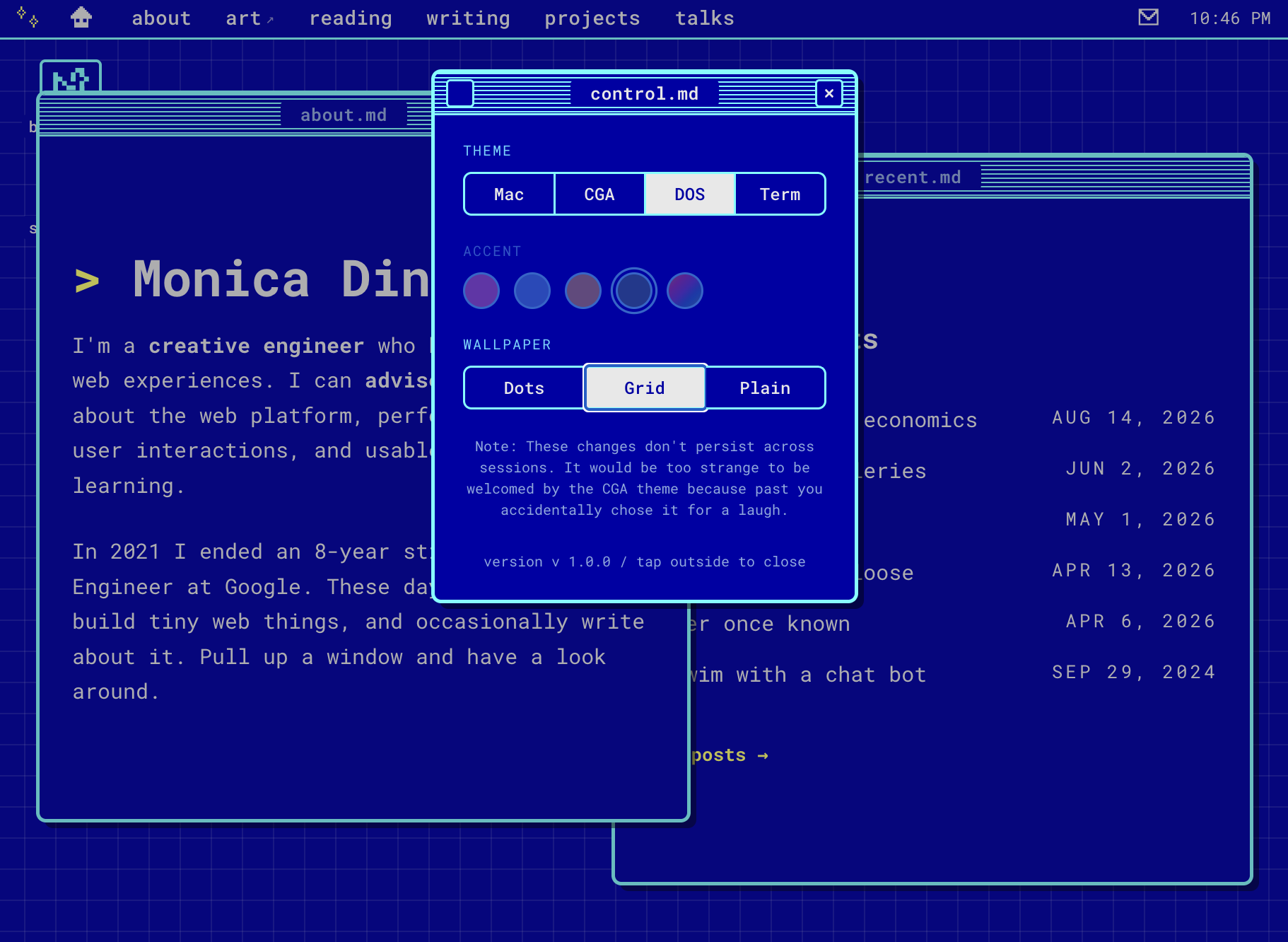




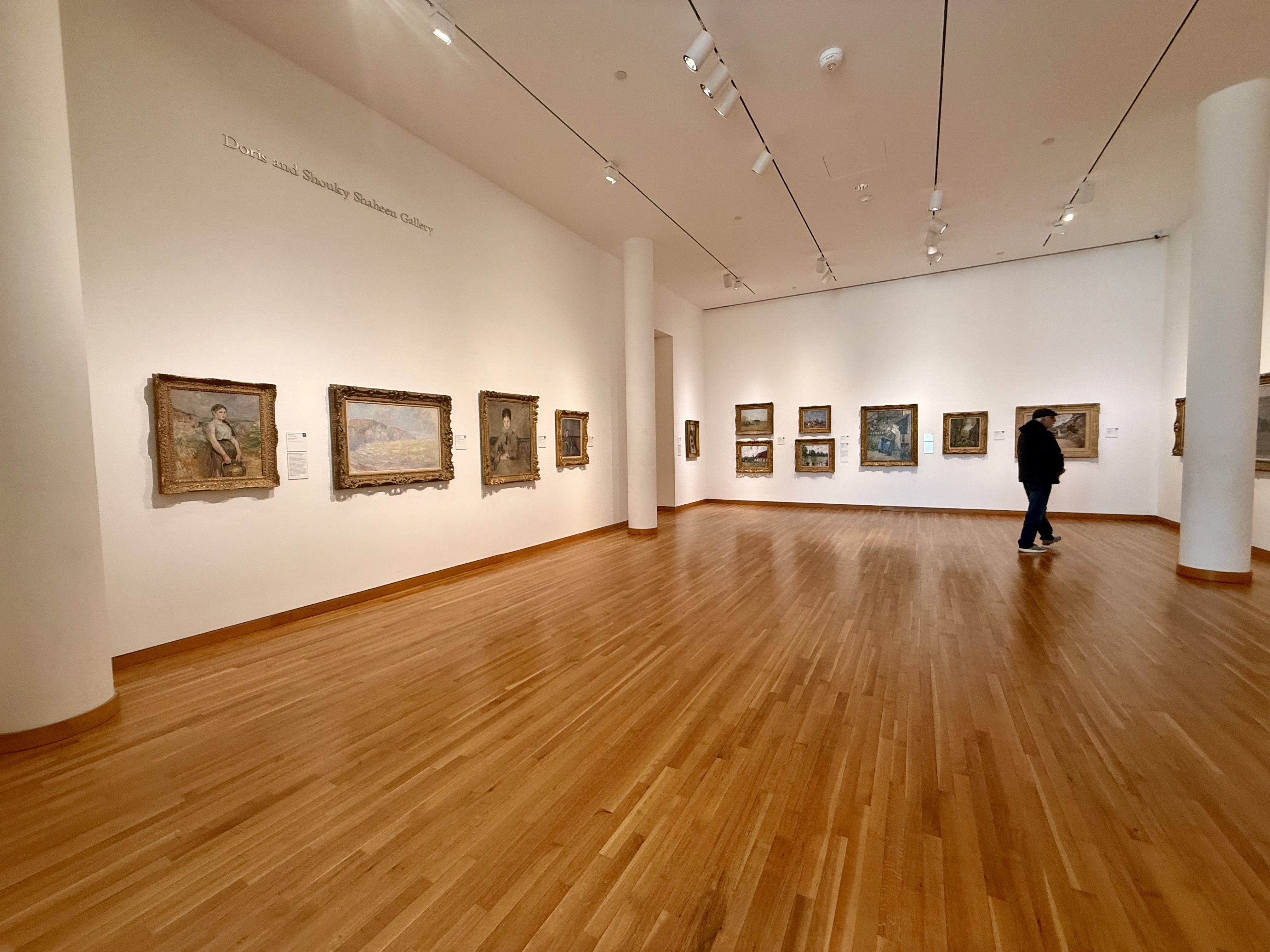
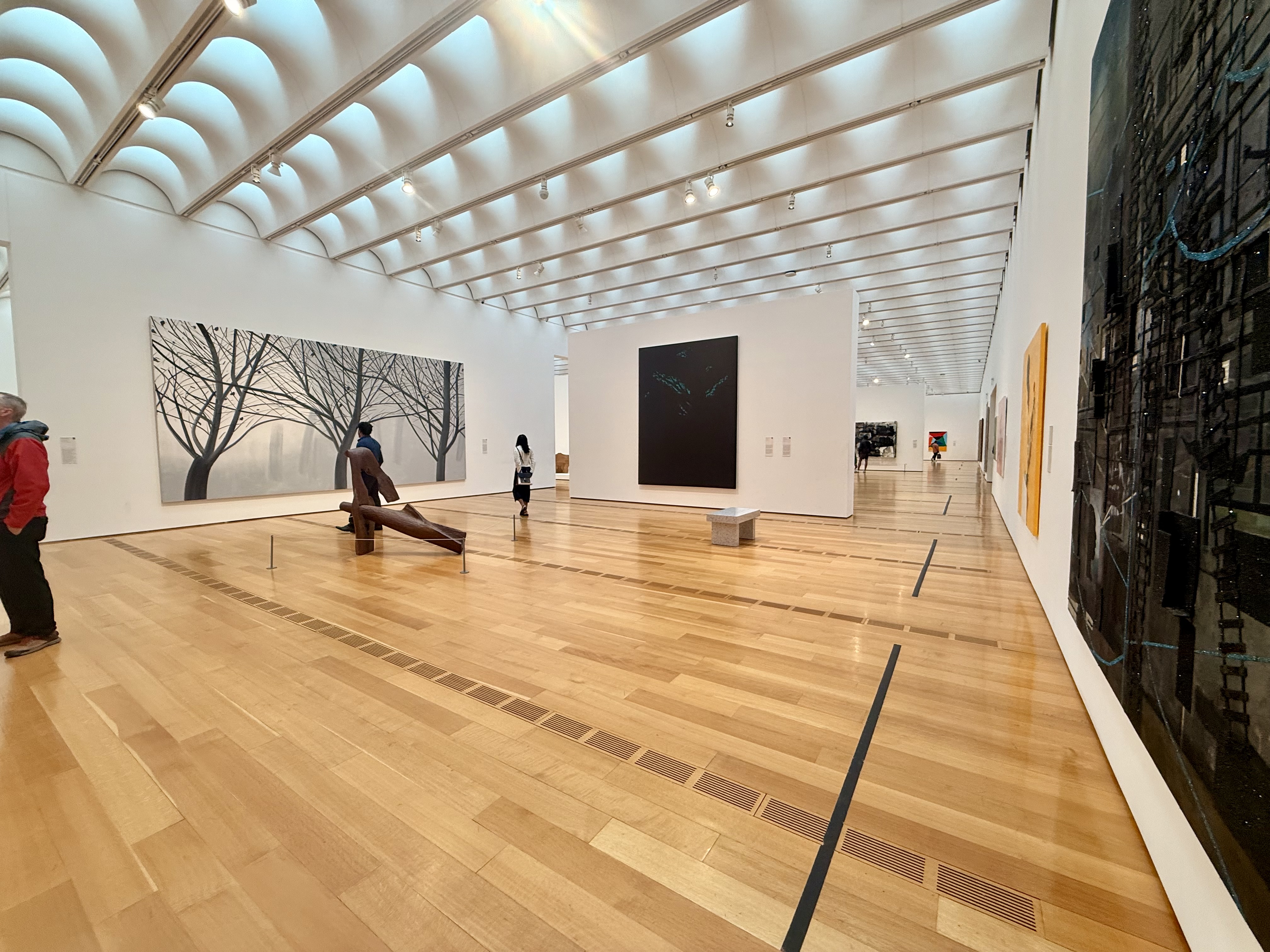


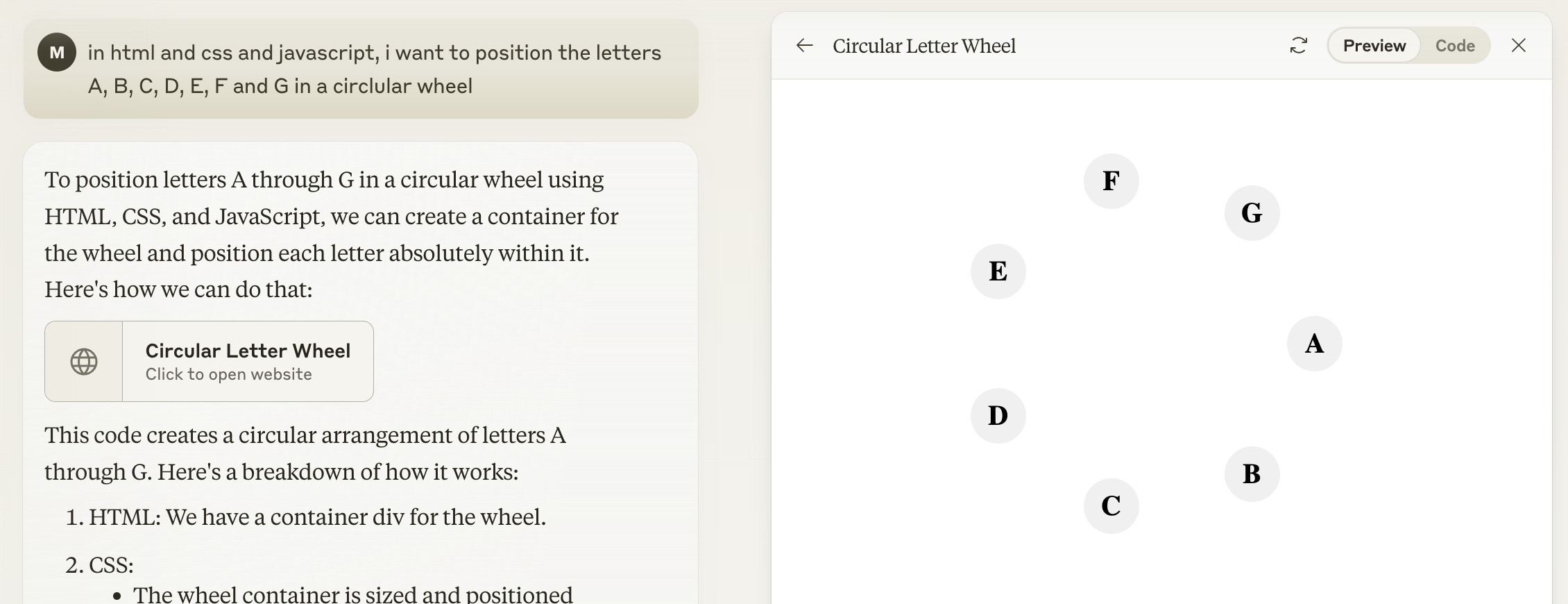
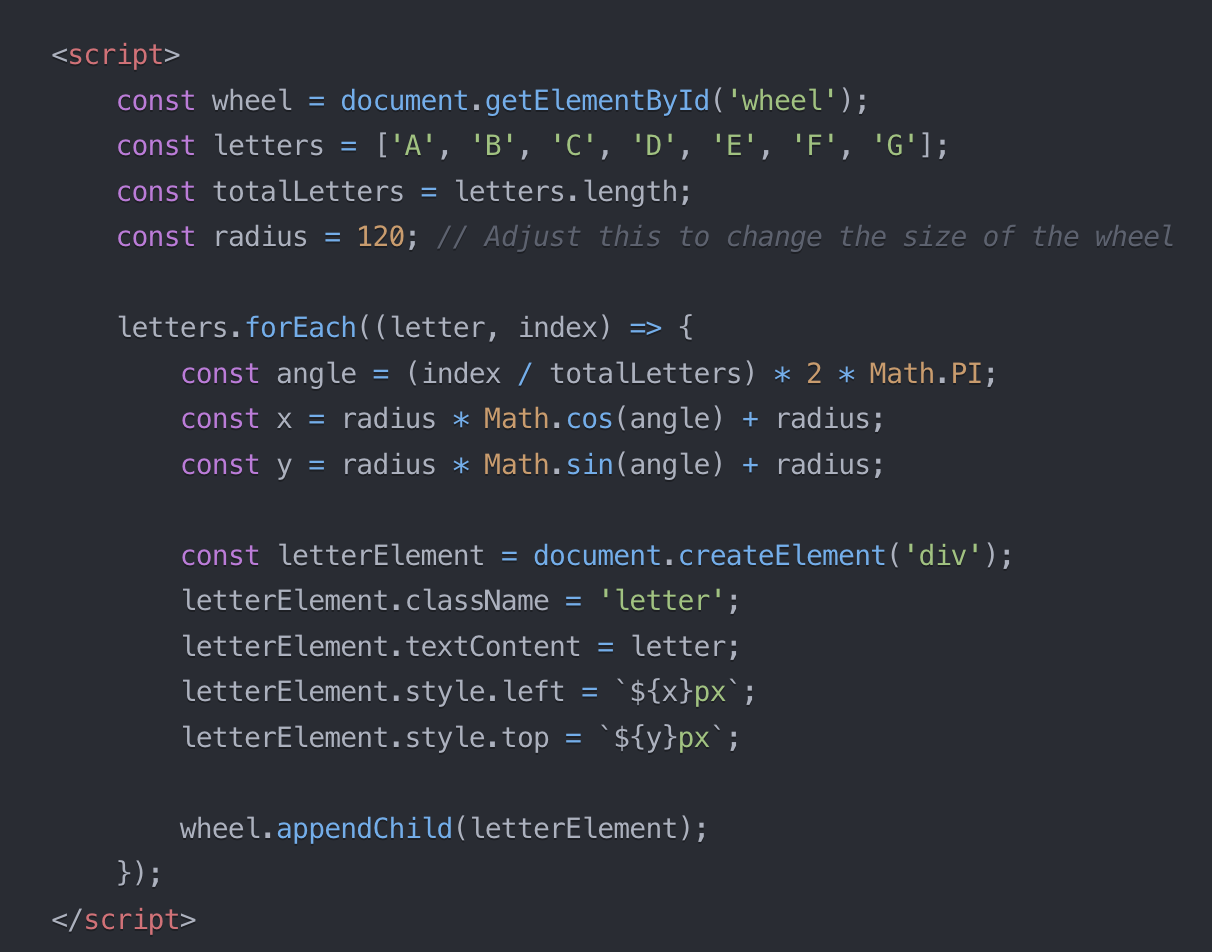
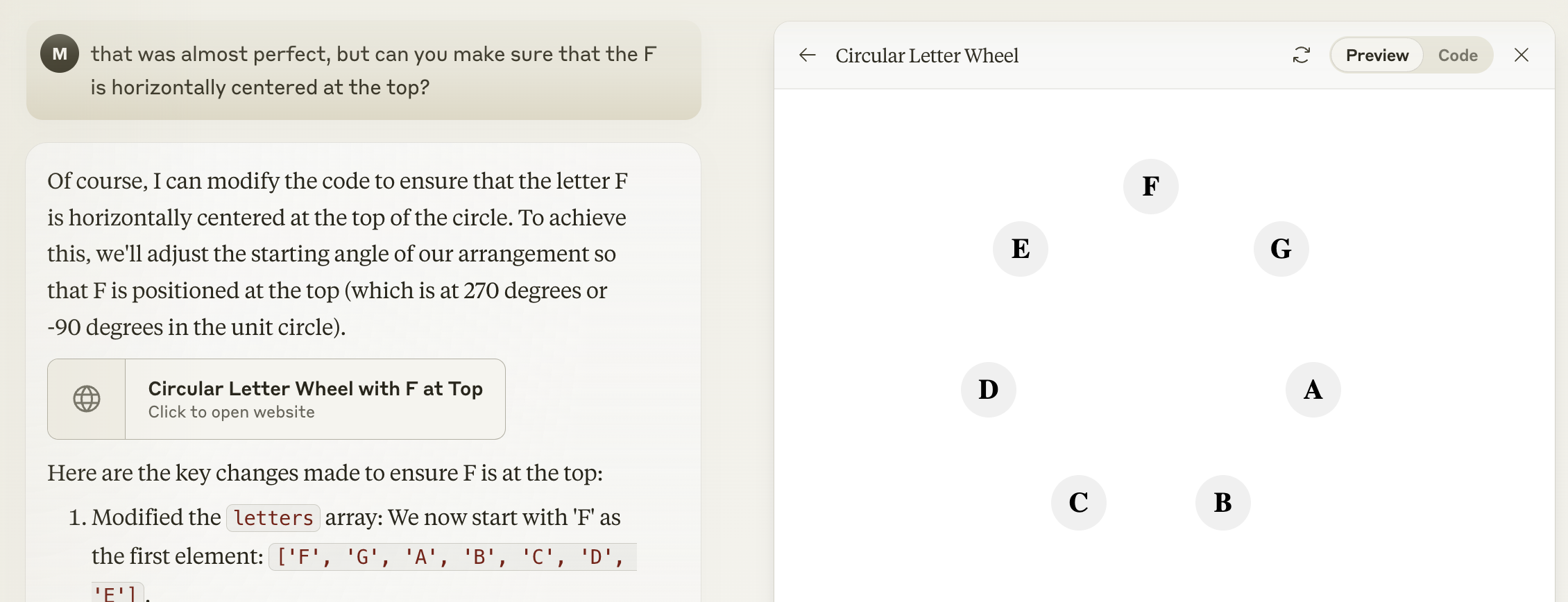



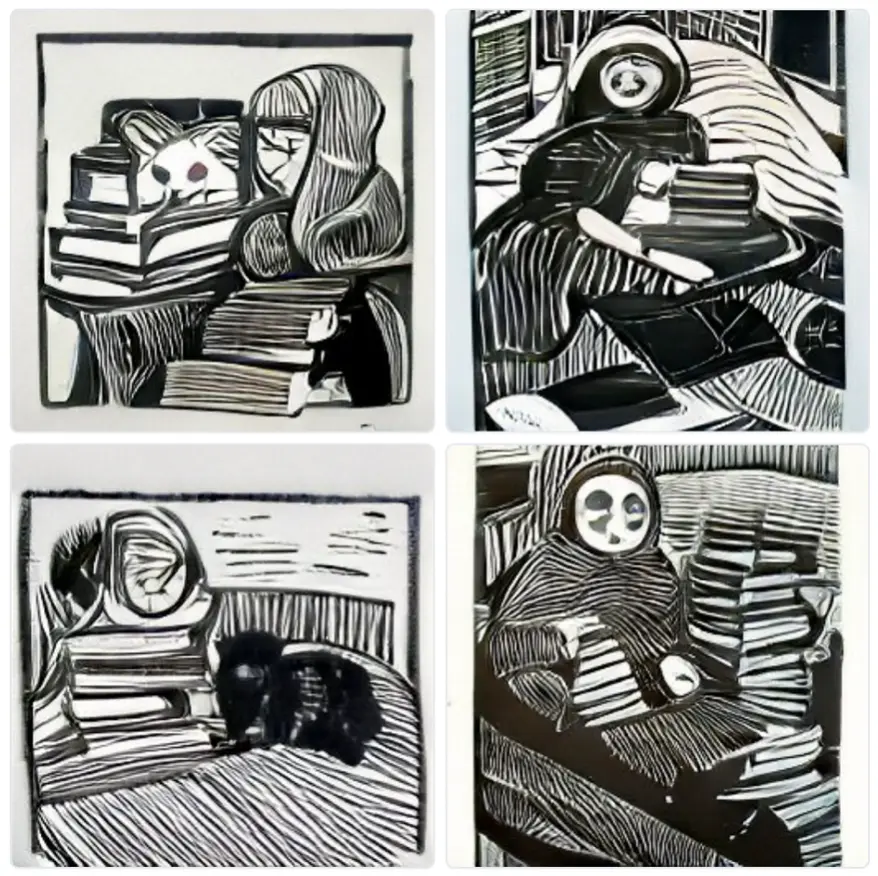
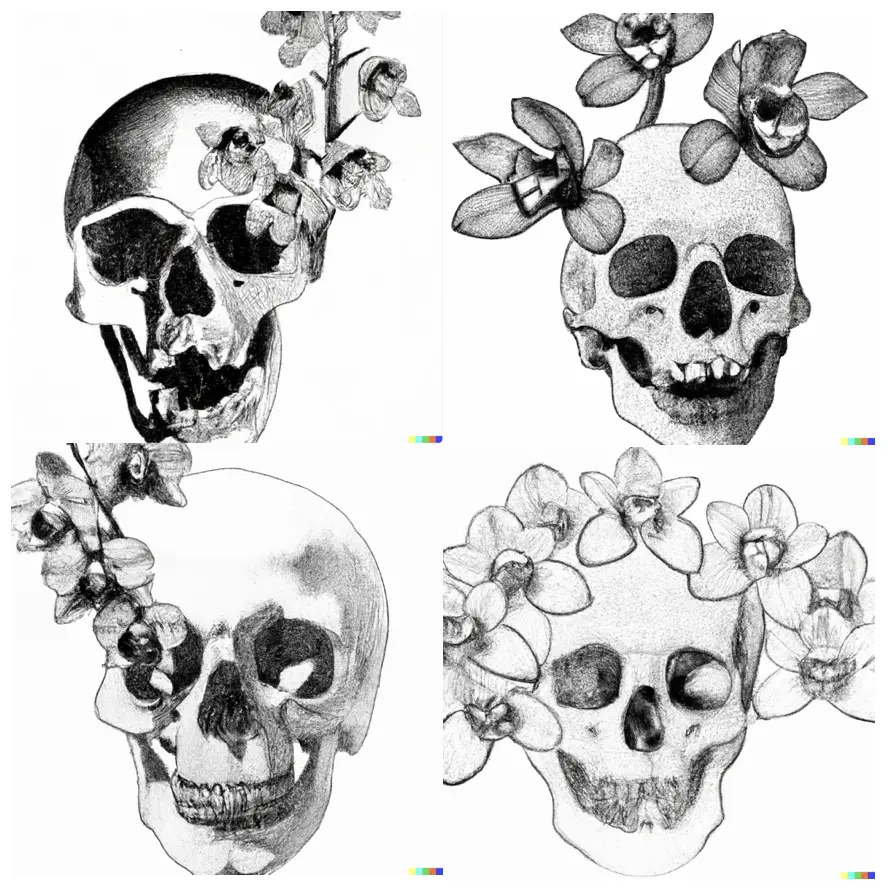
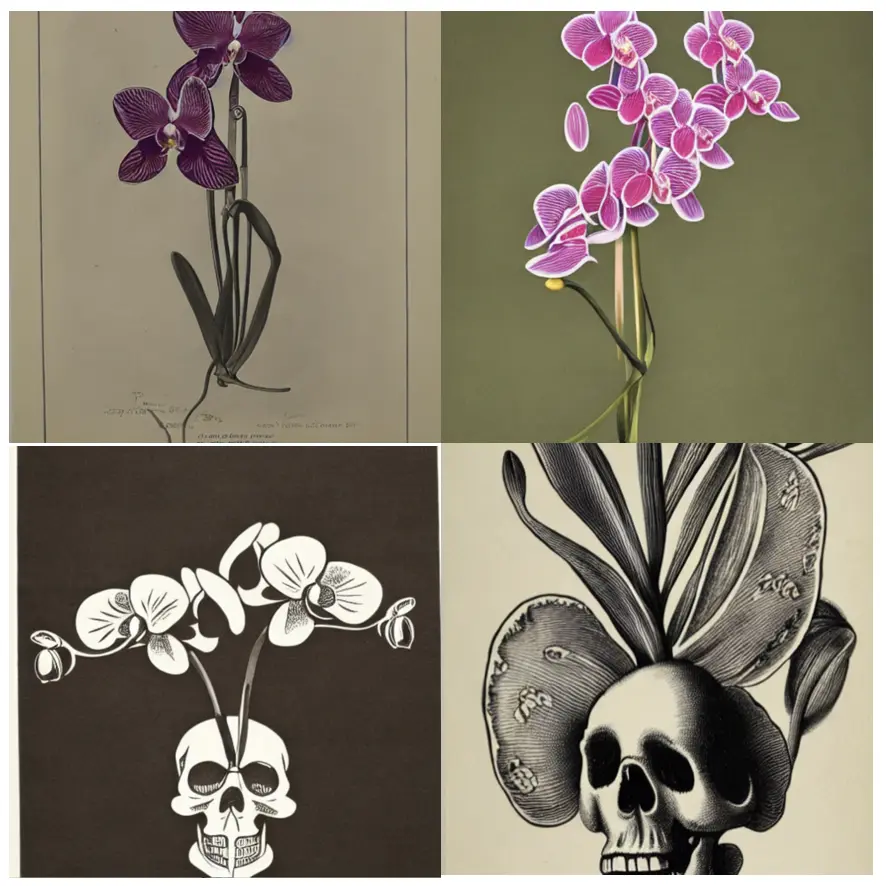


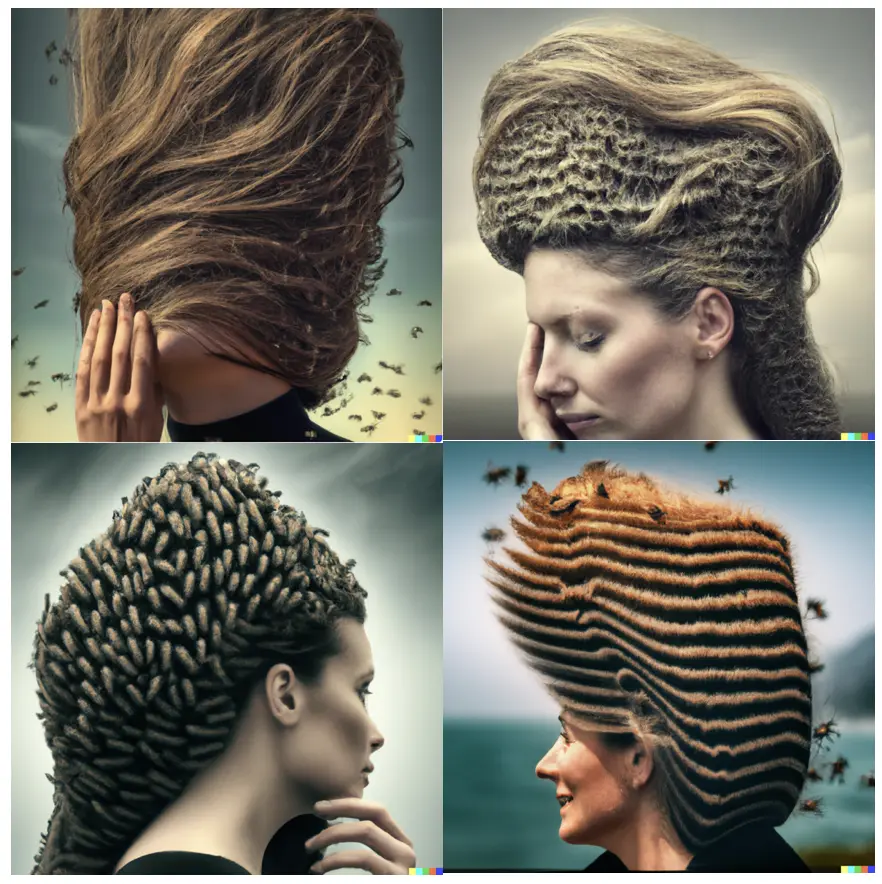
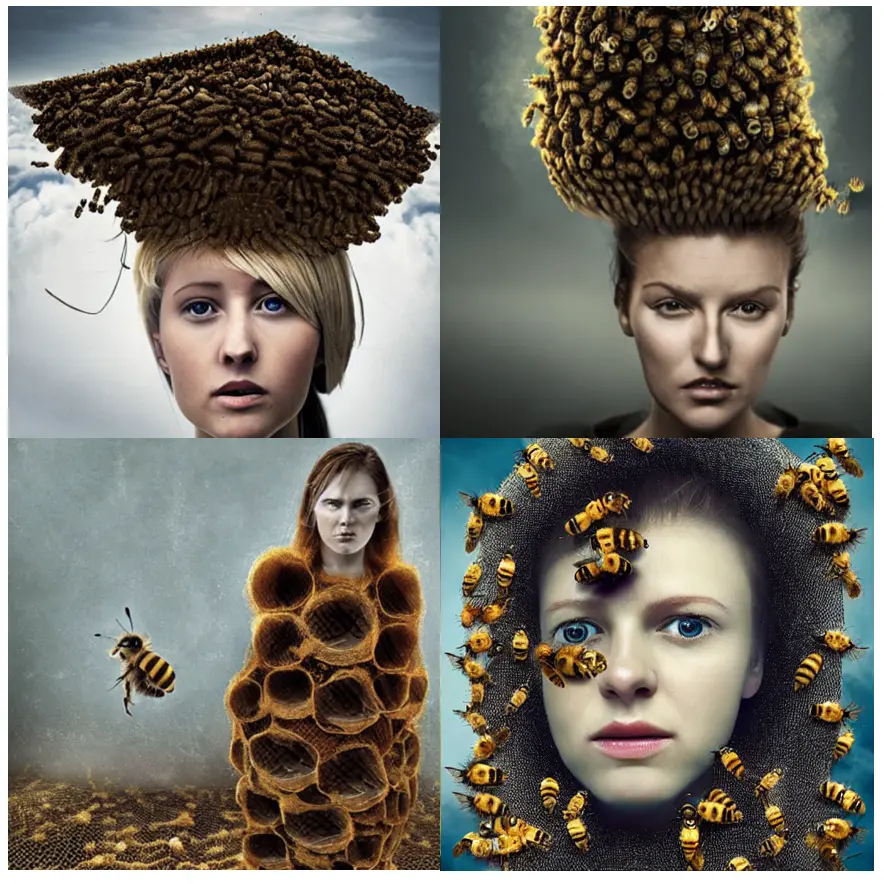

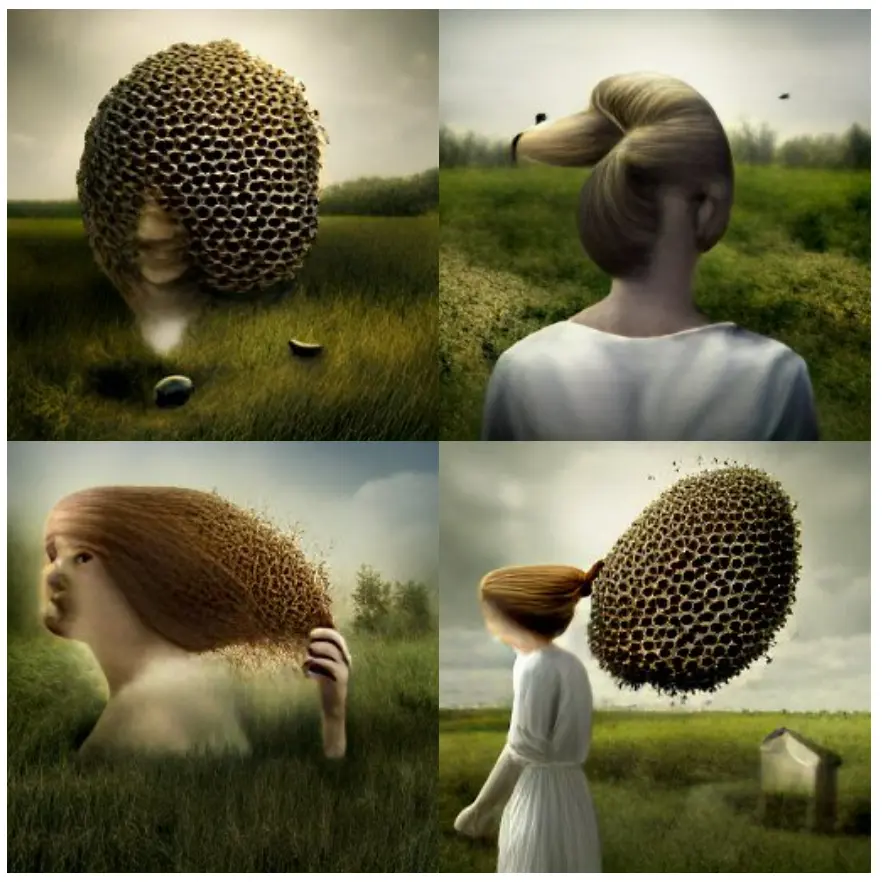
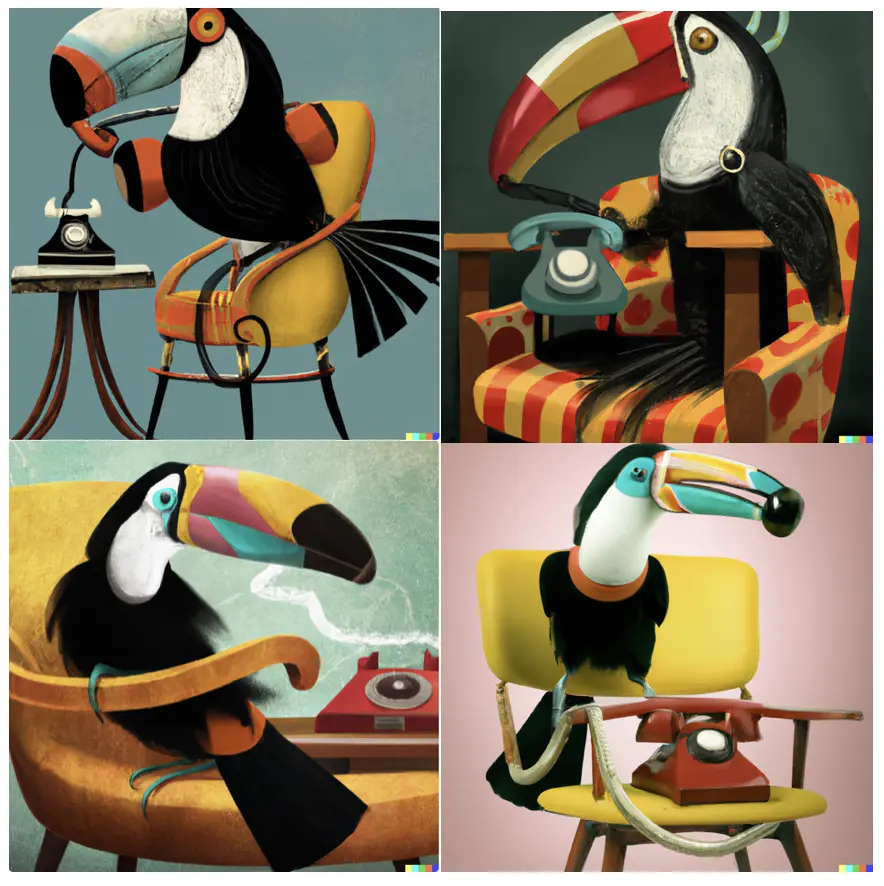
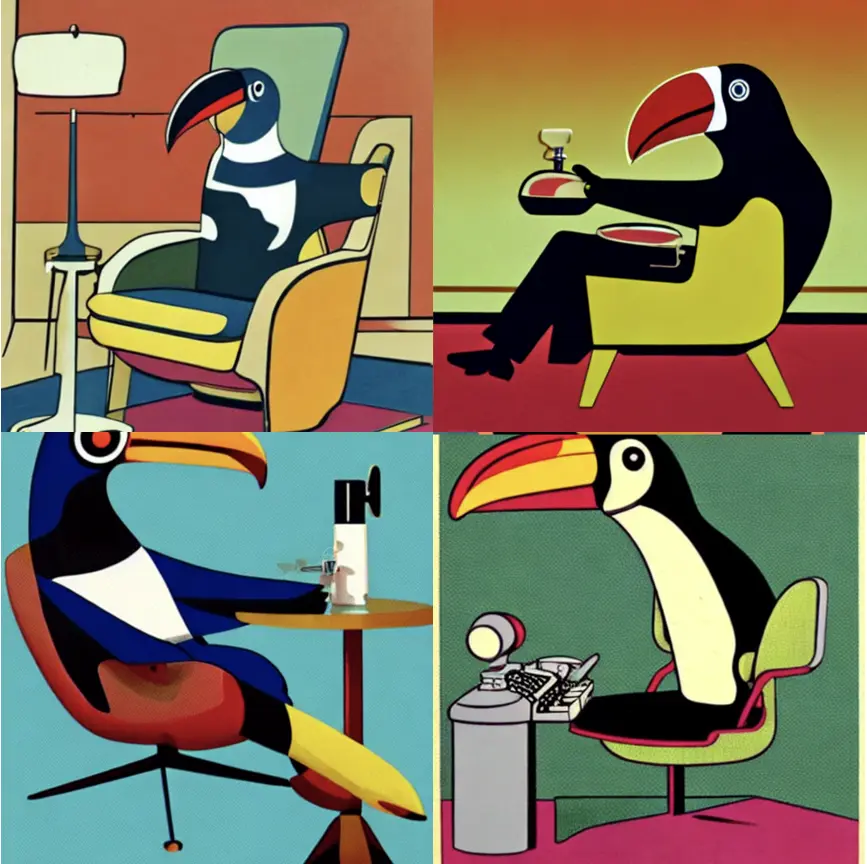


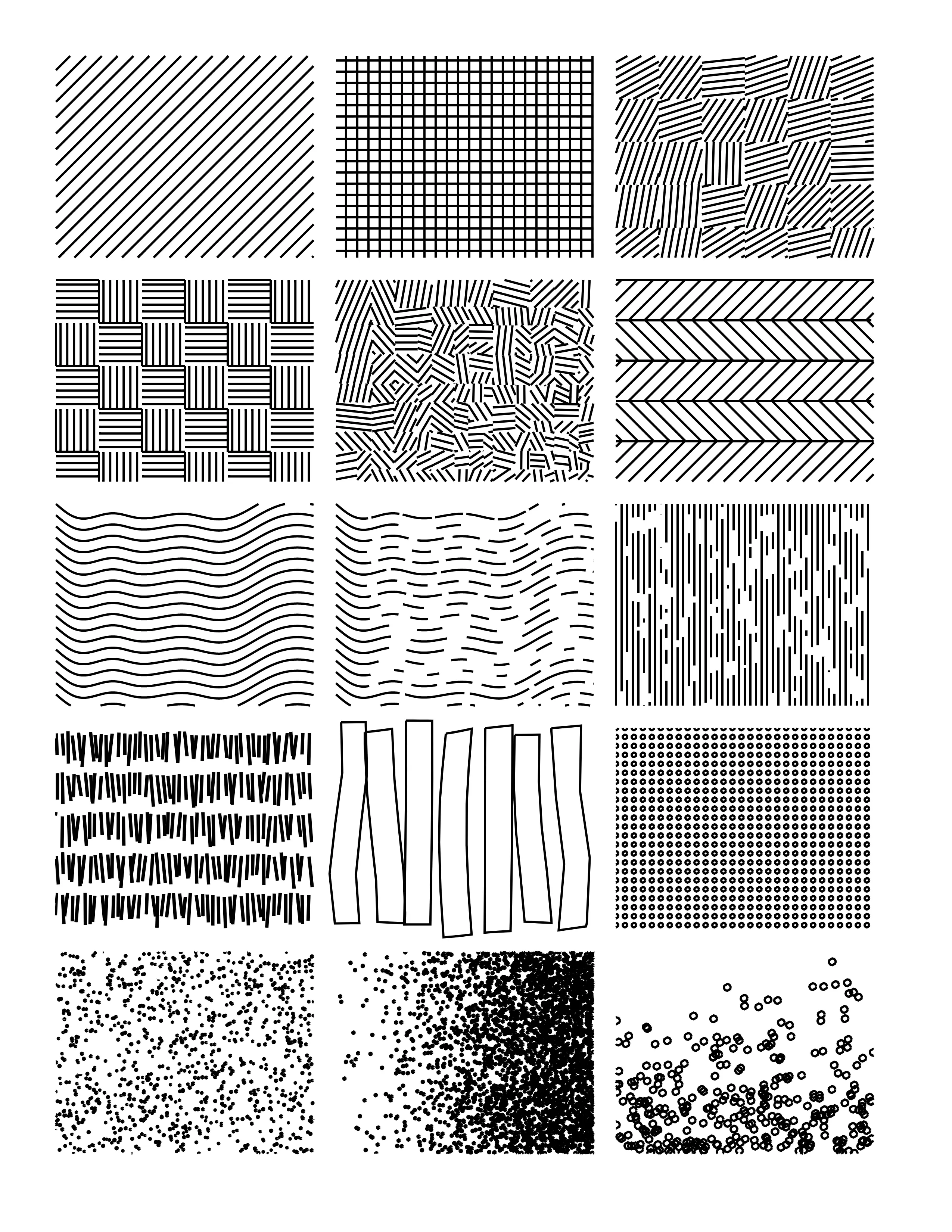
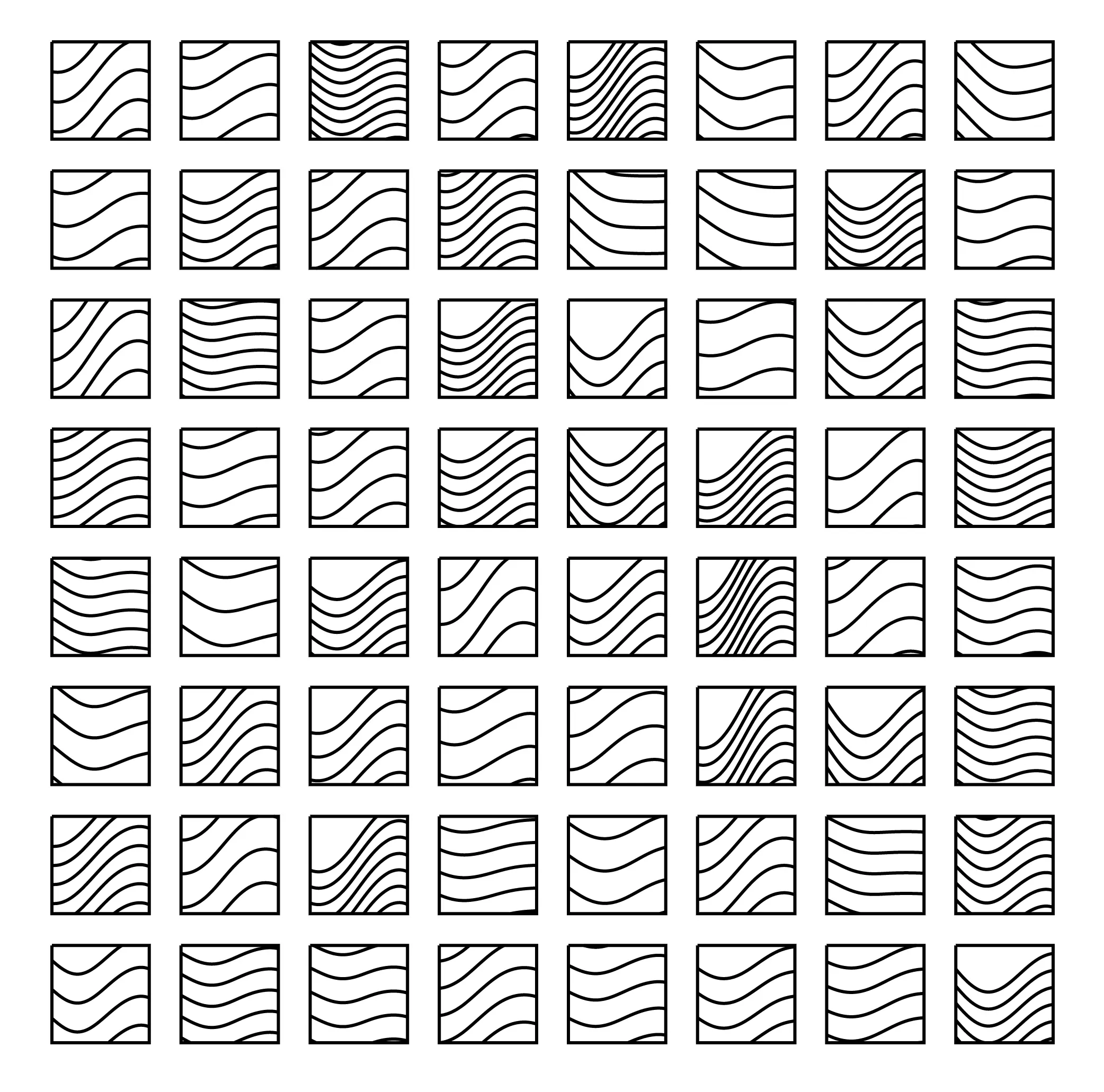
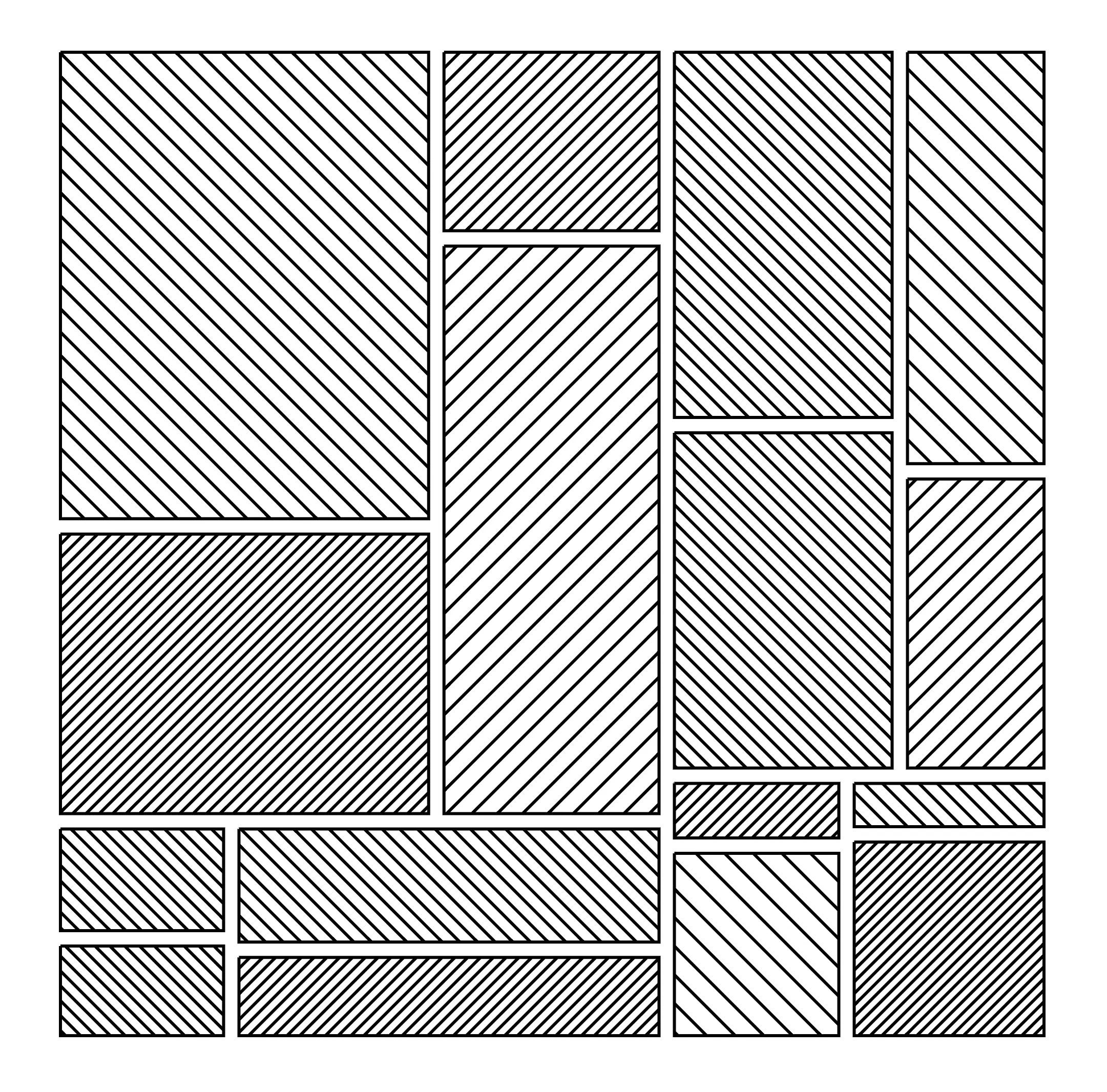
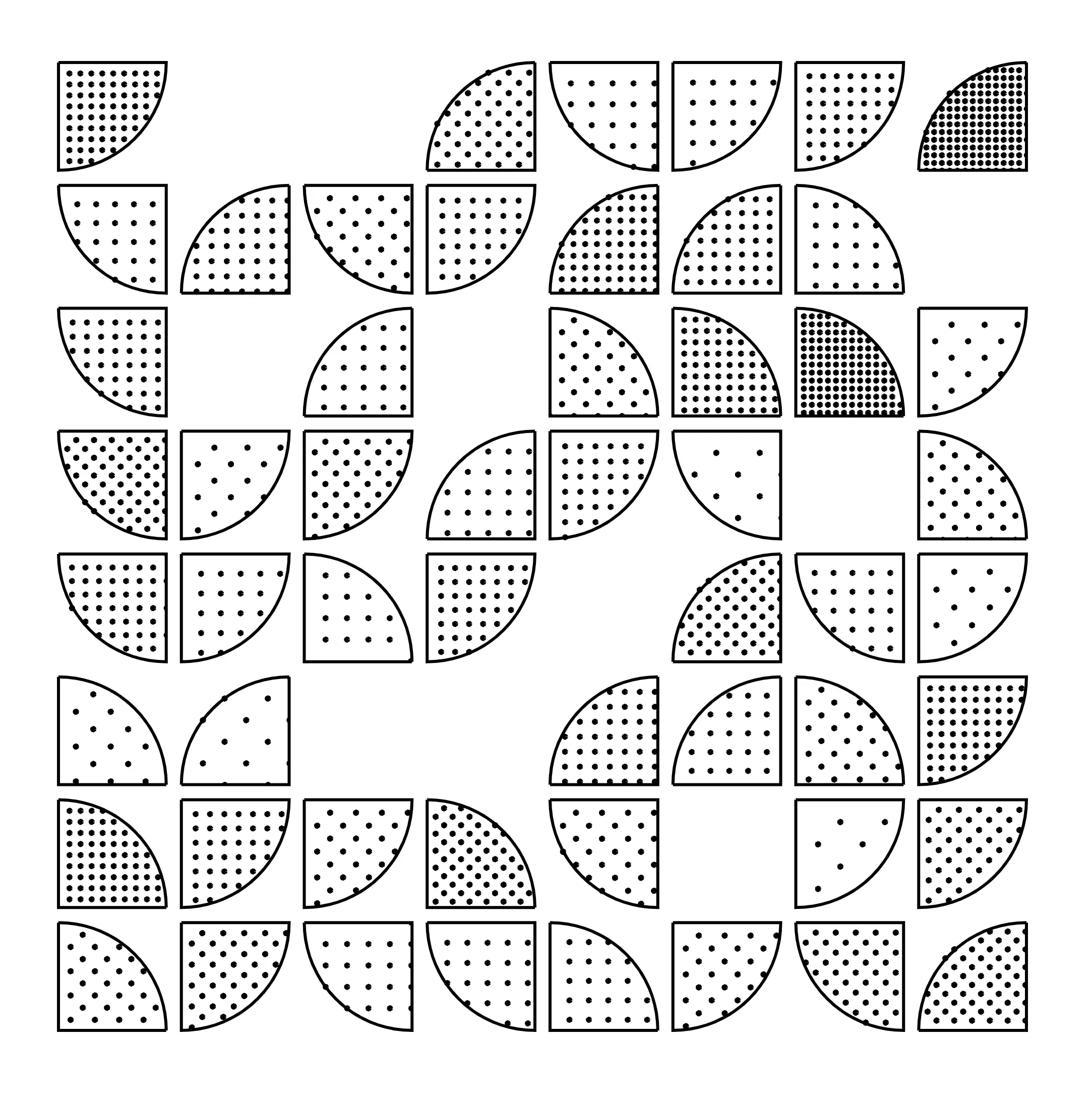


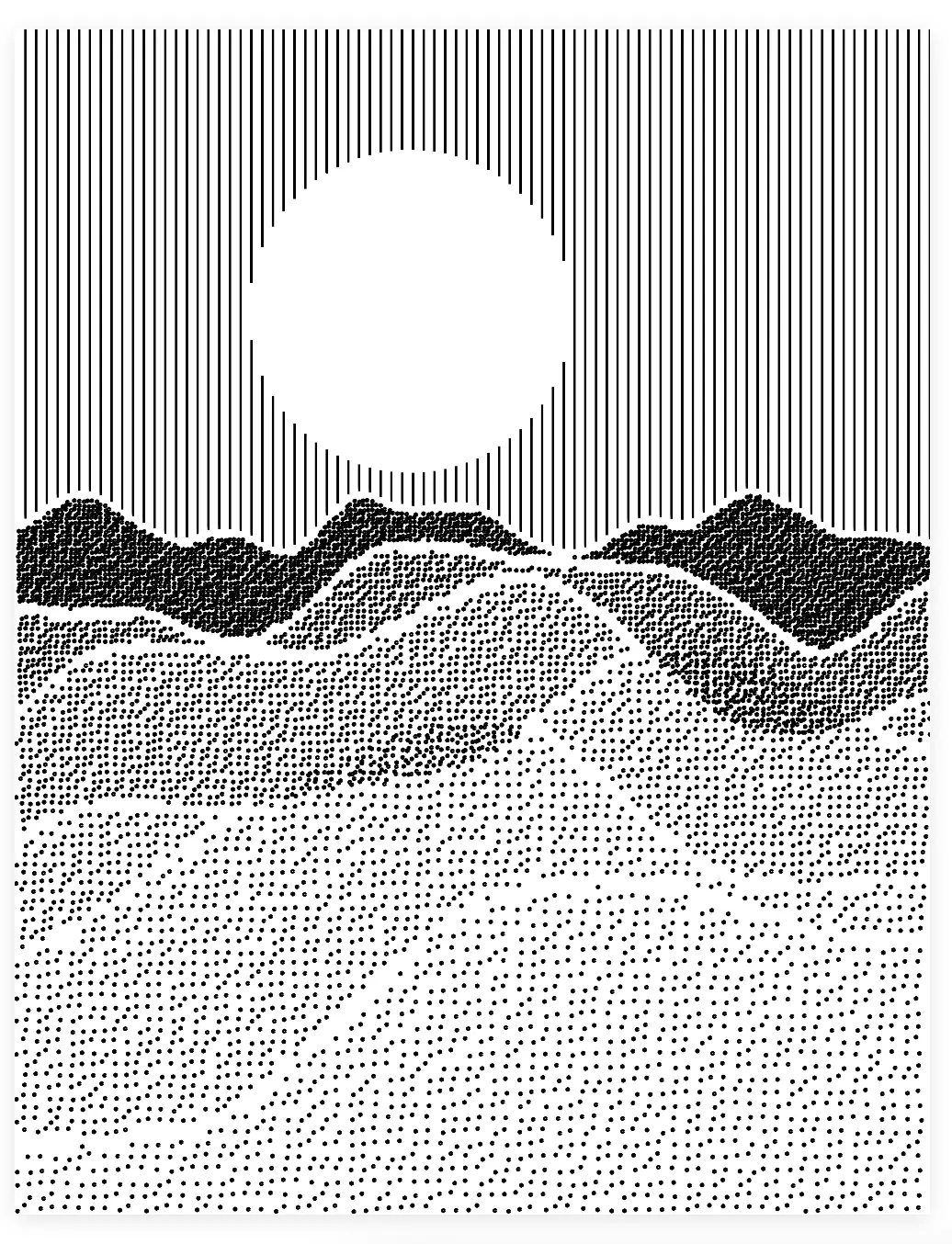
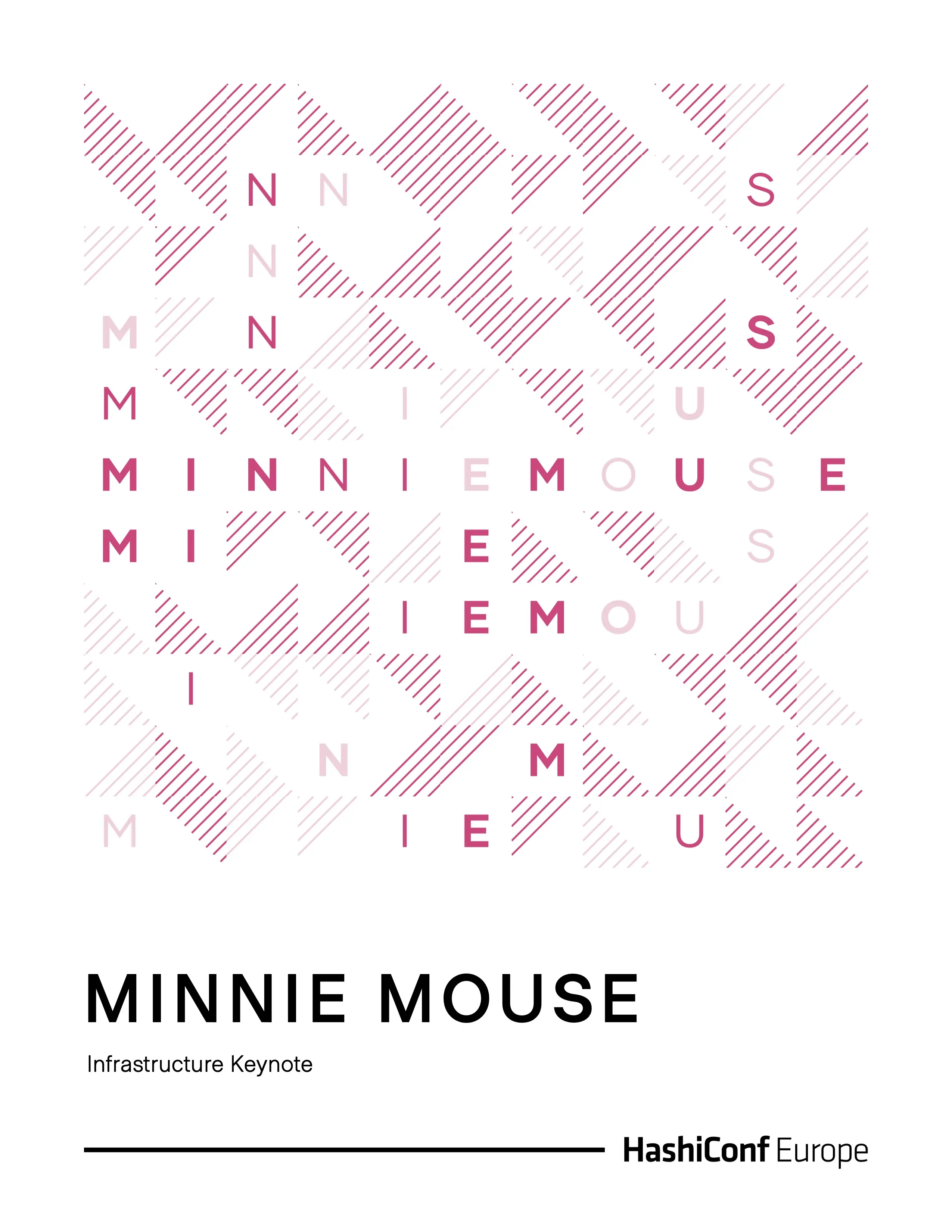
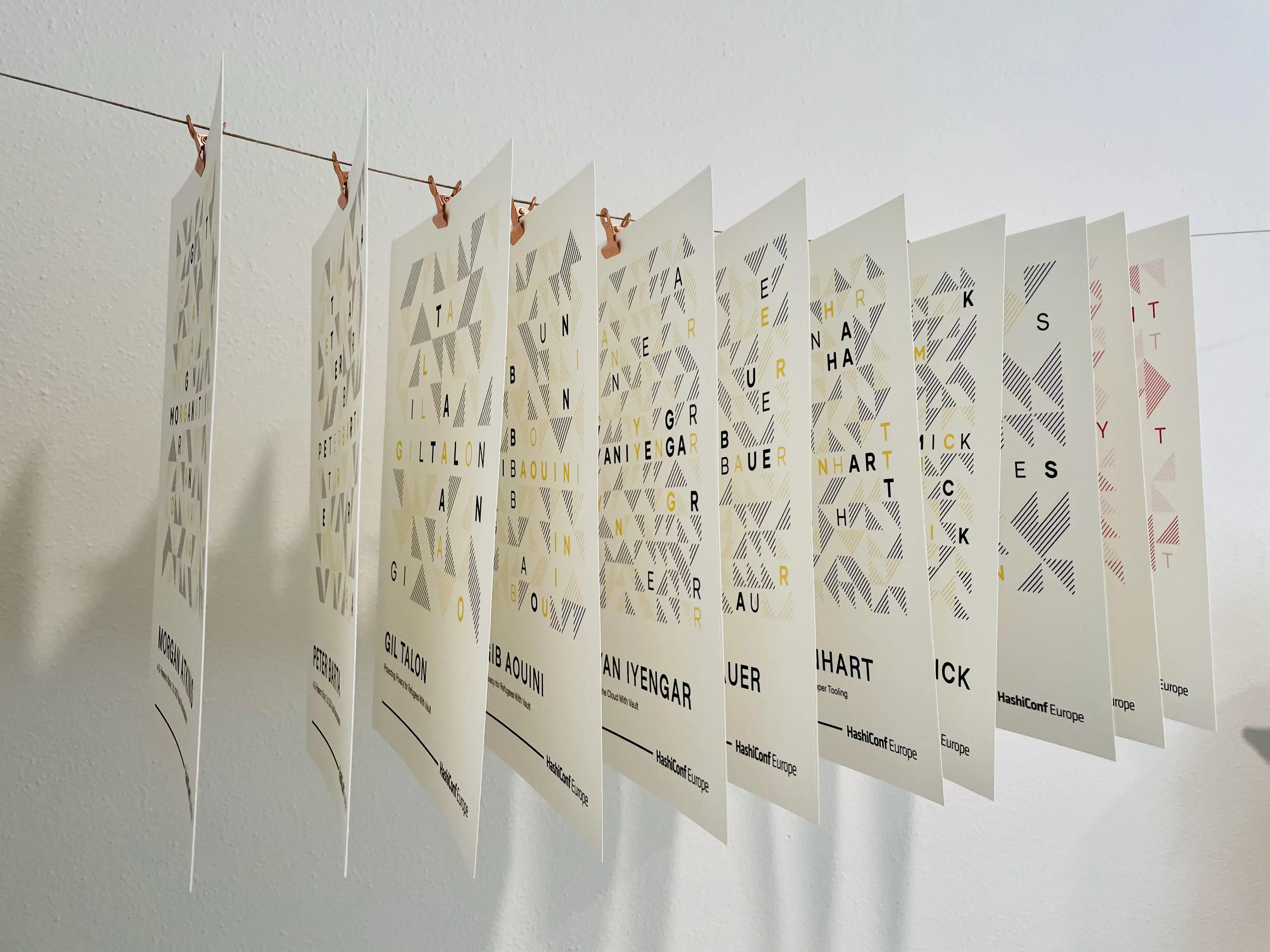


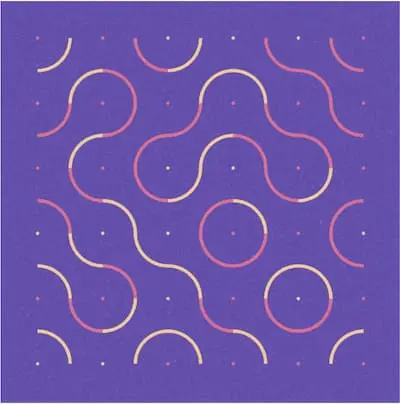





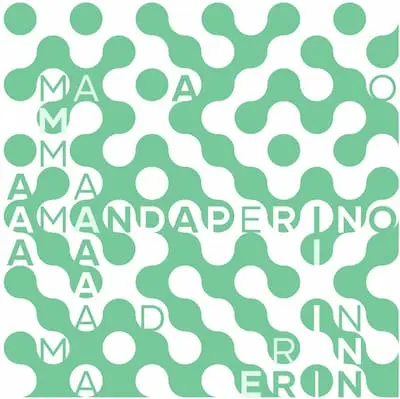

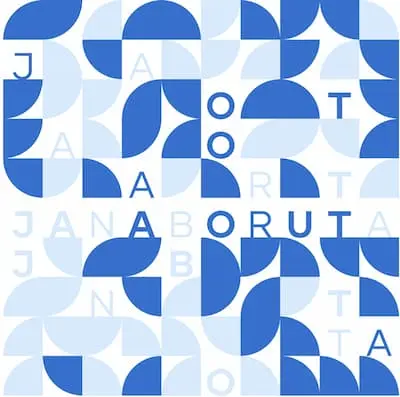
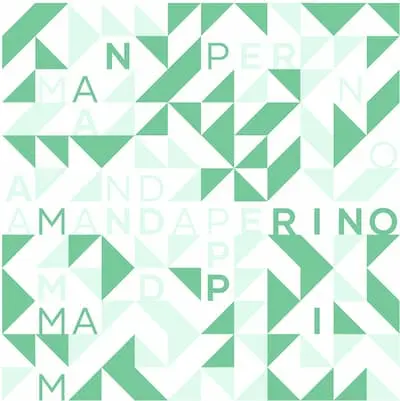
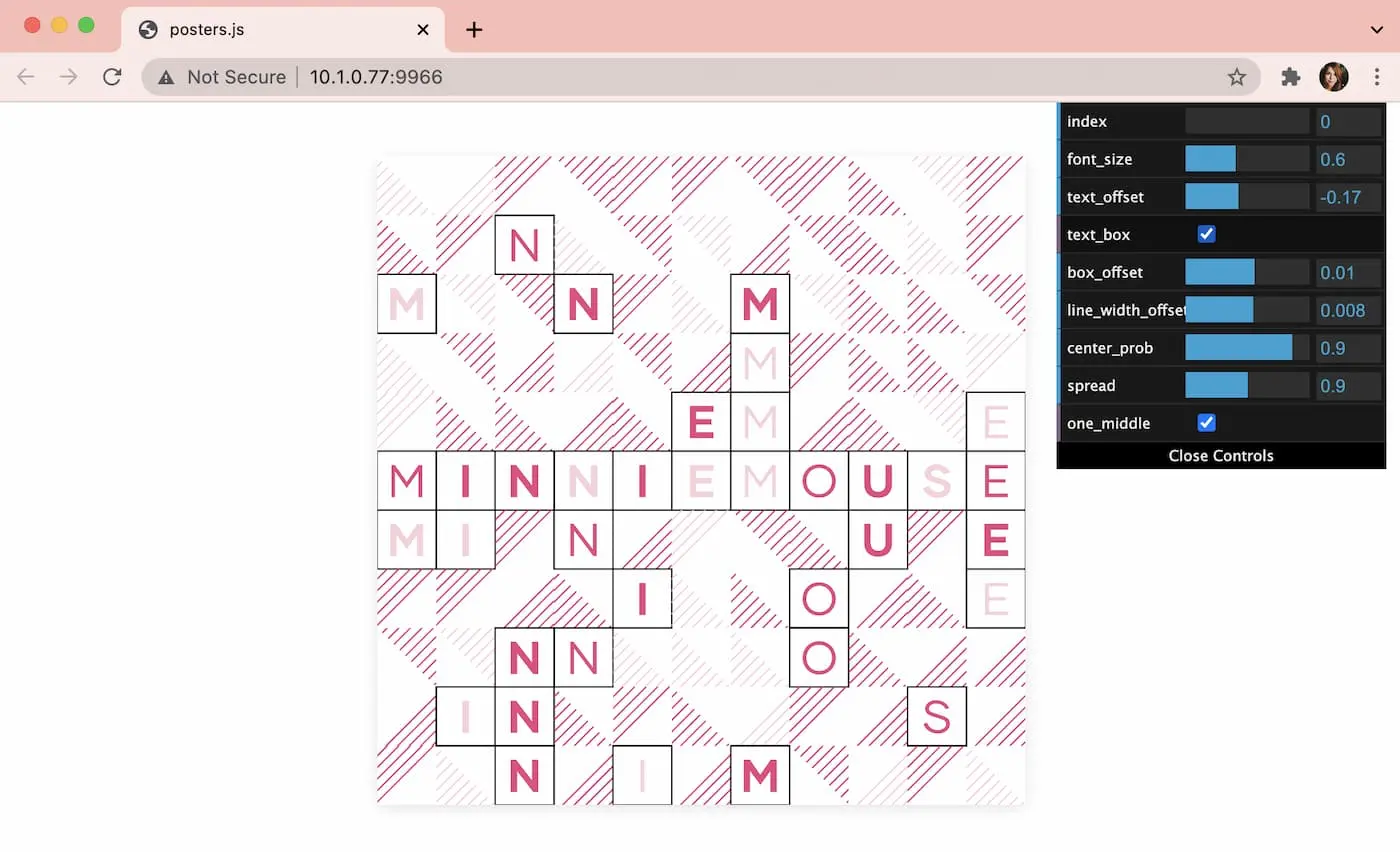
 ↓
↓
Ok so hear me out, this looks bad and that’s because: it is bad. One cute thing my old site had was a
Seems fine. The 93 is because I’m running this on localhost, where I don’t have




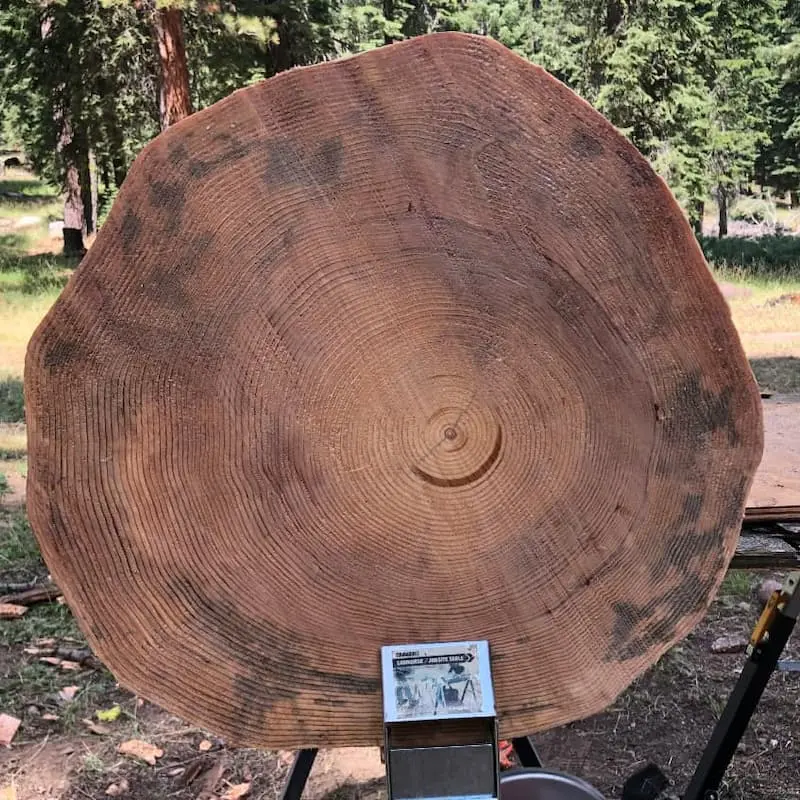
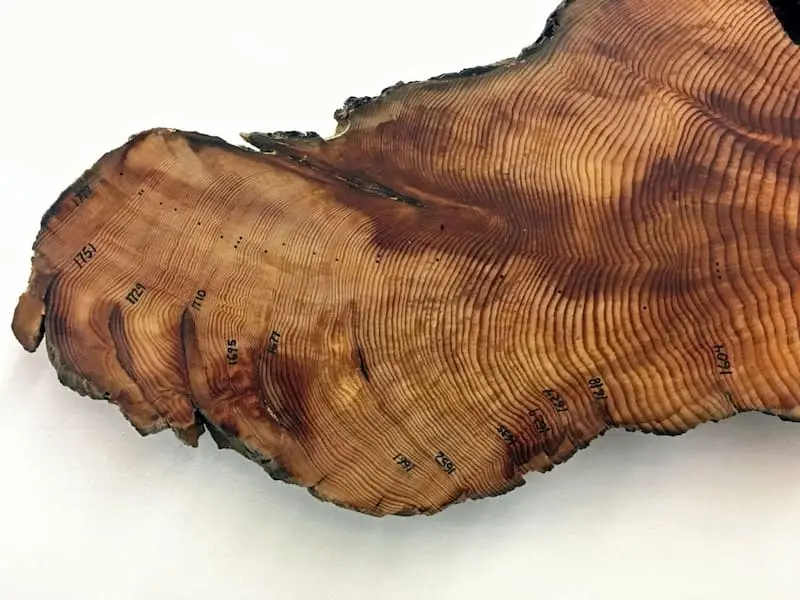

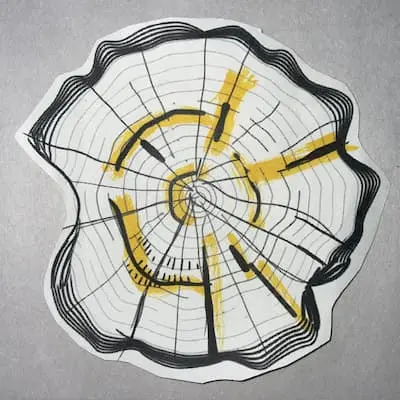
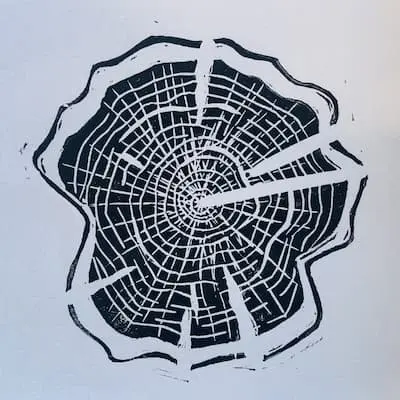


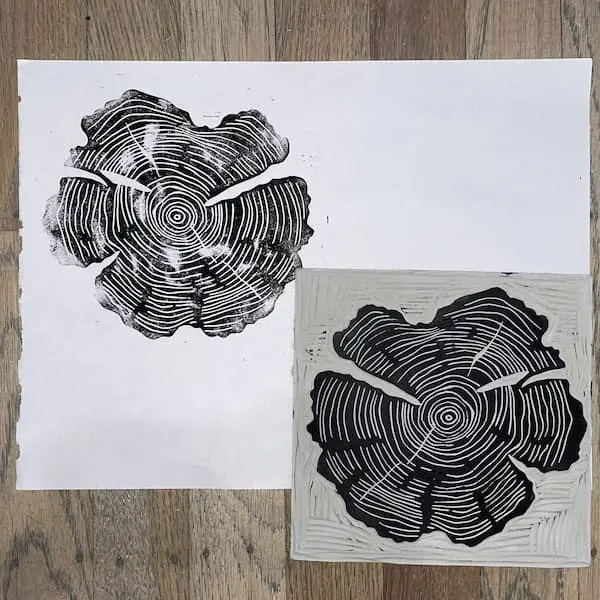
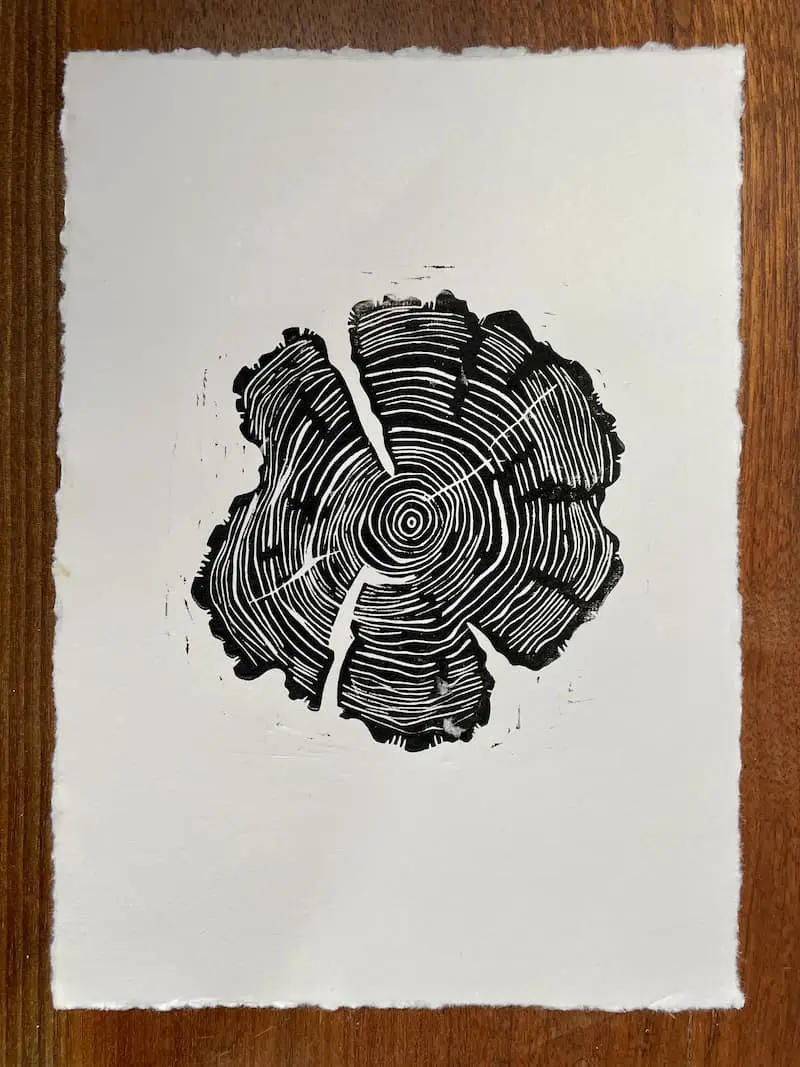
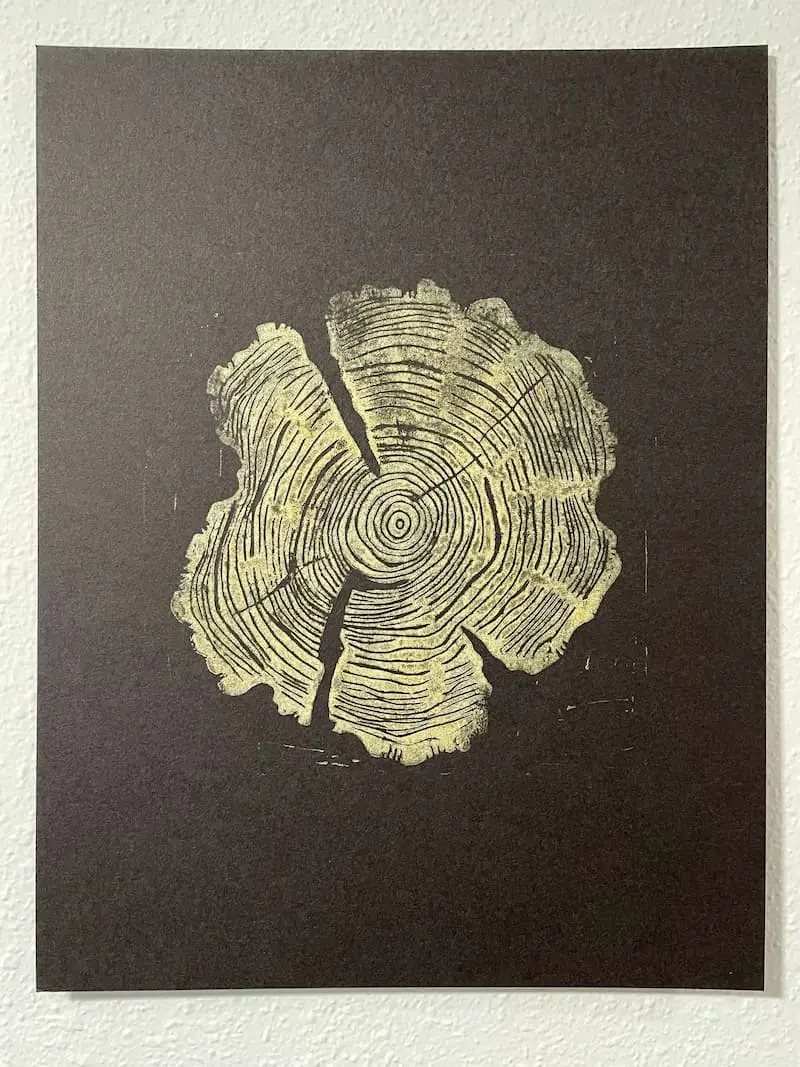


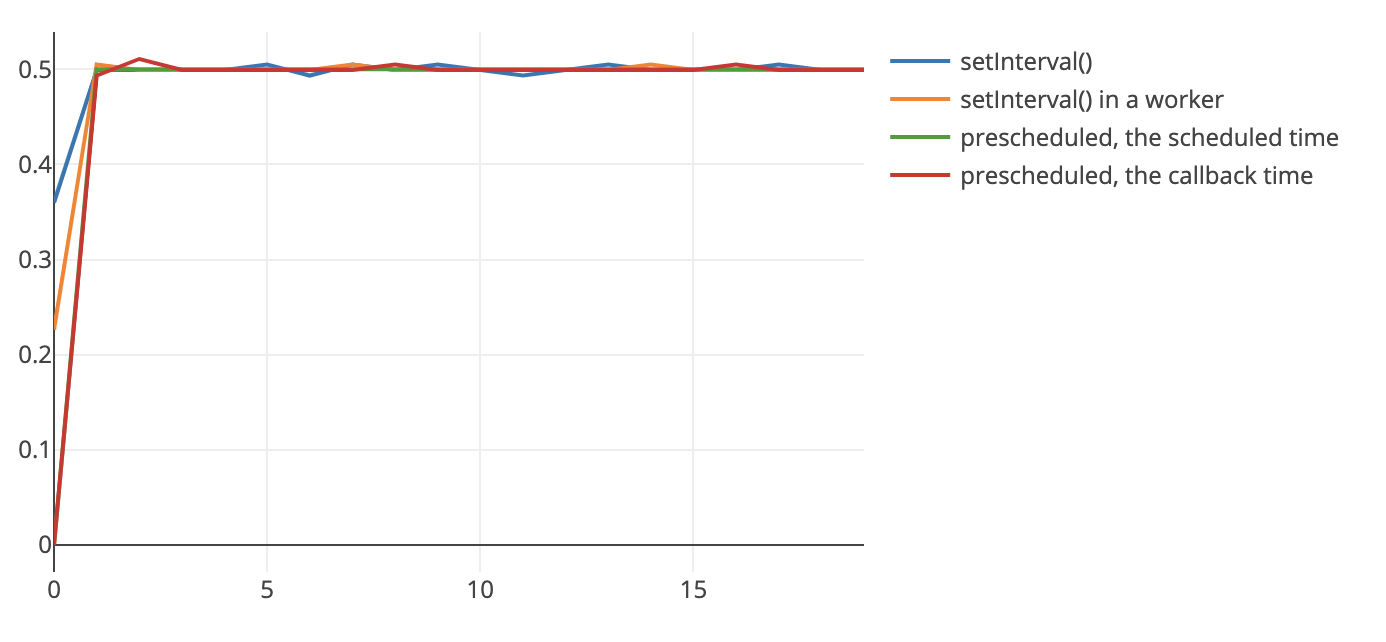
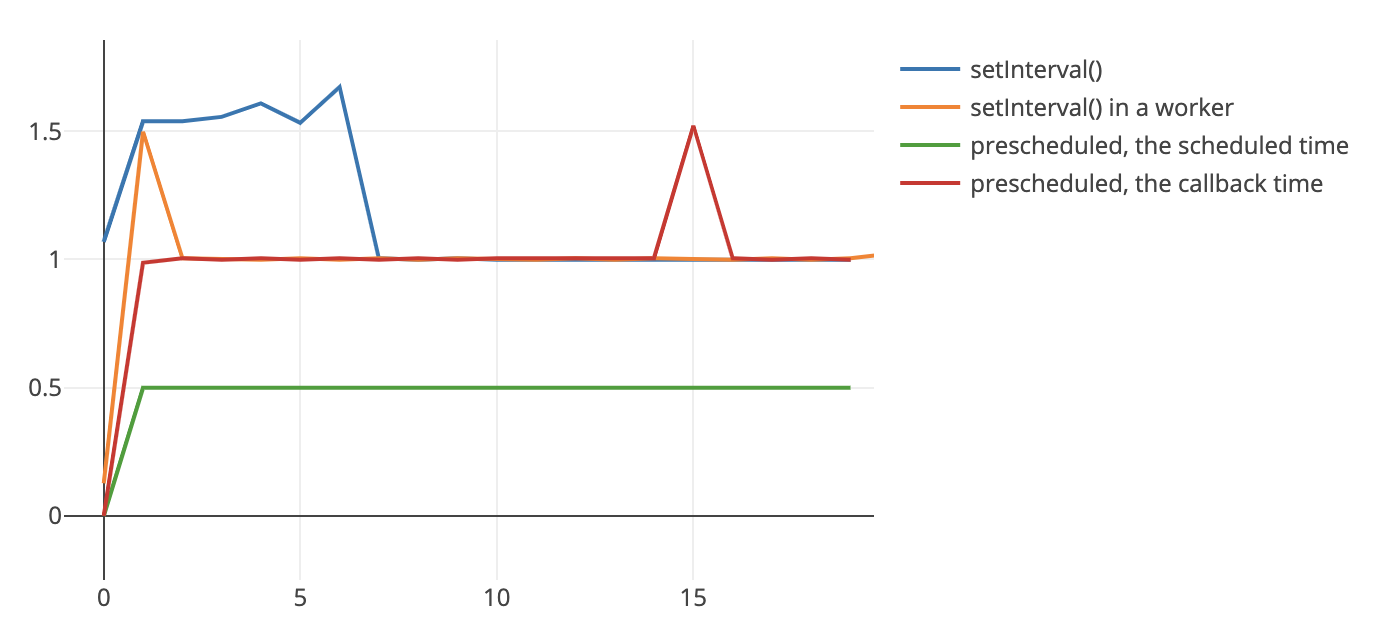
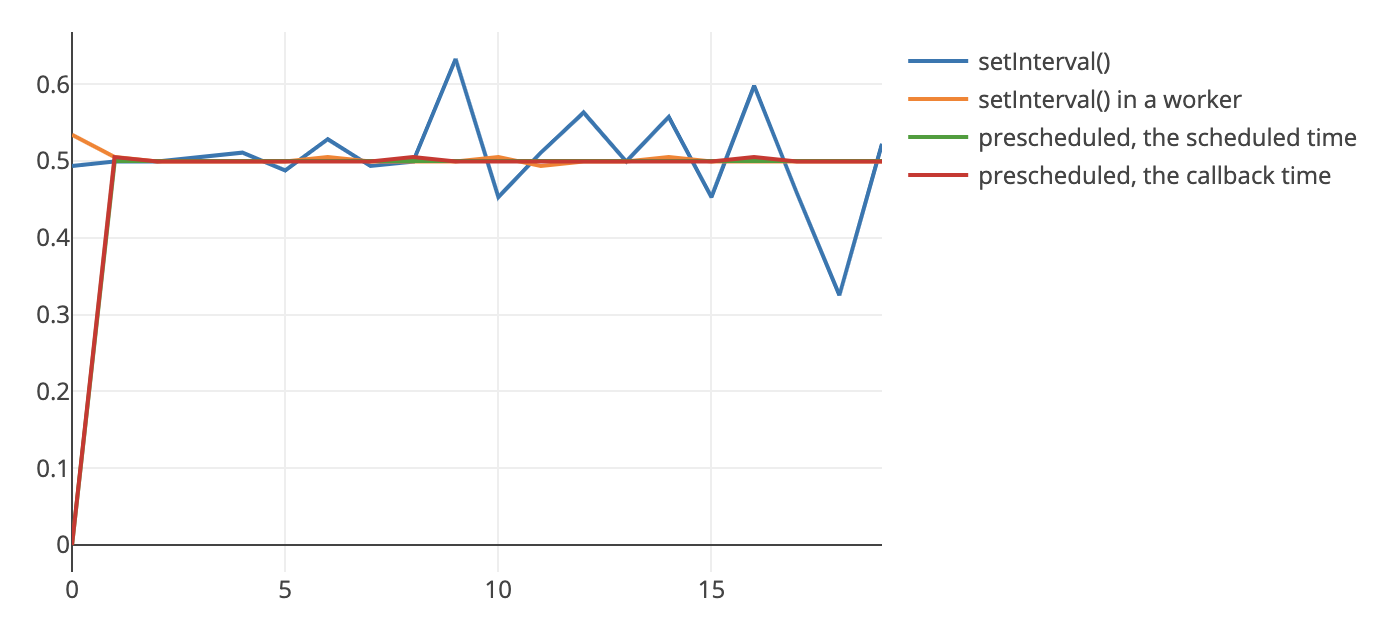
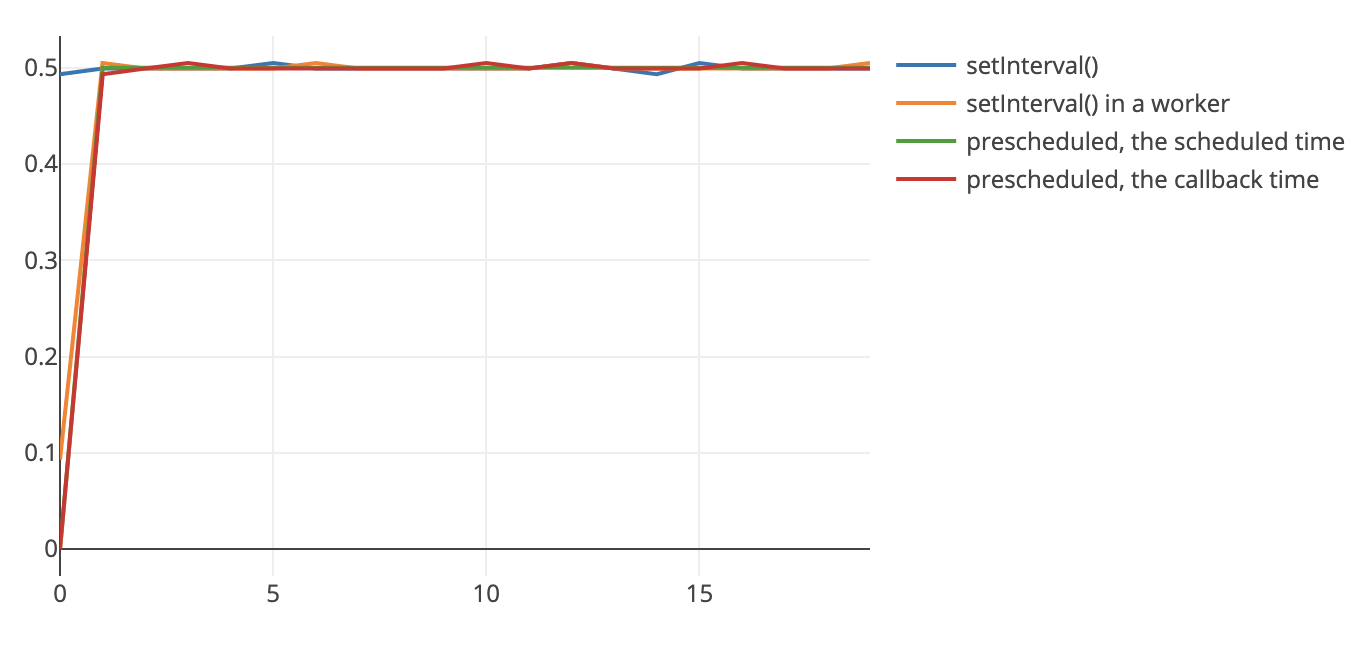






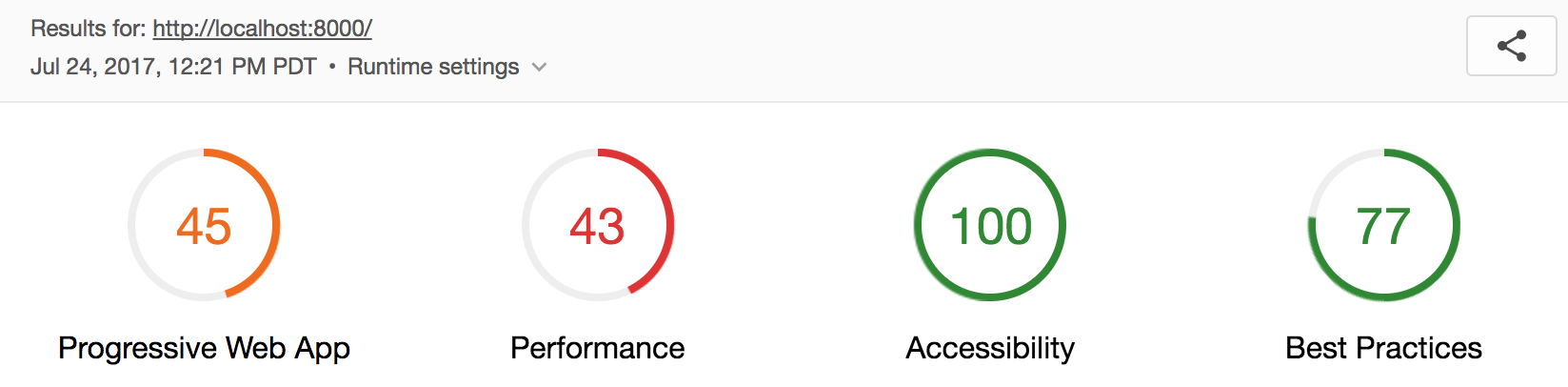
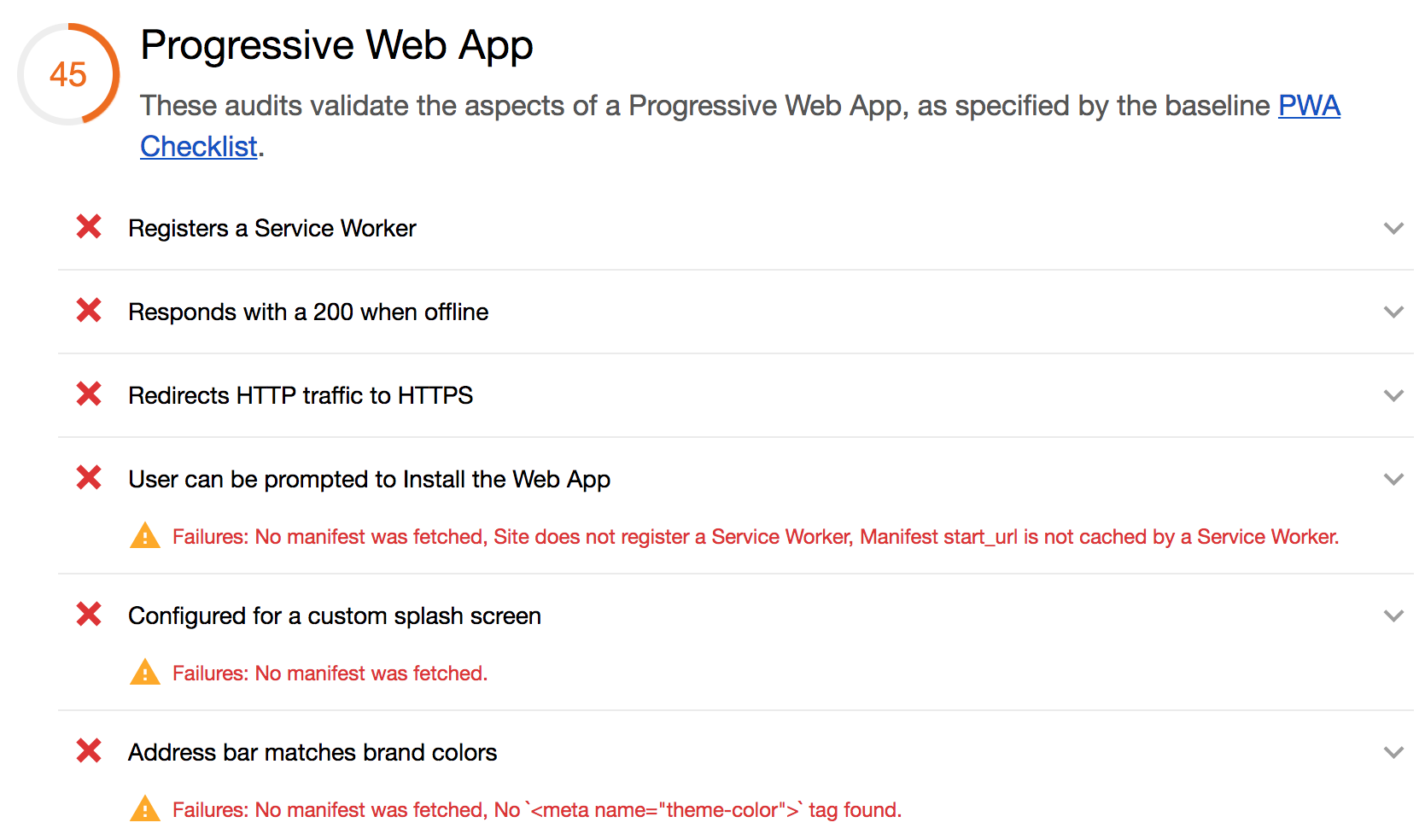
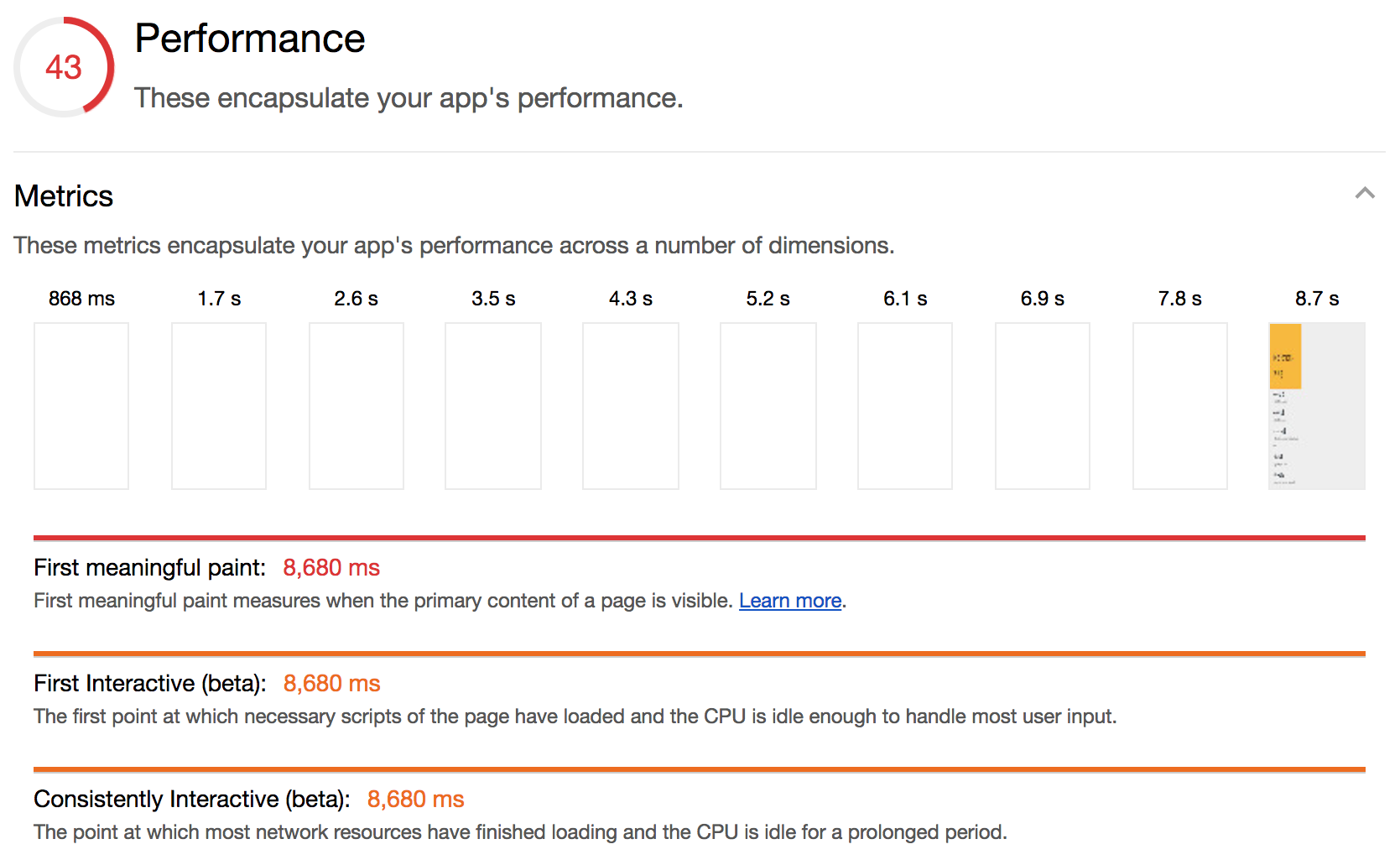
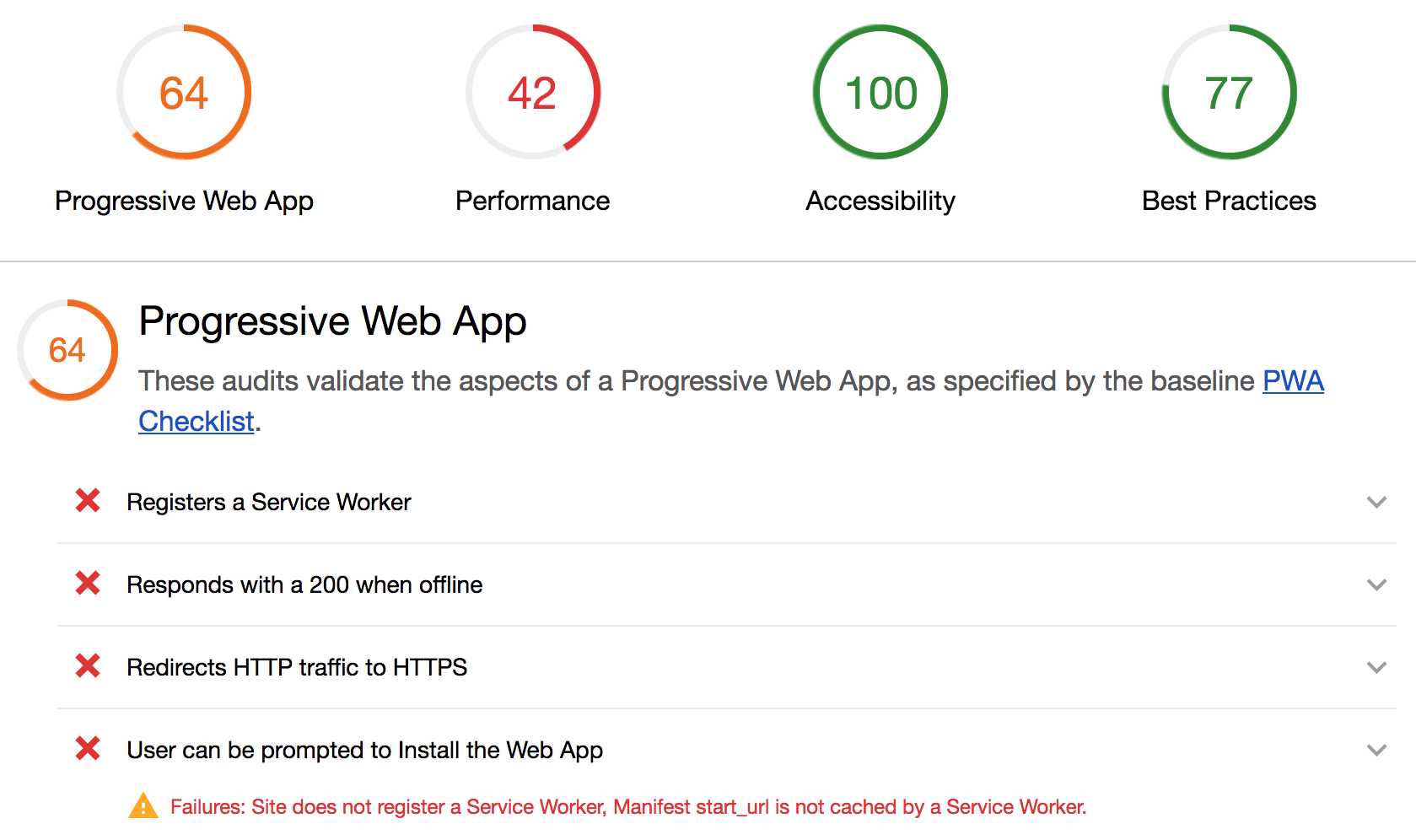



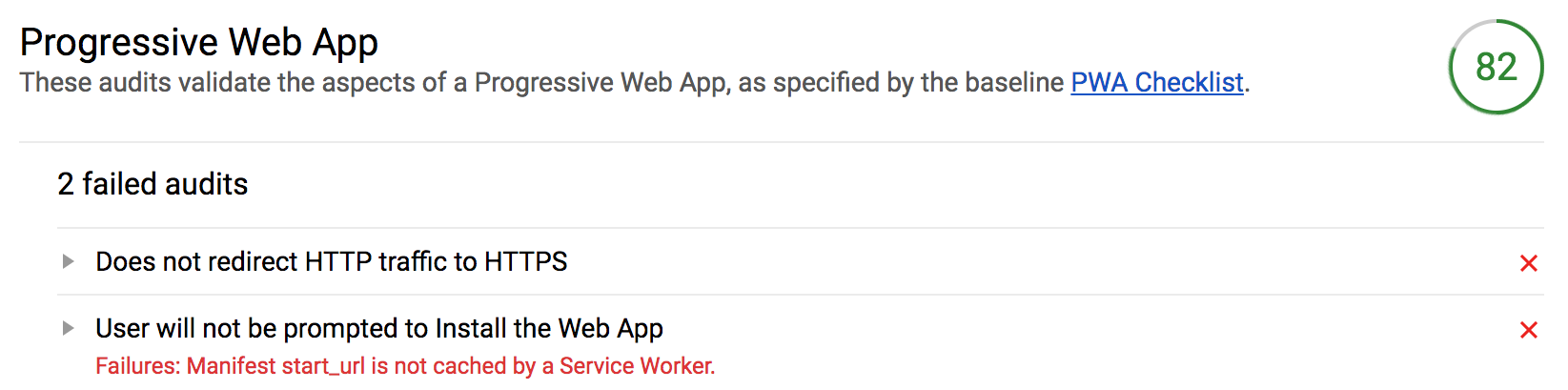
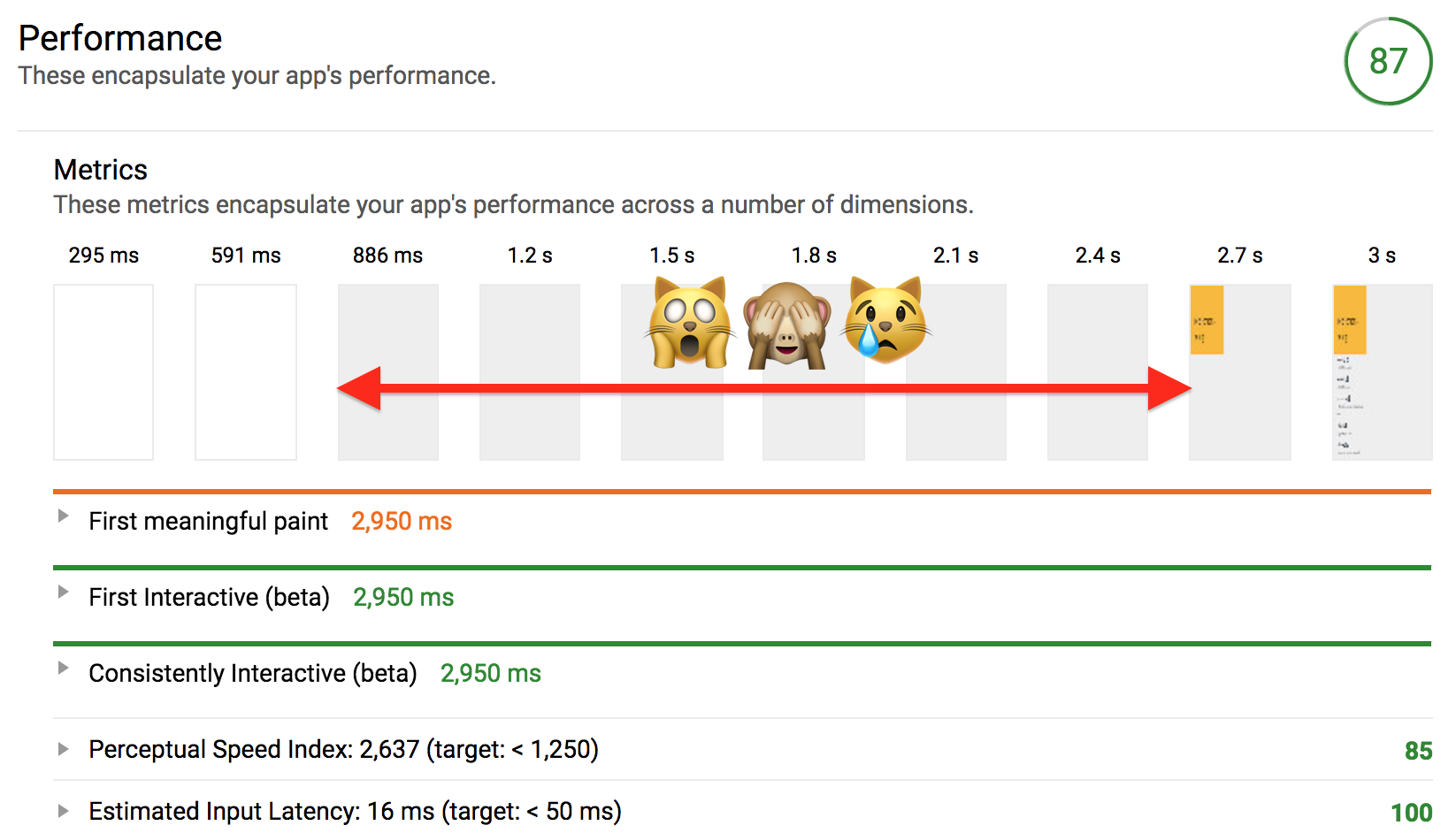
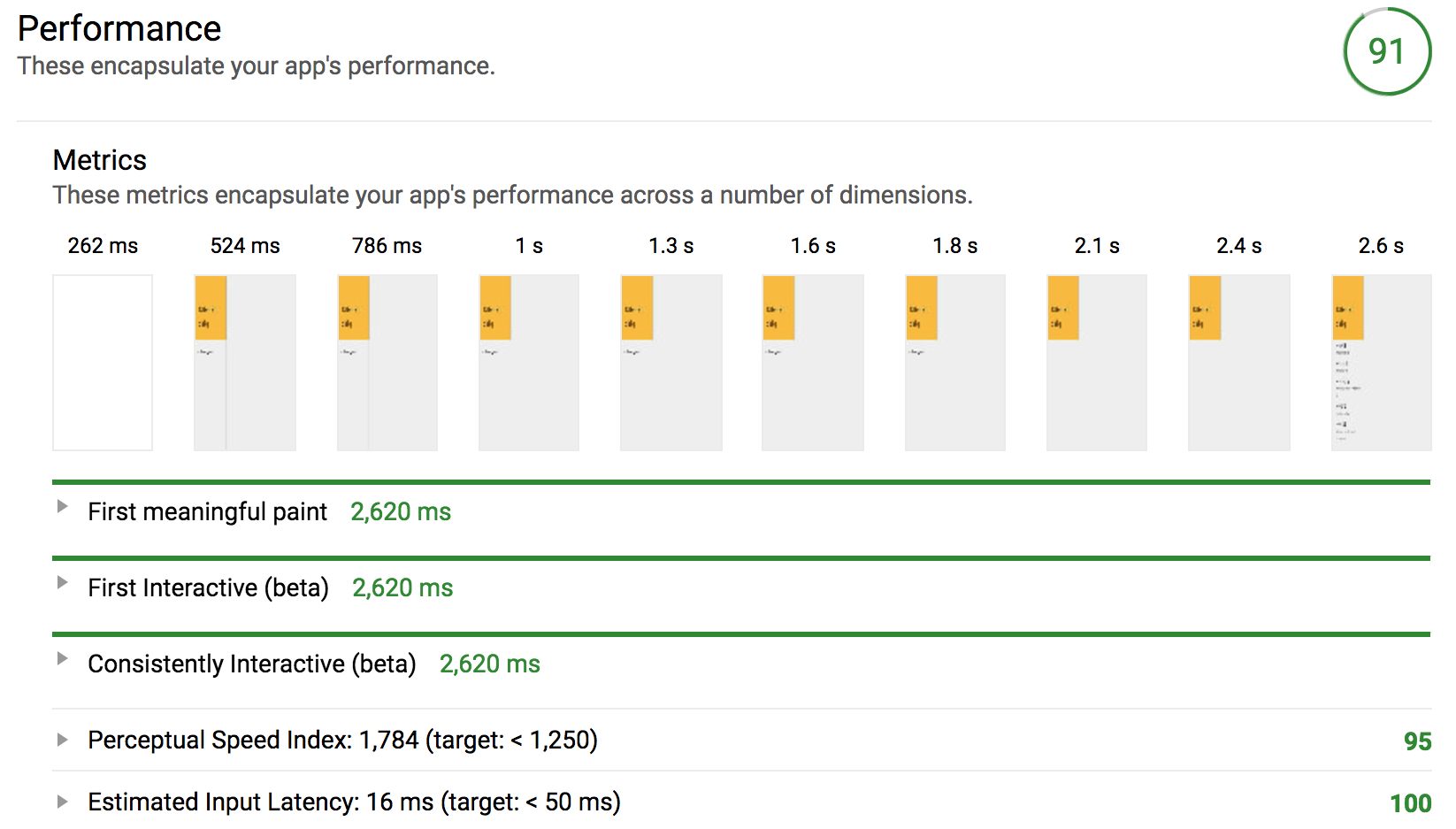
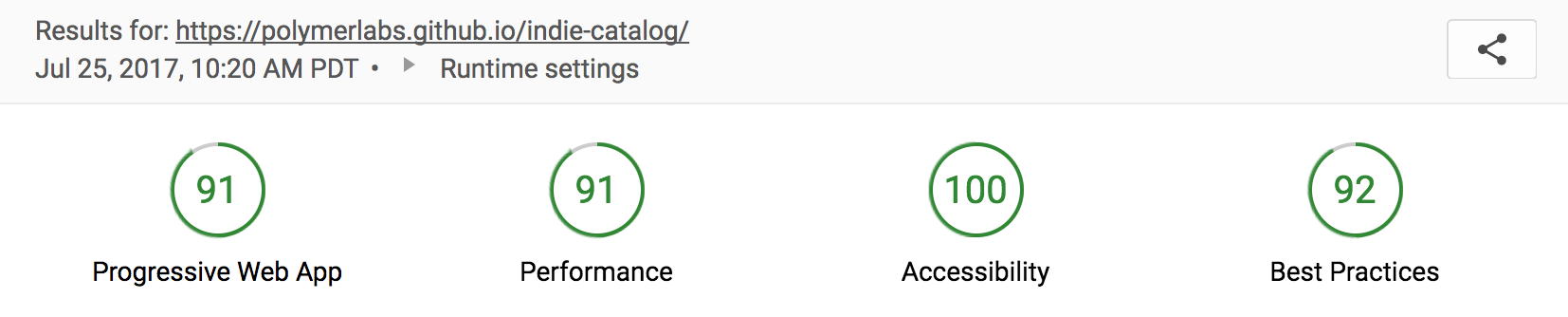

![[see a gif of this]](https://cloud.githubusercontent.com/assets/1369170/19876828/0aa7d0d6-9f97-11e6-86c8-b7e2c80a9986.gif)
![[see a gif of this]](https://cloud.githubusercontent.com/assets/1369170/19876827/0aa5c8d6-9f97-11e6-81a2-13fa35f6bbc9.gif)






instead? What’s up with that? Atom is built on Chromium soooo it should work, right?