And I think this is a goal we should all aspire to. Wayland is talking about the technical side of things (modern GPU stacks are very complex and Wayland is trying to take control back) but it could be applied to UI too.
The rule of thumb is:
If I take a screenshot of your app at any moment, you should be able to explain what I see
EDIT: This used to say “..., it must make sense” but that doesn’t account for advanced animation techniques such as smear frames etc.
Why care about every frame? It builds trust. Users can’t see the code, so UI is the only way for them to judge the quality of the app. If UI looks good, that means developers had time to polish it, which means that they probably spent a comparable amount of time to iron out the code. It’s a heuristic, but a reasonable one.
Now, what does it mean in practice? I can think of a few things:
No white flashes between screens.
No partially loaded content.
No relayout while content loads.
Internally consistent. If one part of the UI says “1 update available”, another part should not say “Checking for updates...”
Precise animations.
Animations often end up being forgotten. A UI might look great in both start and end states but very janky in between. Like this:
If you feel like there are weird things going on there, there are! Look at slowed down version:
Now let’s apply our rule and take screenshots in the middle of the animation. This doesn’t look right:
Neither does this:
Both of these frames are not perfect.
Let’s look at another example. Safari:
Placeholder text here moves from the center but cursor animates from the left position:
Not the end of the world by any means, but it does create a feeling that these two components are not in sync with each other. Next thought: maybe they weren’t designed together? If so, then they might not work well together. That’s how trust is lost.
This desynchronization can lead to a lot of confusion. For example, in Photos, when switching between Crop and Adjust mode, picture snaps into place immediately but the crop border is animated:
This creates a
false
feeling that something subtly changes when you switch between modes. And you know what? I don’t want my UI to give me false feelings. I want it to be a precise instrument, not an animated toy.
Sometimes animations are supposed to help you understand a transition, so it’s doubly sad when they make it harder. Follow the magnifying glass:
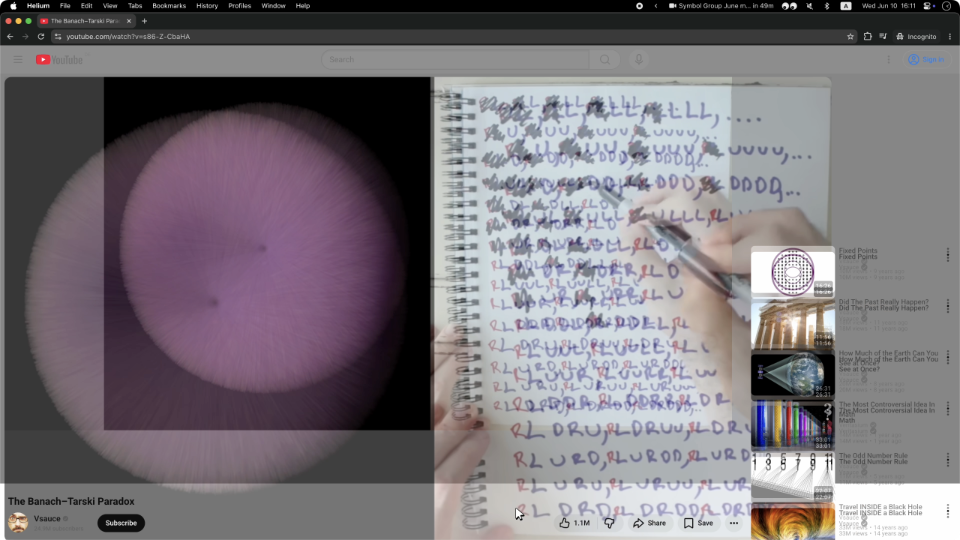
Same with Youtube. They had the simplest task in the world: move a rectangle from one position to another! Yet they decided to do something very strange:
Can you explain this? Does it make sense?
Probably a technical limitation of the DOM architecture they decided earlier on. I call these situations “The technology has outsmarted the programmer”. But no matter the reason, the result is an imperfect frame.
Sometimes animations are left out as an afterthought. Whatever happens, happens. Then we get this:
The details are fascinating to watch:
So yeah. Please pay attention not only to the start and end states, but also to everything in between.
Every frame matters.
I’ll leave you with this unprovoked zoom animation from Preview app. Take care!
Claude is an Electron App because we’ve lost native
Claude spent $20k on an agent swarm implementing (kinda) a C-compiler in Rust, but desktop Claude is an Electron app.
If code is free, why aren’t all apps native?
And then argues that the answer is that LLMs are not good enough yet. They can do 90% of the work, so there’s still a substantial amount of manual polish, and thus, increased costs.
But I think that’s not the real reason. The real reason is: native has nothing to offer.
API-wise, native apps lost to web apps a long time ago. Native APIs are terrible to use, and OS vendors use everything in their power to make you not want to develop native apps for their platform. That explains the rise of Electron before LLM times, but it’s also a problem that LLMs solve now: if that was a real barrier to developing native apps, it doesn’t exist anymore.
Then there’re looks and consistency. Some time ago, maybe in the late 90s and 2000s, native was ahead. It used to look good, it was consistent, and it all actually worked: the more apps used native look and feel, the better user experience was across apps (which we used to call programs).
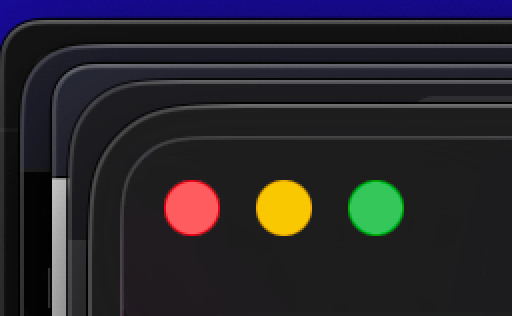
These days, though, native is as bad as the web, if not worse. Consistency is basically out the window. Anything can look like anything, buttons have no borders, contrast doesn’t exist, and neither do conventions. Apple, for example, seems to place traffic lights and corner radius by vibes rather than by any measurable guidelines.
Looks could be good, but they also can be bad, and then you are stuck with platform-consistent, but generally bad UI (Liquid Glass ahem). It changes too often, too: the app you made today will look out of place next year, when Apple decides to change look and feel yet again. There’s no native look anymore.
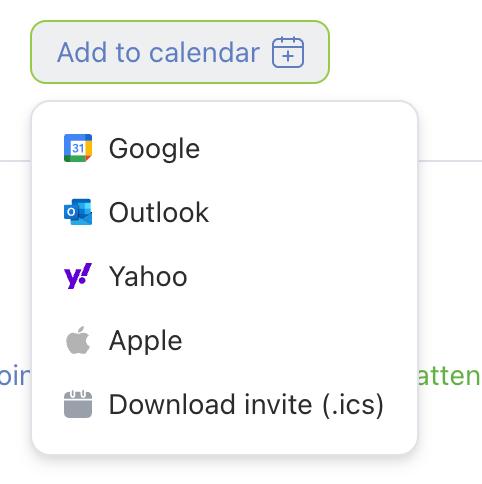
Theoretically, native apps can integrate with OS on a deeper level. This sounds nice, but what does that mean in practice? There are almost no good interoperable file formats; everything is locked inside individual apps, most services moved to the web, and OSes dropped the ball for making a good shared baseline. You can integrate with OS-provided calendar, but you can’t do it with web calendar. Well, you can, of course, but it’s easier on the web; native doesn’t help with it at all.
Finally, the last hope of people longing for native is performance. They feel that native apps will be faster. Well, they can, but it doesn’t mean they will. Web apps can be faster, too, but in practice, nobody cares. There’s no technical reason why
Slack needs to load 80 MiB
just to show 10 channel names and 3 messages on a screen. The web is not the problem here! It’s a choice to be bad. What makes you think it’ll be different once the company decides to move to native?
Don’t get me wrong: writing this brings me no joy. I don’t think web is a solution either. I just remember good times when native did a better-than-average job, and we were all better for using it, and it saddens me that these times have passed.
I just don’t think that kidding ourselves that the only problem with software is Electron and it all will be butterflies and unicorns once we rewrite Slack in SwiftUI is not productive. The real problem is a lack of care. And the slop; you can build it with any stack.
Podcast: На Маке нет никаких шкафов @ Думаем дальше
С Ильей Бирманом провожаем Алана Дая, вспоминая, в чём состоят достижения Мака, Джобса и ХИГа (но и Винду добрым словом тоже вспоминаем).
Content Preview
С Ильей Бирманом провожаем Алана Дая, вспоминая, в чём состоят достижения Мака, Джобса и ХИГа (но и Винду добрым словом тоже вспоминаем).
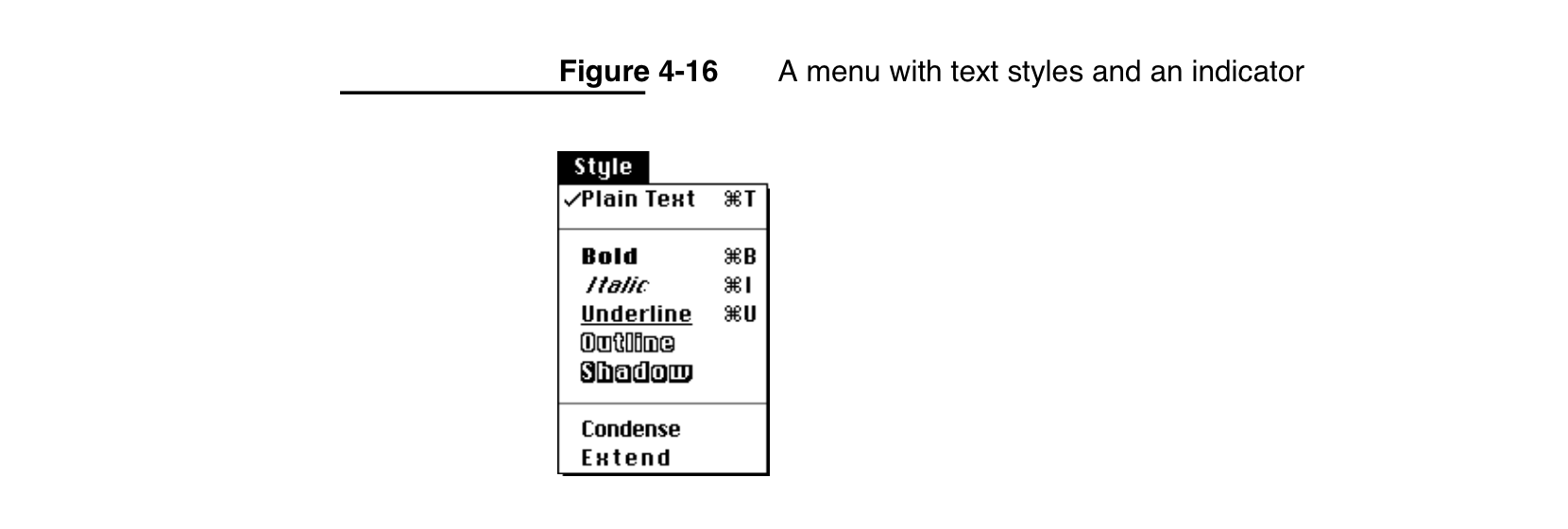
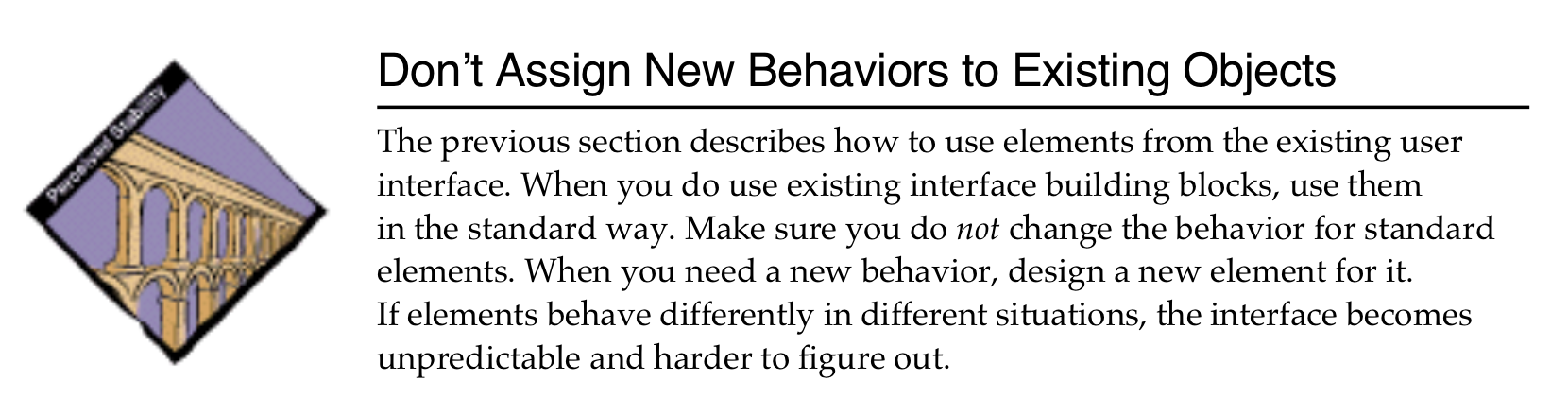
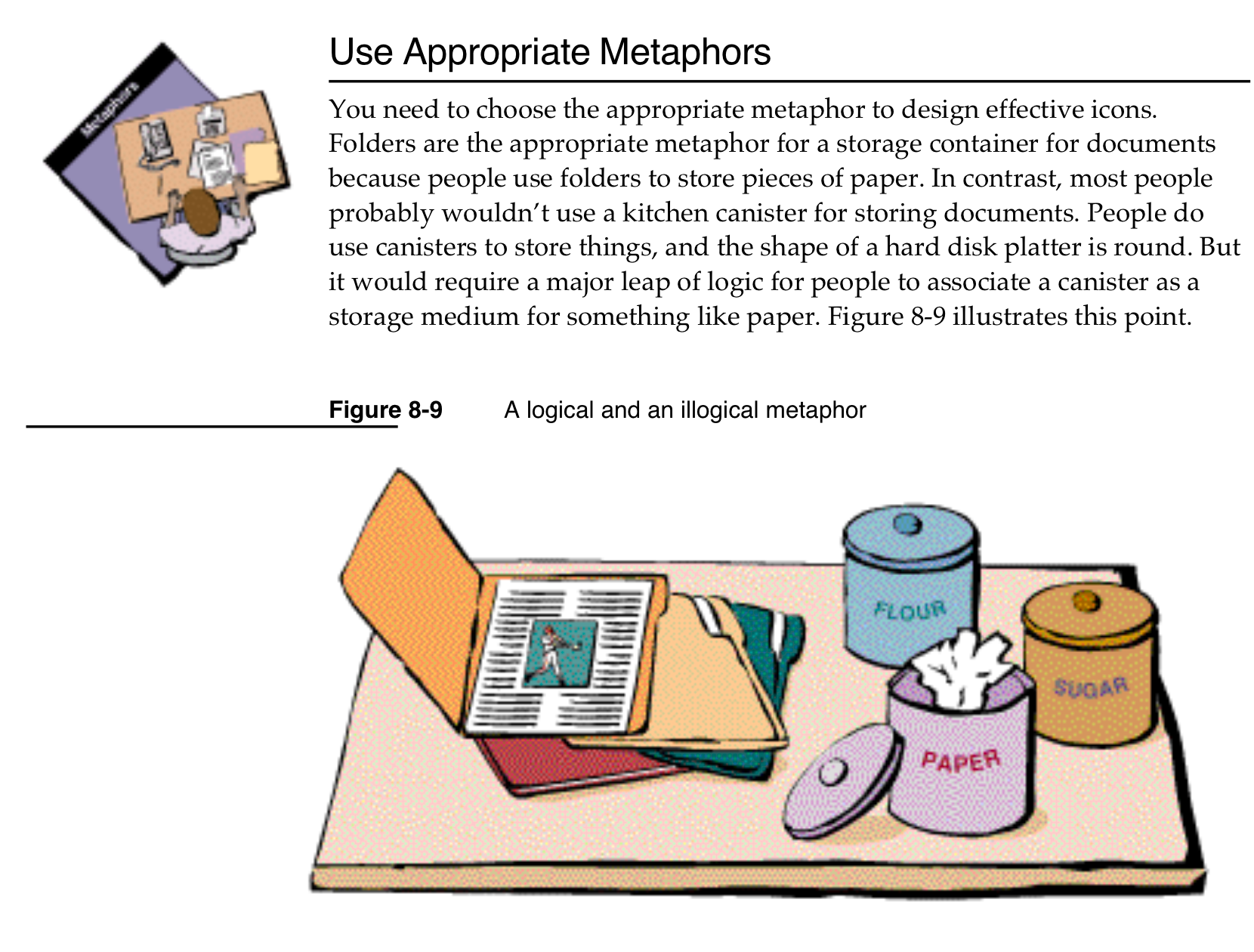
I was reading Macintosh Human Interface Guidelines
from 1992
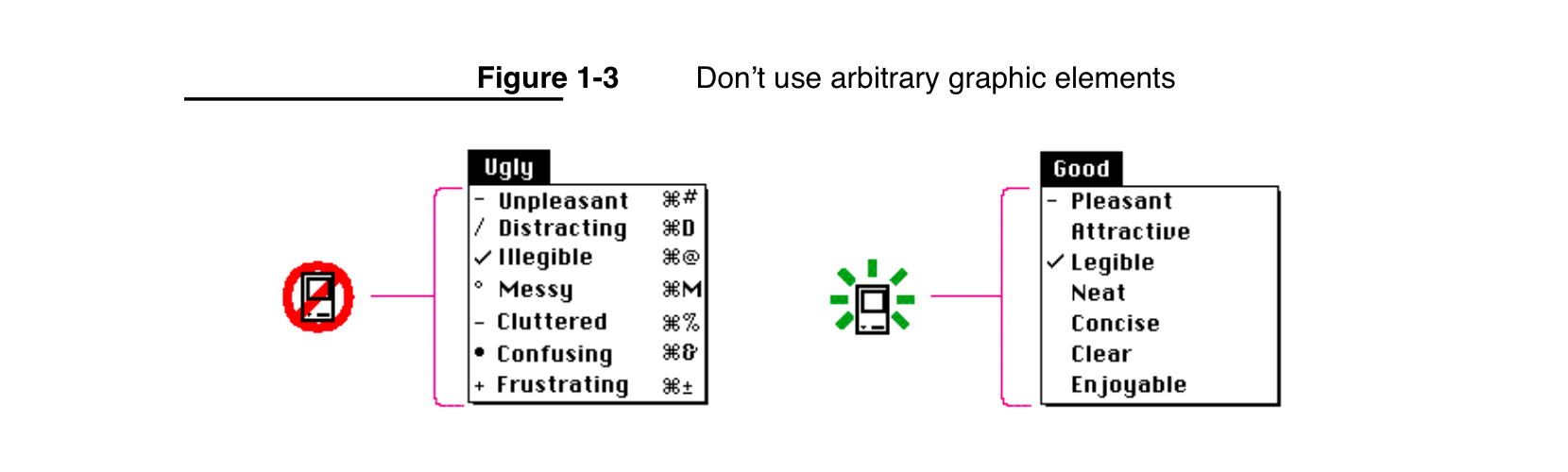
and found this nice illustration:
accompanied by explanation:
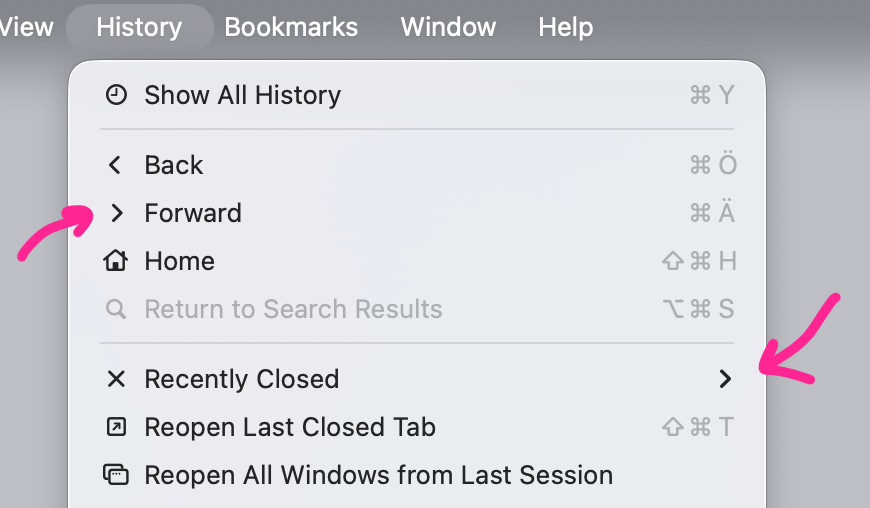
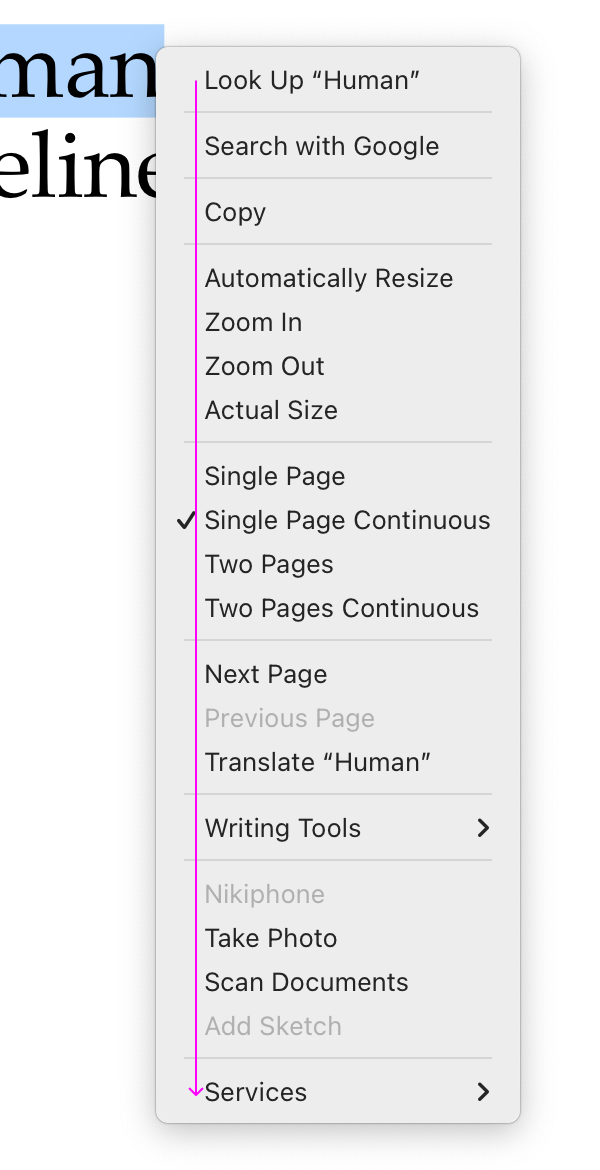
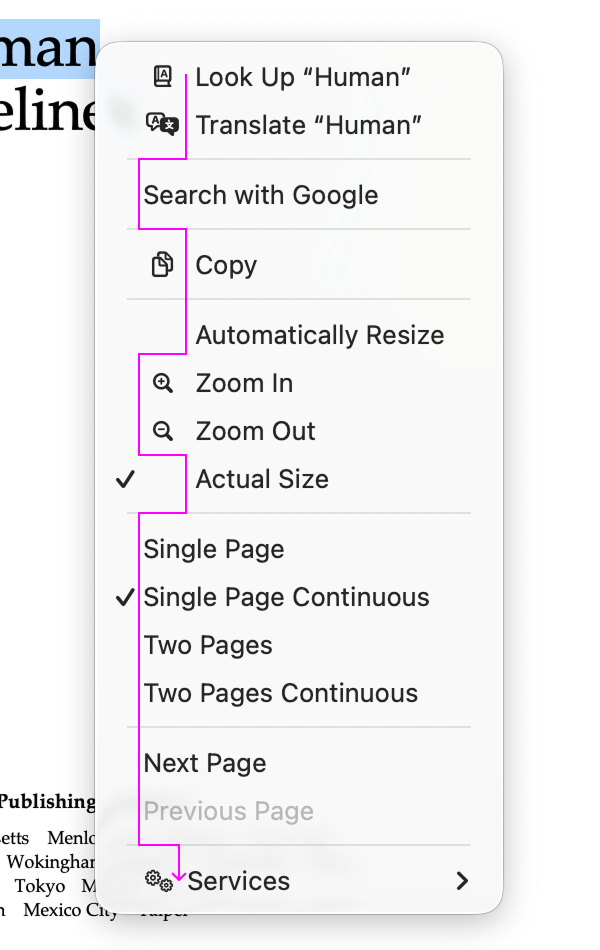
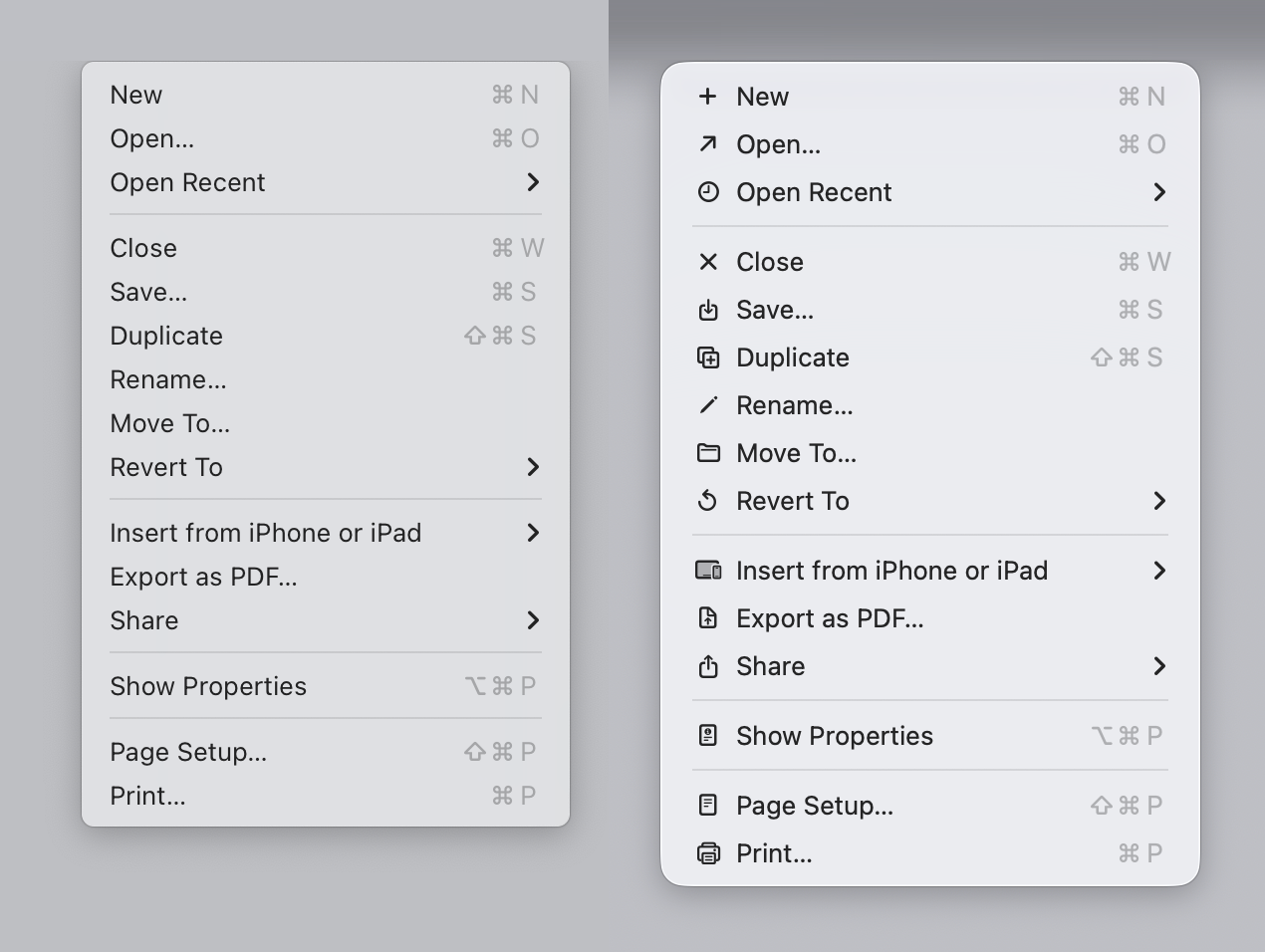
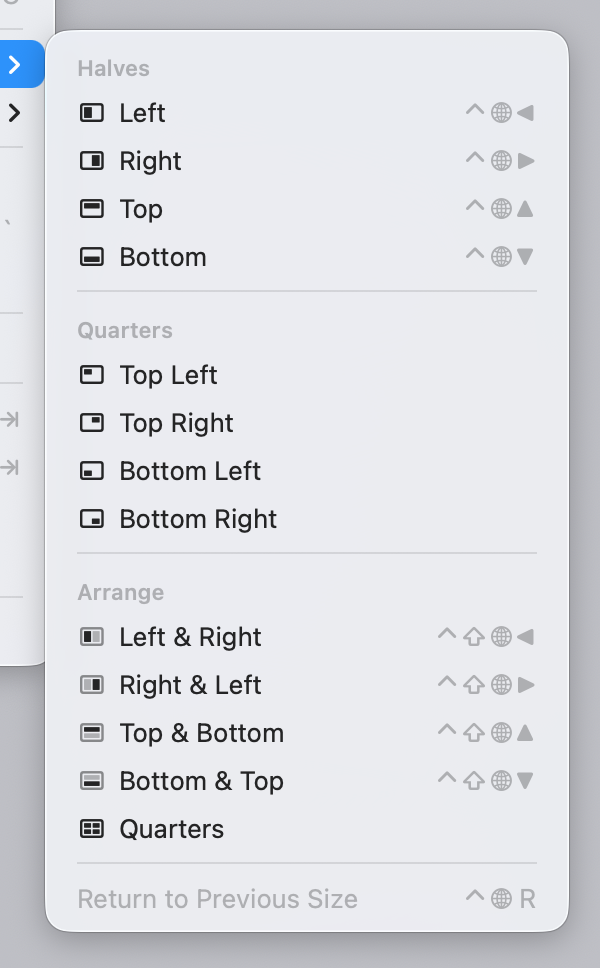
Fast forward to 2025. Apple releases macOS Tahoe. Main attraction? Adding unpleasant, distracting, illegible, messy, cluttered, confusing, frustrating icons (their words, not mine!) to every menu item:
Sequoia → Tahoe
It’s bad. But why exactly is it bad? Let’s delve into it!
Disclaimer: screenshots are a mix from macOS 26.1 and 26.2, taken from stock Apple apps only that come pre-installed with the system. No system settings were modified.
Icons should differentiate
The main function of an icon is to help you find what you are looking for faster.
Perhaps counter-intuitively, adding an icon to everything is exactly the wrong thing to do. To stand out, things need to be different. But if everything has an icon, nothing stands out.
The same applies to color: black-and-white icons look clean, but they don’t help you find things faster!
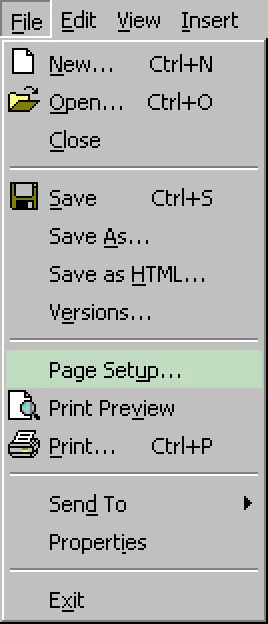
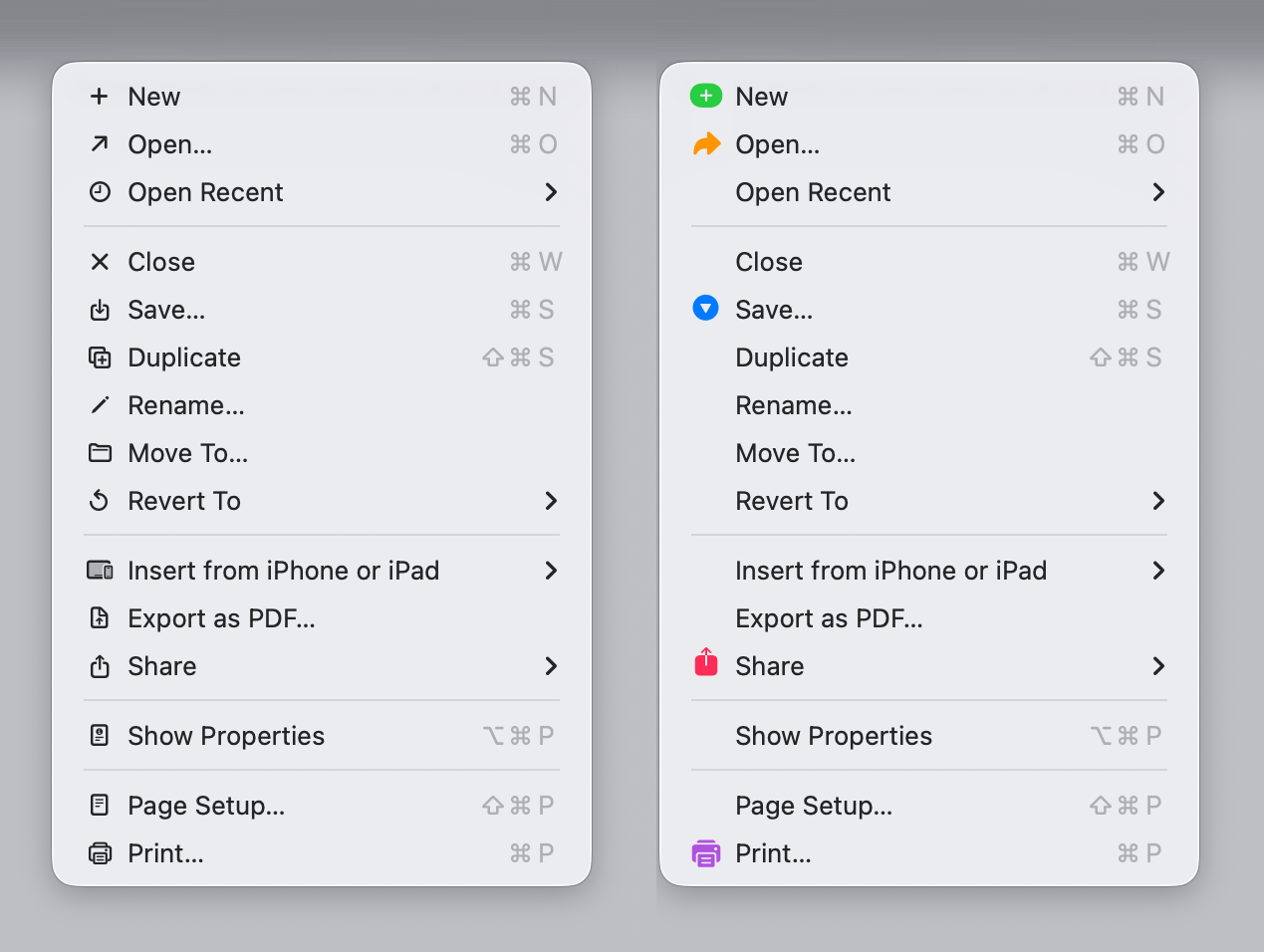
Microsoft used to know this:
Look how much faster you can find Save or Share in the right variant:
It also looks cleaner. Less cluttered.
A colored version would be even better (clearer separation of text from icon, faster to find):
I know you won’t like how it looks. I don’t like it either. These icons are hard to work with. You’ll have to actually design for color to look nice. But the principle stands: it is way easier to use.
Consistency between apps
If you want icons to work, they need to be
consistent
. I need to be able to learn what to look for.
For example, I see a “Cut” command and
next to it. Okay, I think. Next time I’m looking for “Cut,” I might save some time and start looking for
instead.
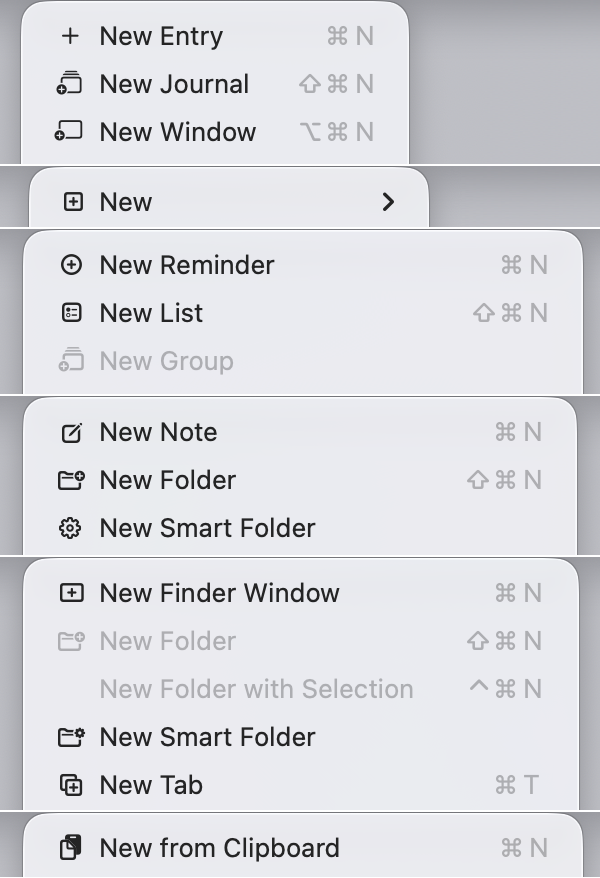
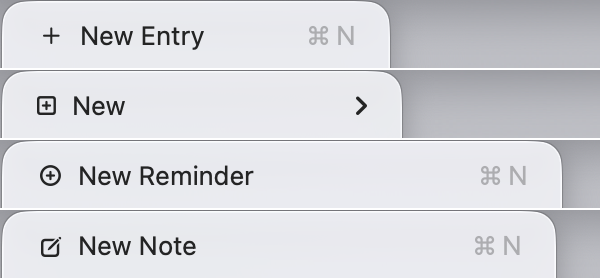
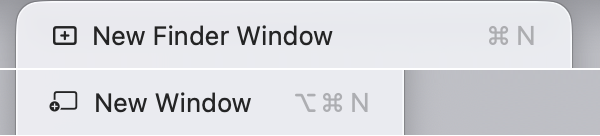
How is Tahoe doing on that front? I present to you: Fifty Shades of “New”:
I even collected them all together, so the absurdity of the situation is more obvious.
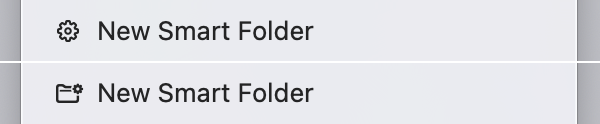
Granted, some of them are different operations, so they have different icons. I guess creating a smart folder is different from creating a journal entry. But this?
Or this:
Or this:
There is no excuse.
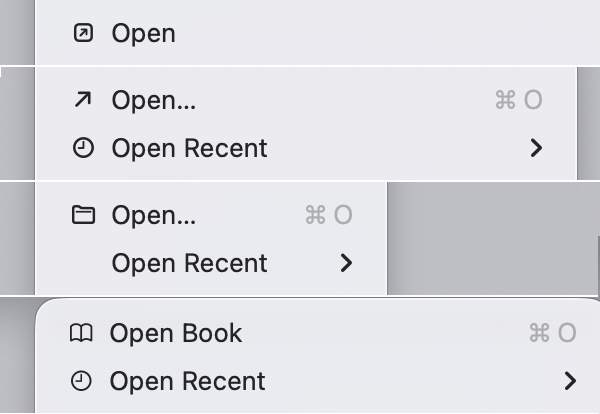
Same deal with open:
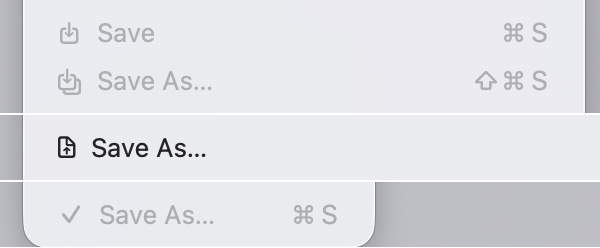
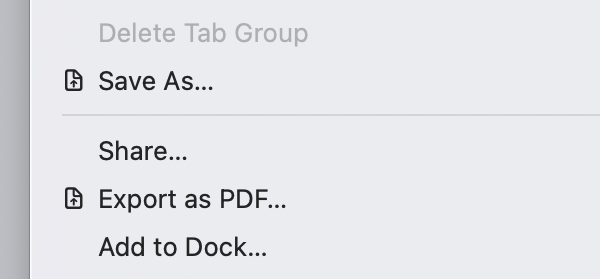
Save:
Yes. One of them is a checkmark. And they can’t even agree on the direction of an arrow!
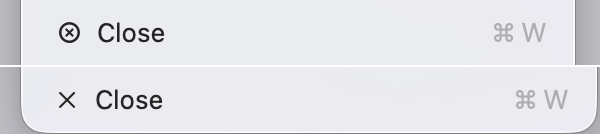
Close:
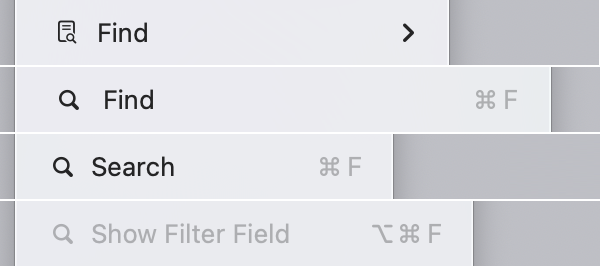
Find (which is sometimes called Search, and sometimes Filter):
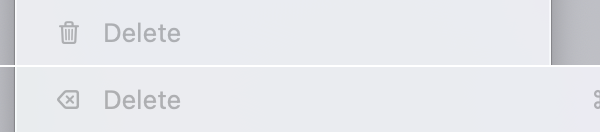
Delete (from Cut-Copy-Paste-Delete fame):
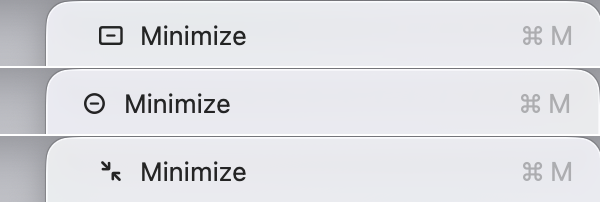
Minimize window.
These are not some obscure, unique operations. These are OS basics, these are foundational. Every app has them, and they are always in the same place. They shouldn’t look different!
Consistency inside the same app
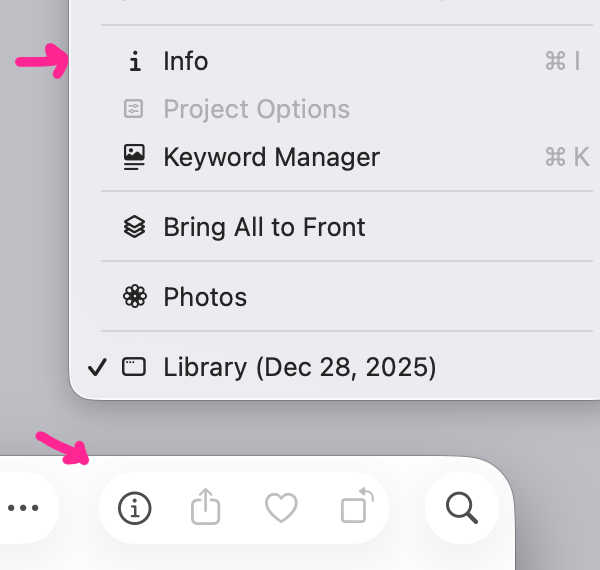
Icons are also used in toolbars. Conceptually, operations in a toolbar are identical to operations called through the menu, and thus should use the same icons. That’s the simplest case to implement: inside the same app, often on the same screen. How hard can it be to stay consistent?
Preview:
Photos: same
and
mismatch, but reversed ¯\_(ツ)_/¯
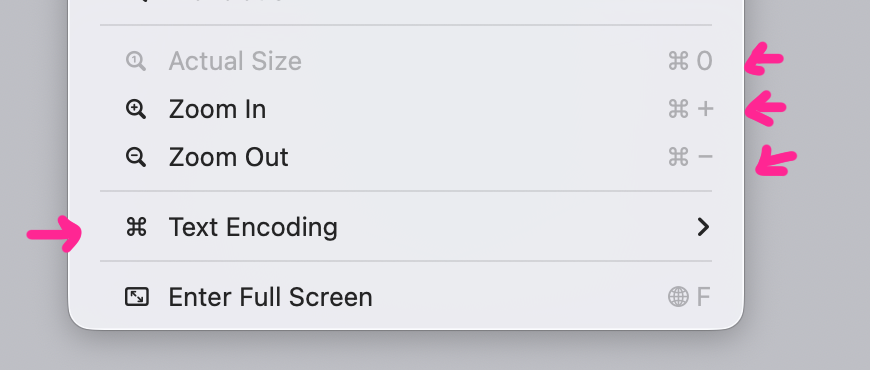
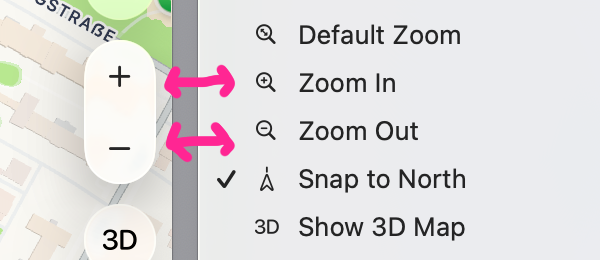
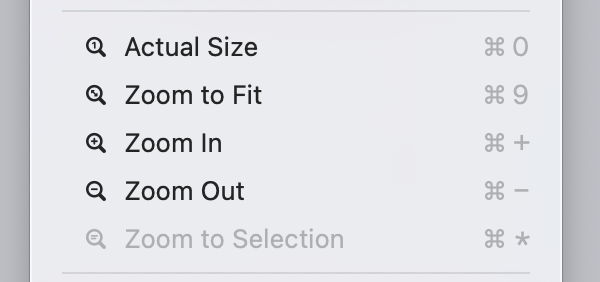
Maps and others often use different symbols for zoom:
Icon reuse
Another cardinal sin is to use the same icon for different actions. Imagine: I have learned that
means “New”:
Then I open an app and see
. “Cool”, I think, “I already know what it means”:
Gotcha!
You’d think: okay,
means quick look:
Sometimes, sure. Some other times,
means “Show completed”:
Sometimes
is “Import”:
Sometimes
is “Updates”:
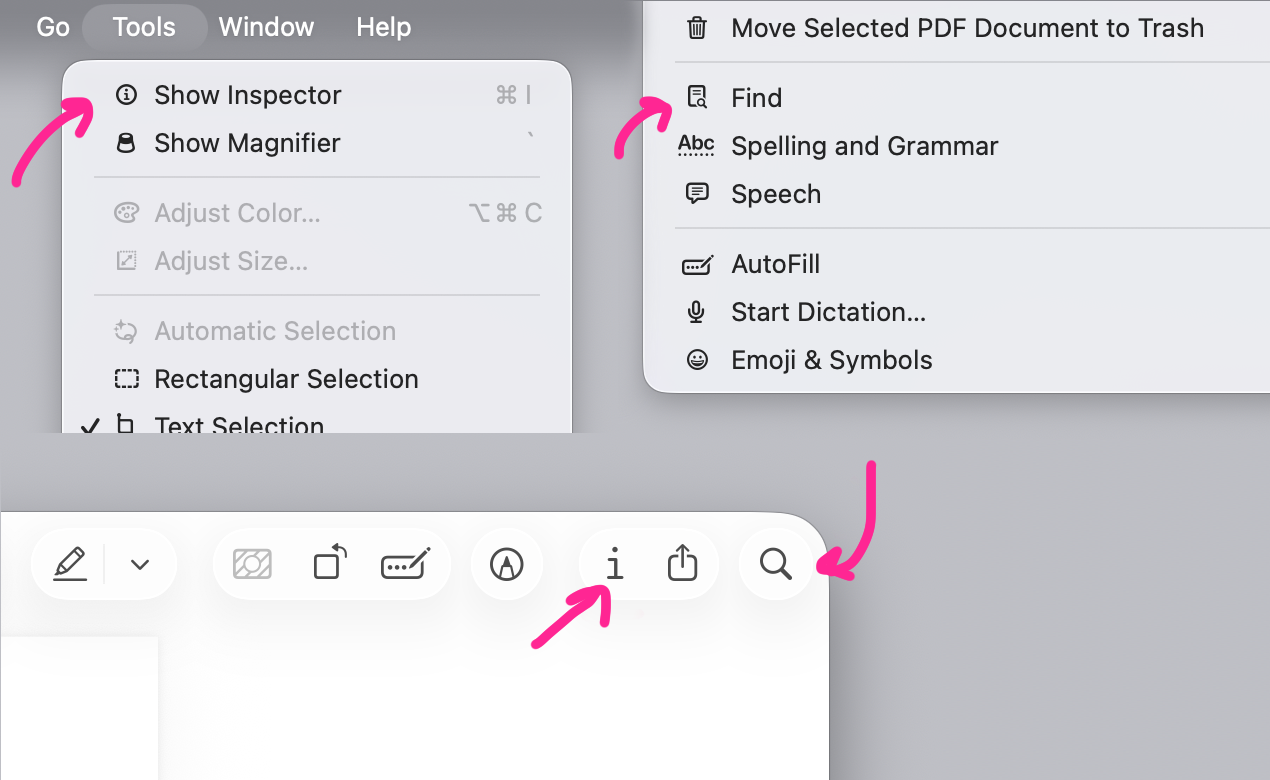
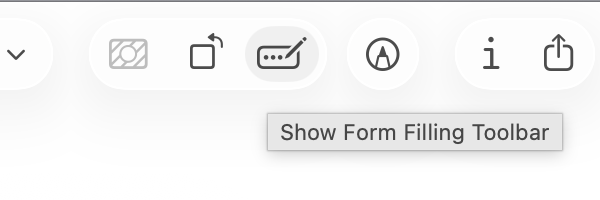
Same as with consistency, icon reuse doesn’t only happen between apps. Sometimes you see
in a toolbar:
Then go to the menu
in the same app
and see
means something else:
Sometimes identical icons meet in the same menu.
Sometimes next to each other.
Sometimes they put an entire barrage of identical icons in a row:
This doesn’t help anyone. No user will find a menu item faster or will understand the function better if all icons are the same.
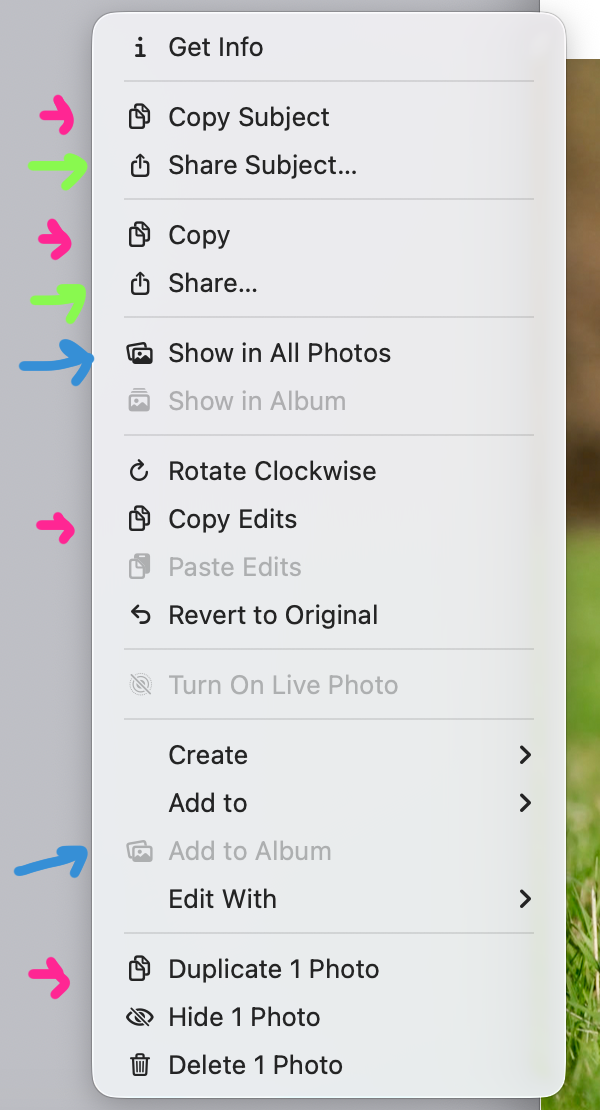
The worst case of icon reuse so far has been the Photos app:
It feels like the person tasked with choosing a unique icon for every menu item just ran out of ideas.
Understandable.
Too much nuance
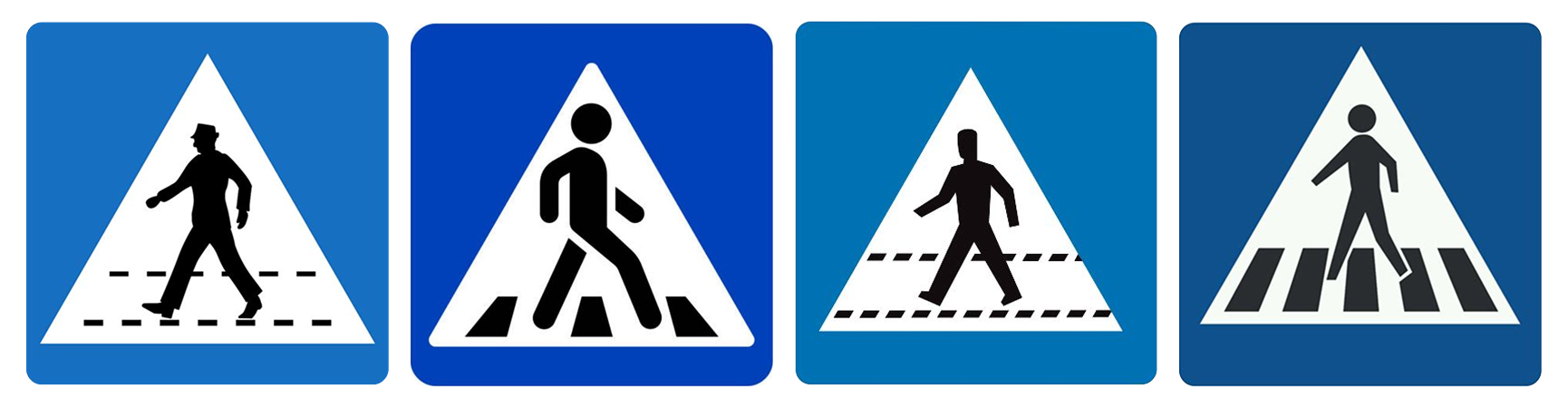
When looking at icons, we usually allow for slight differences in execution. That lets us, for example, understand that these
technically different
road signs mean the same thing:
Same applies for icons: if you draw an arrow going out of the box in one place and also an arrow and the box but at a slightly different angle, or with different stroke width, or make one filled, we will understand them as meaning the same thing.
Like,
is supposed to mean something else from
? Come on!
Or two letters A that only slightly differ in the font size:
A pencil is “Rename” but a slightly thicker pencil is “Highlight”?
Arrows that use different diagonals?
Three dots occupying ⅔ of space vs three dots occupying everything. Seriously?
Slightly darker dots?
The sheet of paper that changes meaning depending on if its corner is folded or if there are lines inside?
But the final boss are arrows. They are all different:
Supposedly, a user must become an expert at noticing how squished the circle is, if it starts top to right or bottom to right, and how far the arrow’s end goes.
Do I care? Honestly, no. I could’ve given it a shot, maybe, if Apple applied these consistently. But Apple considers
and
to mean the same thing in one place, and expects me to notice minute details like this in another?
Sorry, I can’t trust you. Not after everything I’ve seen.
Detalization
Icons are supposed to be easily recognizable from a distance. Every icon designer knows: small details are no-go. You can have them sometimes, maybe, for aesthetic purposes, but you can’t
rely
on them.
And icons in Tahoe menus are
tiny
. Most of them fit in a 12×12 pixel square (actual resolution is 24×24 because of Retina), and because many of them are not square, one dimension is usually even less than 12.
It’s not a lot of space to work with! Even Windows 95 had 16×16 icons. If we take the typical DPI of that era at 72 dots per inch, we get a physical icon size of 0.22 inches (5.6 mm). On a modern MacBook Pro with 254 DPI, Tahoe’s 24×24 icons are 0.09 inches (2.4 mm). Sure, 24 is bigger than 16, but in reality, these icons’ area is 4 times as small!
Simulated physical size comparison between 16×16 at 72 DPI (left) and 24×24 at 254 DPI (right)
So when I see this:
I struggle. I can tell they are different. But I definitely struggle to tell what’s being drawn.
Even zoomed in 20×, it’s still a mess:
Or here. These are three different icons:
Am I supposed to tell plus sign from sparkle here?
Some of these lines are half the pixel thicker than the other lines, and that’s supposed to be the main point:
Is this supposed to be an arrow?
A paintbrush?
Look, a tiny camera.
It even got an even tinier viewfinder, which you can almost see if you zoom in 20×:
Or here. There is a box, inside that box is a circle, and inside it is a tiny letter
i
with a total height of 2 pixels:
Don’t see it?
I don’t. But it’s there...
And this is a window! It even has traffic lights! How adorable:
Remember: these are retina pixels, ¼ of a real pixel. Steve Jobs himself claimed they were invisible.
It turns out there’s a magic number right around 300 pixels per inch, that when you hold something around to 10 to 12 inches away from your eyes, is the limit of the human retina to differentiate the pixels.
And yet, Tahoe icons rely on you being able to see them.
Pixel grid
When you have so little space to work with, every pixel matters. You can make a good icon, but you have to choose your pixels very carefully.
For Tahoe icons, Apple decided to use vector fonts instead of good old-fashioned bitmaps. It saves Apple resources—draw once, use everywhere. Any size, any display resolution, any font width.
But there’re downsides: fonts are hard to position vertically, their size
doesn’t map directly to pixels
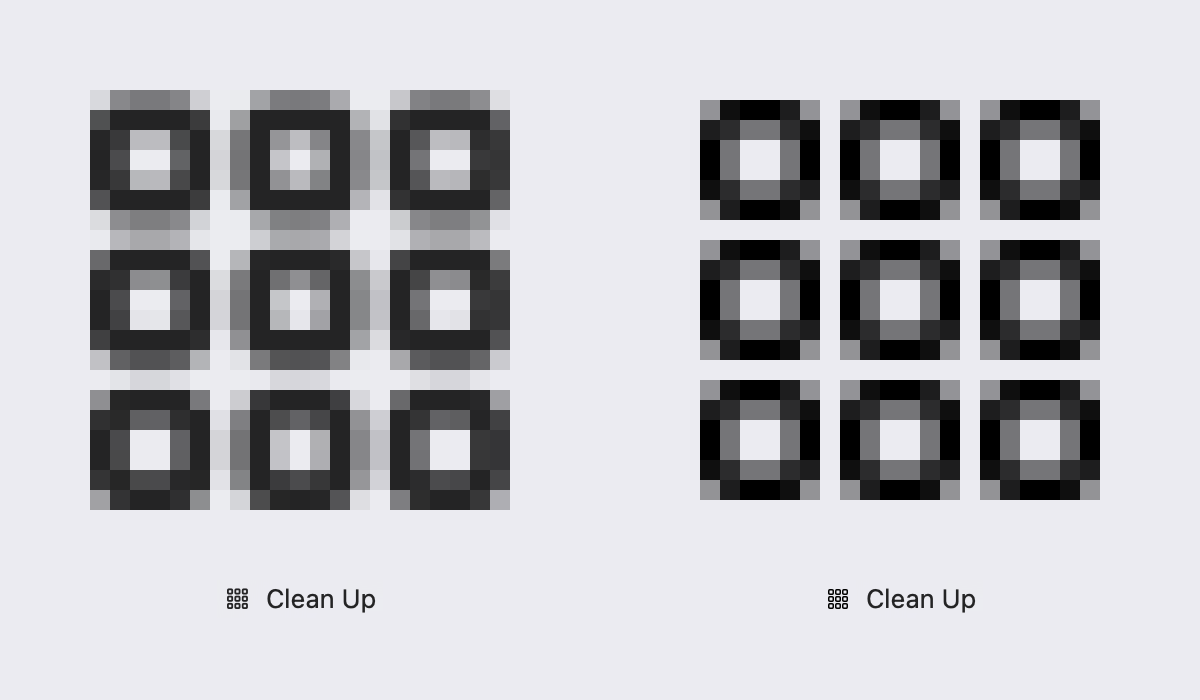
, stroke width doesn’t map 1-to-1 to pixel grid, etc. So, they work everywhere, but they also look blurry and mediocre everywhere:
Tahoe icon (left) and its pixel-aligned version (right).
They certainly start to work better once you give them more pixels.
iPad OS 26 vs macOS 26
or make graphics simpler. But the combination of small details and tiny icon size is deadly. So, until Apple releases MacBooks with 380+ DPI, unfortunately, we still have to care about the pixel grid.
Confusing metaphors
Icons might serve another function: to help users understand the meaning of the command.
For example, once you know the context (move window), these icons explain what’s going on faster than words:
But for this to work, the user must understand what’s drawn on the icon. It must be a familiar object with a clear translation to computer action (like Trash can → Delete), a widely used symbol, or an easy-to-understand diagram. HIG:
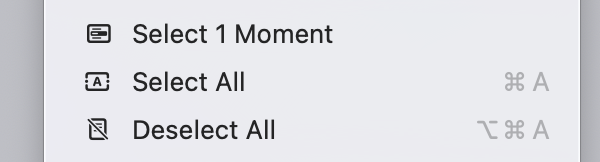
A rookie mistake would be to misrepresent the object. For example, this is how selection looks like:
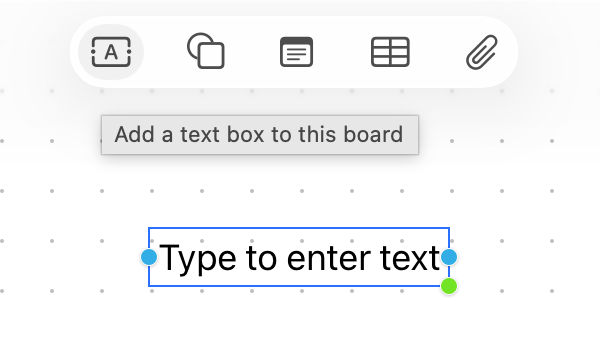
But its icon looks like this:
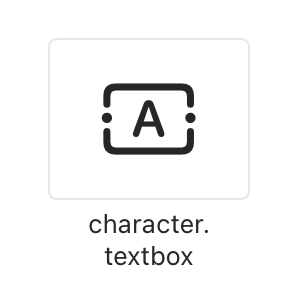
Honestly, I’ve been writing this essay for a week, and I still have zero ideas why it looks like that. There’s an object that looks like this, but it’s a text block in Freeform/Preview:
It’s called
character.textbox
in SF Symbols:
Why did it become a metaphor for “Select all”? My best guess is it’s a mistake.
Another place uses text selection from iOS as a metaphor. On a Mac!
Some concepts have obvious or well-established metaphors. In that case, it’s a mistake not to use them. For example, bookmarks:
. Apple, for some reason, went with a book:
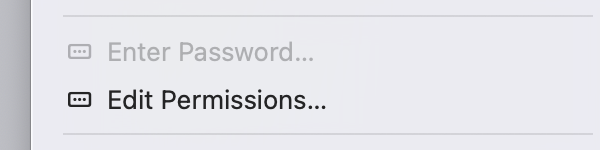
Sometimes you already have an interface element and can use it for an icon. However, try not to confuse your users. Dots in a rectangle look like password input, not permissions:
Icon here says “Check” but the action is “Uncheck”.
Terrible mistake: icon doesn’t help, it actively confuses the user.
It’s also tempting to construct a two-level icon: an object and some sort of indicator. Like, a checkbox and a cross, meaning “Delete checkbox”:
Or a user and a checkmark, like “Check the user”:
Unfortunately, constructs like this rarely work. Users don’t build sentences from building blocks you provide; they have no desire to solve these puzzles.
Finding metaphors is hard. Nouns are easier than verbs, and menu items are mostly verbs. How does open look? Like an arrow pointing to the top right? Why?
I’m not saying there’s an obvious metaphor for “Open” Apple missed. There isn’t. But that’s the point: if you can’t find a good metaphor, using no icon is better than using a bad, confusing, or nonsensical icon.
There’s a game I like to play to test the quality of the metaphor. Remove the labels and try to guess the meaning. Give it a try:
It’s delusional to think that there’s a good icon for every action if you think hard enough. There isn’t. It’s a lost battle from the start. No amount of money or “management decisions” is going to change that. The problems are 100% self-inflicted.
All this being said, I gotta give Apple credit where credit is due. When they are good at choosing metaphors, they are good:
Symmetrical actions
A special case of a confusing metaphor is using different metaphors for actions that are direct opposites of one another. Like Undo/Redo, Open/Close, Left/Right.
It’s good when their icons use the same metaphor:
Because it saves you time and cognitive resources. Learn one, get another one for free.
Because of that, it’s a mistake not to use common metaphors for related actions:
Or here:
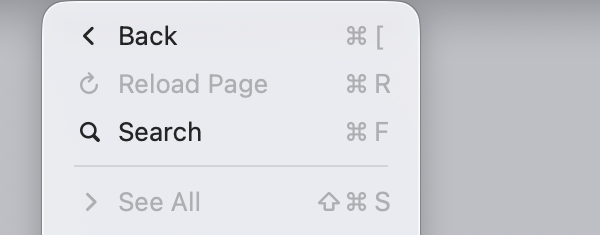
Another mistake is to create symmetry where there is none. “Back” and “See all”?
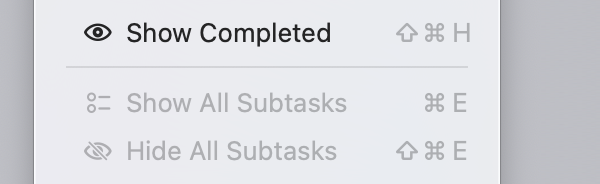
Some menus in Tahoe make both mistakes. E.g. lack of symmetry between Show/Hide and false symmetry between completed/subtasks:
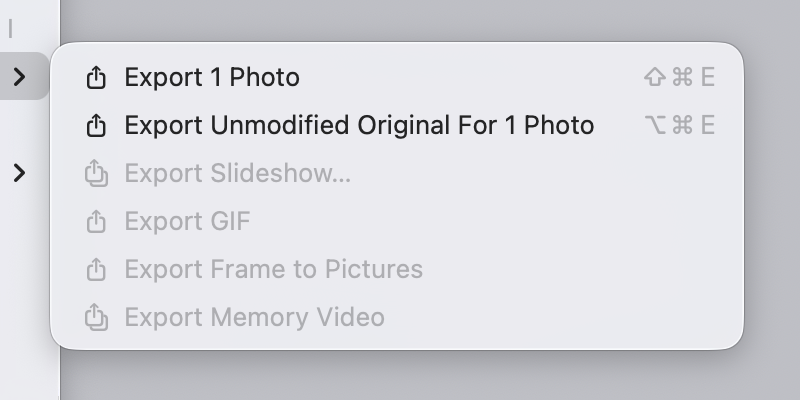
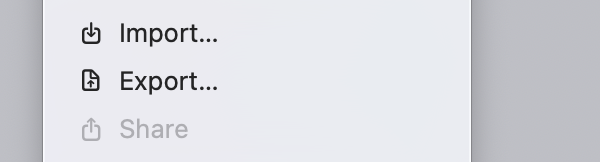
Import not mirrored by Export but by Share:
Text in icons
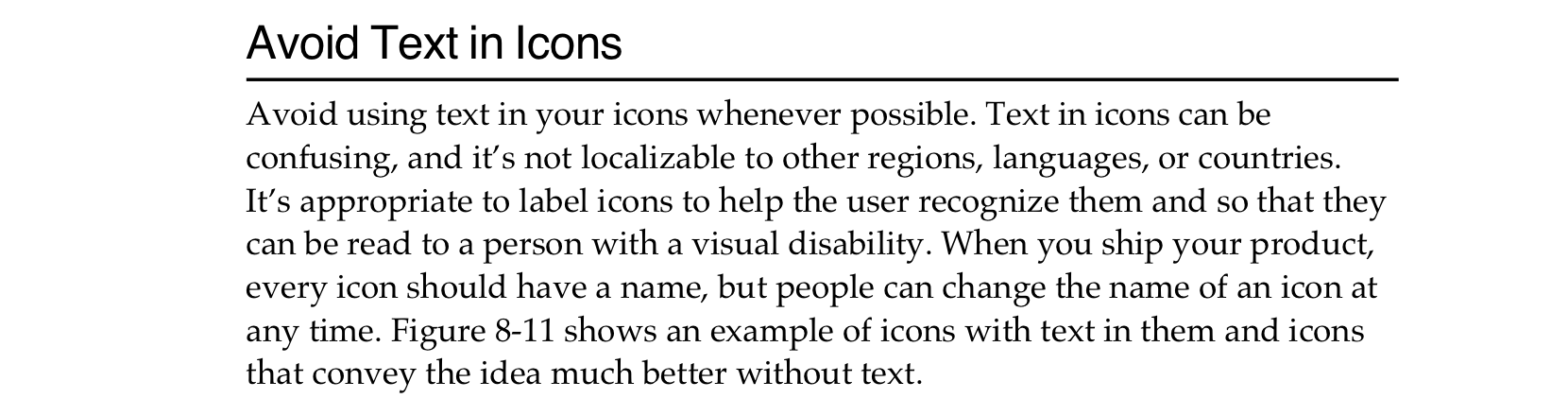
HIG again:
Authors of HIG are arguing against including text as a part of an icon. So something like this:
or this:
would not fly in 1992.
I agree, but Tahoe has more serious problems: icons consisting
only
of text. Like this:
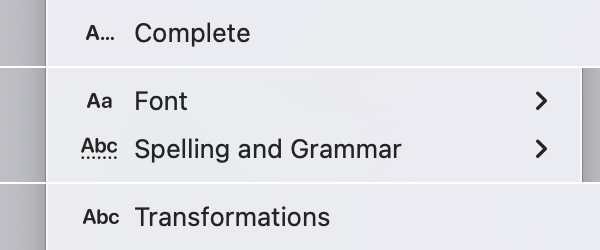
It’s unclear where “metaphorical, abstract icon text that is not supposed to be read literally” ends and actual text starts. They use the same font, the same color, so how am I supposed to differentiate? Icons just get in a way: A...Complete? AaFont? What does it mean?
I can maybe understand
and
. Dots are supposed to represent something. I can imagine thinking that led to
. But
? No decorations. No effects. Just plain Abc. Really?
Text transformations
One might think that using icons to illustrate text transformations is a better idea.
Like, you look at this:
or this:
or this:
and just from the icon alone understand what will happen with the text. Icon
illustrates
the action.
Also, BIU are well-established in word processing, so all upside?
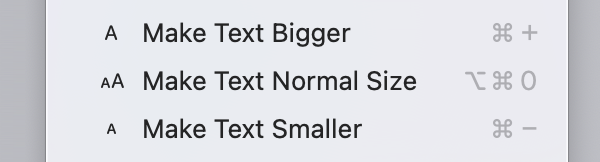
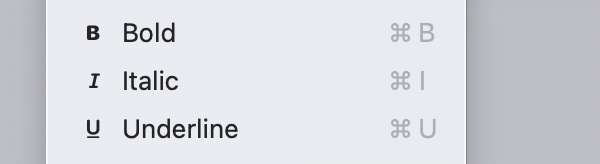
Not exactly. The problem is the same—text icon looks like text, not icon. Plus, these icons are
excessive
. What’s the point of taking the first letter and repeating it? The word “Bold” already starts with a letter “B”, it reads just as easily, so why double it? Look at it again:
It’s also repeated once more as a shortcut...
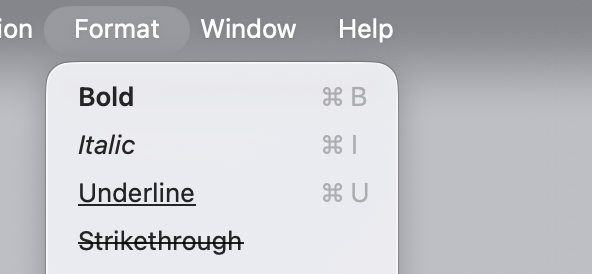
There is a better way to design this menu:
And it was known to Apple for at least 33 years.
System elements in icons
Operating system, of course, uses some visual elements for its own purposes. Like window controls, resize handles, cursors, shortcuts, etc. It would be a mistake to use those in icons.
Unfortunately, Apple fell into this trap, too. They reused arrows.
Key shortcuts:
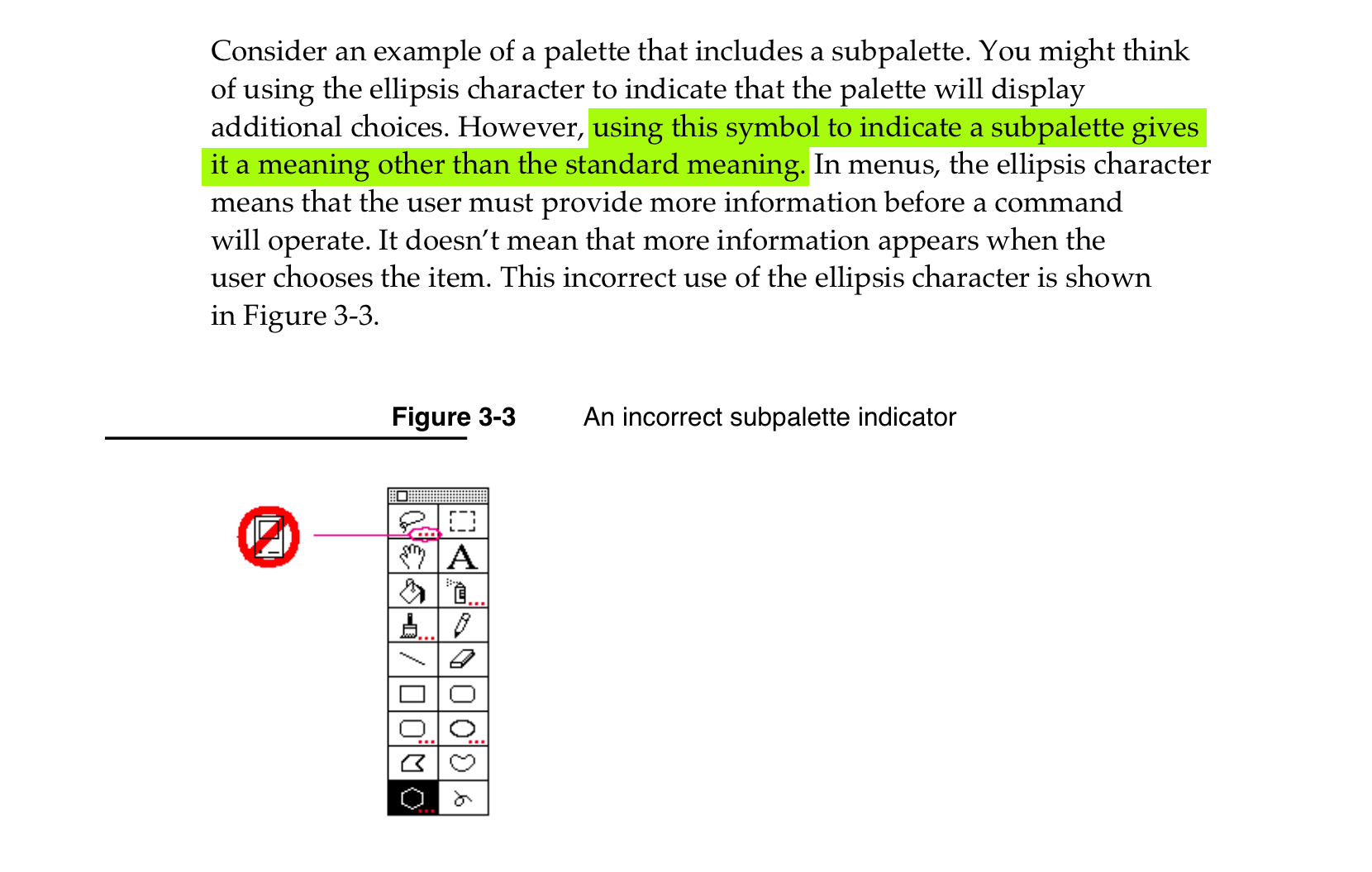
HIG has an entire section on ellipsis specifically and how dangerous it is to use it anywhere else in the menu.
And this exact problem is in Tahoe, too.
Icons break scanning
Without icons, you can just scan the menu from top to bottom, reading only the first letters. Because they all align:
macOS Sequoia
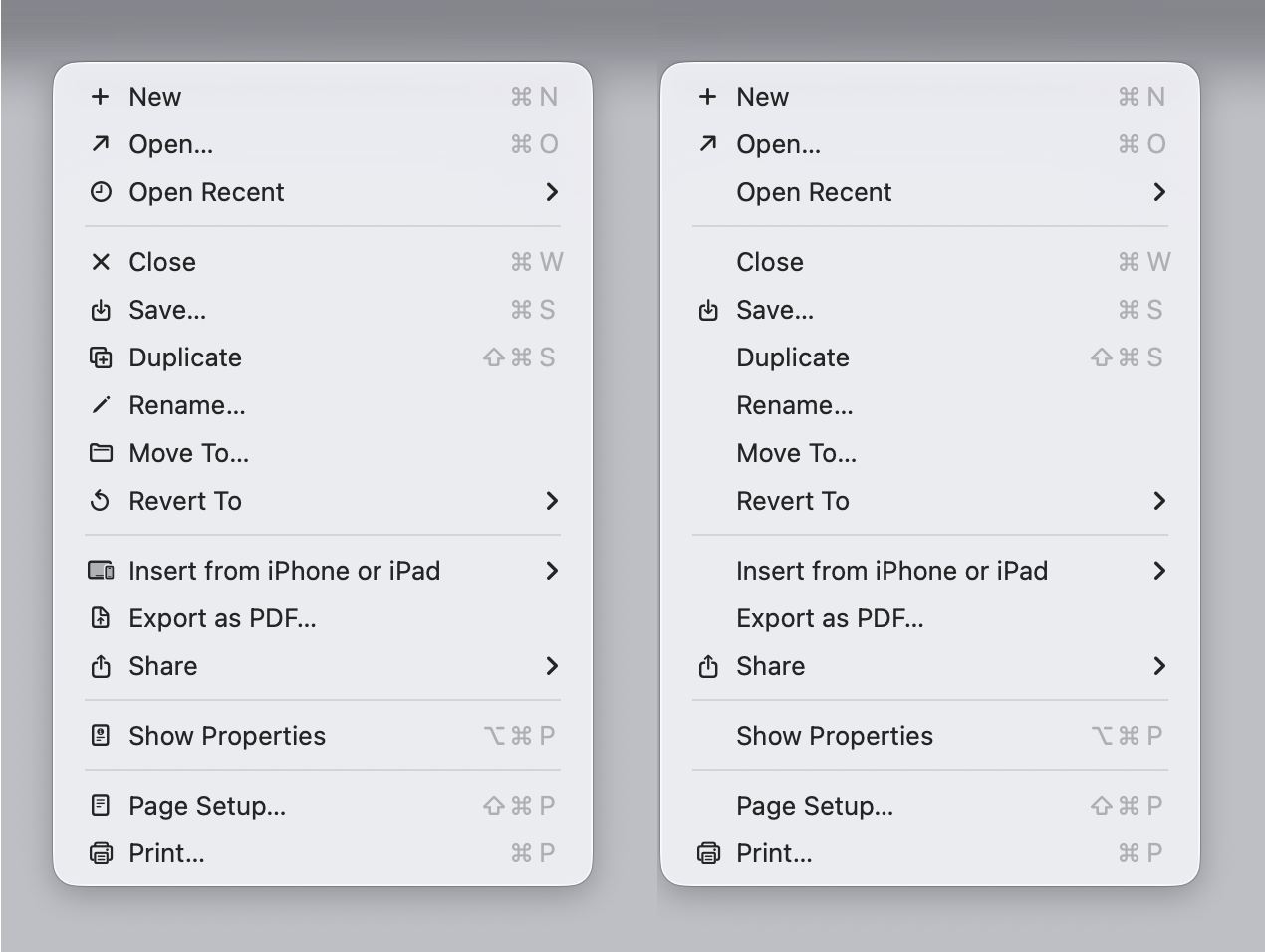
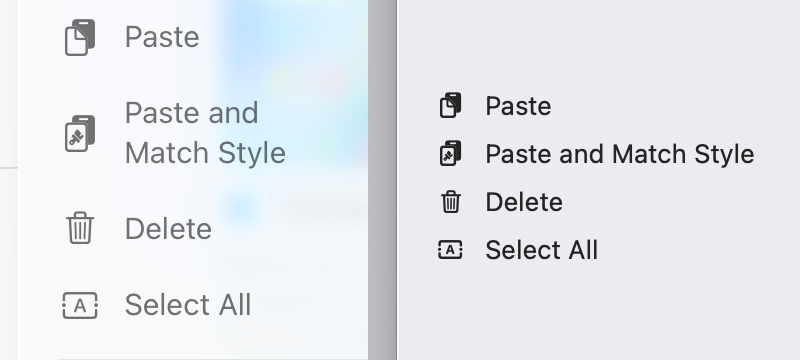
In Tahoe, though, some menu items have icons, some don’t, and they are aligned differently:
Some items can have both checkmarks
and
icons, or have only one of them, or have neither, so we get situations like this:
Ugh.
Special mention
This menu deserves its own category:
Same icon for different actions. Missing the obvious metaphor. Somehow making the first one slightly smaller than the second and third. Congratulations! It got it all.
Is HIG still relevant?
I’ve been mentioning HIG a lot, and you might be wondering: is an interface manual from 1992 still relevant today? Haven’t computers changed so much that entirely new principles, designs, and idioms apply?
Yes and no. Of course, advice on how to adapt your icons to black-and-white displays is obsolete. But the principles—as long as they are good principles—still apply, because they are based on how humans work, not how computers work.
Humans don’t get a new release every year. Our memory doesn’t double. Our eyesight doesn’t become sharper. Attention works the same way it always has. Visual recognition, motor skills—all of this is exactly as it was in 1992.
So yeah, until we get a direct chip-to-brain interface, HIG will stay relevant.
Conclusion
In my opinion, Apple took on an impossible task: to add an icon to every menu item. There are just not enough good metaphors to do something like that.
But even if there were, the premise itself is questionable: if everything has an icon, it doesn’t mean users will find what they are looking for faster.
And even if the premise was solid, I still wish I could say: they did the best they could, given the goal. But that’s not true either: they did a poor job consistently applying the metaphors and designing the icons themselves.
I hope this article would be helpful in avoiding common mistakes in icon design, which Apple managed to collect all in one OS release. I love computers, I love interfaces, I love visual communication. It makes me sad seeing perfectly good knowledge already accessible 30 years ago being completely ignored or thrown away today.
On the upside: it’s not that hard anymore to design better than Apple! Let’s drink to that. Happy New year!
From SF Symbols: a smiley face calling somebody on the phone
Notes
During review of this post I was made familiar with
Jim Nielsen’s article
, which hits a lot of the same points as I do. I take that as a sign there’s some common truth behind our reasoning.
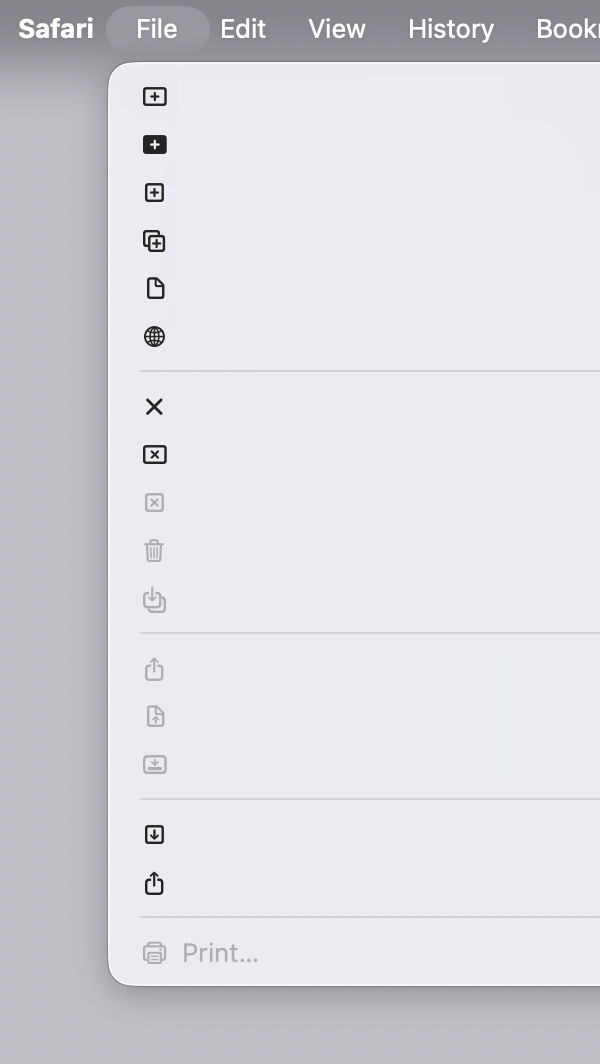
Also note: Safari → File menu got worse since 26.0. Used to have only 4 icons, now it’s 18!
Thanks Kevin, Ryan, and Nicki for reading drafts of this post.
Announcing a simple statistics library for Clojure web servers
Content Preview
I have a weird relationship with statistics: on one hand, I try not to look at it too often. Maybe once or twice a year. It’s because analytics is not actionable: what difference does it make if a thousand people saw my article or ten thousand?
I mean, sure, you might try to guess people’s tastes and only write about what’s popular, but that will destroy your soul pretty quickly.
On the other hand, I feel nervous when something is not accounted for, recorded, or saved for future reference. I might not need it now, but what if ten years later I change my mind?
Seeing your readers also helps to know you are not writing into the void. So I really don’t need much, something very basic: the number of readers per day/per article, maybe, would be enough.
Final piece of the puzzle: I self-host my web projects, and I use an old-fashioned web server instead of delegating that task to Nginx.
Static sites are popular and for a good reason: they are fast, lightweight, and fulfil their function. I, on the other hand, might have an unfinished gestalt or two: I want to feel the full power of the computer when serving my web pages, to be able to do fun stuff that is beyond static pages. I need that freedom that comes with a full programming language at your disposal. I want to program my own web server (in Clojure, sorry everybody else).
Existing options
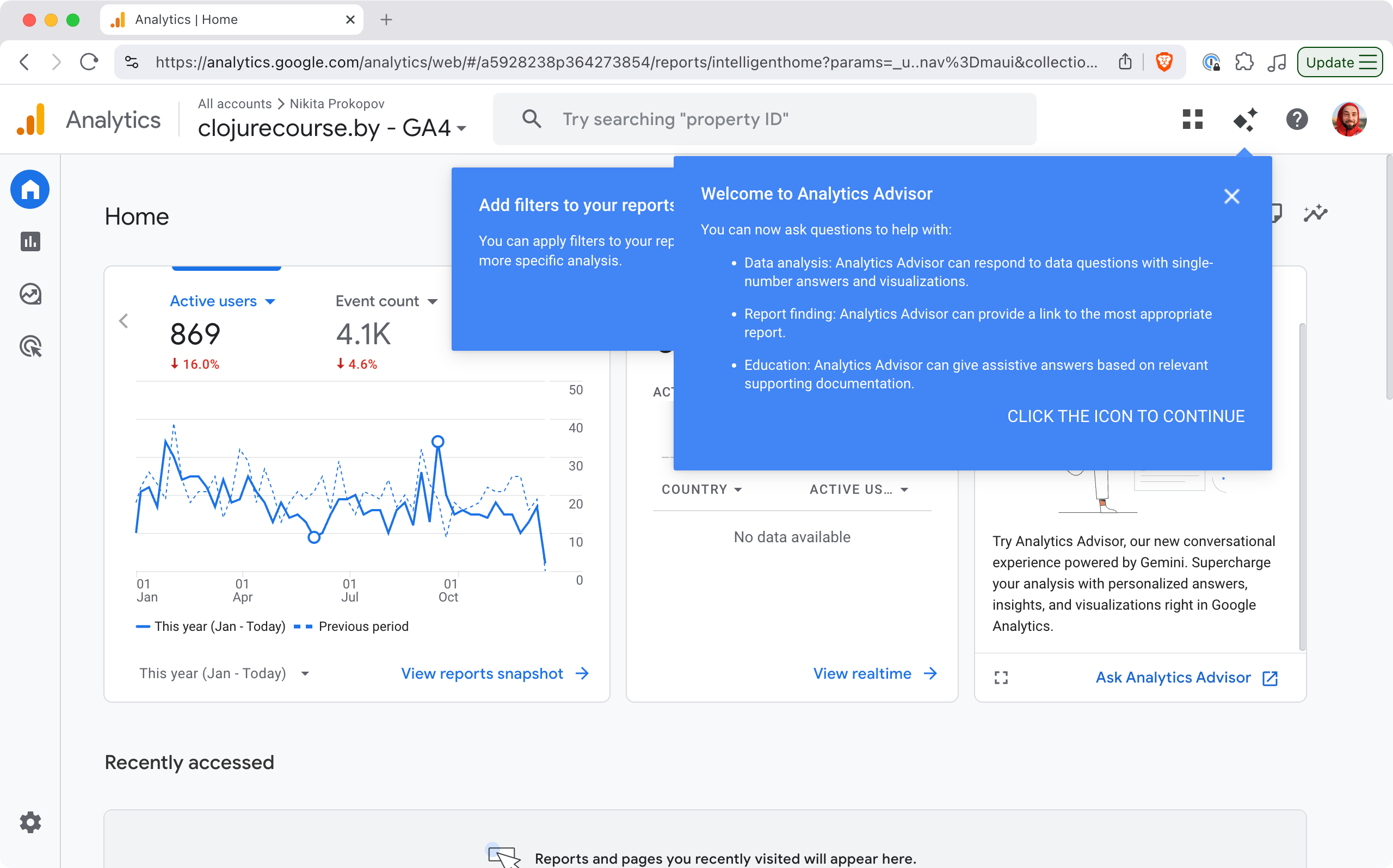
All this led me on a quest for a statistics solution that would uniquely fit my needs. Google Analytics was out: bloated, not privacy-friendly, terrible UX, Google is evil, etc.
What is going on?
Some other JS solution might’ve been possible, but still questionable: SaaS? Paid? Will they be around in 10 years? Self-host? Are their cookies GDPR-compliant? How to count RSS feeds?
Nginx has access logs, so I tried server-side statistics that feed off those (namely, Goatcounter). Easy to set up, but then I needed to create domains for them, manage accounts, monitor the process, and it wasn’t even performant enough on my server/request volume!
My solution
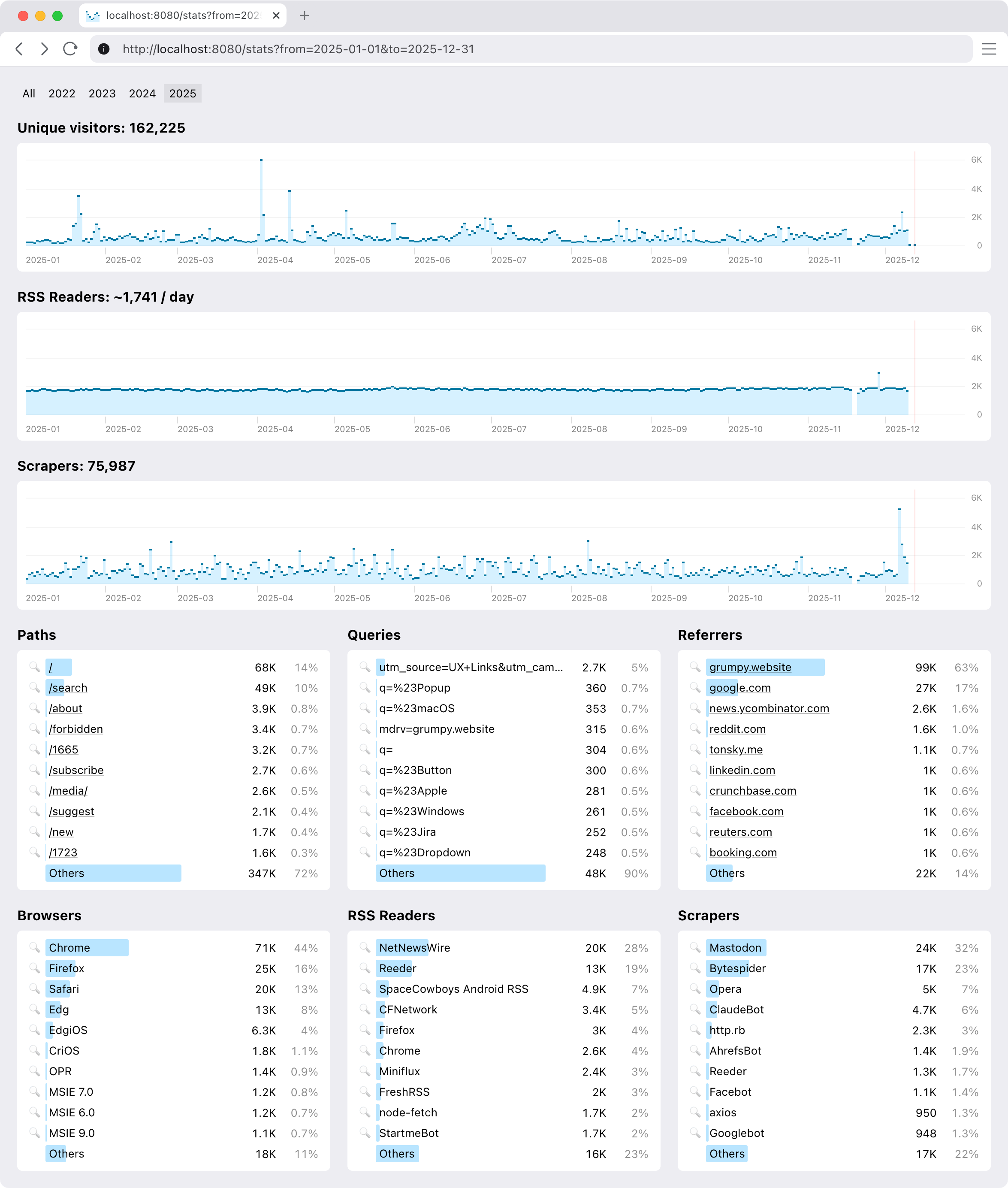
So I ended up building my own. You are welcome to join, if your constraints are similar to mine. This is how it looks:
It’s pretty basic, but does a few things that were important to me.
Setup
Extremely easy to set up. And I mean it as a feature.
Just add our middleware to your Ring stack and get everything automatically: collecting and reporting.
(def app
  (-> routes
    ...
    (ring.middleware.params/wrap-params)
    (ring.middleware.cookies/wrap-cookies)
    ...
    (clj-simple-stats.core/wrap-stats))) ;; <-- just add this
It’s zero setup in the best sense: nothing to configure, nothing to monitor, minimal dependency. It starts to work immediately and doesn’t ask anything from you, ever.
See, you already have your web server, why not reuse all the setup you did for it anyway?
Request types
We distinguish between request types. In my case, I am only interested in live people, so I count them separately from RSS feed requests, favicon requests, redirects, wrong URLs, and bots. Bots are particularly active these days. Gotta get that AI training data from somewhere.
RSS feeds are live people in a sense, so extra work was done to count them properly. Same reader requesting
feed.xml
100 times in a day will only count as one request.
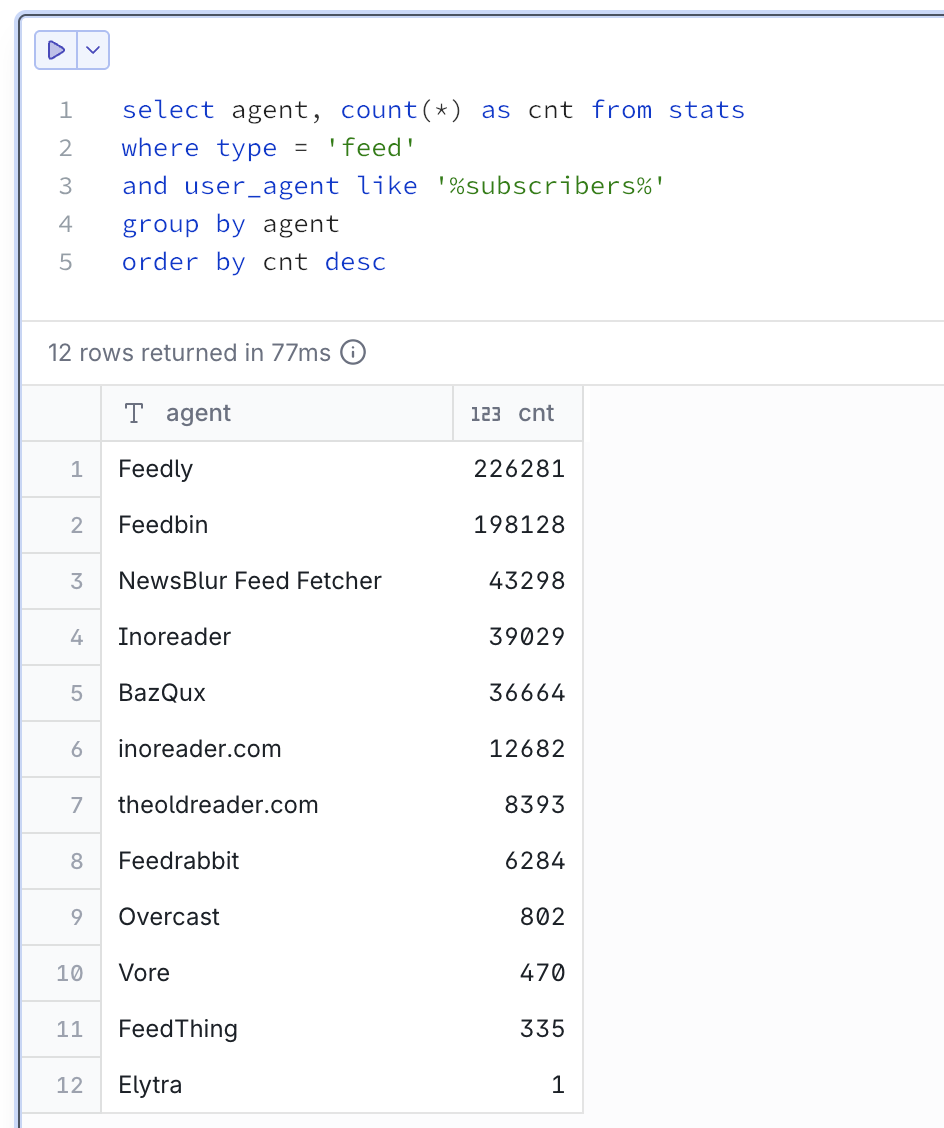
Hosted RSS readers often report user count in User-Agent, like this:
My personal respect and thank you to everybody on this list. I see you.
Graphs
Visualization is important, and so is choosing the correct graph type. This is wrong:
Continuous line suggests interpolation. It reads like between 1 visit at 5am and 11 visits at 6am there were points with 2, 3, 5, 9 visits in between. Maybe 5.5 visits even! That is not the case.
This is how a semantically correct version of that graph should look:
Some attention was also paid to having reasonable labels on axes. You won’t see something like 117, 234, 10875. We always choose round numbers appropriate to the scale: 100, 200, 500, 1K etc.
Goes without saying that all graphs have the same vertical scale and syncrhonized horizontal scroll.
Insights
We don’t offer much (as I don’t need much), but you can narrow reports down by page, query, referrer, user agent, and any date slice.
Not implemented (yet)
It would be nice to have some insights into “What was this spike caused by?”
Some basic breakdown by country would be nice. I do have IP addresses (for what they are worth), but I need a way to package GeoIP into some reasonable size (under 1 Mb, preferably; some loss of resolution is okay).
Finally, one thing I am really interested in is “Who wrote about me?” I do have referrers, only question is how to separate signal from noise.
Performance. DuckDB is a sport: it compresses data and runs column queries, so storing extra columns per row doesn’t affect query performance. Still, each dashboard hit is a query across the entire database, which at this moment (~3 years of data) sits around 600 MiB. I definitely need to look into building some pre-calculated aggregates.


next to it. Okay, I think. Next time I’m looking for “Cut,” I might save some time and start looking for

and
mismatch, but reversed ¯\_(ツ)_/¯
means “New”:


means quick look:


is “Import”:


in a toolbar:

? Come on!



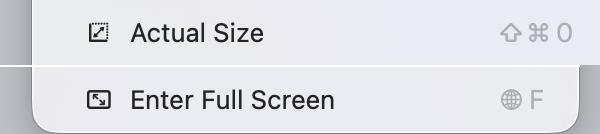


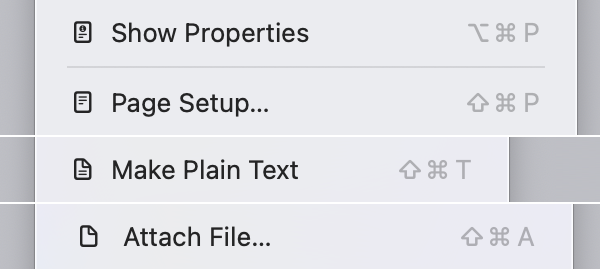
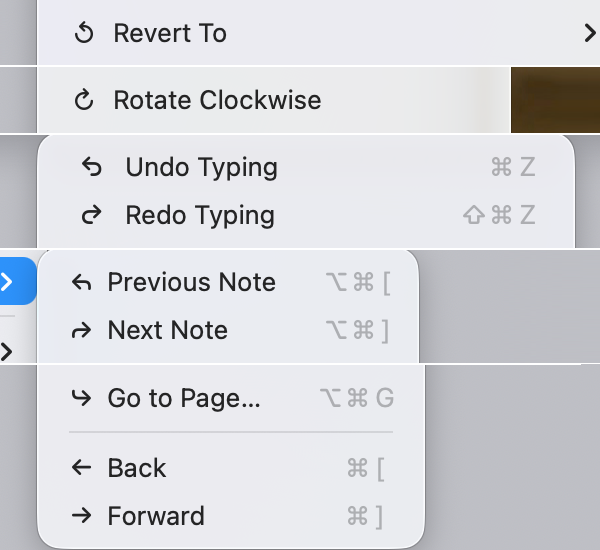
to mean the same thing in one place, and expects me to notice minute details like this in another?
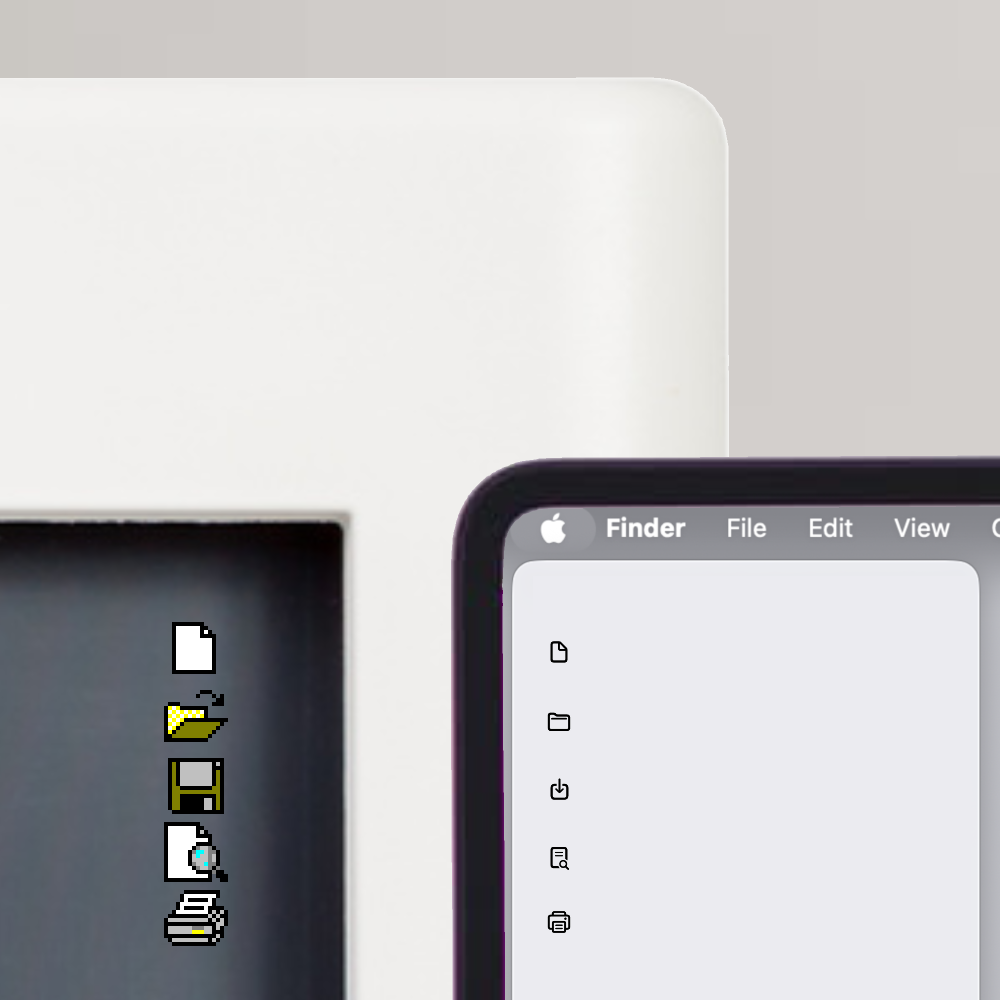












. Apple, for some reason, went with a book:








and
. Dots are supposed to represent something. I can imagine thinking that led to
. But
? No decorations. No effects. Just plain Abc. Really?